A

Amjid Ali

17
Workflows

Workflows by Amjid Ali

Workflow preview: PartnerStack/Impact → WooCommerce product creation with GPT-4 & AI images
Free advanced

PartnerStack/Impact → WooCommerce product creation with GPT-4 & AI images

# 🚀 PartnerStack/Impact → WooCommerce (AI-Powered Product Automation) **Turn affiliate programs into fully published WooCommerce products—on autopilot.** This n8n template pulls offers from PartnerStack/Impact (or your own links), generates SEO copy and images with AI, and publishes **External** products to WordPress/WooCommerce—hands-free. --- ## 🎯 What This Automation Does * ⏰ **Runs on a schedule** (e.g., daily at 10:00 or every 3 days) * 📄 **Reads rows from Google Sheets** (your affiliate product registry) * 🔗 **Inserts your affiliate link** (PartnerStack/Impact/CJ or manual) * 🌐 **Fetches product/landing page** and parses key details * 🤖 **Uses AI** to create product title, short & long HTML description * 🖼️ **Creates a product image** from an AI image prompt * 🗂️ **Uploads media to WordPress**, sets alt/title/caption * 🛒 **Creates a WooCommerce External product** via REST API * 🏷️ **Applies category by ID** and sets the featured image * ✅ **Marks the row as published** to avoid duplicates * 🧯 **Graceful error handling** (failed fetches are flagged & skipped next run) 🛒 **Output of Wordpress Website Product:** [![AI Affiliate Product Automation](https://pics.paypal.com/00/p/NTk4ZDFiMzQtNmI4OS00NGU3LTgyNmEtZTE4MzgwOWVjYzJj/image_3.PNG)](https://brenttechnologies.com/) --- ## 🧑‍🏫 Step-by-Step Video Tutorial 🎥 **Watch the implementation tutorial:** [![AI Affiliate Product Automation](https://img.youtube.com/vi/Pifwn32vlQk/hqdefault.jpg)](https://youtu.be/Pifwn32vlQk) 📌 *Live demo: schedule, sheet → product, AI copy/image, REST publish.* --- ## 🌐 Useful Links * 🔗 **Start with n8n (Cloud or Self-hosted):** 👉 [https://n8n.io](https://n8n.syncbricks.com) | Guide: [https://syncbricks.com/self-hosting-n8n-on-ubuntu-24-04-a-step-by-step-guide/](https://syncbricks.com/self-hosting-n8n-on-ubuntu-24-04-a-step-by-step-guide/) * 🧠 **OpenAI API (text + image):** 👉 [https://platform.openai.com/docs](https://platform.openai.com/docs) * 🤝 **PartnerStack:** 👉 [https://partnerstack.com](https://try.partnerstack.com/cg3ksh2ipx4f) * 📄 **Google Sheets API:** 👉 [https://developers.google.com/sheets/api](https://developers.google.com/sheets/api) --- ## 🛠 Prerequisites * ✅ n8n (self-hosted or Cloud) * ✅ WordPress + WooCommerce with REST API enabled * ✅ WordPress Application Password / API credential with media & products scope * ✅ OpenAI (or your preferred AI) API key * ✅ Google Sheet with minimum columns: * `AdvertiserIdandCompaignID` (unique key) * `AdvertiserUrl` (merchant/product URL) * `TrackingLink` (your affiliate URL) * `Brand` * `partner_status` (e.g., “Active”) * `product_published` (Yes/blank) * `error` (Yes/blank) --- ## 📋 Step-by-Step Implementation ### 1️⃣ Scheduling & Intake * Add a **Schedule Trigger** (daily, every 3 days, or your cadence). * **Google Sheets → Read**: pull rows from your “impact/partnerstack” tab. * **Filter** rows: `partner_status = Active` AND `product_published != Yes` AND `error != Yes`. * **Limit** to 1 per run (safe scaling). Increase later if needed. ### 2️⃣ Product Discovery & Parsing * **HTTP Request** the `AdvertiserUrl` to fetch the landing/product page. * Parse title/meta/summary; continue on error and flag failures (so runs don’t break). ### 3️⃣ AI Content Generation * **Agent 1 – Basics:** Product Name, Short Description, Category ID mapping (match your Woo categories). * **Agent 2 – Long Form:** SEO-ready **HTML** description (H2/H3, bullets, features, benefits, target users, technical highlights). * **Agent 3 – Image Prompt:** Generate a clean product-hero prompt; then **AI Image** generation. ### 4️⃣ Media Handling * **Upload media** to WordPress (`/wp/v2/media`) with title/alt/caption and proper content-type. * Capture the **media ID** for the next step. ### 5️⃣ WooCommerce Product Creation * **Create product** via `POST /wc/v3/products` with: * `type: "external"` * `name`, `short_description`, `description` * `external_url: TrackingLink` * `button_text: "Sign Up"` (or “Buy Now” / “Get It Now”) * `status: "publish"` (or “draft” if you want manual review) * **Attach featured image** with the uploaded `media ID`. * **Set categories** by **ID** (ensure your mapping is correct). ### 6️⃣ Post-Publish Updates * **Update the Google Sheet row** using the unique key (`AdvertiserIdandCompaignID`): * `product_published = Yes` * Clear/reset any transient error flags. ### 7️⃣ Error Handling & Idempotency * If fetch fails (e.g., Cloudflare/Turnstile), mark `error = Yes` and **skip** that row next run. * Filter excludes `error = Yes` and already-published rows—no accidental duplicates. --- ## 💰 Optional Monetization & Distribution * **Blog & Social:** Add branches to generate a blog article, LinkedIn/Twitter posts from the same product data. * **Video:** Create a short promo video (Sora/Gen-AI) and auto-schedule to TikTok/YouTube/Instagram. * **Email:** Trigger a campaign (e.g., Brevo/Mailchimp) for new products added this week. --- ## 💡 Advanced Customizations * **Draft workflow:** publish products as `draft` for human QA. * **Category Mapper:** expand the category ID table to fit your Woo taxonomy. * **Image sizing:** add an optional resize/optimize node before upload. * **Batching:** remove the Limit node to publish multiple products per run (respect rate limits). * **Per-brand theming:** vary prompts (tone/structure) based on Brand column. --- ## 🧰 Troubleshooting | Issue | Fix | | ----------------------------- | ---------------------------------------------------------------------------------------- | | WordPress 401/403 | Re-create Application Password; ensure correct base URL & permalinks | | Image upload fails | Check content-type & binary upload settings; verify max upload size on server | | Product lacks image/category | Confirm media ID capture & category ID mapping | | Duplicate items | Ensure `product_published` is set to `Yes` after success; keep Limit node during testing | | Fetch errors on merchant site | Keep “continue on error”; route to set `error = Yes`, then review manually | --- ## 🙌 Why Use This Template * ⏱️ **Saves hours** of manual listing work * 📈 **SEO-consistent** product pages every time * 🧠 **AI-quality copy & images** with your tone * 🔗 **Affiliate link everywhere**, fully tracked * 🛠️ **Extensible** to blog, social, video, and email --- ## 🚀 Get Started Now Import the template → Connect credentials → Point to your Sheet → Run once → Enable schedule. Need help or a DFY build? **SyncBricks** can implement and customize this for your stack. 👉 **Amjid Ali** — [https://linkedin.com/in/amjidali](https://linkedin.com/in/amjidali) 🌐 **Website** — [https://amjidali.com](https://amjidali.com) | [https://syncbricks.com.au](https://syncbricks.com.au) ▶️ **YouTube** — [https://youtube.com/@syncbricks](https://youtube.com/@syncbricks) --- **Knowledge Base:** `woocommerce-rest`, `partnerstack`, `impact`, `affiliate-automation`, `openai`, `n8n`, `google-sheets`, `content-generation`, `image-generation`, `wordpress-api`, `creator-hub`

A
Amjid Ali
Content Creation
2 Nov 2025
92
0
Workflow preview: Create & publish affiliate product videos with Sora-2, GPT & YouTube
Free advanced

Create & publish affiliate product videos with Sora-2, GPT & YouTube

# 🚀 Affiliate AI-Powered Video Funnel Fully Automated Product Video Creation & Publishing **Turn your affiliate links or product catalog into a 24/7 AI video marketing machine.** This n8n workflow auto-creates human-presenter promo videos using AI and publishes them directly to YouTube with SEO — completely hands-free. ✅ --- ## 🎯 What This Automation Does * 🔄 **Fetches product or affiliate data** from Google Sheets / Airtable / Database * 🎙️ **Generates human-presenter video prompts** (Sora-style) using AI Agents * 🎬 **Renders promotional videos automatically** via AI video generation * ⏳ **Polls render completion** & handles errors safely * 📤 **Uploads videos to YouTube** (draft, unlisted, or public) * 🧠 **Auto-generates SEO metadata** (titles, descriptions, tags, hashtags) * ✅ **Human approval flow** before public publishing * 📝 **Updates catalog status** to prevent duplicates * ⏱️ **Runs daily, weekly, or per request** via form or trigger This workflow eliminates all repetitive editing, uploading, and SEO work — **your channel grows while you sleep**. 😴📈 --- ## 🧑‍🏫 Step-by-Step Video Tutorial 🎥 **Complete Implementation Demo** 👉 [https://youtu.be/pOxcVbYdr0w](https://youtu.be/pOxcVbYdr0w) 📌 Covers full setup, rendering, approval, publishing, and automation scheduling. --- ## 🌐 Useful Links * 🛠️ n8n Hosting / Setup Support: [https://syncbricks.com](https://syncbricks.com) * 📚 YouTube Data API Docs: [https://developers.google.com/youtube/v3](https://developers.google.com/youtube/v3) * 🤖 Kai / AI Render Service: *(any Sora-style provider you choose)* * 🧠 AI Prompt Docs (OpenAI etc.): [https://platform.openai.com/docs/api-reference](https://platform.openai.com/docs/api-reference) --- ## 🛠 Prerequisites * ✅ n8n (Self-Hosted or Cloud) * ✅ AI Agent inside n8n configured * ✅ YouTube API credentials * ✅ Product/Affiliate data source: * Google Sheets OR Airtable OR Database * ✅ AI Video Rendering: Sora-style provider API 📝 Recommended product fields: > Title, Summary, Brand, Landing Page, Affiliate Link (if using monetization) --- ## 📋 How This Workflow Works — Step by Step ### 1️⃣ Product Input & Filtering * Fetch unpublished product/item * Skip rows marked “Published” or with error codes * Ideal for **drip publishing** content every day ### 2️⃣ AI Promo Script + Presenter Prompt * Converts product benefits → human script * Adds overlays + camera movement + style cues * Presenter looks professional, friendly & trusted ### 3️⃣ AI Video Rendering * Send prompt, wait for result * Retry & timeout safety built-in ### 4️⃣ YouTube Upload * Uploads automatically as **Unlisted** * ✅ Sends Human-In-The-Loop (HITL) approval * After approval → **Public Publish** ### 5️⃣ SEO Enhancement * Generates tags, hashtags & optimized titles * Inserts affiliate link into description * Updates video via YouTube API ### 6️⃣ Mark As Published * Saves record in sheet/db * Avoids duplicate publishing --- ## 💰 Affiliate / Monetization Features * 🛒 Add PartnerStack / Amazon Associates links * 🔗 Auto-insert affiliate URLs per product * 🧩 Optional dynamic UTM tracking * 📈 Ready for performance dashboards (CTR, views) You create **zero videos**, yet grow **daily affiliate revenue**. 🔥 --- ## 💡 Advanced Customizations | Idea | Benefit | | ------------------------------- | ------------------------------- | | Multi-platform publishing | Expand reach beyond YouTube | | Multi-language voice & captions | Increase global audience | | Category-based styles | Better storytelling per product | | Bulk overnight generation | Boost weekly content output | | Analytics integration | Track growth & ROI easily | --- ## ⚠️ Troubleshooting | Issue | Fix | | ----------------- | ------------------------------ | | No video returned | Check AI render provider quota | | Upload fails | Verify YouTube OAuth scopes | | Duplicate uploads | Confirm Published tag update | | Video quality | Adjust prompt style profile | --- ## 🙌 Why This Template You can scale affiliate & product-based video content **without editing tools**, **creators**, or **extra headcount**: ✅ Saves hours per video ✅ Builds traffic and trust automatically ✅ Generates recurring affiliate income ✅ Turns your product list into a money-making content engine --- ## 🚀 Get Started in Minutes Import the workflow → Connect APIs → Approve → Publish → Earn 💸 👉 More AI + n8n Workflows & Support [https://syncbricks.com](https://syncbricks.com) 👉 Subscribe for Tutorials [https://youtube.com/@syncbricks](https://youtube.com/@syncbricks) 👉 Connect with the creator (Amjid Ali) [https://linkedin.com/in/amjidali](https://linkedin.com/in/amjidali) --- ### 🔖 Knowledge Base Tags `ai_video_automation`, `affiliate_marketing`, `youtube_api`, `handsfree_automation`, `ecommerce_video_marketing`, `n8n_ai_agents`, `social_video_automation`, `product_video_generator`, `workflow_automation`, `marketing_scaling`

A
Amjid Ali
Content Creation
31 Oct 2025
267
0
Workflow preview: End-to-end YouTube video automation with HeyGen, GPT-4 & Avatar videos
Free advanced

End-to-end YouTube video automation with HeyGen, GPT-4 & Avatar videos

# 🎥 End-to-End YouTube Video Automation Workflow with n8n, HeyGen & AI **Automate the entire YouTube content creation pipeline — from video idea to AI-generated avatar video, upload, metadata generation, and publishing — with zero manual intervention!** --- ### Who is this for? This template is perfect for: * **Affiliate marketers** (e.g., PartnerStack, SaaS products) * **YouTube creators** scaling video production * **Agencies** managing client content * **Educators and coaches** delivering automated video lessons * **Entrepreneurs** running faceless YouTube channels --- ### 🧠 What problem does it solve? Publishing consistent, high-quality video content is essential for audience growth and monetization. But manually creating each video — researching, writing, recording, uploading, and optimizing — is slow, repetitive, and unsustainable at scale. This workflow solves that by automating: * ✅ Content sourcing from Google Sheets * ✅ Script generation with AI * ✅ Avatar video creation via HeyGen * ✅ YouTube upload and metadata * ✅ Final publishing and status update All done without touching a single button. Schedule it weekly and watch videos go live while you sleep. --- ### ⚙️ What this workflow does * 📥 Reads video ideas from a Google Sheet (e.g., PartnerStack affiliate product) * 🌐 Fetches product details from the web using HTTP Request * 🧠 Generates a promotional video transcript using an AI agent * 🎙 Converts the script to an avatar video using HeyGen API * ⏳ Waits for the video to render and fetches download URL * ⬆️ Uploads the video to YouTube via API * 🧠 Generates title, description, tags, and hashtags using AI * 🔄 Updates video metadata and changes visibility to **Public** * 📊 Logs publication details back to Google Sheets * 👤 Optional human-in-the-loop step before publishing --- ### 🛠 Setup 1. 🔌 Connect the following integrations: * Google Sheets (or Airtable) * HeyGen API * YouTube Data API (OAuth 2.0) * OpenAI / Gemini / Ollama 2. 🧾 Add your video ideas to Google Sheets: * Include product name, link, and "To Do" status 3. 📂 Import the n8n template and configure API credentials 4. 🧠 Customize your AI prompt for tone, format, and industry 5. 🕒 Schedule it to run weekly (1 video per week) --- ### ✏️ How to customize this workflow * Swap Google Sheets with Airtable, Notion, or API feeds * Modify AI prompts for different use cases: reviews, explainers, tutorials * Use D-ID, Synthesia, or your preferred avatar platform * Add analytics, thumbnails, or comment automation * Localize content for multi-language channels * Integrate with Slack, Discord, or Telegram for notifications --- ### 📌 Sticky Notes Included * 📊 Get Partner Idea: Pulls one item from the Google Sheet * 🌐 Fetch Content: Extracts product details via HTTP request * 🧠 AI Script: Generates video transcript using GPT or Gemini * 🎥 Video Generation: Sends script to HeyGen, waits for rendering * ⬆️ Upload to YouTube: Uploads video file * 🧠 Metadata Generator: Creates optimized title, tags, description * 🗓 Metadata Update: Updates YouTube metadata and sets video to Public * 📋 Sheet Update: Marks video as published in the Google Sheet * 🧑 Human Approval (Optional): Pause & resume on manual review --- ### 🌐 Useful Links * 🧠 [Mastering n8n on Udemy](https://www.udemy.com/course/mastering-n8n-ai-agents-api-automation-webhooks-no-code/?referralCode=0309FD70BE2D72630C09) * 📘 [n8n Learning Guidebook](https://lms.syncbricks.com/books/n8n) * 🚀 [Sign Up for n8n Cloud (Use Code: AMJID10)](https://n8n.syncbricks.com) * 🔧 [SyncBricks Automation Blog](https://syncbricks.com) * 📺 [YouTube Channel – SyncBricks](https://www.youtube.com/channel/UC1ORA3oNGYuQ8yQHrC7MzBg?sub_confirmation=1) --- ### 🔗 Why this workflow? This advanced automation setup is ideal for users exploring: * YouTube automation via n8n and API * AI-powered content pipelines with OpenAI/Gemini * Avatar video generation (HeyGen / D-ID / Synthesia) * Workflow automation for affiliate marketing * Full-stack video publishing using no-code tools * Enterprise-grade publishing for brands and creators Built with modularity, customization, and full control in mind — whether you’re using n8n Cloud or a self-hosted instance.

A
Amjid Ali
Content Creation
22 Jul 2025
783
0
Workflow preview: Auto-generate and post tweet threads based on Google Trends using Gemini AI
Free advanced

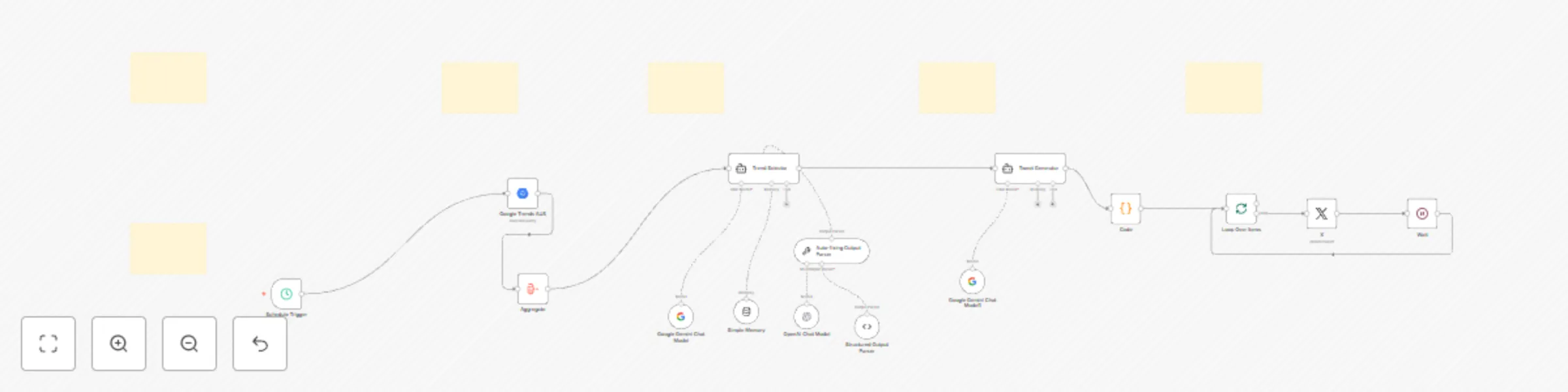
Auto-generate and post tweet threads based on Google Trends using Gemini AI

# AI-Powered Twitter Automation using n8n to Check BigQuery Latest Google Trend and Publish ## Who is this for? This template is designed for: * Content creators * Tech influencers * Educators and marketers who want to **automatically tweet trend-based threads** using AI and stay relevant without spending time on manual research and content writing. ## What problem does this workflow solve? Creating daily engaging Twitter threads takes time and effort. This workflow: * Finds trending search terms in your region (via Google Trends) * Selects the most relevant topic using AI * Generates a thread of five value-packed tweets * Publishes them automatically on X (Twitter) You get **high-quality, niche-specific content on autopilot** — ideal for boosting visibility, brand awareness, and engagement. ## What this workflow does * ⏰ Runs on a scheduled basis (daily at your preferred hour) * 🌍 Uses BigQuery to fetch the top 25 **trending search terms** * 🎯 AI Agent selects one **niche-relevant trend** * ✍️ AI generates a 5-part tweet thread using Gemini or OpenAI * 🐦 Tweets are published to **X (Twitter)** in sequence * 🔁 Works with **any niche** – simply modify the AI prompt ## Setup Instructions 1. 🔧 **Google Cloud Setup** * Create a project in [Google Cloud Console](https://console.cloud.google.com/) * Enable **BigQuery API** * Use the included SQL to fetch Google Trends 2. 🐦 **Twitter Developer Setup** * Go to [developer.twitter.com](https://developer.twitter.com/en/portal/dashboard) * Create an app and generate OAuth 2.0 credentials 3. 🧠 **AI Credentials** * Add either **Gemini API Key** or **OpenAI Key** in n8n 4. ✨ **Customize** * Modify the AI prompts to match your niche (e.g., marketing, health, finance) * Adjust tweet tone, call to action, hashtags, or output format ## How to customize this workflow to your needs * 🌍 Change Google Trends region or country in the SQL query * 🧠 Switch to another AI model (Claude, GPT-4o, DeepSeek, etc.) * 📢 Replace Twitter with LinkedIn, Telegram, or Slack integration * 📊 Add metrics or logging for tweet performance (advanced) ## 🎥 Watch How It Works [![Watch on YouTube](https://img.youtube.com/vi/p9Z1Qxzjc9w/0.jpg)](https://youtu.be/p9Z1Qxzjc9w) > In this tutorial, I walk you through the full automation – from pulling Google Trends to posting your AI-generated tweet thread using n8n. ## Example Use Cases * 🔍 Daily tweet series on trending tools or technologies * 💹 Market insights or productivity tips based on daily trends * 🎓 Educational content scheduled automatically * 🧠 Personal brand building using consistent, trend-aware posts ## Dependencies * n8n (self-hosted or cloud) * Google Cloud project with BigQuery enabled * Twitter Developer Account (OAuth 2.0 setup) * AI provider (Gemini or OpenAI) ## Keywords n8n twitter automation, tweet scheduler, X automation, auto post tweets, AI tweet writer, trending topics Twitter bot, Google Trends automation, AI content workflow, tweet generator using GPT, Twitter bot with Gemini, twitter + n8n ## Support & Credit Created by [Amjid Ali](https://amjidali.com) — 🏆 Global CIO200 | Founder of [Syncbricks](https://syncbricks.com) If this template saved you time, consider supporting: ➡️ [paypal.me/pmptraining](https://paypal.me/pmptraining) 📚 Learn more: * [Enroll in the full n8n course](https://www.udemy.com/course/mastering-n8n-ai-agents-api-automation-webhooks-no-code/?referralCode=0309FD70BE2D72630C09) * [LMS](https://lms.syncbricks.com/courses/n8n) * [More automation templates](https://syncbricks.com) * [Watch all YouTube tutorials](https://youtube.com/@syncbricks)

A
Amjid Ali
Social Media
11 May 2025
1434
0
Workflow preview: AI-powered YouTube meta generator with GPT-4o, Gemini & content enrichment
Free advanced

AI-powered YouTube meta generator with GPT-4o, Gemini & content enrichment

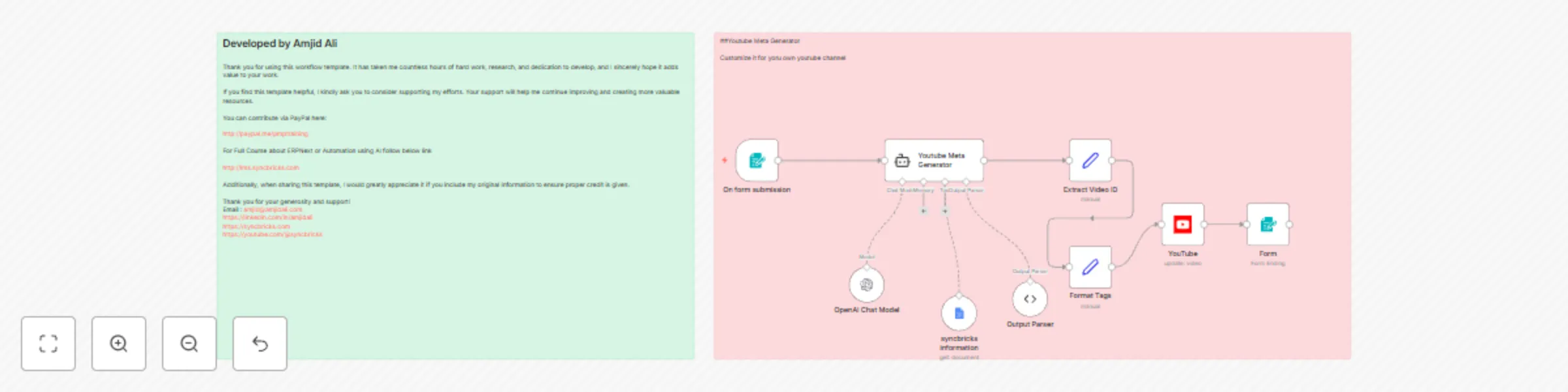
# 🎯 AI-Powered Advanced YouTube Meta Generator in n8n **Automatically generate SEO-optimized YouTube Titles, Descriptions, Tags & Hashtags – enriched with blog articles, affiliate links, and product recommendations!** --- ### Who is this for? This workflow is built for **content creators, affiliate marketers, educators, and agencies** who want to instantly enhance their YouTube videos with smart metadata and contextual linking — without wasting hours on research or copywriting. --- ### 🧠 What problem does it solve? Writing compelling, keyword-rich video metadata is essential for discoverability, engagement, and monetization. But doing this manually for every video is time-consuming. This workflow automates: - Title & description writing - Tag & hashtag generation - Transcript analysis - Affiliate link embedding - Internal link recommendations (related blogs & videos) All in one flow — saving hours per video. --- ### ⚙️ What this workflow does - 🔗 Accepts a YouTube video link + optional keywords - 🧠 Uses Gemini or GPT-4o to analyze the transcript - 📝 Auto-generates: - SEO-friendly Title (under 70 chars) - Catchy, benefit-focused Description with timestamps - Tags (450+ chars) - Hashtags (5–10 optimized) - 🔁 Fetches your blog sitemap and matches relevant articles - 📹 Finds similar past videos using AI - 🛍 Embeds recommended affiliate links via Airtable - 🔧 Updates YouTube video with new metadata via API --- ### 🛠 Setup 1. 🔌 Connect APIs: - YouTube Data API (OAuth 2.0) - Gemini or OpenAI GPT-4o - Airtable (for affiliate links) - Kome AI for transcripts - WordPress sitemap (for internal links) 2. 📋 Deploy this workflow and open the **form URL** to input: - YouTube Video Link - (Optional) Focus Keywords 3. 💬 Connect your accounts and authorize required scopes 4. 🧠 AI will handle the rest: from fetching data to publishing metadata. --- ### ✏️ How to customize this workflow - Replace Gemini with OpenAI / Claude / DeepSeek in the AI nodes - Point the sitemap node to your own blog - Modify the Airtable structure for affiliate links: - Name, Type, Platform, URL, Keywords - Change tag/hashtag formatting - Modify prompt instructions in AI nodes for brand tone --- ### 📌 Sticky Notes Included - ⚡ Form: “Enter Video Link + Optional Keywords” - 🔍 Sitemap Extraction: “Get blog URLs for related links” - 🧠 AI Logic: “Generate Metadata” - ✅ Update Metadata: “Publish updated title/description/tags” - 🧾 Completion Confirmation + Attribution to [Amjid Ali](https://amjidali.com) --- ### 🌐 Useful Links - 🧠 [Learn n8n Automation](https://www.udemy.com/course/mastering-n8n-ai-agents-api-automation-webhooks-no-code/?referralCode=0309FD70BE2D72630C09) - 🎓 [n8n Learning Guidebook](https://lms.syncbricks.com/books/n8n) - 🚀 [n8n Cloud Signup](https://n8n.syncbricks.com) - 🔧 [SyncBricks Tools & Blog](https://syncbricks.com) - 🛍 [Affiliate Product Hub](https://n8n.syncbricks.com) --- ### 🔗 Why this workflow? This workflow is ideal for users exploring n8n AI, working with the n8n API, building AI agents in n8n, deploying via Docker or MCP, integrating with GitHub, automating processes using n8n automation, leveraging tools like n8n chat extension, enhancing YouTube metadata with AI, and incorporating cutting-edge platforms such as Context7, Blotato, and OpenAI, whether using n8n Cloud or setting up self-hosted n8n installations.

A
Amjid Ali
Content Creation
29 Apr 2025
714
0
Workflow preview: YouTube video to AI-powered auto blogging and affiliate automation
Free advanced

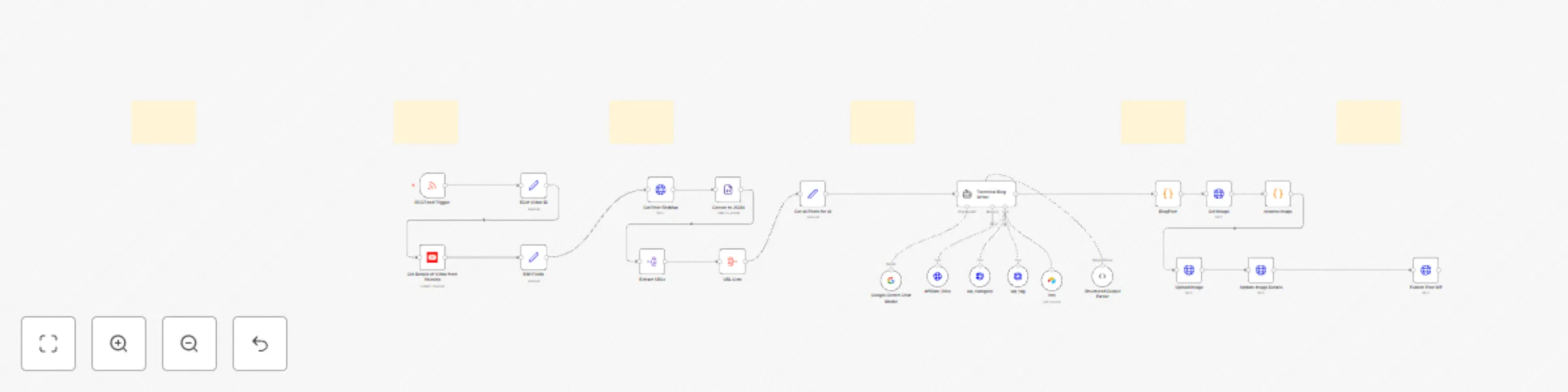
YouTube video to AI-powered auto blogging and affiliate automation

# 🚀 YouTube to WordPress AI-Powered Automation **Transform your YouTube content into professional blog posts automatically!** This n8n template seamlessly converts your YouTube videos into fully-formatted, SEO-optimized WordPress blog posts using AI-powered content generation—all without lifting a finger. --- ## 🎯 What This Automation Does - 📺 **Monitors your YouTube channel** for new video uploads - 🔍 **Extracts key video information** (title, description, URL, thumbnail) - 🤖 **Leverages AI** to generate comprehensive blog content based on video material - ✏️ **Creates SEO-optimized titles, excerpts, and tags** - 🖼️ **Formats posts beautifully** with embedded videos and proper HTML structure - 📝 **Publishes directly to WordPress** via secure API connection - ⏱️ **Runs on your schedule** — daily, weekly, or after each new upload ![Workflow Overview](https://n8n.io/images/workflows/youtube-wordpress-automation.png) --- ## 🧑‍🏫 Step-by-Step Video Tutorial 🎥 **Watch the implementation tutorial:** [![YouTube to WordPress Automation](https://img.youtube.com/vi/IkFgllPNkCo/0.jpg)](https://youtu.be/IkFgllPNkCo) 📌 *See the complete workflow setup and content transformation in action.* --- ## 🌐 Useful Links - 🔗 **Get started with n8n Cloud**: 👉 [https://n8n.io/cloud/](https://n8n.syncbricks.com) - 📘 **YouTube Data API documentation**: 👉 [https://developers.google.com/youtube/v3](https://developers.google.com/youtube/v3) - 📚 **WordPress REST API handbook**: 👉 [https://developer.wordpress.org/rest-api/](https://developer.wordpress.org/rest-api/) - 🧠 **OpenAI API documentation**: 👉 [https://platform.openai.com/docs/api-reference](https://platform.openai.com/docs/api-reference) --- ## 🛠 Prerequisites - [✅ n8n installation (self-hosted or cloud)](https://syncbricks.com/self-hosting-n8n-on-ubuntu-24-04-a-step-by-step-guide/) - ✅ YouTube Data API key - ✅ AI provider API key (OpenAI, Google Gemini, etc.) - ✅ WordPress website with REST API enabled - ✅ WordPress application password for secure authentication --- ## 📋 Step-by-Step Implementation ### 1️⃣ YouTube Video Detection - Youtube RSS Feedlink to fetch new video automatically - Implement filtering to process only videos not yet published to WordPress ### 2️⃣ Content Preparation - Extract essential video metadata (ID, title, description, thumbnail URL) - Structure the information for AI processing and WordPress publication - Format video thumbnails for use as featured images in blog posts ### 3️⃣ AI Content Generation - Configure your preferred AI provider (OpenAI, Gemini, etc.) - Create detailed prompts that instruct the AI to: - Maintain your brand voice and writing style - Structure content with proper headings and subheadings - Creates Internal Links from existing blogposts - Creators Extenal links using affilaite links and other link database. - Engaging SEO frendly. - Automatically monetizes by embedding social [PartnerStack](https://try.partnerstack.com/syncbricks) Links - Include key points from the video - Generate SEO-friendly paragraphs and conclusions ### 4️⃣ Content Enhancement - Format the AI-generated content with proper HTML structure - Add responsive embedded YouTube player - Include attribution links back to original video - Create custom intro and conclusion sections ### 5️⃣ WordPress Publishing - Securely connect to WordPress via REST API - Set post parameters (title, content, excerpt, categories, tags) - Configure post status (publish immediately or save as draft) - Add featured image using video thumbnail ### 6️⃣ Notification & Logging - Receive email or Slack notifications when new posts are published - Log workflow executions for troubleshooting - Track successful publications for reporting --- ## 💰 Automatic Affiliate Marketing Integration Transform your blog posts into passive income generators by automatically embedding relevant affiliate links based on your video content: ### [PartnerStack Integration](https://try.partnerstack.com/syncbricks) - **Dynamically fetch relevant affiliate links** from your PartnerStack account - **Intelligently match products** to video content using AI-powered relevance scoring - **Automatically insert formatted affiliate links** with proper disclosure notices - **Track performance metrics** for each generated post's affiliate conversions ``` Example setup: Connect PartnerStack API → Filter relevant products → Insert links in strategic post positions ``` ### Custom Affiliate Database via Airtable - Create a centralized **product-keyword Airtable database**: - Product name and description - Affiliate link with your unique ID - Category and keyword triggers - Commission rates and expiration dates - **Auto-scan blog content** to identify keyword matches - **Insert highest-converting links** based on historical performance - **Rotate affiliate links** to test different products and placements ![Affiliate Integration](https://syncbricks.com/wp-content/uploads/2025/04/ai-powered-n8n-automation.jpg) ### Advanced Monetization Features - **Amazon Associates product matching** based on video content - **Time-sensitive promo codes** inserted for limited-time offers - **Geo-targeted affiliate links** based on visitor location - **A/B testing system** to optimize link placement and conversion - **Automated disclosure statements** to maintain FTC compliance ### Implementation Steps 1. Connect to your PartnerStack account via API 2. Create an Airtable base with your affiliate product database 3. Configure the AI to identify product-mention opportunities 4. Add a post-processing node to insert relevant affiliate links 5. Implement tracking parameters to measure performance This integration not only saves time manually adding affiliate links, but also increases conversion rates through intelligent product matching and optimal placement within your automatically generated blog content. > 💡 **Pro Tip**: Create separate tracking IDs for your automated YouTube-to-WordPress posts to measure this specific channel's performance in your affiliate dashboards. ## 💡 Advanced Customizations ### Content Templates Create specialized formatting based on video categories: - **Tutorial videos**: Step-by-step instructions with timestamps - **Review videos**: Pros/cons sections with ratings - **Interview videos**: Question-answer format with speaker attribution ### Category & Tag Management Automatically organize your WordPress content: - Assign categories based on video topics or playlists - Generate tags from video keywords and descriptions - Create custom taxonomies for video series ### Multi-Platform Distribution Extend your content reach by adding: - Social media announcement posts - Email newsletter inclusion - Content syndication to Medium or LinkedIn --- ## ⚠️ Troubleshooting | Issue | Solution | |-------|----------| | AI generation timeout | Increase timeout settings or use chunked processing | | WordPress API errors | Verify application password and user permissions | | Missing video embedding | Check oEmbed settings in WordPress | | Duplicate posts | Implement content fingerprinting for detection | | Poor content quality | Refine AI prompts with better instructions | --- ## 🙌 Why Use This Template Content creators typically spend 2-4 hours converting each video into a quality blog post. This automation: - ⏱️ **Saves 10+ hours weekly** for active YouTube creators - 🔍 **Boosts SEO performance** with multi-platform content - 🌐 **Expands audience reach** to text-preferring visitors - 💰 **Increases monetization opportunities** across platforms - 🧠 **Frees creative energy** for producing better videos Don't choose between video and written content—have both automatically! --- ## 🚀 Get Started Now Import the template → Connect your accounts → Watch your blog grow alongside your channel. 👉 [AMJID ALI'S PROFILE](https://linkedin.com/in/amjidali) 👉 [website](https://amjidali.com) 👉 [Explore more on youtube](https://youtube.com/@syncbricks) --- **Knowledge Base**: `youtube-api`, `wordpress-automation`, `content-repurposing`, `ai-blog-generation`, `n8n-workflow`, `creator-tools`, `video-to-text`, `multi-platform-publishing`

A
Amjid Ali
Content Creation
26 Apr 2025
3747
0
Workflow preview: Automate Digital Delivery After PayPal Purchase Using n8n
Free advanced

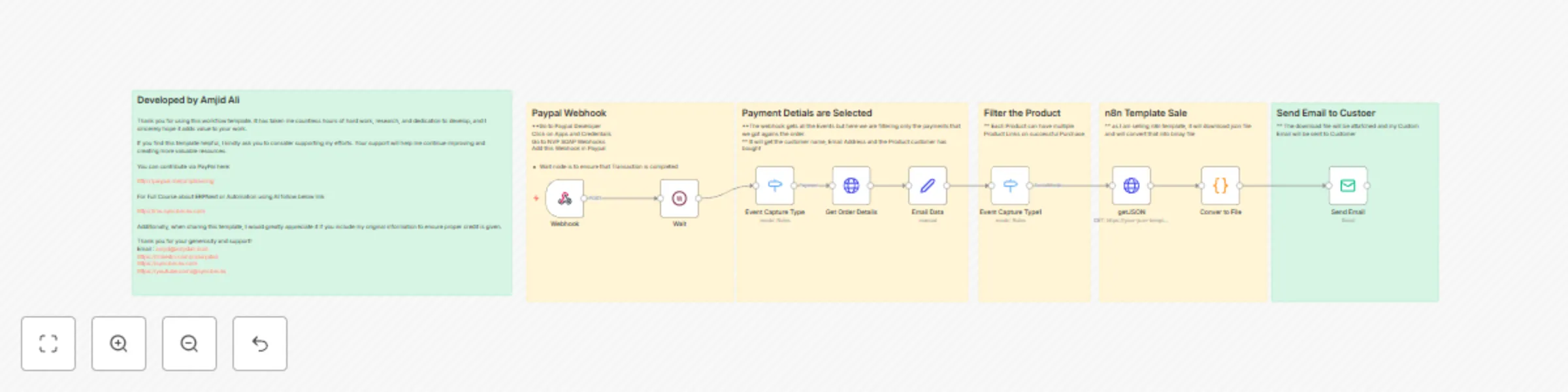
Automate Digital Delivery After PayPal Purchase Using n8n

## Automate Digital Delivery After PayPal Purchase Using n8n ### A Complete Step-by-Step Guide to Seamless Template Delivery #### Built by Amjid Ali – SyncBricks Deliver personalized files instantly after PayPal transactions using n8n – without writing a single backend line. --- ## 🚀 What This n8n Workflow Does This automation template helps you automatically deliver a digital product (such as an n8n template or JSON file) to customers who pay via PayPal — within seconds. ### You can: - Automatically extract customer info - Identify what was purchased - Send a clean, branded email with the product file - Promote your other courses, books, and tools --- ## 📦 Use Case ### Example Product: [AI-Powered Social Media Content Generator & Publisher](https://www.paypal.com/ncp/payment/8CG259Q744FT4) When a customer buys this product through [PayPal](https://www.paypal.com/ncp/payment/8CG259Q744FT4), this automation: - Listens for a successful payment event - Fetches order details via API - Sends an HTML email with the template attached - Promotes your other offerings with embedded links --- ## 🔧 Prerequisites You’ll need: - An [n8n instance](https://n8n.syncbricks.com/) (self-hosted or n8n Cloud) - A PayPal developer account - PayPal OAuth2 credentials configured in n8n - Your product hosted as a downloadable `.json` file (Oracle, Dropbox, GitHub, etc.) - SMTP email credentials in n8n --- ## 🧠 Step-by-Step Setup ### 1. Webhook Trigger **Node:** Webhook Listens for a POST request from PayPal’s webhook for `PAYMENT.CAPTURE.COMPLETED` events. 📌 Add the webhook to your PayPal Developer App > Webhooks. ### 2. Wait **Node:** Wait Adds a brief delay to ensure the payment is completely processed before continuing. ### 3. Filter Event Type **Node:** Switch Processes only when the event is `PAYMENT.CAPTURE.COMPLETED`. ### 4. Fetch Order Details **Node:** HTTP Request Retrieves the order information from PayPal's Orders API. **URL format:** `https://api.paypal.com/v2/checkout/orders/{{ order_id }}` ### 5. Extract Email & Product Info **Node:** Set Extracts first name, last name, email address, and the purchased item name. ### 6. Identify Product Purchased **Node:** Switch Checks if the product is “AI-Powered Social Media Content Generator & Publisher”. ### 7. Download Workflow File **Node:** HTTP Request Fetches the hosted workflow JSON from object storage (Oracle in this case). ### 8. Convert to Downloadable File **Node:** Code Converts the JSON content into a binary file and attaches it. ### 9. Send Custom Email **Node:** Send Email Sends a rich HTML email to the buyer with: - Their name - The file attachment - Product name - Helpful resource links: - 📘 [Mastering n8n Course on Udemy](https://www.udemy.com/course/mastering-n8n-ai-agents-api-automation-webhooks-no-code/?referralCode=0309FD70BE2D72630C09) - 📖 [Step-by-Step Guide (n8n Book)](https://lms.syncbricks.com/books/n8n) - 🎓 [n8n Video Tutorials (Free Course)](https://lms.syncbricks.com/courses/n8n) - ☁️ [Sign up for n8n Cloud](https://n8n.syncbricks.com) – Use code `AMJID10` - 🎥 [YouTube Video Walkthrough](https://www.youtube.com/@syncbricks) --- ## 📚 Additional Learning Resources ### 🚀 My Full Automation Suite Explore more and master n8n with these resources: - 🎓 [Mastering n8n (Full Udemy Course)](https://www.udemy.com/course/mastering-n8n-ai-agents-api-automation-webhooks-no-code/?referralCode=0309FD70BE2D72630C09) - 📕 [Get Your Step-by-Step Guide (n8n Book)](https://lms.syncbricks.com/books/n8n) - 🎥 [Get Step-by-Step Tutorials (Video Course)](https://lms.syncbricks.com/courses/n8n) - ☁️ [Sign up for n8n Cloud](https://n8n.syncbricks.com) - 💡 [Templates, Tools, and More](https://syncbricks.com) - 📺 [YouTube Channel – SyncBricks](https://youtube.com/@syncbricks) --- ## 🙋 Need Help or Customization? Reach out! Email: [[email protected]](mailto:[email protected]) LinkedIn: [linkedin.com/in/amjidali](https://linkedin.com/in/amjidali) Website: [syncbricks.com](https://syncbricks.com)

A
Amjid Ali
CRM
25 Apr 2025
909
0
Workflow preview: Generate monthly financial reports with Gemini AI, SQL, and Outlook
Free advanced

Generate monthly financial reports with Gemini AI, SQL, and Outlook

# 🚀 AI-Powered Business Performance Reporting Automation **Unlock executive-level insights with ZERO manual work!** This n8n template empowers you to automate your entire monthly business performance reporting using dynamic SQL queries, AI-driven analysis, and beautiful HTML dashboards — all delivered directly to your inbox. --- ## 🎯 What This Automation Does - 📆 **Triggers automatically every month** (5th of each month) - 🧮 **Fetches financial data** from SQL (ERPNext or any database) - 🔁 **Loops over cost centers** to analyze each business unit individually - 📊 **Generates Profit & Loss reports**, WIP, Employee stats, and vertical breakdowns - 🤖 **Uses Google Gemini 2.5 AI** to perform advanced financial analysis - 💌 **Delivers a polished HTML report** to your email inbox - 🔧 **Fully modular** – replace data source with Excel, Google Sheets, or APIs ![Sample Report](https://syncbricks.com/wp-content/uploads/2025/04/report.png) --- ## 🧑‍🏫 Step-by-Step Video Tutorial 🎥 **Watch the full tutorial on YouTube:** [![Watch Tutorial](https://img.youtube.com/vi/yatQpQZLqg4/0.jpg)](https://youtu.be/yatQpQZLqg4) 📌 *Learn how each node works and see the AI-generated report in action.* --- ## 🌐 Useful Links - 🔗 **Sign up for n8n Cloud** (recommended for non-tech users): 👉 [https://n8n.syncbricks.com](https://n8n.syncbricks.com) - 📘 **Download the step-by-step Guidebook (Free)**: 👉 [https://lms.syncbricks.com/books/n8n](https://lms.syncbricks.com/books/n8n) - 📚 **Explore the full course on n8n** (includes templates, workflows, and AI integrations): 👉 [https://lms.syncbricks.com/courses/n8n](https://lms.syncbricks.com/courses/n8n) --- ## 🛠 Requirements - ✅ n8n (Self-hosted or Cloud) - ✅ SQL Database (MySQL / PostgreSQL / ERPNext) - ✅ Microsoft Outlook or Gmail (to send the report) - ✅ Gemini API Key (for AI analysis) - ✅ Basic understanding of your data schema --- ## 💡 Why Use This Template? - ⏱ **Saves 2-3 days of manual work every month** - 📈 **Improves financial visibility across business units** - 🤝 **Great for CFOs, COOs, Finance Analysts, and BI teams** - 🔄 **Scales across multiple divisions and companies** - 🧠 **Leverages AI for actionable insights and recommendations** --- ## 🧩 Customize It Your Way - Replace the SQL nodes with: - Excel / Google Sheets - Airtable / APIs - Custom Applications - Swap the AI model: - OpenAI GPT - Claude - DeepSeek - Adjust the report structure or HTML style --- ## 🙌 Get Started Now 🎯 Import the JSON template → Connect your data → Receive business insights via email. Don’t let manual reporting slow down your decision-making. 👉 [Sign up for n8n Cloud](https://n8n.syncbricks.com) 👉 [Learn n8n with Amjid](https://www.udemy.com/course/mastering-n8n-ai-agents-api-automation-webhooks-no-code/?referralCode=0309FD70BE2D72630C09) 👉 [Download Guide](https://lms.syncbricks.com/books/n8n) --- **Created by [Amjid Ali](https://amjidali.com) | SyncBricks™ – Automation for Everyone**

A
Amjid Ali
Document Extraction
20 Apr 2025
20675
0
Workflow preview: Automated weekly project cost reports with MySQL and Outlook HTML emails
Free intermediate

Automated weekly project cost reports with MySQL and Outlook HTML emails

## Automated Weekly Project Cost Reports with MySQL and Outlook HTML Emails ## 🧠 Use Case Need to keep your finance or operations team updated on missing project costs? This practical **automated report workflow** does the job without AI — and saves hours weekly. - Runs on a **weekly schedule** - Queries your **MySQL** database for projects missing cost data - Filters by `budgeted_project_cost IS NULL` - Generates a clean **HTML email report** - Sends it through **Microsoft Outlook** to relevant teams ## 🚀 How It Works 1. **Schedule Trigger** – Runs every Monday at 8 AM 2. **MySQL Node** – Connects and runs SQL to fetch project data missing `budgeted_project_cost` 3. **Switch Node** – Routes logic based on `cost_center` (e.g., Retail, Service, Projects) 4. **Outlook Nodes** – Sends formatted HTML emails; each node handles a specific group 5. **Dynamic Content** – Inject values using mustache tags like `{{ $json.project_name }}` ## 🔧 Setup Instructions 1. **MySQL Setup**: - Ensure the MySQL node is connected using a valid credential set: - Hostname/IP - Port (default: 3306) - Database name - Username with SELECT permissions - Password - Query Example: ```sql SELECT project_name, cost_center FROM tabProject WHERE status = 'Open' AND project_type = 'External' AND budgeted_project_cost IS NULL; ``` 2. **Outlook Configuration**: - Connect your Microsoft Outlook node using OAuth2 credentials. - Rename each Outlook node clearly (e.g., `Send Email - Retail`, `Send Email - Service`). 3. **Switch Node**: - Modify cost center values as needed to match your organization (e.g., `'Retail'`, `'Service'`, `'Projects'`). 4. **HTML Email Formatting**: - Customize the HTML message body using inline styles and mustache syntax. - Sample: ```html <h3>Missing Budgeted Cost Report</h3> <ul> <li>Project: {{ $json.project_name }}</li> <li>Cost Center: {{ $json.cost_center }}</li> </ul> ``` 5. **Recipients**: - Replace `[email protected]` with the actual email addresses of the concerned teams. ## 📘 Read More 👉 [Why Simple Workflows Work](https://syncbricks.com/why-simple-n8n-workflows-often-deliver-more-value-than-complex-ones/) ## 📺 Demo & Tutorial 🎥 Watch the video walkthrough: [https://youtube.com/@syncbricks](https://youtube.com/@syncbricks) --- ## 👤 About the Creator **Amjid Ali** 🌐 [amjidali.com](https://amjidali.com) 📘 [n8n Book](https://lms.syncbricks.com/books/n8n/) 🎓 [Learn n8n](https://www.udemy.com/course/mastering-n8n-ai-agents-api-automation-webhooks-no-code/?referralCode=0309FD70BE2D72630C09) &gt; “Start simple, scale smart. Even basic workflows like this can save your team hours!” — *Amjid Ali*

A
Amjid Ali
Document Extraction
7 Apr 2025
1829
0
Workflow preview: Smart email auto-responder template using AI
Free advanced

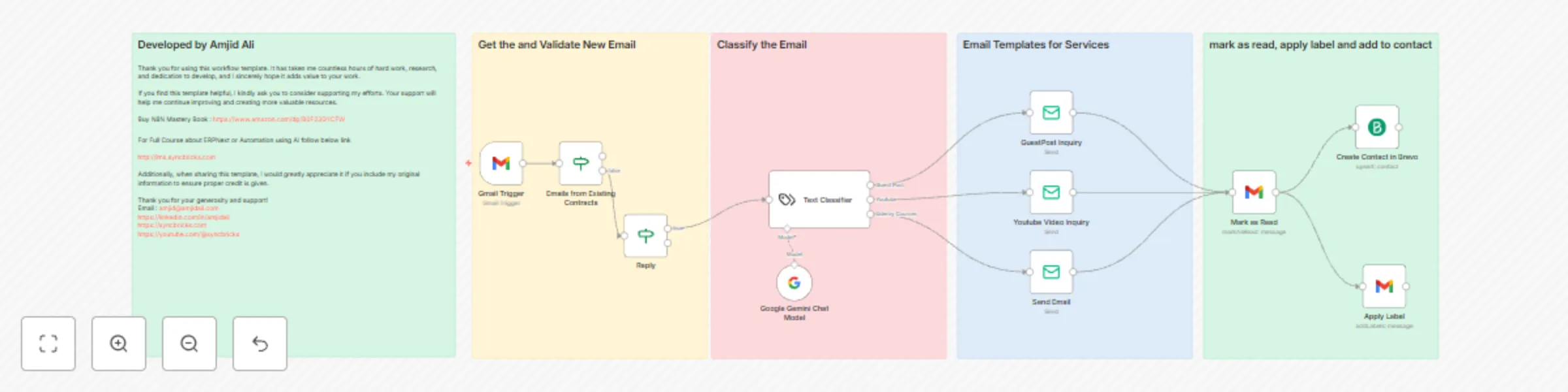
Smart email auto-responder template using AI

# Smart Email Auto-Responder with AI Classification ## Automatically Categorize and Reply to Emails using LangChain + Google Gemini + Gmail + SMTP + Brevo This n8n workflow is designed to intelligently manage incoming emails and automatically send personalized responses based on the content. It classifies emails using LangChain's Text Classifier, sends HTML responses depending on the category, and updates Gmail and Brevo CRM accordingly. --- ## Key Features **Triggers and Classifies Emails** - Listens for new Gmail messages every hour - Uses AI-based classification to identify the type of inquiry For Example: - Guest Post - YouTube Review - Udemy Course Inquiry **Responds Automatically** - Sends professional HTML replies customized for each type - Uses SMTP to deliver emails from your domain **Enhances Workflow with Automation** - Marks processed emails as read - Applies Gmail labels - Adds sender to Brevo contact list **Optional AI Chat Integration** - Uses Google Gemini (PaLM 2) to enhance classification or summarization --- ## Tools & Integrations Required 1. Gmail account (OAuth2) 2. LangChain (Text Classifier node) 3. Google Gemini API account 4. SMTP credentials (e.g., Gmail SMTP, Brevo, etc.) 5. Brevo/Sendinblue account and API key --- ## Step-by-Step Node Guide ### 1. Gmail Trigger Polls Gmail every hour for new emails. Filters out internal addresses (e.g., `@syncbricks.com`). Avoids replying to already-responded emails (`Re:` subject filter). ### 2. LangChain Text Classifier Uses AI to categorize the content of the email based on pre-defined categories: - **Guest Post** - **Youtube** - **Udemy Courses** ### 3. Google Gemini (PaLM) Chat Model *(Optional)* Provides additional AI support to enhance classification accuracy. Can be used to summarize or enrich the context if needed. ### 4. Email Send Nodes Each response category has a separate SMTP node with a custom HTML email: - **Guest Post Inquiry** - **YouTube Video Inquiry** - **Udemy Course Inquiry** ### 5. Gmail: Mark as Read Marks the email so it isn’t processed again. ### 6. Gmail: Apply Label Adds a label (e.g., `Handled by Bot`) for organization. ### 7. Brevo: Create/Update Contact Saves the sender to your CRM for future communication or marketing. --- ## Email Templates Included ### Guest Post Template Includes pricing, website list, submission guidelines, and payment instructions. ### YouTube Review Template Includes package pricing, review samples, video thumbnails, and inquiry instructions. ### [Step by Step Tutorial](https://youtu.be/OAu6tOwubgE) ### [GET n8n Now](https://www.udemy.com/course/mastering-n8n-ai-agents-api-automation-webhooks-no-code/?referralCode=0309FD70BE2D72630C09) ### [N8N COURSE](https://www.udemy.com/course/mastering-n8n-ai-agents-api-automation-webhooks-no-code/?referralCode=0309FD70BE2D72630C09) ### [n8n Book](https://lms.syncbricks.com/books/n8n/) More courses: [http://lms.syncbricks.com](http://lms.syncbricks.com) YouTube Channel: [https://youtube.com/@syncbricks](https://youtube.com/@syncbricks) --- ## How to Use 1. Import the template into your n8n instance. 2. Configure your Gmail OAuth2 and SMTP credentials. 3. Set up your LangChain Text Classifier and Google Gemini API credentials. 4. Update label ID in the Gmail node and ensure all custom fields like `from.value[0].name` match your use case. 5. Run the workflow and watch it respond intelligently to new inquiries. --- ## Best Practices - Always test with mock emails first. - Keep the Google Gemini node optional if you want to reduce cost/API calls. - Use Gmail filters to auto-label certain types of emails. - Monitor your Brevo contacts to track new leads. --- ## Attribution & Support **Developed by Amjid Ali** This template took extensive time and effort to build. If you find it useful, please consider supporting my work. **Buy My Book:** [Mastering n8n on Amazon](https://www.amazon.com/dp/B0F23GYCFW) **Full Courses & Tutorials:** [http://lms.syncbricks.com](http://lms.syncbricks.com) **Follow Me Online:** LinkedIn: [https://linkedin.com/in/amjidali](https://linkedin.com/in/amjidali) Website: [https://amjidali.com](https://amjidali.com) YouTube: [https://youtube.com/@syncbricks](https://youtube.com/@syncbricks)

A
Amjid Ali
Lead Nurturing
21 Mar 2025
15182
0
Workflow preview: Automatically create YouTube metadata with AI
Free intermediate

Automatically create YouTube metadata with AI

This n8n workflow automates YouTube video metadata generation using AI. It extracts video transcripts, analyzes content, and produces optimized titles, descriptions, tags, hashtags, and call-to-action elements. Additionally, the workflow integrates affiliate and promotional links to enhance overall video performance. ## Key Features ### Automated Metadata Generation Utilizes an AI agent integrated with OpenAI GPT-4 to generate engaging metadata based on the provided video transcript. ### SEO and Engagement Optimization Creates keyword-rich, well-structured content that boosts search engine visibility and audience engagement. ### Affiliate and Promotional Integration Retrieves pre-set promotional and affiliate links using a Google Docs integration. ### Direct YouTube Update Automatically updates video details on YouTube via the YouTube API. ### Customization Allows you to modify the AI prompt to tailor metadata for your specific niche. ## Workflow Breakdown ### User Submission Users supply the YouTube video link, transcript, and optionally, focus keywords. ### Video ID Extraction The workflow converts the YouTube URL into a video ID to streamline automation. ### Link Retrieval Affiliate and course links are fetched from a designated Google Docs file. ### AI-Powered Metadata Generation The AI agent generates the video title, description, tags, hashtags, and call-to-action elements. ### Metadata Formatting and Update The generated metadata is structured and directly updated on YouTube. ### Confirmation A success message is displayed upon completion of the update process. ## Setup and Configuration ### Deploying the Workflow Deploy the workflow in n8n and ensure all integrations are properly set up. ### Configuring Integrations - **Google Docs:** Configure credentials to retrieve affiliate and promotional links. - **OpenAI (GPT-4):** Set up credentials for AI-powered metadata generation. - **YouTube API:** Enter your API credentials to enable automatic video updates. ### User Input Requirements Provide a valid YouTube video link and its corresponding transcript. Optionally, include focus keywords to further enhance metadata accuracy. ## Ideal For - **YouTube Content Creators:** Automate video descriptions and boost SEO. - **Digital Marketers:** Enhance content for improved search rankings and audience engagement. - **Affiliate Marketers:** Simplify the insertion of promotional and affiliate links. - **AI & Automation Enthusiasts:** Explore the integration of AI into automated workflows. ## Additional Resources For further guidance, refer to the tutorial video on this workflow. More courses and resources are available on the SyncBricks website. For support or inquiries, contact Amjid Ali at [email protected]. You can also support this work via PayPal donations and subscribe for additional AI and automation workflows. - **Watch the Tutorial:** [YouTube Video on This Workflow](https://youtu.be/VNpr9T00Is0) - **More Courses & Resources:** - [SyncBricks LMS](https://lms.syncbricks.com/) - [Full Course on ERPNext & AI Automation](https://www.udemy.com/course/ai-automation-mastery-build-intelligent-agents-with-lowcode/?referralCode=0062E7C1D64784AB70CA) - **Connect:** - Email: [email protected] - Website: [SyncBricks](https://syncbricks.com) - YouTube: [SyncBricks Channel](https://www.youtube.com/channel/UC1ORA3oNGYuQ8yQHrC7MzBg?sub_confirmation=1) - LinkedIn: [Amjid Ali](http://linkedin.com/in/amjidali) - **Support & Subscribe:** - [Donate via PayPal](https://paypal.me/pmptraining) - [Subscribe for More AI & Automation Workflows](https://n8n.syncbricks.com)

A
Amjid Ali
Content Creation
22 Feb 2025
8453
0
Workflow preview: Ai-powered social media content generator & publisher
Free advanced

Ai-powered social media content generator & publisher

# **AI-Powered Social Media Content Generator & Publisher** 🚀 This **AI-driven n8n workflow** automates social media content **creation and publishing** across **LinkedIn, Instagram, Facebook, and Twitter (X)**. It generates **engaging, platform-optimized posts** using **Google Gemini AI**, based on user inputs such as a **post title, keywords, and an uploaded image**. The workflow ensures seamless content generation and publishing, making it a perfect tool for **marketers, business owners, influencers, and content creators**. --- ## **🌟 Features & Benefits** ✅ **AI-Generated Social Media Posts** – Uses **Google Gemini AI** to create high-quality, optimized content. ✅ **Multi-Platform Support** – Automatically generates posts for **LinkedIn, Instagram, Facebook, and Twitter (X)**. ✅ **Hashtag & SEO Optimization** – Includes **trending hashtags** to enhance visibility and engagement. ✅ **Image Upload & Processing** – Allows **image uploads** for Instagram and Facebook using **imgbb** and Facebook Graph API. ✅ **Automated Publishing** – Posts are **automatically published** on all selected platforms. ✅ **Custom Call-to-Action** – Each platform's post is **optimized with CTAs** for better engagement. ✅ **User-Friendly Form Submission** – Easy-to-use form where users can enter **post titles, keywords, links, and images**. ✅ **Performance Tracking** – Provides **confirmation and tracking links** for published posts. --- ## **📌 How It Works** 1️⃣ **User Submission Form** - Fill out the form with **Post Title, Keywords, and an Optional Link**. - Upload an **image** for **Instagram & Facebook posts**. 2️⃣ **AI Content Generation** - **Google Gemini AI** generates **optimized content** for each platform. - The AI ensures **professional, engaging, and audience-specific** content. 3️⃣ **Content Review** - Users **review and approve** the AI-generated content before publishing. 4️⃣ **Automated Publishing** - Posts are **automatically published** on **LinkedIn, Facebook, Instagram, and Twitter (X)**. - Uses **Facebook Graph API, LinkedIn API, Twitter API, and Instagram API**. 5️⃣ **Post Confirmation & Tracking** - Get links to **track published posts** on each platform. --- ## **🛠️ Prerequisites** Before using this workflow, ensure you have: - ✅ **n8n Instance** (Cloud or Self-Hosted) - ✅ **Social Media API Credentials** (Facebook, Instagram, LinkedIn, Twitter API) - ✅ **Google Gemini AI API Key** - ✅ **imgbb API Key** (for image hosting) --- **Get N8n** [My Affiliate Link](http://n8n.syncbricks.com/) **Buy My Book:** [Mastering n8n on Amazon](https://www.amazon.com/dp/B0F23GYCFW) **Full Courses & Tutorials:** [http://lms.syncbricks.com](http://lms.syncbricks.com) ## **📺 YouTube Video Tutorial 🎥** Watch the **step-by-step tutorial** on how to set up and use this **n8n workflow template**: 🔗 **[YouTube Tutorial - AI-Powered Social Media Posting in n8n](https://youtu.be/-Oc_HfreJJE?si=BUmsld-SVd-i8wi2)** --- ## **🎯 Use Cases** 📌 **Marketing Agencies** – Automate client content scheduling. 📌 **Businesses & Brands** – Maintain a **consistent brand presence** on social media. 📌 **Content Creators & Influencers** – Generate **high-quality posts** quickly. 📌 **E-commerce & Startups** – Promote products and services **effortlessly**. 📌 **Corporate & Enterprise Teams** – Streamline **internal and external communications**. --- ## Important ### [Start with n8n](http://n8n.syncbricks.com/) ### [Learn n8n with Amjid ](https://www.udemy.com/course/mastering-n8n-ai-agents-api-automation-webhooks-no-code/?referralCode=0309FD70BE2D72630C09) ### [Get n8n Book](https://lms.syncbricks.com/books/n8n/) ## **👨‍💻 Creator Information** 👤 **Developed by:** **Amjid Ali** 🌐 **Website:** [SyncBricks](https://syncbricks.com) 📧 **Email:** [[email protected]](mailto:[email protected]) 💼 **LinkedIn:** [Amjid Ali](https://linkedin.com/in/amjidali) 📺 **YouTube:** [SyncBricks](https://youtube.com/@syncbricks) --- ## **💡 Support & Contributions** If you find this workflow helpful, consider supporting my work: 👉 **[Donate via PayPal](http://paypal.me/pmptraining)** For full courses on ** AI Automation**, visit: 📚 **[SyncBricks LMS](http://lms.syncbricks.com)** 📚 **[AI and Auotmation Course](https://www.udemy.com/course/ai-automation-mastery-build-intelligent-agents-with-lowcode/?referralCode=0062E7C1D64784AB70CA)** 👉 **[Get Started with N8N](http://n8n.syncbricks.com)**

A
Amjid Ali
Social Media
20 Feb 2025
119319
0
Workflow preview: Ai fitness coach Strava data analysis and personalized training insights
Free advanced

Ai fitness coach Strava data analysis and personalized training insights

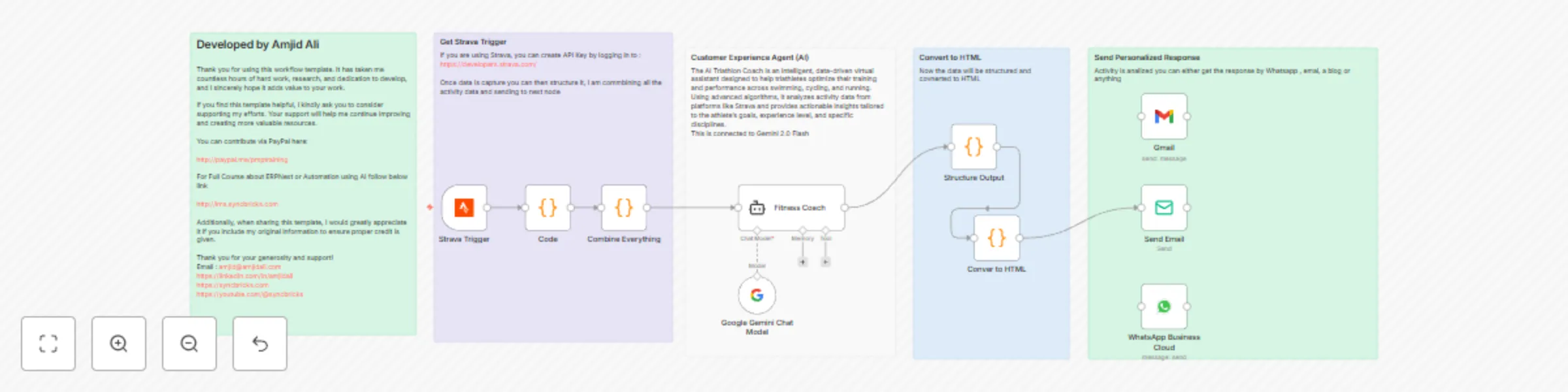
### Detailed Title **"Triathlon Coach AI Workflow: Strava Data Analysis and Personalized Training Insights using n8n"** --- ### **Description** This n8n workflow enables you to build an AI-driven virtual triathlon coach that seamlessly integrates with Strava to analyze activity data and provide athletes with actionable training insights. The workflow processes data from activities like swimming, cycling, and running, delivers personalized feedback, and sends motivational and performance improvement advice via email or WhatsApp. --- ### **Workflow Details** #### **Trigger: Strava Activity Updates** - **Node:** `Strava Trigger` - **Purpose:** Captures updates from Strava whenever an activity is recorded or modified. The data includes metrics like distance, pace, elevation, heart rate, and more. - **Integration:** Uses Strava API for real-time synchronization. #### **Step 1: Data Preprocessing** - **Node:** `Code` - **Purpose:** Combines and flattens the raw Strava activity data into a structured format for easier processing in subsequent nodes. - **Logic:** A recursive function flattens JSON input to create a clean and readable structure. #### **Step 2: AI Analysis with Google Gemini** - **Node:** `Google Gemini Chat Model` - **Purpose:** Leverages Google Gemini's advanced language model to analyze the activity data. - **Functionality:** - Identifies key performance metrics. - Provides feedback and insights specific to the type of activity (e.g., running, swimming, or cycling). - Offers tailored recommendations and motivational advice. #### **Step 3: Generate Structured Output** - **Node:** `Structure Output` - **Purpose:** Processes the AI-generated response to create a structured format, such as headings, paragraphs, and bullet lists. - **Output:** Formats the response for clear communication. #### **Step 4: Convert to HTML** - **Node:** `Convert to HTML` - **Purpose:** Converts the structured output into an HTML format suitable for email or other presentation methods. - **Output:** Ensures the response is visually appealing and easy to understand. #### **Step 5: Send Email with Training Insights** - **Node:** `Send Email` - **Purpose:** Sends a detailed email to the athlete with performance insights, training recommendations, and motivational messages. - **Integration:** Utilizes Gmail or SMTP for secure and efficient email delivery. #### **Optional Step: WhatsApp Notifications** - **Node:** `WhatsApp Business Cloud` - **Purpose:** Sends a summary of the activity analysis and key recommendations via WhatsApp for instant access. - **Integration:** Connects to WhatsApp Business Cloud for automated messaging. --- ### **Additional Notes** 1. **Customization:** - You can modify the AI prompt to adapt the recommendations to the athlete's specific goals or fitness levels. - The workflow is flexible and can accommodate additional nodes for more advanced analysis or output formats. 2. **Scalability:** - Ideal for individual athletes or coaches managing multiple athletes. - Can be expanded to include additional metrics or insights based on user preferences. 3. **Performance Metrics Handled:** - **Swimming:** SWOLF, stroke count, pace. - **Cycling:** Cadence, power zones, elevation. - **Running:** Pacing, stride length, heart rate zones. --- ### **Implementation Steps** 1. **Set Up Strava API Key:** - Log in to [Strava Developers](https://developers.strava.com/) to generate your API key. - Integrate the API key into the `Strava Trigger` node. 2. **Configure Google Gemini Integration:** - Use your Google Gemini (PaLM) API credentials in the `Google Gemini Chat Model` node. 3. **Customize Email and WhatsApp Messaging:** - Update the `Send Email` and `WhatsApp Business Cloud` nodes with the recipient’s details. 4. **Automate Execution:** - Deploy the workflow and use n8n's scheduling features or cron jobs for periodic execution. --- ### [GET n8n Now](https://www.udemy.com/course/mastering-n8n-ai-agents-api-automation-webhooks-no-code/?referralCode=0309FD70BE2D72630C09) ### [N8N COURSE](https://www.udemy.com/course/mastering-n8n-ai-agents-api-automation-webhooks-no-code/?referralCode=0309FD70BE2D72630C09) ### [n8n Book](https://lms.syncbricks.com/books/n8n/) ### **Developer Notes** - **Author:** Amjid Ali improvements. - **Resources:** - See in Action: [Syncbricks Youtube](http://youtube.com/@syncbricks) - PayPal: [Support the Developer](http://paypal.me/pmptraining) - Courses : [SyncBricks LMS](http://lms.syncbricks.com) By using this workflow, triathletes and coaches can elevate training to the next level with AI-powered insights and actionable recommendations.

A
Amjid Ali
Personal Productivity
24 Jan 2025
12241
0
Workflow preview: AI-driven lead management and inquiry automation with ERPNext & n8n
Free advanced

AI-driven lead management and inquiry automation with ERPNext & n8n

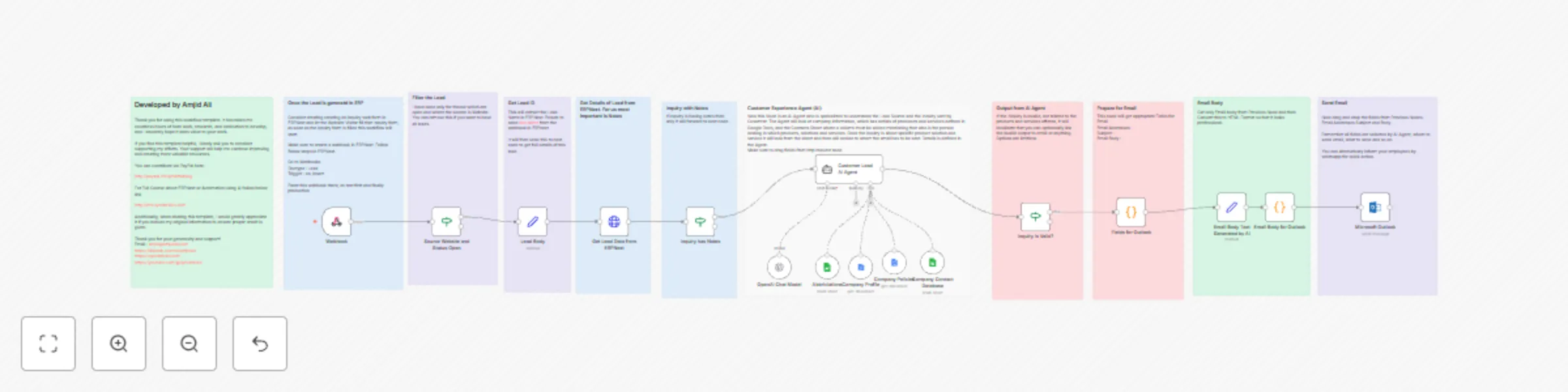
#### **Overview** This workflow template automates lead management and customer inquiry processing by integrating ERPNext, AI agents, and email notifications. It streamlines the process of capturing leads, analyzing inquiries, and generating actionable responses. The workflow uses ERPNext to capture inquiries, analyzes them with AI, and notifies the appropriate team or individual, all while maintaining a professional approach. --- ### **What This Template Does** 1. **ERPNext Webhook Integration:** - Captures leads and inquiries through ERPNext webhooks. - Triggers the workflow when a new lead is created. 2. **AI-Powered Inquiry Analysis:** - Uses AI to extract key details from lead notes (e.g., customer name, organization, inquiry summary). - Classifies inquiries as valid or invalid based on relevance to products, services, or solutions. 3. **Contact Assignment:** - Matches inquiries to the appropriate contact(s) using a Google Sheets database or ERPNext contact information. - Handles multiple contacts if required. 4. **Email Notifications:** - Generates professional email notifications for valid inquiries. - Sends emails to the appropriate contact(s) with inquiry details and action steps. 5. **Invalid Lead Handling:** - Identifies invalid inquiries (e.g., unrelated to products or services) and flags them for follow-up or dismissal. 6. **Custom Email Formatting:** - Converts plain text into professionally formatted HTML emails. - Ensures that communication is clear, concise, and visually appealing. --- ### **How It Works** #### **Step 1: Capture Lead Data** - **Webhook in ERPNext:** - Create a webhook in ERPNext for the "Lead" DocType. - Set the trigger to `on_insert` to capture new leads in real-time. - **Lead Details:** - The workflow fetches lead details, including notes, contact information, and the source of the lead. #### **Step 2: Validate and Analyze Inquiry** - **AI Agent for Analysis:** - An AI agent analyzes the lead notes to extract key details and classify the inquiry as valid or invalid. - The analysis includes checking the relevance of the inquiry to products, services, or solutions offered by the company. - **Invalid Leads:** - If the inquiry is invalid, the workflow flags it and stops further processing. #### **Step 3: Assign Contact(s)** - **Google Sheets Integration:** - Uses a Google Sheets database to map products, services, or solutions to responsible contacts. - Ensures that inquiries are directed to the right person or team. - **Multiple Contacts:** - Handles cases where multiple contacts are responsible for a particular product or service. #### **Step 4: Generate and Send Email Notifications** - **AI-Generated Emails:** - The workflow generates a professional email summarizing the inquiry. - Emails include details like customer name, organization, inquiry summary, and action steps. - **Custom HTML Formatting:** - Emails are converted to HTML for a polished and professional appearance. - **Send Notifications:** - Sends email notifications through Microsoft Outlook or another configured email client. - Optionally, notifies via WhatsApp or SMS for urgent inquiries. #### **Step 5: Post-Inquiry Actions** - **ERPNext Record Updates:** - Updates the lead record in ERPNext with relevant details, including inquiry status and contact information. --- ### **Setup Instructions** #### **Prerequisites** 1. **ERPNext:** - A configured ERPNext instance with lead data and a webhook for the "Lead" DocType. 2. **Google Sheets:** - A sheet mapping products, services, or solutions to responsible contacts. 3. **AI Integration:** - Credentials for OpenAI or other supported AI platforms. 4. **Email Client:** - Credentials for Microsoft Outlook or another email client. --- ### **Step-by-Step Setup** 1. **ERPNext Configuration:** - Create a webhook for the "Lead" DocType in ERPNext. - Test the webhook with sample data to ensure proper integration. 2. **Workflow Import:** - Import the workflow template into n8n. - Configure nodes with your API credentials for ERPNext, Google Sheets, and AI tools. 3. **Google Sheets Integration:** - Prepare a Google Sheet with columns for product, service, or solution and the responsible contact(s). - Link the sheet to the workflow. 4. **AI Agent Configuration:** - Customize the AI agent’s prompts to align with your business’s products and services. - Adjust criteria for valid and invalid inquiries as needed. 5. **Email Setup:** - Configure the email client node with your email service credentials. - Customize the email template for your organization. 6. **Testing:** - Run the workflow with sample leads to validate the entire process. - Check email notifications, contact assignments, and record updates in ERPNext. --- ### **Dos and Don’ts** #### **Dos:** - **Test Thoroughly:** Test the workflow with various scenarios before deploying in production. - **Secure Credentials:** Keep API and email credentials secure to avoid unauthorized access. - **Customize Prompts:** Tailor AI prompts to match your business needs and language style. - **Use Professional Email Templates:** Ensure emails are clear and well-formatted. #### **Don’ts:** - **Skip Validation:** Always validate inquiry data to avoid sending irrelevant notifications. - **Overload the Workflow:** Avoid adding unnecessary nodes that can slow down processing. - **Ignore Errors:** Monitor logs and address errors promptly for a smooth workflow. --- ### **Resources** ### [GET n8n Now](https://www.udemy.com/course/mastering-n8n-ai-agents-api-automation-webhooks-no-code/?referralCode=0309FD70BE2D72630C09) ### [N8N COURSE](https://www.udemy.com/course/mastering-n8n-ai-agents-api-automation-webhooks-no-code/?referralCode=0309FD70BE2D72630C09) ### [n8n Book](https://lms.syncbricks.com/books/n8n/) - **YouTube Tutorial:** Watch the full step-by-step tutorial on setting up this workflow: [SyncBricks YouTube Channel](https://youtube.com/@syncbricks) - **Courses and Training:** Learn more about ERPNext and AI automation through my comprehensive courses: [SyncBricks LMS](http://lms.syncbricks.com) - **Support and Contact:** - **Email:** [email protected] - **Website:** [SyncBricks](https://syncbricks.com) - **LinkedIn:** [Amjid Ali](https://linkedin.com/in/amjidali)

A
Amjid Ali
Lead Generation
21 Jan 2025
6245
0
Workflow preview: AI-powered candidate shortlisting automation for ERPNext
Free advanced

AI-powered candidate shortlisting automation for ERPNext

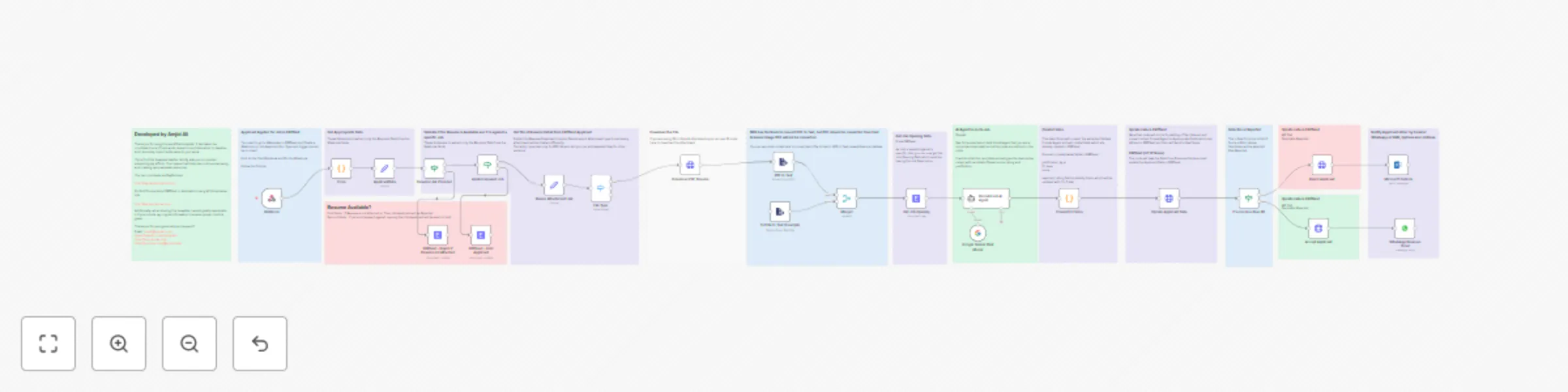
### **Template Guide for Employee Shortlisting AI Agent Automation** #### **Overview** This template automates the process of shortlisting job applicants using ERPNext, n8n, and AI-powered decision-making tools like Google Gemini and OpenAI. It reduces manual effort, ensures fast evaluations, and provides justifiable decisions about applicants. This is ideal for businesses aiming to streamline their recruitment process while maintaining accuracy and professionalism. - **YouTube Tutorial:** For a full walkthrough of this template, visit: [Integrate AI in ERPNext: Automate Recruitment Job Applicant Shortlisting in Seconds!](https://youtu.be/JsRCryrSAn0) --- ### **What Does This Template Do?** 1. **Webhook Integration with ERPNext:** Automatically triggers the workflow when a job application is created in ERPNext. 2. **Resume Validation:** Ensures resumes are attached and correctly processes various file formats like PDF and DOC. 3. **AI-Powered Evaluation:** Uses AI to compare resumes against job descriptions and provides a: - Fit Level (Strong, Moderate, or Weak) - Score (0–100) - Justification for the decision. 4. **Automated Decision Making:** Based on AI-generated scores: - Candidates with a score of 80 or higher are **Accepted**. - Candidates below 80 are **Rejected**. - Applications missing required fields or attachments are put **On Hold**. 5. **ERPNext Integration:** Updates applicant records in ERPNext, including custom fields such as justification, fit level, and scores. 6. **Notifications:** Notifies candidates via email, WhatsApp, or SMS about their application status. --- ### **Step-by-Step Guide** #### **Step 1: Set Up ERPNext Webhook** - Go to **Webhooks** in ERPNext. - Create a webhook for the **Job Applicant** DocType. - Set the trigger to **Insert**. - Pin and test the webhook to ensure proper data flow. #### **Step 2: Import the Template into n8n** - Open your n8n instance. - Import the provided workflow template. - Check all nodes for proper configuration. #### **Step 3: Configure Credentials** - Add your ERPNext API credentials to the **ERPNext nodes**. - Add credentials for AI services like OpenAI or Google Gemini. - Configure additional services like WhatsApp or email if you plan to use them for notifications. #### **Step 4: Test Resume Validation** - Test how the workflow handles different file types (e.g., PDF, DOC, JPG). - Ensure resumes without the proper format or attachment are flagged and rejected. #### **Step 5: AI Evaluation** - The AI model (Google Gemini or OpenAI) will evaluate resumes against job descriptions. - Customize the AI prompt to suit your job evaluation needs. - The output will include a Fit Level, Score, Rating, and Justification. #### **Step 6: Decision Automation** - The workflow automatically categorizes applicants: - **Accepted** for scores ≥ 80. - **Rejected** for scores &lt; 80. - **On Hold** if essential fields or attachments are missing. #### **Step 7: Update ERPNext Records** - The workflow updates the **Job Applicant** record in ERPNext with: - Status (Accepted, Rejected, On Hold) - AI-generated Fit Level, Score, Rating, and Justification. #### **Step 8: Notify Candidates** - Configure notification nodes (email, WhatsApp, or SMS). - Inform candidates about their application status and include feedback if required. --- ### **How It Works** 1. **Trigger:** The workflow starts when a job application is submitted in ERPNext. 2. **Validation:** Checks if the resume is attached and in the correct format. 3. **AI Evaluation:** Compares the resume with the job description and generates a decision. 4. **ERPNext Update:** Updates the applicant's record with the decision and justification. 5. **Notification:** Sends a personalized notification to the candidate. --- ### **Dos and Don’ts** #### **Dos:** - **Customize Prompts:** Tailor the AI prompt to match your specific job evaluation requirements. - **Test the Workflow:** Run sample data to ensure the process works as intended. - **Secure Your Credentials:** Keep your API credentials safe and do not share them publicly. - **Optimize for Different Formats:** Ensure the workflow can handle all types of resumes you expect. #### **Don’ts:** - **Avoid Manual Intervention:** Let the workflow handle most of the tasks to ensure efficiency. - **Do Not Skip Testing:** Always test the workflow with various scenarios to avoid errors. - **Do Not Overlook Notifications:** Ensure candidates are notified promptly to maintain professionalism. --- ### **Customization Options** - Add logic for more file types (e.g., scanned images using OCR). - Enhance the AI prompts to analyze more complex resume data. - Integrate additional tools like Slack or Trello for recruitment tracking. --- ### **Resources** ### [GET n8n Now](https://www.udemy.com/course/mastering-n8n-ai-agents-api-automation-webhooks-no-code/?referralCode=0309FD70BE2D72630C09) ### [N8N COURSE](https://www.udemy.com/course/mastering-n8n-ai-agents-api-automation-webhooks-no-code/?referralCode=0309FD70BE2D72630C09) ### [n8n Book](https://lms.syncbricks.com/books/n8n/) - **YouTube Tutorial:** For a full walkthrough of this template, visit: [SyncBricks YouTube Channel](https://youtube.com/@syncbricks) - **Detailed Guides and Courses:** Learn more about ERPNext and AI-driven automation at: [SyncBricks LMS](http://lms.syncbricks.com) --- ### **Support** If you encounter issues or want to explore more possibilities with AI-driven automation, feel free to reach out: - **Email:** [email protected] - **Website:** [ERPNext and Other Courses](https://lms.syncbricks.com) - **LinkedIn:** [Amjid Ali](https://linkedin.com/in/amjidali) --- Let me know if you'd like further details or modifications to the guide!

A
Amjid Ali
HR
21 Jan 2025
5311
0
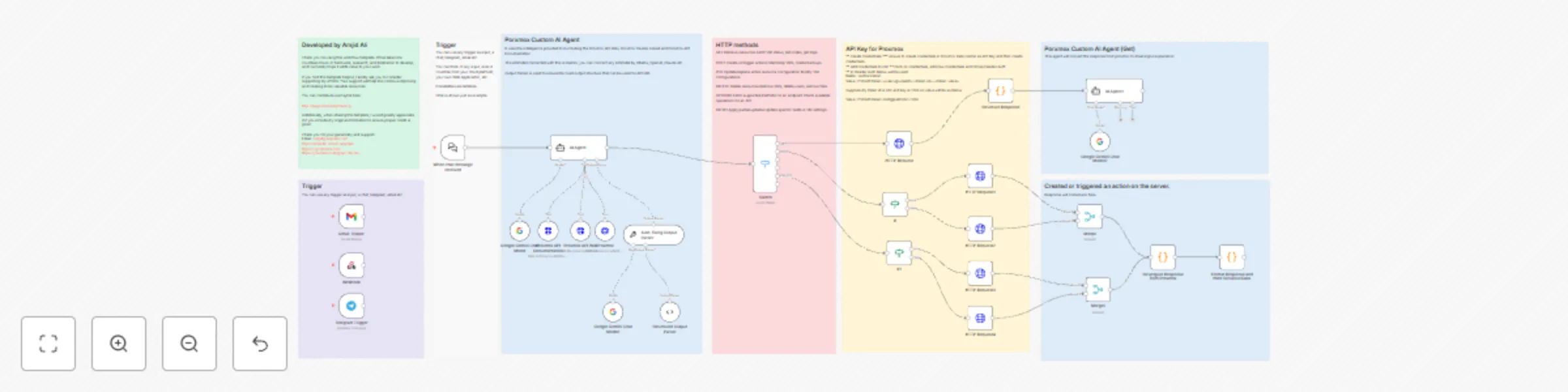
Workflow preview: Proxmox AI agent with n8n and generative AI integration
Free advanced

Proxmox AI agent with n8n and generative AI integration

## Proxmox AI Agent with n8n and Generative AI Integration This template automates IT operations on a **Proxmox Virtual Environment (VE)** using an AI-powered conversational agent built with **n8n**. By integrating Proxmox APIs and generative AI models (e.g., Google Gemini), the workflow converts natural language commands into API calls, enabling seamless management of your Proxmox nodes, VMs, and clusters. **Buy My Book:** [Mastering n8n on Amazon](https://www.amazon.com/dp/B0F23GYCFW) **Full Courses & Tutorials:** [http://lms.syncbricks.com](http://lms.syncbricks.com) [Watch Video on Youtube](https://www.youtube.com/watch?v=XykvpCj9wDA) ### How It Works 1. **Trigger Mechanism** - The workflow can be triggered through multiple channels like chat (Telegram, email, or n8n's built-in chat). - Interact with the AI agent conversationally. 2. **AI-Powered Parsing** - A connected AI model (Google Gemini or other compatible models like OpenAI or Claude) processes your natural language input to determine the required Proxmox API operation. 3. **API Call Generation** - The AI parses the input and generates structured JSON output, which includes: - **response_type**: The HTTP method (GET, POST, PUT, DELETE). - **url**: The Proxmox API endpoint to execute. - **details**: Any required payload parameters for the API call. 4. **Proxmox API Execution** - The structured output is used to make HTTP requests to the Proxmox VE API. The workflow supports various operations, such as: - Retrieving cluster or node information. - Creating, deleting, starting, or stopping VMs. - Migrating VMs between nodes. - Updating or resizing VM configurations. 5. **Response Formatting** - The workflow formats API responses into a user-friendly summary. For example: - Success messages for operations (e.g., *"VM started successfully"*). - Error messages with missing parameter details. 6. **Extensibility** - You can enhance the workflow by connecting additional triggers, external services, or AI models. It supports: - Telegram/Slack integration for real-time notifications. - Backup and restore workflows. - Cloud monitoring extensions. --- ### Key Features - **Multi-Channel Input**: Use chat, email, or custom triggers to communicate with the AI agent. - **Low-Code Automation**: Easily customize the workflow to suit your Proxmox environment. - **Generative AI Integration**: Supports advanced AI models for precise command interpretation. - **Proxmox API Compatibility**: Fully adheres to Proxmox API specifications for secure and reliable operations. - **Error Handling**: Detects and informs you of missing or invalid parameters in your requests. --- ### Example Use Cases 1. **Create a Virtual Machine** - Input: *"Create a VM with 4 cores, 8GB RAM, and 50GB disk on psb1."* - Action: Sends a POST request to Proxmox to create the VM with specified configurations. 2. **Start a VM** - Input: *"Start VM 105 on node psb2."* - Action: Executes a POST request to start the specified VM. 3. **Retrieve Node Details** - Input: *"Show the memory usage of psb3."* - Action: Sends a GET request and returns the node's resource utilization. 4. **Migrate a VM** - Input: *"Migrate VM 202 from psb1 to psb3."* - Action: Executes a POST request to move the VM with optional online migration. --- ### Pre-Requisites 1. **Proxmox API Configuration** - Enable the Proxmox API and generate API keys in the Proxmox Data Center. - Use the `Authorization` header with the format: `PVEAPIToken=&lt;user&gt;@&lt;realm&gt;!&lt;token-id&gt;=&lt;token-value&gt;` 2. **n8n Setup** - Add Proxmox API credentials in n8n using Header Auth. - Connect a generative AI model (e.g., Google Gemini) via the relevant credential type. 3. **Access the Workflow** - Import this template into your n8n instance. - Replace placeholder credentials with your Proxmox and AI service details. --- ### Additional Notes - This template is designed for **Proxmox 7.x and above**. - For advanced features like backup, VM snapshots, and detailed node monitoring, you can extend this workflow. - Always test with a **non-production Proxmox environment** before deploying in live systems. ### [Start with n8n](https://www.udemy.com/course/mastering-n8n-ai-agents-api-automation-webhooks-no-code/?referralCode=0309FD70BE2D72630C09) ### [Learn n8n with Amjid ](https://www.udemy.com/course/mastering-n8n-ai-agents-api-automation-webhooks-no-code/?referralCode=0309FD70BE2D72630C09) ### [Get n8n Book](https://lms.syncbricks.com/books/n8n/) ### [What is Proxmox](https://www.udemy.com/course/proxmox-virtualization-environment-complete-training/?referralCode=8E7EAFD11C2389F89C11)

A
Amjid Ali
DevOps
18 Jan 2025
70489
0
Workflow preview: AI chatbot for website with conditional execution for cost efficiency
Free intermediate

AI chatbot for website with conditional execution for cost efficiency

# AI Chatbot with Conditional Execution for Cost Efficiency ## Description This **n8n workflow** implements an **AI-powered chatbot** that **only runs when a chat is initiated on a website**. By introducing a conditional step, the workflow ensures that **AI tokens are not consumed unnecessarily**, making it a cost-efficient and resource-optimized solution. The chatbot, named **Sophia**, serves as an **interactive assistant for SyncBricks**. It helps users with **guest posting services, YouTube review videos, IT consultancy, and online courses** while collecting user details step by step. The chatbot ensures that inquiries are properly logged and confirmed before proceeding to AI-driven responses. This template is ideal for **businesses, service providers, and content creators** who want to **optimize AI token usage** while delivering **personalized, interactive engagement** with their users. ## Features 1. **Conditional Execution** – The AI chatbot **only activates when a chat is initiated**, avoiding unnecessary API calls. 2. **AI-Powered Conversations** – Uses **Google Gemini AI** to generate human-like responses. 3. **Step-by-Step Data Collection** – Ensures **structured user input**, requesting **name, email, and request type** sequentially. 4. **Memory Buffer for Context Awareness** – Maintains conversation context using a **window buffer memory** system. 5. **Multiple Service Offerings** – Supports inquiries related to: - **Guest Posting Services** - **YouTube Review Videos** - **Online Courses on Udemy** - **IT Consultancy Services** 6. **Automated Confirmation Messages** – After collecting user details, sends a **confirmation message** summarizing the request. ## How It Works 1. **Chat Message Trigger** - The workflow starts **only when a chat message is received** from the website. - This ensures **no AI token is consumed unless a user initiates a chat**. 2. **Condition Check: Is Chat Input Provided?** - The workflow checks if **chat input is non-empty**. - If the chat input is empty, **the workflow stops**, ensuring **no unnecessary API usage**. - If a message is detected, **the chatbot continues** processing. 3. **AI-Powered Chat Response** - The chatbot, **Sophia**, generates **personalized responses** using **Google Gemini AI**. - AI ensures **structured conversation flow** by collecting: - **User’s Full Name** - **Email ID** - **Request Type** 4. **Memory Buffer for Context Retention** - A **Window Buffer Memory** system **stores chat history** and **retrieves previous responses** to ensure **context-aware conversations**. 5. **Response Optimization** - **Checks memory** to avoid **asking the same question twice**. - If details are already provided, **Sophia moves directly to processing the request**. 6. **Confirmation & User Engagement** - After collecting the required details, Sophia **summarizes the request** as follows: - *"Got it [Name], your request is [Request Type]. I will be sending the details to your email ID: [Email]. Hold on while I send confirmation."* 7. **Final Confirmation Message** - Ensures the **user receives a proper acknowledgment** of their inquiry. ## Prerequisites Before using this workflow, make sure you have: 1. **n8n Instance** (Cloud or Self-Hosted) 2. **Google Gemini API Key** (For AI-generated responses) 3. **Webhook Integration** (To trigger the chatbot from your website) ## Use Cases 1. **Businesses & Enterprises** – AI-powered lead qualification for services. 2. **Bloggers & Content Creators** – Automated **guest post** inquiry handling. 3. **YouTube Influencers & Educators** – AI chatbot to promote courses and review services. 4. **Marketing Agencies** – Lead generation chatbot **without excessive AI token consumption**. 5. **E-Commerce & Consulting Services** – AI-driven **personalized customer engagement**. ## Nodes Used in This Workflow 1. **Chat Trigger (Webhook)** – Initiates only when a user sends a chat message. 2. **Conditional Check (If Node)** – Ensures AI is **only used when a chat is initiated**. 3. **AI Agent (Google Gemini AI)** – Generates **intelligent chatbot responses**. 4. **Memory Buffer (Context Retention)** – Stores user inputs for **context-aware conversations**. ## Important ### [Start with n8n](https://www.udemy.com/course/mastering-n8n-ai-agents-api-automation-webhooks-no-code/?referralCode=0309FD70BE2D72630C09) ### [Learn n8n with Amjid ](https://www.udemy.com/course/mastering-n8n-ai-agents-api-automation-webhooks-no-code/?referralCode=0309FD70BE2D72630C09) ### [Get n8n Book](https://lms.syncbricks.com/books/n8n/) ### [What is Proxmox](https://www.udemy.com/course/proxmox-virtualization-environment-complete-training/?referralCode=8E7EAFD11C2389F89C11) ## Creator Information **Developed by:** Amjid Ali **Website:** [SyncBricks](https://syncbricks.com) **Email:** [[email protected]](mailto:[email protected]) **LinkedIn:** [Amjid Ali](https://linkedin.com/in/amjidali) **YouTube:** [SyncBricks](https://youtube.com/@syncbricks) ## Support & Contributions If you find this workflow helpful, consider **supporting my work**: [Donate via PayPal](http://paypal.me/pmptraining) For **full courses on n8n**, visit: [Course by Amjid](https://www.udemy.com/course/mastering-n8n-ai-agents-api-automation-webhooks-no-code/?referralCode=0309FD70BE2D72630C09) ## Final Thoughts This **n8n workflow** ensures **optimal AI token usage** while **engaging users with an intelligent chatbot**. By integrating **conditional execution**, it **prevents unnecessary API calls**, making it **cost-effective and efficient** for businesses looking to automate chat-based customer interactions. Let me know if you need **any modifications**!

A
Amjid Ali
AI
12 Jan 2025
1182
0