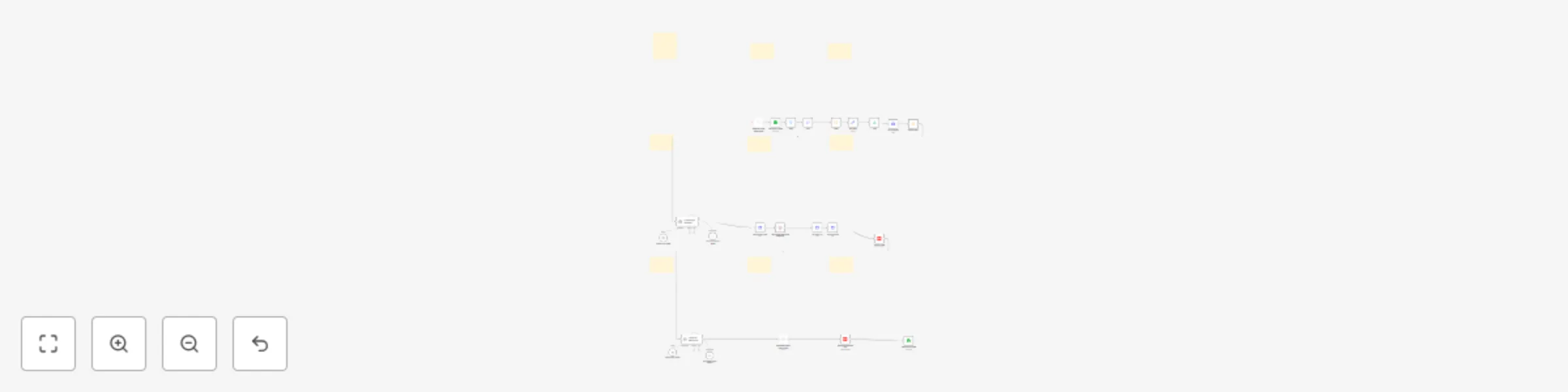
End-to-end YouTube video automation with HeyGen, GPT-4 & Avatar videos

Workflow preview

Workflow preview
100%
End-to-end YouTube video automation with HeyGen, GPT-4 & Avatar videos preview
Open on n8n.io

Important notice

This workflow is provided as-is. Please review and test before using in production.

1. Workflow Overview

End to End YouTube Video Automation Workflow with n8n, HeyGen & AI Automate the entire YouTube content creation pipeline — from video idea to AI generated avatar video, upload, metadata generati...

Best for

  • Content Creation automation workflows
  • Multimodal AI automation workflows
  • advanced n8n builders looking for reusable templates

Tools used

@n8n/n8n-nodes-langchain.outputparserstructured, n8n-nodes-base.stickynote, n8n-nodes-base.scheduletrigger, n8n-nodes-base.filter, n8n-nodes-base.set, n8n-nodes-base.limit, n8n-nodes-base.httprequest, n8n-nodes-base.code

Source and attribution

This workflow is cataloged by N8N Workflows and links back to its original n8n.io source page by Amjid Ali.

Original n8n.io source

1.1 Workflow description

Title
End-to-end YouTube video automation with HeyGen, GPT-4 & Avatar videos
Workflow name
End-to-end YouTube video automation with HeyGen, GPT-4 & Avatar videos

🎥 End-to-End YouTube Video Automation Workflow with n8n, HeyGen & AI

Automate the entire YouTube content creation pipeline — from video idea to AI-generated avatar video, upload, metadata generation, and publishing — with zero manual intervention!


Who is this for?

This template is perfect for:

  • Affiliate marketers (e.g., PartnerStack, SaaS products)
  • YouTube creators scaling video production
  • Agencies managing client content
  • Educators and coaches delivering automated video lessons
  • Entrepreneurs running faceless YouTube channels

🧠 What problem does it solve?

Publishing consistent, high-quality video content is essential for audience growth and monetization. But manually creating each video — researching, writing, recording, uploading, and optimizing — is slow, repetitive, and unsustainable at scale.

This workflow solves that by automating:

  • ✅ Content sourcing from Google Sheets
  • ✅ Script generation with AI
  • ✅ Avatar video creation via HeyGen
  • ✅ YouTube upload and metadata
  • ✅ Final publishing and status update

All done without touching a single button. Schedule it weekly and watch videos go live while you sleep.


⚙️ What this workflow does

  • 📥 Reads video ideas from a Google Sheet (e.g., PartnerStack affiliate product)
  • 🌐 Fetches product details from the web using HTTP Request
  • 🧠 Generates a promotional video transcript using an AI agent
  • 🎙 Converts the script to an avatar video using HeyGen API
  • ⏳ Waits for the video to render and fetches download URL
  • ⬆️ Uploads the video to YouTube via API
  • 🧠 Generates title, description, tags, and hashtags using AI
  • 🔄 Updates video metadata and changes visibility to Public
  • 📊 Logs publication details back to Google Sheets
  • 👤 Optional human-in-the-loop step before publishing

🛠 Setup

  1. 🔌 Connect the following integrations:

    • Google Sheets (or Airtable)
    • HeyGen API
    • YouTube Data API (OAuth 2.0)
    • OpenAI / Gemini / Ollama
  2. 🧾 Add your video ideas to Google Sheets:

    • Include product name, link, and "To Do" status
  3. 📂 Import the n8n template and configure API credentials

  4. 🧠 Customize your AI prompt for tone, format, and industry

  5. 🕒 Schedule it to run weekly (1 video per week)


✏️ How to customize this workflow

  • Swap Google Sheets with Airtable, Notion, or API feeds
  • Modify AI prompts for different use cases: reviews, explainers, tutorials
  • Use D-ID, Synthesia, or your preferred avatar platform
  • Add analytics, thumbnails, or comment automation
  • Localize content for multi-language channels
  • Integrate with Slack, Discord, or Telegram for notifications

📌 Sticky Notes Included

  • 📊 Get Partner Idea: Pulls one item from the Google Sheet
  • 🌐 Fetch Content: Extracts product details via HTTP request
  • 🧠 AI Script: Generates video transcript using GPT or Gemini
  • 🎥 Video Generation: Sends script to HeyGen, waits for rendering
  • ⬆️ Upload to YouTube: Uploads video file
  • 🧠 Metadata Generator: Creates optimized title, tags, description
  • 🗓 Metadata Update: Updates YouTube metadata and sets video to Public
  • 📋 Sheet Update: Marks video as published in the Google Sheet
  • 🧑 Human Approval (Optional): Pause & resume on manual review

🌐 Useful Links


🔗 Why this workflow?

This advanced automation setup is ideal for users exploring:

  • YouTube automation via n8n and API
  • AI-powered content pipelines with OpenAI/Gemini
  • Avatar video generation (HeyGen / D-ID / Synthesia)
  • Workflow automation for affiliate marketing
  • Full-stack video publishing using no-code tools
  • Enterprise-grade publishing for brands and creators

Built with modularity, customization, and full control in mind — whether you’re using n8n Cloud or a self-hosted instance.

1.2 Logical Blocks

This catalog entry is organized from the workflow JSON. The node-level section below shows the executable blocks available for review before importing the template.

2. Block-by-Block Analysis

Block 1 - Structured Output Parser

Type / Role
@n8n/n8n-nodes-langchain.outputParserStructured - outputParserStructured
Config choices
Version 1.2

Block 2 - Sticky Note

Type / Role
n8n-nodes-base.stickyNote - stickyNote
Config choices
Version 1

Block 3 - Sticky Note12

Type / Role
n8n-nodes-base.stickyNote - stickyNote
Config choices
Version 1

Block 4 - Schedule Trigger

Type / Role
n8n-nodes-base.scheduleTrigger - scheduleTrigger
Config choices
Version 1.2

Block 5 - Filter

Type / Role
n8n-nodes-base.filter - filter
Config choices
Version 2.2

Block 6 - Edit Fields

Type / Role
n8n-nodes-base.set - set
Config choices
Version 3.4

Block 7 - Limit

Type / Role
n8n-nodes-base.limit - limit
Config choices
Version 1

Block 8 - Sticky Note11

Type / Role
n8n-nodes-base.stickyNote - stickyNote
Config choices
Version 1

Block 9 - HTTP Request

Type / Role
n8n-nodes-base.httpRequest - httpRequest
Config choices
Version 4.2

Block 10 - Extract HTML

Type / Role
n8n-nodes-base.code - code
Config choices
Version 2

Block 11 - OpenAI Chat Model

Type / Role
@n8n/n8n-nodes-langchain.lmChatOpenAi - lmChatOpenAi
Config choices
Version 1.2

Block 12 - Code

Type / Role
n8n-nodes-base.code - code
Config choices
Version 2

Block 13 - Sticky Note1

Type / Role
n8n-nodes-base.stickyNote - stickyNote
Config choices
Version 1

Block 14 - Sticky Note3

Type / Role
n8n-nodes-base.stickyNote - stickyNote
Config choices
Version 1

Block 15 - Sticky Note4

Type / Role
n8n-nodes-base.stickyNote - stickyNote
Config choices
Version 1

Block 16 - AI Video Script (Transcript Generator)

Type / Role
@n8n/n8n-nodes-langchain.agent - agent
Config choices
Version 1.8

Block 17 - Download Video

Type / Role
n8n-nodes-base.httpRequest - httpRequest
Config choices
Version 4.2

Block 18 - Generate the Video

Type / Role
n8n-nodes-base.httpRequest - httpRequest
Config choices
Version 4.2

Block 19 - Get Video URL

Type / Role
n8n-nodes-base.httpRequest - httpRequest
Config choices
Version 4.2

Block 20 - Wait for the Video to be Generated

Type / Role
n8n-nodes-base.wait - wait
Config choices
Version 1.1

Block 21 - Get row(s) in sheet

Type / Role
n8n-nodes-base.googleSheets - googleSheets
Config choices
Version 4.6

Block 22 - Upload a video

Type / Role
n8n-nodes-base.youTube - youTube
Config choices
Version 1

Block 23 - Structured Output Parser1

Type / Role
@n8n/n8n-nodes-langchain.outputParserStructured - outputParserStructured
Config choices
Version 1.2

Block 24 - OpenAI Chat Model1

Type / Role
@n8n/n8n-nodes-langchain.lmChatOpenAi - lmChatOpenAi
Config choices
Version 1.2

Showing the first 24 of 33 workflow blocks. Download the JSON for the full node graph.

3. Summary Table

Workflow End-to-end YouTube video automation with HeyGen, GPT-4 & Avatar videos
Complexity advanced
Nodes 33
Categories Content Creation, Multimodal AI
Author Amjid Ali
Published 22 Jul 2025

4. Reproducing the Workflow from Scratch

  1. 1. Download the workflow JSON

    Use the JSON export at /data/workflows/6268/6268.json as the source template for this automation.

  2. 2. Import the template into n8n

    Open n8n, import the downloaded JSON, and review each node before activating the workflow.

  3. 3. Configure credentials and variables

    Replace placeholder credentials, API keys, webhook URLs, account IDs, and environment-specific values with your own settings.

  4. 4. Test with sample data

    Run the workflow manually or in a staging workspace, inspect node output, and confirm downstream systems receive the expected data.

  5. 5. Activate and monitor

    Enable the workflow only after testing, then monitor executions, errors, and rate limits during the first production runs.

5. General Notes & Resources

Review imported nodes carefully before activation. This catalog entry is intended to help you inspect the workflow structure, understand required services, and find related templates faster.

Node names, credentials, schedules, webhook paths, and external service limits may need adjustment for your workspace.

Frequently asked questions

What does End-to-end YouTube video automation with HeyGen, GPT-4 & Avatar videos do?

End to End YouTube Video Automation Workflow with n8n, HeyGen & AI Automate the entire YouTube content creation pipeline — from video idea to AI generated avatar video, upload, metadata generati...

What do I need before importing this workflow?

Review the workflow JSON, configure any required credentials in n8n, and test the automation in a safe workspace before using it in production.

Can I customize this workflow?

Yes. Use the block-by-block analysis and the downloadable JSON to inspect each node, then adjust credentials, prompts, schedules, filters, or destinations for your Content Creation, Multimodal AI use case.