AI-powered YouTube meta generator with GPT-4o, Gemini & content enrichment

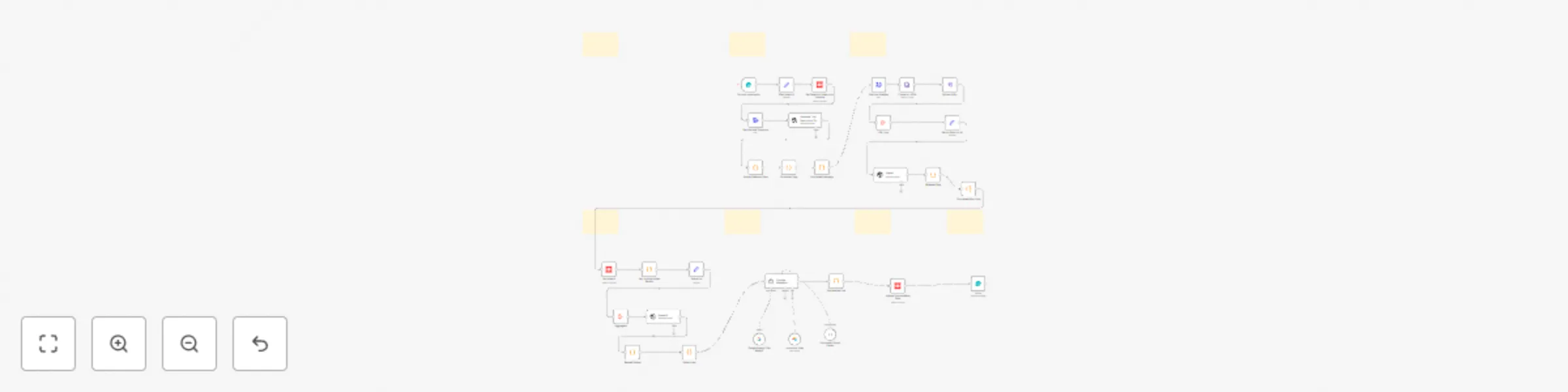
Workflow preview

Workflow preview
100%
AI-powered YouTube meta generator with GPT-4o, Gemini & content enrichment preview
Open on n8n.io

Important notice

This workflow is provided as-is. Please review and test before using in production.

1. Workflow Overview

AI Powered Advanced YouTube Meta Generator in n8n Automatically generate SEO optimized YouTube Titles, Descriptions, Tags & Hashtags – enriched with blog articles, affiliate links, and product r...

Best for

  • Content Creation automation workflows
  • Multimodal AI automation workflows
  • advanced n8n builders looking for reusable templates

Tools used

n8n-nodes-base.formtrigger, n8n-nodes-base.form, n8n-nodes-base.set, n8n-nodes-base.youtube, n8n-nodes-base.stickynote, n8n-nodes-base.httprequest, n8n-nodes-base.xml, n8n-nodes-base.splitout

Source and attribution

This workflow is cataloged by N8N Workflows and links back to its original n8n.io source page by Amjid Ali.

Original n8n.io source

1.1 Workflow description

Title
AI-powered YouTube meta generator with GPT-4o, Gemini & content enrichment
Workflow name
AI-powered YouTube meta generator with GPT-4o, Gemini & content enrichment

🎯 AI-Powered Advanced YouTube Meta Generator in n8n

Automatically generate SEO-optimized YouTube Titles, Descriptions, Tags & Hashtags – enriched with blog articles, affiliate links, and product recommendations!


Who is this for?

This workflow is built for content creators, affiliate marketers, educators, and agencies who want to instantly enhance their YouTube videos with smart metadata and contextual linking — without wasting hours on research or copywriting.


🧠 What problem does it solve?

Writing compelling, keyword-rich video metadata is essential for discoverability, engagement, and monetization. But doing this manually for every video is time-consuming. This workflow automates:

  • Title & description writing
  • Tag & hashtag generation
  • Transcript analysis
  • Affiliate link embedding
  • Internal link recommendations (related blogs & videos)

All in one flow — saving hours per video.


⚙️ What this workflow does

  • 🔗 Accepts a YouTube video link + optional keywords
  • 🧠 Uses Gemini or GPT-4o to analyze the transcript
  • 📝 Auto-generates:
    • SEO-friendly Title (under 70 chars)
    • Catchy, benefit-focused Description with timestamps
    • Tags (450+ chars)
    • Hashtags (5–10 optimized)
  • 🔁 Fetches your blog sitemap and matches relevant articles
  • 📹 Finds similar past videos using AI
  • 🛍 Embeds recommended affiliate links via Airtable
  • 🔧 Updates YouTube video with new metadata via API

🛠 Setup

  1. 🔌 Connect APIs:

    • YouTube Data API (OAuth 2.0)
    • Gemini or OpenAI GPT-4o
    • Airtable (for affiliate links)
    • Kome AI for transcripts
    • WordPress sitemap (for internal links)
  2. 📋 Deploy this workflow and open the form URL to input:

    • YouTube Video Link
    • (Optional) Focus Keywords
  3. 💬 Connect your accounts and authorize required scopes

  4. 🧠 AI will handle the rest: from fetching data to publishing metadata.


✏️ How to customize this workflow

  • Replace Gemini with OpenAI / Claude / DeepSeek in the AI nodes
  • Point the sitemap node to your own blog
  • Modify the Airtable structure for affiliate links:
    • Name, Type, Platform, URL, Keywords
  • Change tag/hashtag formatting
  • Modify prompt instructions in AI nodes for brand tone

📌 Sticky Notes Included

  • ⚡ Form: “Enter Video Link + Optional Keywords”
  • 🔍 Sitemap Extraction: “Get blog URLs for related links”
  • 🧠 AI Logic: “Generate Metadata”
  • ✅ Update Metadata: “Publish updated title/description/tags”
  • 🧾 Completion Confirmation + Attribution to Amjid Ali

🌐 Useful Links


🔗 Why this workflow?

This workflow is ideal for users exploring n8n AI, working with the n8n API, building AI agents in n8n, deploying via Docker or MCP, integrating with GitHub, automating processes using n8n automation, leveraging tools like n8n chat extension, enhancing YouTube metadata with AI, and incorporating cutting-edge platforms such as Context7, Blotato, and OpenAI, whether using n8n Cloud or setting up self-hosted n8n installations.

1.2 Logical Blocks

This catalog entry is organized from the workflow JSON. The node-level section below shows the executable blocks available for review before importing the template.

2. Block-by-Block Analysis

Block 1 - On form submission

Type / Role
n8n-nodes-base.formTrigger - formTrigger
Config choices
Version 2.2

Block 2 - Form

Type / Role
n8n-nodes-base.form - form
Config choices
Version 1

Block 3 - Get all Posts for AI

Type / Role
n8n-nodes-base.set - set
Config choices
Version 3.4

Block 4 - Get Details of Video from Youtube

Type / Role
n8n-nodes-base.youTube - youTube
Config choices
Version 1

Block 5 - EGet Video ID

Type / Role
n8n-nodes-base.set - set
Config choices
Version 3.4

Block 6 - Sticky Note

Type / Role
n8n-nodes-base.stickyNote - stickyNote
Config choices
Version 1

Block 7 - Get Post SiteMap

Type / Role
n8n-nodes-base.httpRequest - httpRequest
Config choices
Version 4.2

Block 8 - Conver to JSON

Type / Role
n8n-nodes-base.xml - xml
Config choices
Version 1

Block 9 - Extract URLs

Type / Role
n8n-nodes-base.splitOut - splitOut
Config choices
Version 1

Block 10 - URL Lists

Type / Role
n8n-nodes-base.aggregate - aggregate
Config choices
Version 1

Block 11 - Sticky Note2

Type / Role
n8n-nodes-base.stickyNote - stickyNote
Config choices
Version 1

Block 12 - Sticky Note3

Type / Role
n8n-nodes-base.stickyNote - stickyNote
Config choices
Version 1

Block 13 - Sticky Note4

Type / Role
n8n-nodes-base.stickyNote - stickyNote
Config choices
Version 1

Block 14 - Sticky Note11

Type / Role
n8n-nodes-base.stickyNote - stickyNote
Config choices
Version 1

Block 15 - Update Youtube Meta Data

Type / Role
n8n-nodes-base.youTube - youTube
Config choices
Version 1

Block 16 - Get Youtube Transcript

Type / Role
n8n-nodes-base.httpRequest - httpRequest
Config choices
Version 4.2

Block 17 - OpenAI

Type / Role
@n8n/n8n-nodes-langchain.openAi - openAi
Config choices
Version 1.8

Block 18 - OpenAI1

Type / Role
@n8n/n8n-nodes-langchain.openAi - openAi
Config choices
Version 1.8

Block 19 - Aggregate

Type / Role
n8n-nodes-base.aggregate - aggregate
Config choices
Version 1

Block 20 - Get Videos

Type / Role
n8n-nodes-base.youTube - youTube
Config choices
Version 1

Block 21 - Generate Title Description Tags and Hashtags

Type / Role
@n8n/n8n-nodes-langchain.openAi - openAi
Config choices
Version 1.8

Block 22 - Extract Relevant Data

Type / Role
n8n-nodes-base.code - code
Config choices
Version 2

Block 23 - Releated Blog

Type / Role
n8n-nodes-base.code - code
Config choices
Version 2

Block 24 - Youtube Metadata Generator1

Type / Role
@n8n/n8n-nodes-langchain.agent - agent
Config choices
Version 1.8

Showing the first 24 of 37 workflow blocks. Download the JSON for the full node graph.

3. Summary Table

Workflow AI-powered YouTube meta generator with GPT-4o, Gemini & content enrichment
Complexity advanced
Nodes 37
Categories Content Creation, Multimodal AI
Author Amjid Ali
Published 29 Apr 2025

4. Reproducing the Workflow from Scratch

  1. 1. Download the workflow JSON

    Use the JSON export at /data/workflows/3788/3788.json as the source template for this automation.

  2. 2. Import the template into n8n

    Open n8n, import the downloaded JSON, and review each node before activating the workflow.

  3. 3. Configure credentials and variables

    Replace placeholder credentials, API keys, webhook URLs, account IDs, and environment-specific values with your own settings.

  4. 4. Test with sample data

    Run the workflow manually or in a staging workspace, inspect node output, and confirm downstream systems receive the expected data.

  5. 5. Activate and monitor

    Enable the workflow only after testing, then monitor executions, errors, and rate limits during the first production runs.

5. General Notes & Resources

Review imported nodes carefully before activation. This catalog entry is intended to help you inspect the workflow structure, understand required services, and find related templates faster.

Node names, credentials, schedules, webhook paths, and external service limits may need adjustment for your workspace.

Frequently asked questions

What does AI-powered YouTube meta generator with GPT-4o, Gemini & content enrichment do?

AI Powered Advanced YouTube Meta Generator in n8n Automatically generate SEO optimized YouTube Titles, Descriptions, Tags & Hashtags – enriched with blog articles, affiliate links, and product r...

What do I need before importing this workflow?

Review the workflow JSON, configure any required credentials in n8n, and test the automation in a safe workspace before using it in production.

Can I customize this workflow?

Yes. Use the block-by-block analysis and the downloadable JSON to inspect each node, then adjust credentials, prompts, schedules, filters, or destinations for your Content Creation, Multimodal AI use case.