Create WordPress users from KlickTipp and tag contacts based on comments
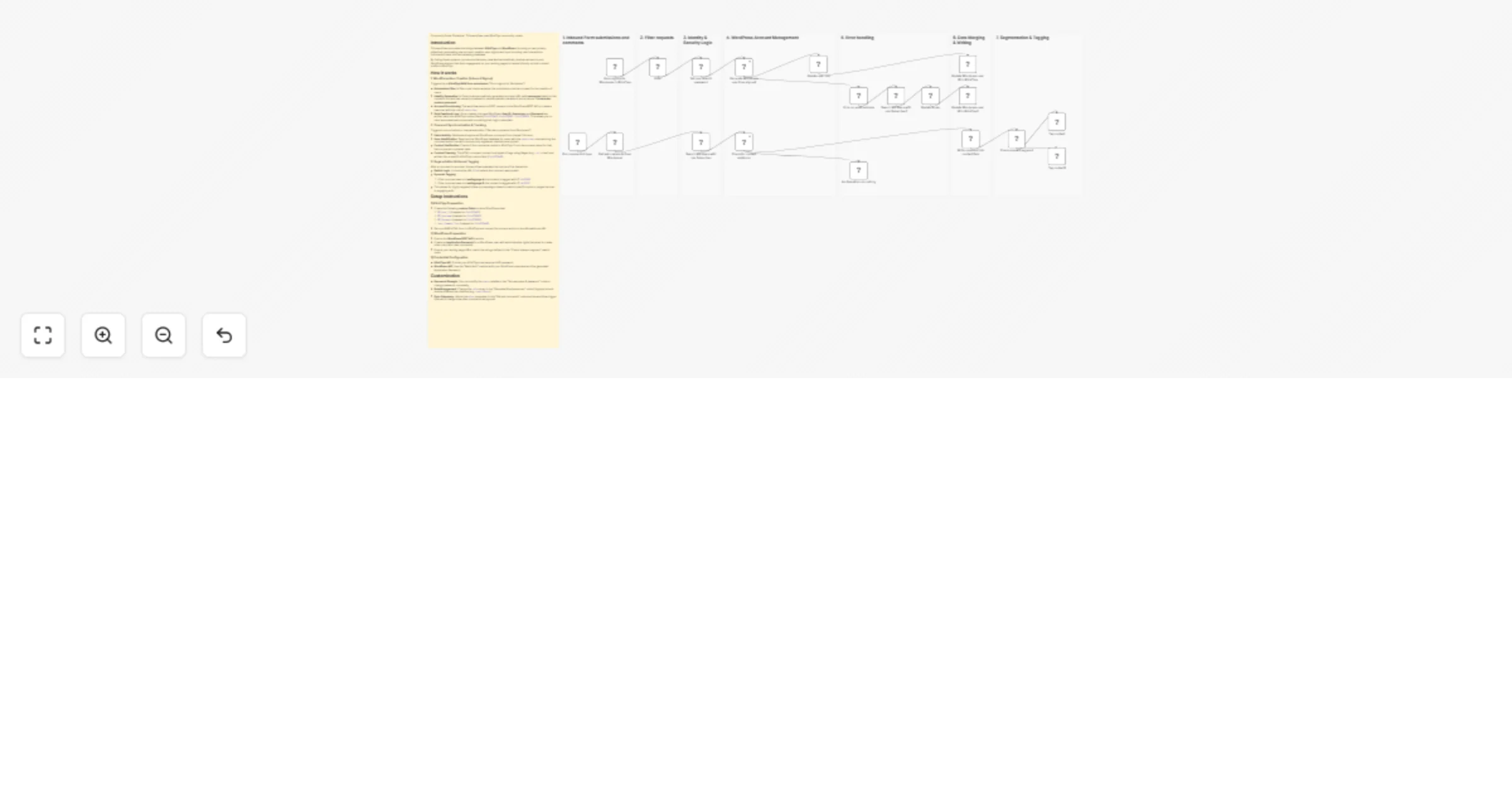
Workflow preview


 Early Deal
DISCOUNT 20%

Overview
Community Node Disclaimer
This workflow uses KlickTipp community nodes, available for self-hosted n8n instances only.
Who’s it for
Marketing teams and course/community operators using WordPress and KlickTipp who want to automate the full bridge between lead capture and member engagement:
- Instant member access: Automatically create WordPress subscriber accounts after a KlickTipp form signup.
- Consent-safe provisioning: Only create accounts if the user explicitly consented.
- Engagement tracking: Pull approved WordPress comments and write them into the KlickTipp contact profile.
- Interest segmentation: Automatically tag contacts based on which landing page/content they commented on.
This workflow removes manual user creation, keeps your marketing database enriched with behavioral data, and enables highly targeted follow-up campaigns.
How it works
This workflow connects KlickTipp ↔ WordPress in two directions: (1) Signup → Account creation, and (2) Comments → Profile enrichment + tagging.
KlickTipp → WordPress (User creation on signup)
Triggered by the Form signup for Wordpress in KlickTipp form webhook (RAW form submission):
- Consent Filter: The Filter node only allows signups where
field229493equals "I give consent". - Identity Generation: Set username & password generates:
- A unique, URL-safe username based on first + last name (normalized, special characters removed) plus the KlickTipp subscriber ID.
- A 12-digit random numeric password stored as
temporary_password.
- Account Provisioning: Generate Wordpress user from signup creates the user via WordPress (role:
subscriber) using the generated username, password, and contact profile data. - Role Enforcement: Generate Wordpress user from signup1 sets/ensures the WordPress role via REST API.
- Feedback to KlickTipp: Update Wordpress user ID in KlickTipp writes the WordPress account data back into KlickTipp custom fields:
field229462→ WordPress User IDfield228982→ WordPress Usernamefield228983→ Temporary Password
This enables automated onboarding emails that include login credentials (if you choose to send them).
WordPress → KlickTipp (Comment sync + profile enrichment)
Triggered daily by Pull comments trigger (scheduled at 08:00):
- Fetch Activity: Get last comments from Wordpress retrieves approved comments from the last 24 hours (via the
after = now - 24hquery parameter). - Find the commenter in WordPress: Search WP Users with role Subscriber looks up the comment author by email and restricts results to WordPress users with role subscriber.
- Verify KlickTipp contact: Check for contact existence tries to find the KlickTipp subscriber by email.
- If found → continue.
- If not found → No Operation, do nothing prevents orphaned data writes.
- Write comment to KlickTipp: Write comment into contact field strips HTML from the comment content and stores the plain text in:
field229468→ last comment text
Segmentation & Tagging (based on comment source URL)
After the comment is stored, Check relevant segment evaluates the link (where the comment was posted) and applies tags accordingly:
- Landingpage A comment → Tag contact applies tag ID
14162905 - Landingpage B comment → Tag contact1 applies tag ID
14176702
This gives you interest-based tagging driven by real engagement, not just form submissions.
Setup steps
- Install Community Nodes: Ensure the KlickTipp community node is installed on your self-hosted n8n instance.
- KlickTipp form + consent field:
- Use a RAW form and connect it to the webhook trigger.
- Ensure you collect explicit consent and map it to
field229493with the value "I give consent".
- Create KlickTipp custom fields:
- WordPress User ID →
field229462 - WordPress Username →
field228982 - WordPress Password →
field228983 - Last Comment Text →
field229468
- WordPress API access:
- Create an Application Password for a WordPress admin user.
- Configure your WordPress credentials in n8n.
- Update URLs and segmentation rules:
- Confirm your WordPress base URL matches your site (
https://cht.klicktipptest.de/...). - Update the Check relevant segment switch rules to match your real landing page URLs.
- Test & activate:
- Run one test signup to confirm user creation + field writeback.
- Add a test comment and verify the comment text field + tag assignment.
Requirements
- Self-hosted n8n instance (for KlickTipp community nodes).
- KlickTipp account with API access.
- WordPress site with REST API enabled.
- WordPress user with permissions + Application Password (to create users and read comments).
How to customize
- Role control: Change the assigned role from
subscriberto other roles where appropriate. - Comment sync window: Adjust the
afterparameter in Get last comments from Wordpress (e.g., last 6 hours, last 7 days). - Richer segmentation: Add more cases in Check relevant segment for additional pages/topics and map them to different KlickTipp tag IDs.
- Data enrichment: Store additional comment metadata (post title, URL, date) into extra KlickTipp fields if you want deeper profiling.