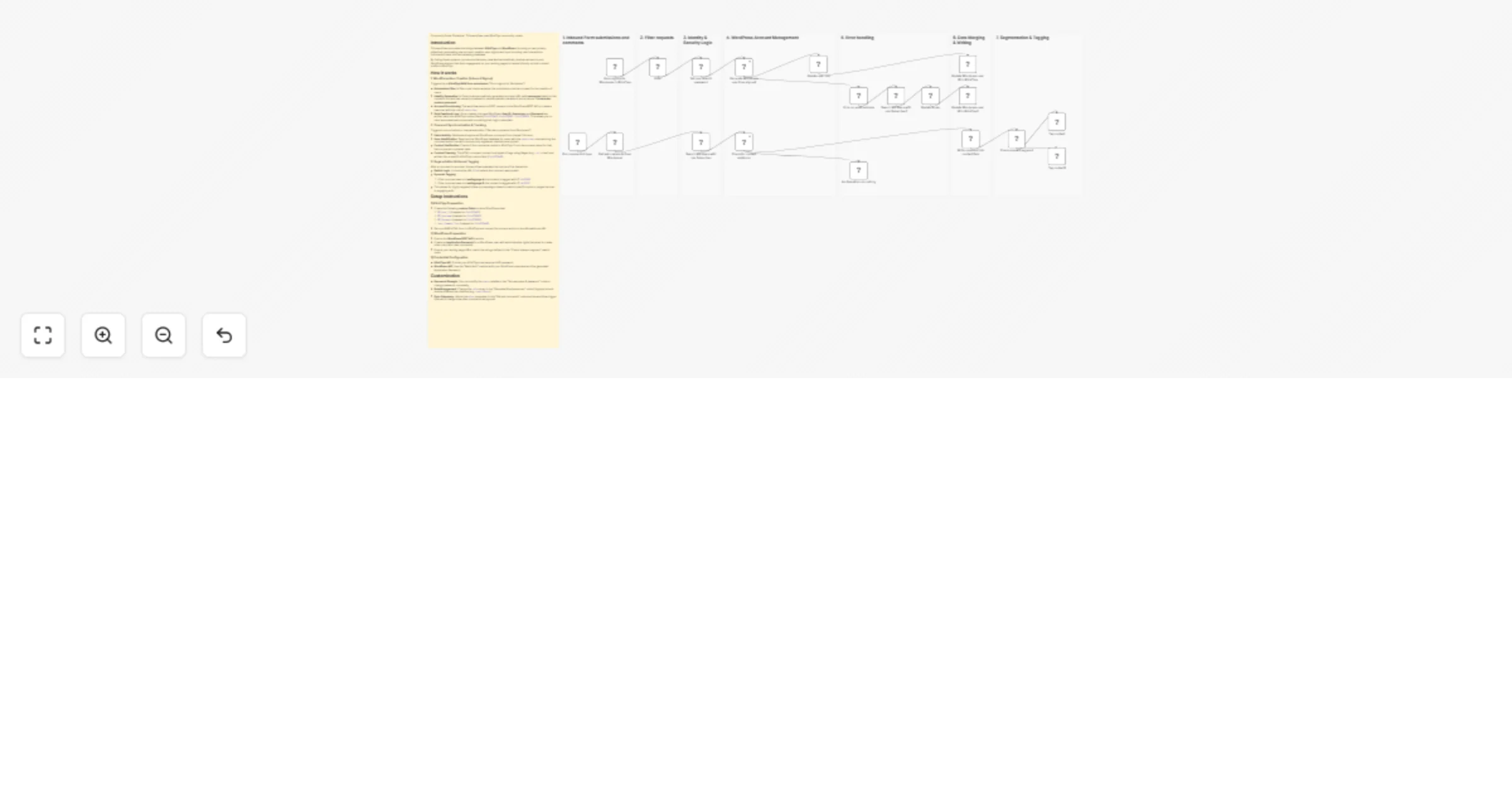
Create WordPress users from KlickTipp and tag contacts based on comments

Workflow preview

Workflow preview
100%
Create WordPress users from KlickTipp and tag contacts based on comments preview
Open on n8n.io

1. Workflow Overview

Community Node Disclaimer This workflow uses KlickTipp community nodes , available for self hosted n8n instances only . Who’s it for Marketing teams and cou...

Best for

  • Lead Generation automation workflows
  • advanced n8n builders looking for reusable templates

Tools used

n8n-nodes-klicktipp.klicktipptrigger, n8n-nodes-base.set, n8n-nodes-klicktipp.klicktipp, n8n-nodes-base.httprequest, n8n-nodes-base.switch, n8n-nodes-base.stickynote, n8n-nodes-base.filter, n8n-nodes-base.scheduletrigger

Source and attribution

This workflow is cataloged by N8N Workflows and links back to its original n8n.io source page by KlickTipp.

Original n8n.io source

1.1 Workflow description

Title
Create WordPress users from KlickTipp and tag contacts based on comments
Workflow name
Create WordPress users from KlickTipp and tag contacts based on comments


Community Node Disclaimer

This workflow uses KlickTipp community nodes, available for self-hosted n8n instances only.


Who’s it for

Marketing teams and course/community operators using WordPress and KlickTipp who want to automate the full bridge between lead capture and member engagement:

  • Instant member access: Automatically create WordPress subscriber accounts after a KlickTipp form signup.
  • Consent-safe provisioning: Only create accounts if the user explicitly consented.
  • Engagement tracking: Pull approved WordPress comments and write them into the KlickTipp contact profile.
  • Interest segmentation: Automatically tag contacts based on which landing page/content they commented on.

This workflow removes manual user creation, keeps your marketing database enriched with behavioral data, and enables highly targeted follow-up campaigns.


How it works

This workflow connects KlickTipp ↔ WordPress in two directions: (1) Signup → Account creation, and (2) Comments → Profile enrichment + tagging.

KlickTipp → WordPress (User creation on signup)

Triggered by the Form signup for Wordpress in KlickTipp form webhook (RAW form submission):

  1. Consent Filter: The Filter node only allows signups where field229493 equals "I give consent".
  2. Identity Generation: Set username & password generates:
  • A unique, URL-safe username based on first + last name (normalized, special characters removed) plus the KlickTipp subscriber ID.
  • A 12-digit random numeric password stored as temporary_password.
  1. Account Provisioning: Generate Wordpress user from signup creates the user via WordPress (role: subscriber) using the generated username, password, and contact profile data.
  2. Role Enforcement: Generate Wordpress user from signup1 sets/ensures the WordPress role via REST API.
  3. Feedback to KlickTipp: Update Wordpress user ID in KlickTipp writes the WordPress account data back into KlickTipp custom fields:
  • field229462 → WordPress User ID
  • field228982 → WordPress Username
  • field228983 → Temporary Password

This enables automated onboarding emails that include login credentials (if you choose to send them).


WordPress → KlickTipp (Comment sync + profile enrichment)

Triggered daily by Pull comments trigger (scheduled at 08:00):

  1. Fetch Activity: Get last comments from Wordpress retrieves approved comments from the last 24 hours (via the after = now - 24h query parameter).
  2. Find the commenter in WordPress: Search WP Users with role Subscriber looks up the comment author by email and restricts results to WordPress users with role subscriber.
  3. Verify KlickTipp contact: Check for contact existence tries to find the KlickTipp subscriber by email.
  • If found → continue.
  • If not found → No Operation, do nothing prevents orphaned data writes.
  1. Write comment to KlickTipp: Write comment into contact field strips HTML from the comment content and stores the plain text in:
  • field229468 → last comment text

Segmentation & Tagging (based on comment source URL)

After the comment is stored, Check relevant segment evaluates the link (where the comment was posted) and applies tags accordingly:

  • Landingpage A commentTag contact applies tag ID 14162905
  • Landingpage B commentTag contact1 applies tag ID 14176702

This gives you interest-based tagging driven by real engagement, not just form submissions.


Setup steps

  1. Install Community Nodes: Ensure the KlickTipp community node is installed on your self-hosted n8n instance.
  2. KlickTipp form + consent field:
  • Use a RAW form and connect it to the webhook trigger.
  • Ensure you collect explicit consent and map it to field229493 with the value "I give consent".
  1. Create KlickTipp custom fields:
  • WordPress User ID → field229462
  • WordPress Username → field228982
  • WordPress Password → field228983
  • Last Comment Text → field229468
  1. WordPress API access:
  • Create an Application Password for a WordPress admin user.
  • Configure your WordPress credentials in n8n.
  1. Update URLs and segmentation rules:
  • Confirm your WordPress base URL matches your site (https://cht.klicktipptest.de/...).
  • Update the Check relevant segment switch rules to match your real landing page URLs.
  1. Test & activate:
  • Run one test signup to confirm user creation + field writeback.
  • Add a test comment and verify the comment text field + tag assignment.

Requirements

  • Self-hosted n8n instance (for KlickTipp community nodes).
  • KlickTipp account with API access.
  • WordPress site with REST API enabled.
  • WordPress user with permissions + Application Password (to create users and read comments).

How to customize

  • Role control: Change the assigned role from subscriber to other roles where appropriate.
  • Comment sync window: Adjust the after parameter in Get last comments from Wordpress (e.g., last 6 hours, last 7 days).
  • Richer segmentation: Add more cases in Check relevant segment for additional pages/topics and map them to different KlickTipp tag IDs.
  • Data enrichment: Store additional comment metadata (post title, URL, date) into extra KlickTipp fields if you want deeper profiling.

1.2 Logical Blocks

This catalog entry is organized from the workflow JSON. The node-level section below shows the executable blocks available for review before importing the template.

2. Block-by-Block Analysis

Block 1 - Form signup for Wordpress in KlickTipp form

Type / Role
n8n-nodes-klicktipp.klicktippTrigger - klicktippTrigger
Config choices
Version 1

Block 2 - Set username & password

Type / Role
n8n-nodes-base.set - set
Config choices
Version 3.4

Block 3 - Update Wordpress user ID in KlickTipp

Type / Role
n8n-nodes-klicktipp.klicktipp - klicktipp
Config choices
Version 3

Block 4 - Get last comments from Wordpress

Type / Role
n8n-nodes-base.httpRequest - httpRequest
Config choices
Version 4

Block 5 - Check for contact existence

Type / Role
n8n-nodes-klicktipp.klicktipp - klicktipp
Config choices
Version 3

Block 6 - Write comment into contact field

Type / Role
n8n-nodes-klicktipp.klicktipp - klicktipp
Config choices
Version 3

Block 7 - Check relevant segment

Type / Role
n8n-nodes-base.switch - switch
Config choices
Version 3.4

Block 8 - Tag contact

Type / Role
n8n-nodes-klicktipp.klicktipp - klicktipp
Config choices
Version 3

Block 9 - Tag contact1

Type / Role
n8n-nodes-klicktipp.klicktipp - klicktipp
Config choices
Version 3

Block 10 - Sticky Note

Type / Role
n8n-nodes-base.stickyNote - stickyNote
Config choices
Version 1

Block 11 - Sticky Note1

Type / Role
n8n-nodes-base.stickyNote - stickyNote
Config choices
Version 1

Block 12 - Sticky Note2

Type / Role
n8n-nodes-base.stickyNote - stickyNote
Config choices
Version 1

Block 13 - Sticky Note3

Type / Role
n8n-nodes-base.stickyNote - stickyNote
Config choices
Version 1

Block 14 - Sticky Note5

Type / Role
n8n-nodes-base.stickyNote - stickyNote
Config choices
Version 1

Block 15 - Search WP Users with role Subscriber

Type / Role
n8n-nodes-base.httpRequest - httpRequest
Config choices
Version 4

Block 16 - Sticky Note4

Type / Role
n8n-nodes-base.stickyNote - stickyNote
Config choices
Version 1

Block 17 - Sticky Note13

Type / Role
n8n-nodes-base.stickyNote - stickyNote
Config choices
Version 1

Block 18 - Sticky Note6

Type / Role
n8n-nodes-base.stickyNote - stickyNote
Config choices
Version 1

Block 19 - Filter

Type / Role
n8n-nodes-base.filter - filter
Config choices
Version 2.3

Block 20 - Pull comments trigger

Type / Role
n8n-nodes-base.scheduleTrigger - scheduleTrigger
Config choices
Version 1.3

Block 21 - No Operation, do nothing

Type / Role
n8n-nodes-base.noOp - noOp
Config choices
Version 1

Block 22 - Search WP Users with role Subscriber1

Type / Role
n8n-nodes-base.httpRequest - httpRequest
Config choices
Version 4

Block 23 - Update a user

Type / Role
n8n-nodes-base.wordpress - wordpress
Config choices
Version 1

Block 24 - Update Wordpress user ID in KlickTipp1

Type / Role
n8n-nodes-klicktipp.klicktipp - klicktipp
Config choices
Version 3

Showing the first 24 of 27 workflow blocks. Download the JSON for the full node graph.

3. Summary Table

Workflow Create WordPress users from KlickTipp and tag contacts based on comments
Complexity advanced
Nodes 27
Categories Lead Generation
Author KlickTipp
Published 26 Feb 2026

4. Reproducing the Workflow from Scratch

  1. 1. Download the workflow JSON

    Use the JSON export at /data/workflows/13721/13721.json as the source template for this automation.

  2. 2. Import the template into n8n

    Open n8n, import the downloaded JSON, and review each node before activating the workflow.

  3. 3. Configure credentials and variables

    Replace placeholder credentials, API keys, webhook URLs, account IDs, and environment-specific values with your own settings.

  4. 4. Test with sample data

    Run the workflow manually or in a staging workspace, inspect node output, and confirm downstream systems receive the expected data.

  5. 5. Activate and monitor

    Enable the workflow only after testing, then monitor executions, errors, and rate limits during the first production runs.

5. General Notes & Resources

Review imported nodes carefully before activation. This catalog entry is intended to help you inspect the workflow structure, understand required services, and find related templates faster.

Node names, credentials, schedules, webhook paths, and external service limits may need adjustment for your workspace.

Frequently asked questions

What does Create WordPress users from KlickTipp and tag contacts based on comments do?

Community Node Disclaimer This workflow uses KlickTipp community nodes , available for self hosted n8n instances only . Who’s it for Marketing teams and cou...

What do I need before importing this workflow?

Review the workflow JSON, configure any required credentials in n8n, and test the automation in a safe workspace before using it in production.

Can I customize this workflow?

Yes. Use the block-by-block analysis and the downloadable JSON to inspect each node, then adjust credentials, prompts, schedules, filters, or destinations for your Lead Generation use case.