Block 1 - Daily Prospect Research
- Type / Role
- n8n-nodes-base.scheduleTrigger - scheduleTrigger
- Config choices
- Version 1.2


 Early Deal
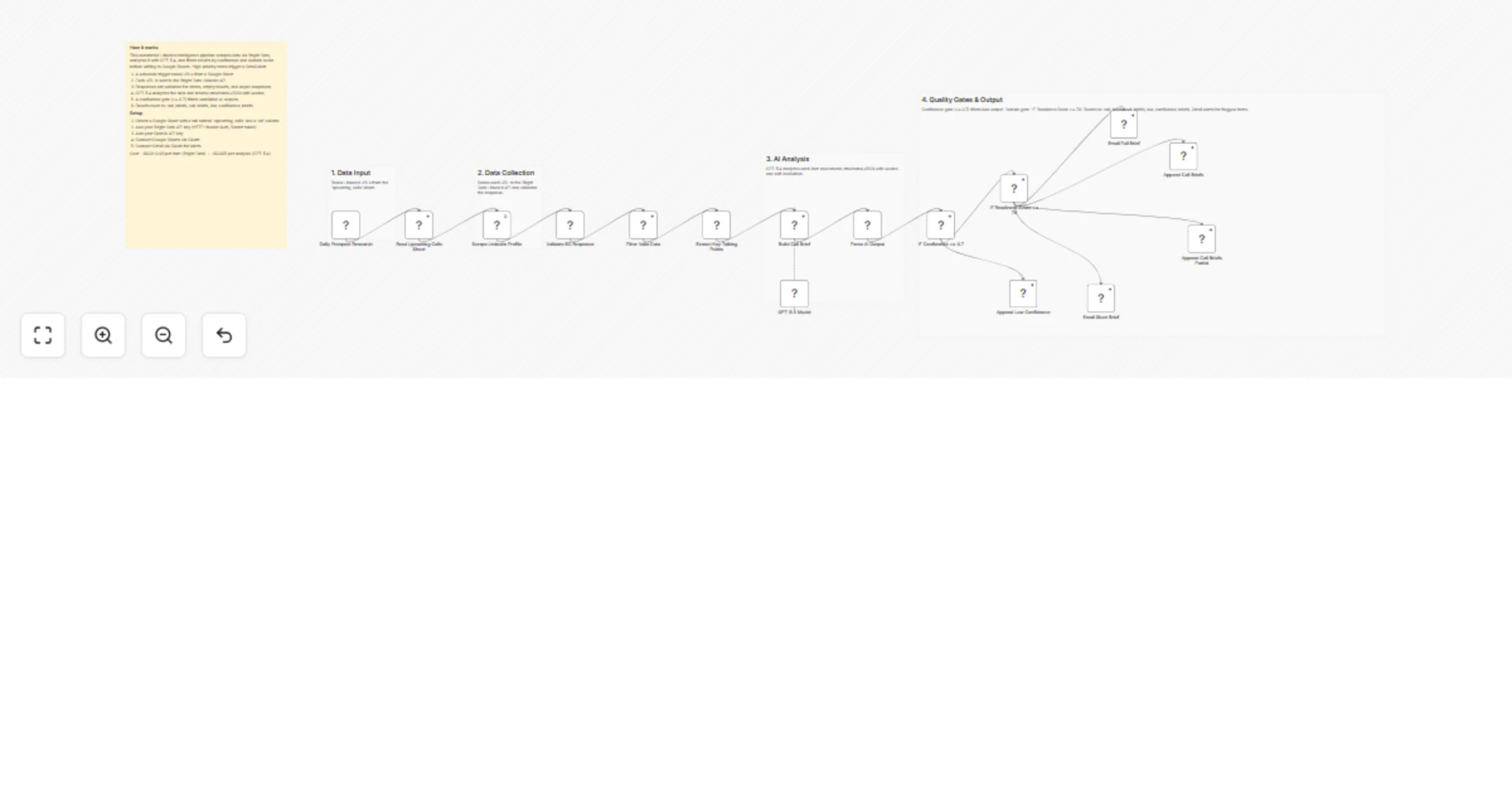
Build AI powered pre call intelligence briefs from LinkedIn profiles Automatically scrape LinkedIn profiles for upcoming sales calls, analyze the data with AI, score prospect readiness, and send st...
n8n-nodes-base.scheduletrigger, n8n-nodes-base.googlesheets, n8n-nodes-base.httprequest, n8n-nodes-base.code, @n8n/n8n-nodes-langchain.agent, @n8n/n8n-nodes-langchain.lmchatopenai, n8n-nodes-base.if, n8n-nodes-base.gmail
This workflow is cataloged by N8N Workflows and links back to its original n8n.io source page by Yaron Been.
Original n8n.io sourceAutomatically scrape LinkedIn profiles for upcoming sales calls, analyze the data with AI, score prospect readiness, and send structured pre-call briefs to your inbox.
This workflow reads upcoming call records from Google Sheets, scrapes each prospect's LinkedIn profile with Bright Data, extracts useful talking points and rapport hooks, and uses GPT-5.4 to generate a structured pre-call intelligence brief. It then applies confidence and readiness thresholds to decide whether to send a full brief, a shorter limited-data brief, or log the result for later review.
upcoming_calls.0.7.low_confidence_briefs sheet for manual review.70.call_briefs sheet.call_briefs sheet.Create a Google Sheet with these tabs:
upcoming_callscall_briefslow_confidence_briefsThe upcoming_calls tab should include at least:
urlmeeting_dateour_productalert_email (optional)Then configure the workflow:
YOUR_SPREADSHEET_ID in the Google Sheets nodes with your sheet ID.ALERT_EMAIL variable.0.7) and readiness threshold (70) to match your process.Note: This demo uses the synchronous Bright Data request because it is easier to understand in a template. In real workflows, it is often better to use the async approach. Bright Data’s sync endpoint has a 1 minute timeout, and longer jobs return a snapshot_id instead of final data. A simple way to build the async HTTP node in n8n is to copy Bright Data’s cURL example from your account or docs and convert it into an n8n HTTP Request setup
This catalog entry is organized from the workflow JSON. The node-level section below shows the executable blocks available for review before importing the template.
| Workflow | Research LinkedIn prospects before sales calls with Bright Data and GPT-5.4 |
|---|---|
| Complexity | advanced |
| Nodes | 21 |
| Categories | Lead Generation, AI Summarization |
| Author | Yaron Been |
| Published | 11 Apr 2026 |
Use the JSON export at /data/workflows/14986/14986.json as the source template for this automation.
Open n8n, import the downloaded JSON, and review each node before activating the workflow.
Replace placeholder credentials, API keys, webhook URLs, account IDs, and environment-specific values with your own settings.
Run the workflow manually or in a staging workspace, inspect node output, and confirm downstream systems receive the expected data.
Enable the workflow only after testing, then monitor executions, errors, and rate limits during the first production runs.
Review imported nodes carefully before activation. This catalog entry is intended to help you inspect the workflow structure, understand required services, and find related templates faster.
Node names, credentials, schedules, webhook paths, and external service limits may need adjustment for your workspace.
Build AI powered pre call intelligence briefs from LinkedIn profiles Automatically scrape LinkedIn profiles for upcoming sales calls, analyze the data with AI, score prospect readiness, and send st...
Review the workflow JSON, configure any required credentials in n8n, and test the automation in a safe workspace before using it in production.
Yes. Use the block-by-block analysis and the downloadable JSON to inspect each node, then adjust credentials, prompts, schedules, filters, or destinations for your Lead Generation, AI Summarization use case.