Yaron Been
Workflows by Yaron Been
Automated job intelligence system with Decodo, AI analysis, and email alerts
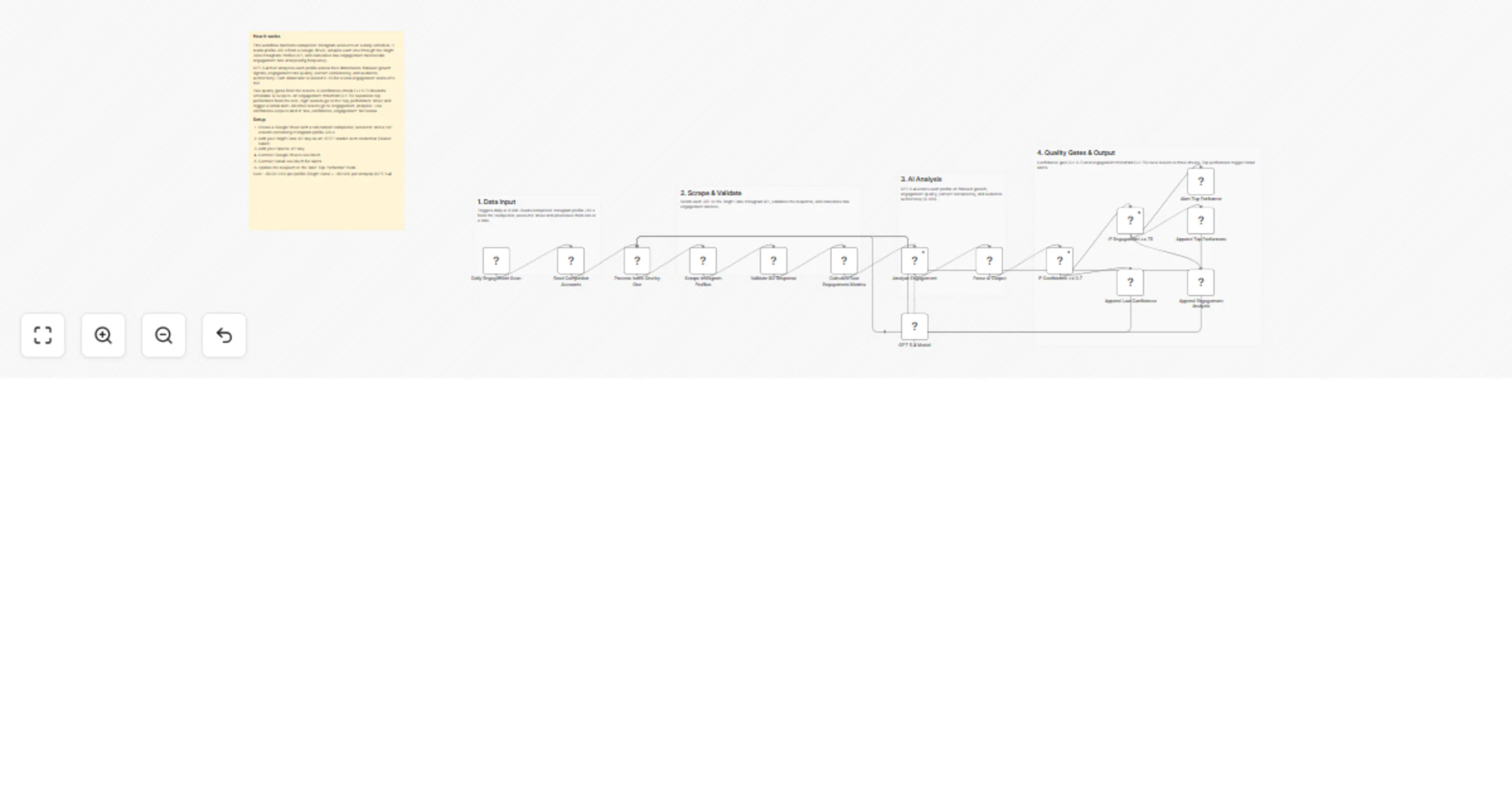
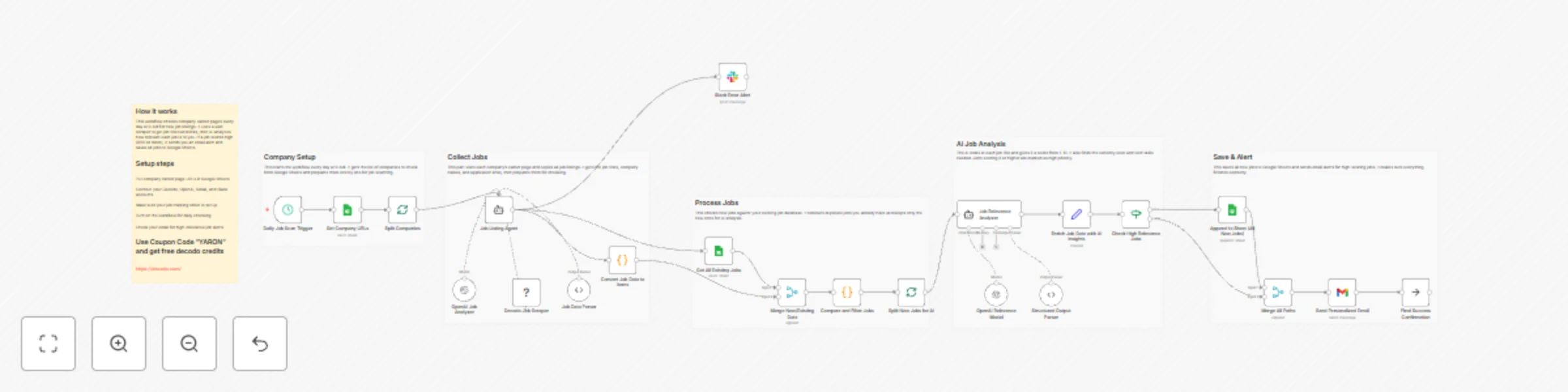
Stay ahead in your job search with this Automated Job Intelligence System! This workflow scans company career pages daily for new job listings, uses AI to analyze job relevance and seniority levels, and sends personalized email alerts for high-priority opportunities while maintaining a comprehensive job database. Perfect for job seekers, recruiters, and career coaches tracking ideal opportunities across target companies. ## What This Template Does 1. Triggers daily at 9 AM to scan for new job opportunities. 2. Retrieves company URLs from Google Sheets database. 3. Uses Decodo scraper to extract job listings from career pages. 4. Analyzes job data with AI to identify company names and positions. 5. Converts job data into individual listing items for processing. 6. Compares new jobs against existing database to filter duplicates. 7. Uses AI to assign relevance scores, seniority levels, and tech stack analysis. 8. Filters high-relevance jobs (score >8/10) for priority alerts. 9. Stores all new jobs in Google Sheets for historical tracking. 10. Sends personalized email alerts for high-relevance opportunities. ## Key Benefits - Automated daily scanning of target company career pages - AI-powered relevance scoring and job matching - Duplicate prevention to avoid redundant notifications - Comprehensive job database for tracking and analysis - Personalized alerts for high-priority opportunities - Time-saving automation for job search activities ## Features - Daily automated scheduling for consistent monitoring - AI-powered job extraction and data structuring - Decodo web scraping for reliable career page access - Intelligent relevance scoring and seniority analysis - Duplicate detection and filtering - Google Sheets integration for job tracking - Personalized email alerts for premium opportunities - Multi-company monitoring capability - Historical job data maintenance ## Requirements - Decodo API credentials for web scraping - OpenAI API credentials for AI analysis - Google Sheets OAuth2 credentials with edit access - Gmail OAuth2 credentials for email alerts - Slack Bot Token for error notifications (optional) - Environment variables for configuration settings ## Target Audience - Job seekers and career changers - Recruitment and talent acquisition teams - Career coaches and placement agencies - HR professionals monitoring competitor hiring - Technology professionals tracking market opportunities - University career services and placement offices ## Step-by-Step Setup Instructions 1. Connect Decodo API credentials for career page scraping 2. Set up OpenAI credentials for job relevance analysis 3. Configure Google Sheets with company URLs and job tracking sheets 4. Add Gmail credentials for personalized job alerts 5. Optional: Set up Slack for error notifications 6. Populate company URLs in your Google Sheets database 7. Test with sample companies to verify job extraction and analysis 8. Customize relevance thresholds for your job preferences 9. Activate for daily automated job intelligence monitoring **Pro Tip:** Use coupon code "YARON" to get 23K requests for testing (in Decodo) This workflow transforms your job search with automated intelligence, smart filtering, and personalized opportunity alerts!
Collect & analyze reviews with Decodo scraping
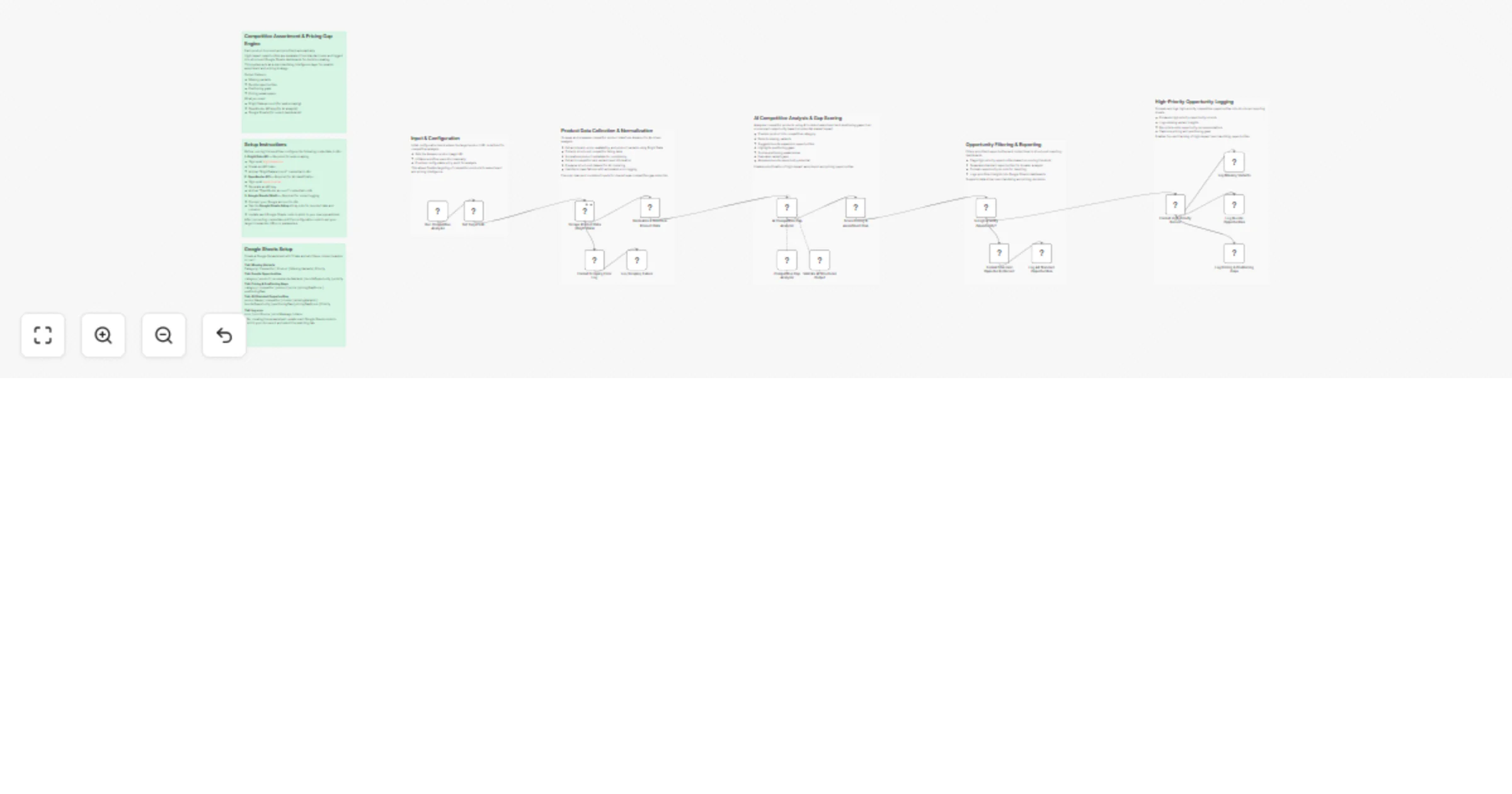
*This workflow contains community nodes that are only compatible with the self-hosted version of n8n.* # Automated Review Intelligence System Transform customer feedback into actionable intelligence with this Automated Review Intelligence System! This workflow collects reviews from platforms like Trustpilot using advanced web scraping, analyzes sentiment and patterns with AI, and generates comprehensive business intelligence reports. Perfect for customer experience teams monitoring brand reputation and customer satisfaction across review platforms. ## What This Template Does 1. Triggers manually to start review collection from specified sources. 2. Validates URL format to ensure proper review source configuration. 3. Uses AI agent with Decodo scraper to extract review data from platforms. 4. Parses and structures review data (ratings, comments, dates, locations). 5. Enriches review data with metadata and quality metrics. 6. Stores all review data in Google Sheets for historical tracking. 7. Reads aggregated reviews for comprehensive analysis. 8. Generates AI-powered summaries and key insights from review patterns. 9. Sends email reports with actionable business intelligence. 10. Provides error alerts for processing issues and invalid URLs. ## Key Benefits - Automated collection of customer reviews from multiple platforms - AI-powered sentiment analysis and pattern recognition - Historical tracking of review trends and customer satisfaction - Actionable business intelligence from customer feedback - Real-time alerting for review processing issues - Centralized review database for team visibility ## Features - Manual trigger for on-demand review intelligence - URL validation and error handling - AI-powered review collection and analysis - Decodo web scraping for reliable data extraction - Structured data parsing for consistent formatting - Google Sheets integration for data centralization - Automated summary generation with key insights - Email reporting for stakeholder communication - Multi-platform review source support - Historical trend analysis capabilities ## Requirements - Decodo API credentials for web scraping - OpenAI API credentials for AI analysis - Google Sheets OAuth2 credentials with edit access - Gmail OAuth2 credentials for email reports - Environment variables for configuration settings - Review source URLs (Trustpilot, etc.) ## Target Audience - Customer experience and success teams - Product management and development teams - Marketing and brand reputation managers - Business intelligence and analytics teams - Customer support operations teams - E-commerce and retail businesses ## Step-by-Step Setup Instructions 1. Connect Decodo API credentials for review scraping functionality 2. Set up OpenAI credentials for AI analysis and summary generation 3. Configure Google Sheets with required review data headers 4. Add Gmail credentials for report delivery and error notifications 5. Set your target review source URLs (Trustpilot, etc.) 6. Test with sample review pages to verify data extraction 7. Customize summary reports for your business intelligence needs 8. Define alert recipients for error notifications and reports 9. Run manually to generate your first review intelligence report **Pro Tip:** Use coupon code "YARON" to get 23K requests for testing the workflow using Decodo This workflow ensures you stay informed about customer sentiment with automated review collection, intelligent analysis, and actionable business insights!
Ai research paper analysis & documentation with Decodo, GPT & Google
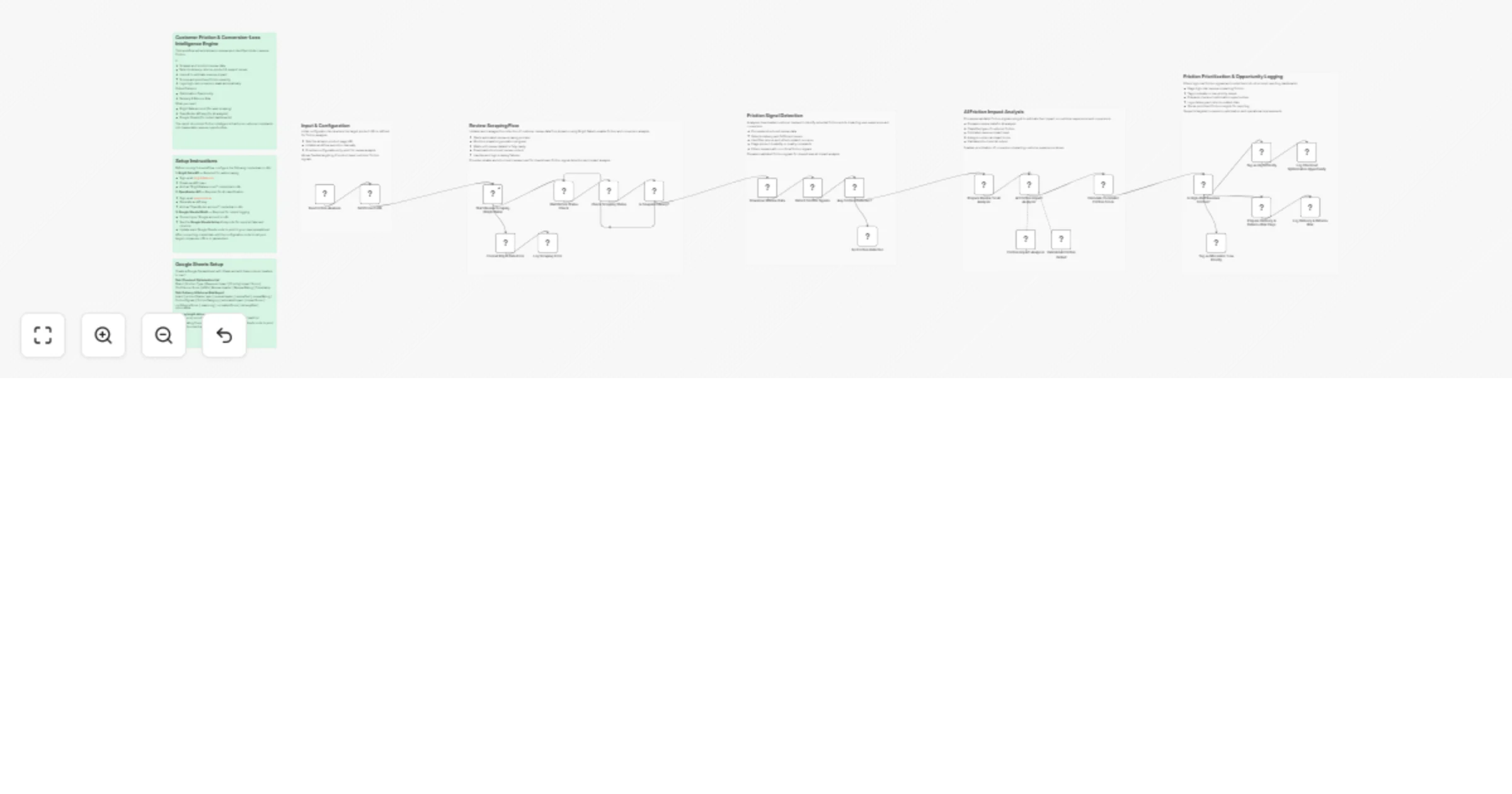
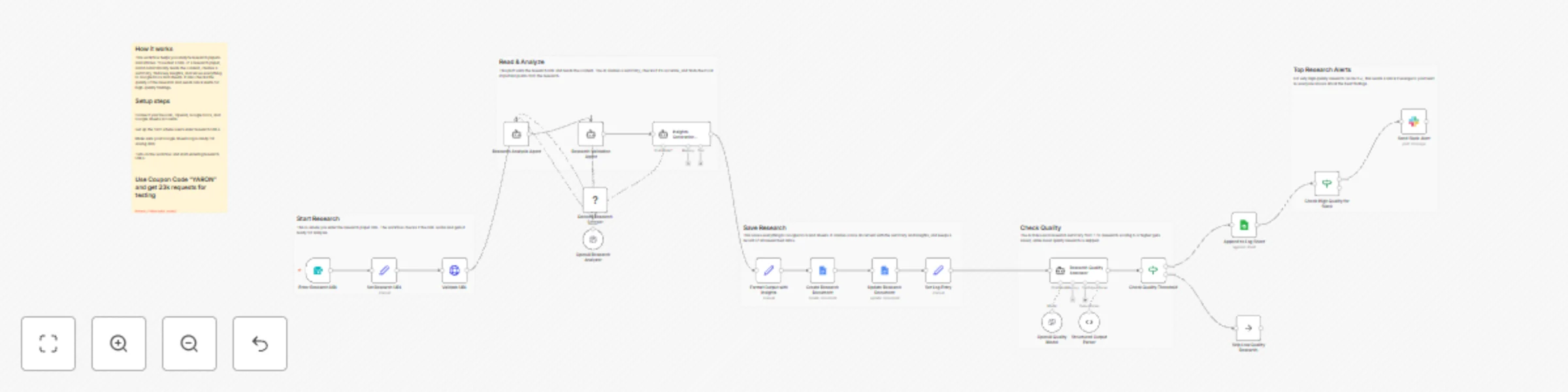
*This workflow contains community nodes that are only compatible with the self-hosted version of n8n.* Accelerate your research analysis with this Automated Research Intelligence System! This workflow uses AI and web scraping to analyze research papers and articles, extracting key insights, validating content quality, and generating comprehensive research documents. Perfect for research teams, academics, and AI enthusiasts staying current with the latest developments in artificial intelligence and machine learning. ## What This Template Does 1. Triggers via form submission for on-demand research URL analysis. 2. Validates URL accessibility and prepares for processing. 3. Uses Decodo scraper to extract research content from target URLs. 4. Analyzes research papers with AI for comprehensive understanding. 5. Validates summaries for accuracy, completeness, and relevance. 6. Generates key insights and actionable takeaways from research. 7. Creates professional Google Docs with formatted research summaries. 8. Evaluates research quality with AI-powered rating system. 9. Saves all research to Google Sheets for historical tracking. 10. Sends Slack alerts for high-quality research findings (9+ rating). ## Key Benefits - Automated research analysis saves hours of manual reading time - AI-powered insights extraction from complex research papers - Quality validation ensures accurate and relevant summaries - Centralized research database for team collaboration - Real-time alerts for breakthrough research findings - Professional documentation automatically generated ## Features - Form-based trigger for easy research submission - URL validation and accessibility checking - AI-powered research analysis and summarization - Decodo web scraping for reliable content extraction - Multi-stage validation for accuracy and relevance - Automated Google Docs report generation - Quality assessment with structured rating system - Google Sheets integration for research tracking - Slack notifications for premium research findings - Quality threshold filtering for optimal results ## Requirements - Decodo API credentials for research scraping - OpenAI API credentials for AI analysis - Google Docs OAuth2 credentials for document creation - Google Sheets OAuth2 credentials with edit access - Slack Bot Token with chat:write permission - Environment variables for configuration settings ## Target Audience - AI research teams and data scientists - Academic researchers and university labs - Machine learning engineers and developers - Technology innovation teams - Research and development departments - Content creators in AI/ML space ## Step-by-Step Setup Instructions 1. Connect Decodo API credentials for research scraping functionality 2. Set up OpenAI credentials for AI analysis and quality assessment 3. Configure Google Docs for automated research document generation 4. Add Google Sheets credentials for research tracking and history 5. Set up Slack credentials for high-quality research alerts 6. Customize quality thresholds for research rating (default: 6+ for processing, 9+ for alerts) 7. Test with sample research URLs to verify analysis and formatting 8. Deploy the form for team access to research analysis requests 9. Monitor research database for trends and insights **Pro Tip:** Pro Tip: Use coupon code "YARON" to get 23K requests for testing This workflow transforms complex research into actionable intelligence with automated analysis, quality validation, and professional documentation!
Monitor e-commerce price changes with Decodo Scraper, OpenAI & Google Sheets
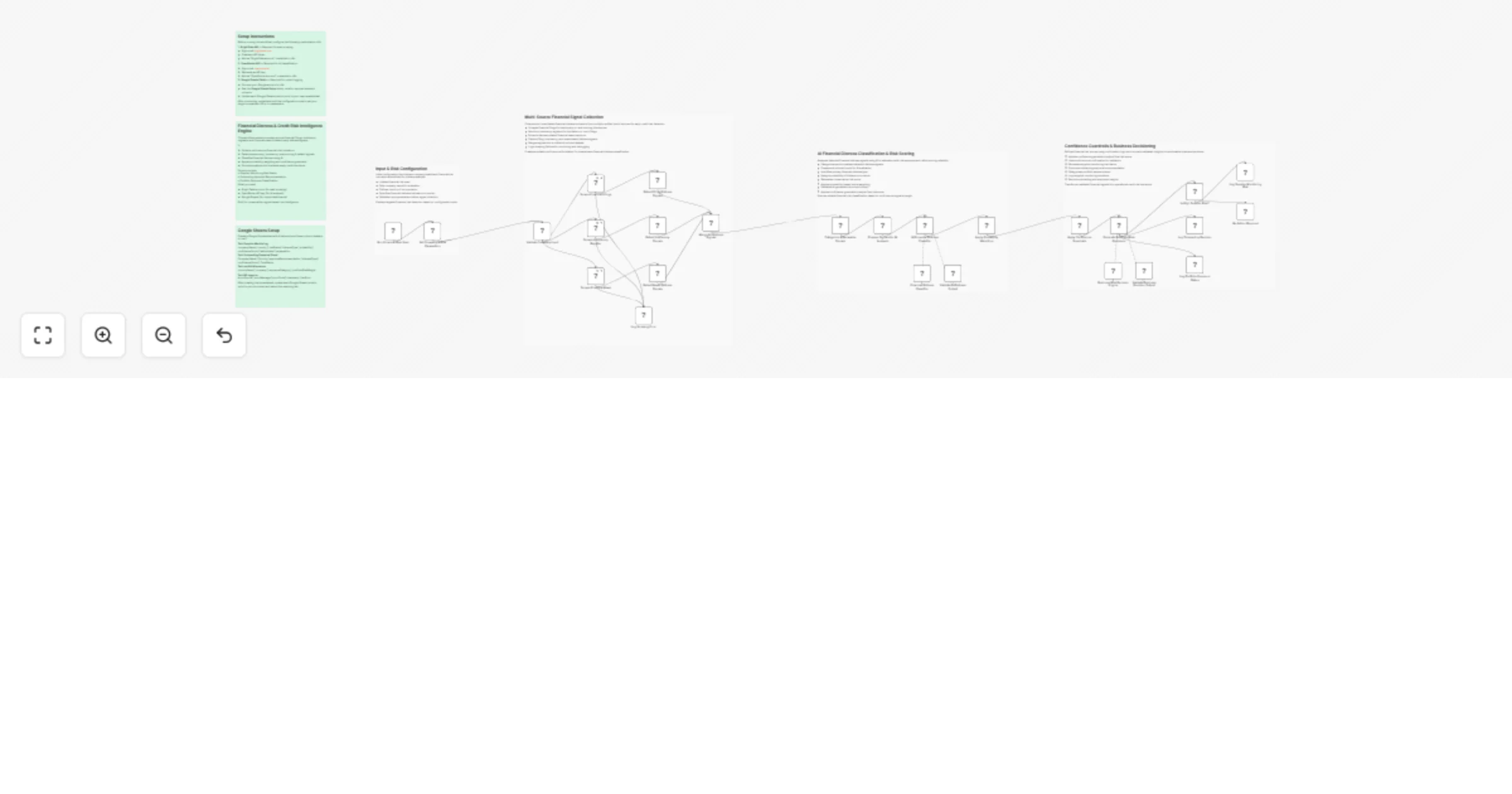
*This workflow contains community nodes that are only compatible with the self-hosted version of n8n.* Stay ahead of market changes with this Automated Price Intelligence System! This workflow monitors e-commerce product prices 3x daily using advanced web scraping and AI analysis, tracking price changes, comparing against strategic thresholds, and sending intelligent alerts for competitive pricing opportunities. Perfect for e-commerce teams, retailers, and pricing strategists maintaining market competitiveness. ## What This Template Does 1. Triggers 3x daily (9 AM, 3 PM, 9 PM) for continuous price monitoring. 2. Configures global settings for products, thresholds, and alert recipients. 3. Parses product targets and maps price thresholds by category (premium/default/budget). 4. Uses Decodo scraper to extract real-time pricing data from e-commerce sites. 5. Analyzes product pages with AI to extract structured price information. 6. Logs all price data to Google Sheets for historical tracking and trend analysis. 7. Evaluates prices against thresholds with AI-powered strategic recommendations. 8. Classifies alerts as CRITICAL or STANDARD based on price drop severity. 9. Sends targeted email alerts with strategic action recommendations. ## Key Benefits - Continuous price monitoring across multiple e-commerce platforms - AI-powered strategic recommendations for pricing decisions - Historical price tracking for trend analysis and forecasting - Multi-tier alert system for critical vs. standard price changes - Automated competitive intelligence without manual monitoring - Configurable thresholds for different product categories ## Features - Triple-daily scheduling for comprehensive market coverage - Multi-product monitoring with individual threshold configuration - AI-powered price extraction and data structuring - Real-time web scraping with Decodo integration - Strategic alert classification (CRITICAL/STANDARD) - Automated email notifications with actionable insights - Google Sheets integration for data centralization - Batch processing for efficient multi-product handling - Quality assurance with auto-fixing output parsing ## Requirements - Decodo API credentials for web scraping - OpenAI API credentials for AI analysis - Google Sheets OAuth2 credentials with edit access - Gmail OAuth2 credentials for email alerts - Environment variables for configuration settings - Product URLs with internal tracking IDs ## Target Audience - E-commerce and retail pricing teams - Competitive intelligence analysts - Pricing strategy and revenue optimization teams - E-commerce marketing and sales teams - Retail operations and category managers - Digital agency e-commerce specialists ## Step-by-Step Setup Instructions 1. Connect Decodo API credentials for reliable web scraping 2. Set up OpenAI credentials for AI price analysis and strategy recommendations 3. Configure Google Sheets for price history tracking and logging 4. Add Gmail credentials for critical and standard alert notifications 5. Define your product URLs with internal IDs and threshold types 6. Set price thresholds for premium, default, and budget categories 7. Configure alert recipients for different notification levels 8. Test with sample product URLs to verify data extraction and alerting 9. Activate for automated triple-daily price intelligence monitoring **Pro Tip:** Use coupon code "YARON" to get 23K requests for testing the workflow using the Decodo scraping platform This workflow ensures you never miss a pricing opportunity with automated monitoring, intelligent analysis, and strategic alerting!
AI-powered content analysis with Decodo scraping & GPT-4o insights
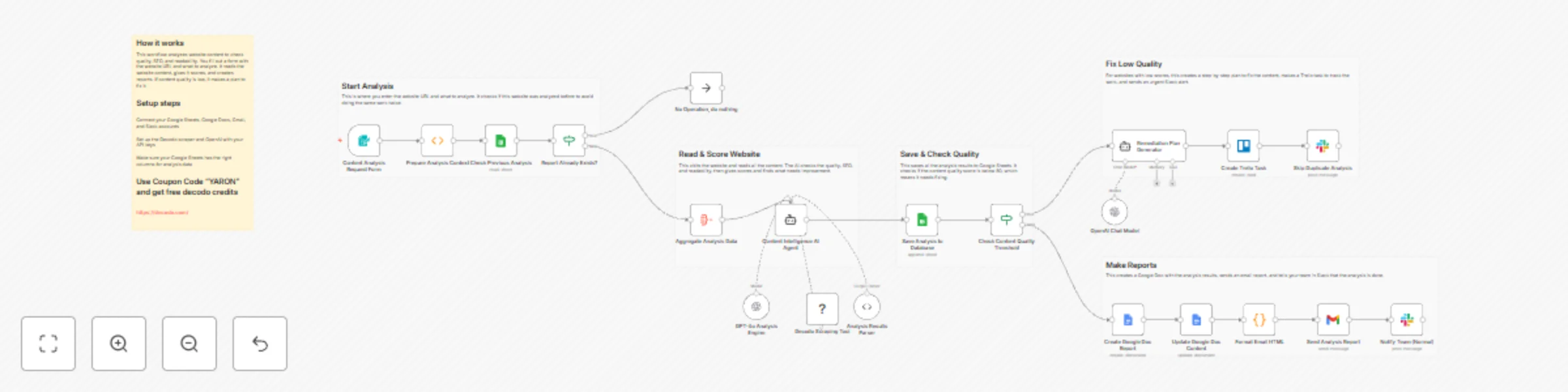
*This workflow contains community nodes that are only compatible with the self-hosted version of n8n.* # AI-Powered Content Analysis System Elevate your content quality with this AI-powered Content Analysis System! This workflow automatically evaluates website content using advanced scraping and AI analysis, providing comprehensive SEO insights, readability scores, and actionable improvement recommendations. Perfect for content teams ensuring optimal performance and engagement across digital properties. ## What This Template Does 1. Triggers via form submission for on-demand content analysis requests. 2. Checks previous analyses to prevent duplicate processing. 3. Scrapes target URLs using Decodo for comprehensive content extraction. 4. Uses AI to evaluate content quality, SEO effectiveness, and readability. 5. Saves analysis results to Google Sheets for historical tracking. 6. Generates professional Google Docs reports with actionable insights. 7. Sends email notifications with formatted analysis summaries. 8. Alerts teams via Slack for both normal and urgent findings. 9. Creates remediation plans and Trello tasks for low-quality content. ## Key Benefits - Automated content quality assessment with AI-powered insights - Prevents duplicate analyses to optimize resource usage - Comprehensive SEO and readability scoring for data-driven decisions - Professional reporting with Google Docs and email integration - Immediate team alerts for urgent content improvements - Historical tracking and trend analysis capabilities ## Features - Form-based trigger for easy content analysis requests - Duplicate detection and prevention system - AI-powered content evaluation using GPT-4o - Real-time web scraping with Decodo integration - Automated Google Docs report generation - Multi-channel notifications (Slack, Gmail) - Quality threshold monitoring and alerting - Remediation plan generation for low-quality content - Trello integration for task management - Historical analysis database in Google Sheets ## Requirements - OpenAI API credentials for AI analysis - Decodo API credentials for web scraping - Google Sheets OAuth2 credentials with edit access - Google Docs OAuth2 credentials for report generation - Gmail OAuth2 credentials for email notifications - Slack Bot Token with chat:write permission - Trello credentials (optional for task management) - Environment variables for configuration settings ## Target Audience - Content marketing and strategy teams - SEO specialists and digital marketers - Content quality assurance teams - Digital agencies managing multiple clients - Website owners and publishers - Content operations managers ## Step-by-Step Setup Instructions 1. Connect OpenAI credentials for AI content analysis capabilities 2. Set up Decodo API credentials for web scraping functionality 3. Configure Google Sheets with required analysis headers 4. Add Google Docs credentials for automated report generation 5. Set up Gmail and Slack credentials for notifications 6. Optional: Configure Trello integration for task management 7. Customize the analysis form with your industry and focus areas 8. Test with sample URLs to verify all integrations and data flow 9. Deploy for ongoing content quality monitoring and optimization **Pro Tip:** Use coupon code "YARON" to get 23K requests for testing the workflow with the Decodo scraper This workflow ensures your content maintains high quality standards with automated analysis, professional reporting, and immediate improvement alerts!
Automated SEO ranking monitor with AI, Decodo scraper & multi-channel alerts
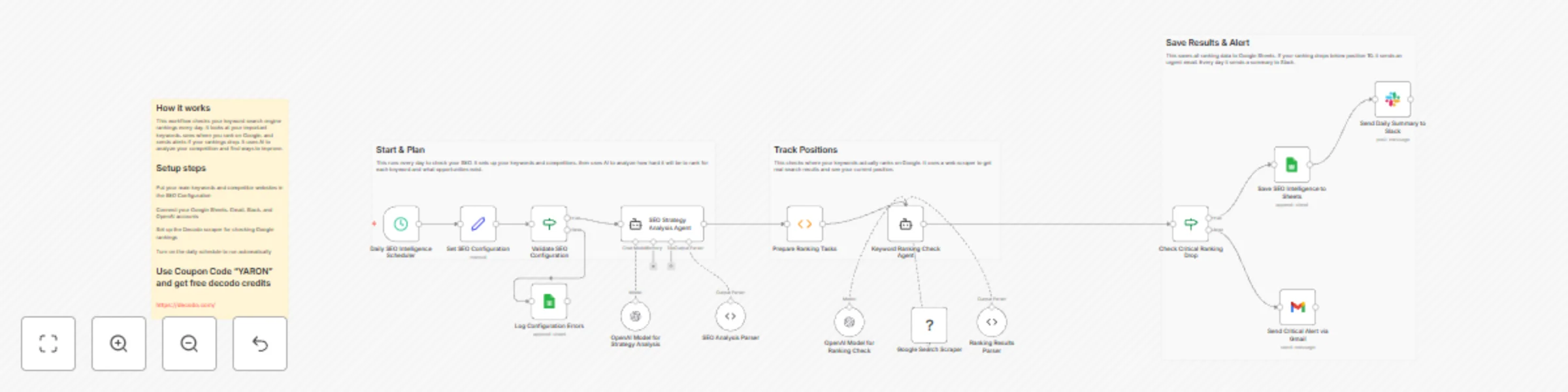
*This workflow contains community nodes that are only compatible with the self-hosted version of n8n.* Keep your SEO performance on track with this automated SEO Watchlist Monitor! This workflow combines AI-powered strategy analysis with real-time search ranking checks to track keyword positions, identify content gaps, and alert you to critical ranking drops. Perfect for marketing teams ensuring search visibility and competitive intelligence across platforms. 🚀🔍 **What This Template Does** 1️⃣ Triggers daily SEO intelligence checks to monitor keyword performance. 2️⃣ Configures target keywords, competitor domains, and geographic focus. 3️⃣ Validates SEO configuration to ensure proper setup. 4️⃣ Uses AI to analyze keyword competitiveness and strategic opportunities. 5️⃣ Checks real-time search rankings using Google Search scraper. 6️⃣ Detects critical ranking drops below position 10. 7️⃣ Saves SEO intelligence to Google Sheets for tracking. 8️⃣ Sends email alerts for urgent ranking issues. 9️⃣ Provides daily Slack summaries of SEO performance. **Key Benefits** ✅ Monitors keyword rankings and competitor movements daily ✅ Identifies content gaps and strategic opportunities with AI analysis ✅ Alerts instantly to critical ranking drops for quick action ✅ Centralizes SEO intelligence in Google Sheets for team visibility ✅ Combines AI insights with real-time search data for comprehensive monitoring **Features** - Daily automated schedule for continuous monitoring - AI-powered SEO strategy analysis and competitive intelligence - Real-time search ranking checks using Decodo scraper - Critical alert system for ranking drops - Google Sheets integration for data centralization - Slack and Gmail notifications for team awareness - Configuration validation and error logging - Structured data parsing for consistent reporting **Requirements** - OpenAI API credentials for AI analysis - Decodo API credentials for search scraping - Google Sheets OAuth2 credentials with edit access - Gmail OAuth2 credentials for email alerts - Slack Bot Token with chat:write permission - Environment variables for configuration settings **Target Audience** SEO and digital marketing teams 🎯 Content strategy and growth teams 📈 Competitive intelligence professionals 🔍 Marketing operations teams 🚀 Agency account managers managing multiple clients 💼 **Step-by-Step Setup Instructions** 1️⃣ Connect OpenAI credentials for AI analysis capabilities 2️⃣ Set up Decodo API credentials for search scraping functionality 3️⃣ Configure Google Sheets with required headers (Keyword, Rank, description, etc.) 4️⃣ Add Gmail and Slack credentials for alerting and notifications 5️⃣ Set your target keywords, competitors, and geographic focus in the configuration node 6️⃣ Configure the cron schedule (hourly) for daily monitoring frequency 7️⃣ Run once manually to verify all integrations and data flow 8️⃣ Activate for ongoing SEO performance tracking and alerting ✅ **Pro Tip:** Use coupon code "YARON" to get 23K requests for testing (in Decodo)
Transform text to UGC videos with OpenAI SORA-2 on Replicate
This workflow automates the entire text-to-video generation process using OpenAI's SORA-2 model via Replicate API. Simply provide a seed image, text prompt describing your desired scene, and video duration (4, 8, or 12 seconds), and the workflow handles the video creation, status monitoring, and delivery of your AI-generated content - typically ready in 2-5 minutes. ## Tools Used * **n8n**: The automation platform that orchestrates the workflow * **Replicate API**: Powers the OpenAI SORA-2 AI model for text-to-video generation * **OpenAI API**: Required for SORA-2 model authentication * **Status Monitoring**: Automated checking system with intelligent retry logic * **Error Handling**: Built-in resilience with comprehensive error management * **Batch Processing**: Optional bulk generation for multiple videos ## How to Install 1. **Import the Workflow**: Download the .json file and import it into your n8n instance 2. **Get API Keys**: Sign up at replicate.com and openai.com for your API tokens 3. **Configure API Tokens**: Replace placeholders in the "Set API Token" node with your keys 4. **Add Seed Image**: Update the image URL in the "Add Seed Image, Prompt and amount of seconds" node (1280x720 recommended) 5. **Write Your Prompt**: Describe your desired video scene and set duration, then run the workflow ## Use Cases * **Ad Agencies**: Generate multiple video variations for A/B testing campaigns * **E-commerce Brands**: Create product demonstration videos from a single photo * **Content Creators**: Produce unique video content without filming equipment * **Marketing Teams**: Rapidly iterate on video ad concepts for social media * **Startups**: Create professional video content without expensive production costs * **Social Media Managers**: Generate platform-specific video content at scale ## Connect with Me * **Email**: [email protected] * **YouTube**: https://www.youtube.com/@YaronBeen/videos * **LinkedIn**: https://www.linkedin.com/in/yaronbeen/ * **ROASPIG**: Check out ROASPIG.com for scalable media generation and automation solutions #n8n #automation #ai #sora2 #texttovideo #openai #replicate #contentcreation #videomarketing #adcreatives
Ugc video generation with Wan 2.5 on Replicate
**This workflow automatically converts static images into dynamic videos using AI-powered animation. It saves you hours of video editing by transforming product photos, marketing images, or any static visuals into engaging video content perfect for social media and advertising campaigns.** ## Overview This workflow automates the entire image-to-video generation process using the WAN-VIDEO 2.5 model via Replicate API. Simply provide an image URL and a text prompt describing the desired motion, and the workflow handles the video creation, status monitoring, and delivery of your animated content - typically ready in 30-120 seconds. ## Tools Used * **n8n**: The automation platform that orchestrates the workflow * **Replicate API**: Powers the WAN-VIDEO 2.5 AI model for image-to-video generation * **Status Monitoring**: Automated checking system with intelligent retry logic * **Error Handling**: Built-in resilience with comprehensive error management ## How to Install 1. **Import the Workflow**: Download the .json file and import it into your n8n instance 2. **Get Replicate API Key**: Sign up at replicate.com and copy your API token 3. **Configure API Token**: Replace the placeholder in the "Set API Token" node 4. **Add Your Image**: Update the seed image URL in the "Add Seed Image and Prompt" node 5. **Customize Prompt**: Write your desired video motion description and run the workflow ## Use Cases * **E-commerce Teams**: Animate product photos for dynamic social media ads * **Content Creators**: Transform static images into engaging video content for TikTok/Instagram * **Marketing Agencies**: Create eye-catching video ads from client product photos * **Educational Content**: Bring diagrams and infographics to life with motion * **Social Media Managers**: Generate video content at scale from existing image libraries ## Connect with Me * **Website**: https://www.nofluff.online * **YouTube**: https://www.youtube.com/@YaronBeen/videos * **LinkedIn**: https://www.linkedin.com/in/yaronbeen/ * **ROASPIG**: Check out ROASPIG.com for scalable media generation and automation solutions #n8n #automation #ai #videogeneration #imagetovideo #replicate #contentcreation #socialmediacontent
Generate images with realistic inpainting using Simbrams Ri AI
# Generate Images with Realistic Inpainting using Simbrams Ri AI This n8n workflow integrates with **Replicate’s `simbrams/ri` model** to generate images. It takes an input image and mask, applies transformations based on your parameters, and returns the final generated output automatically. --- ## 📌 Section 1: Trigger & Authentication ### ⚡ On Clicking ‘Execute’ (Manual Trigger) * **Purpose**: Starts the workflow manually. * **Benefit**: Useful for testing and running on demand. ### 🔑 Set API Key (Set Node) * **Purpose**: Stores your **Replicate API key** inside the workflow. * **Benefit**: Keeps credentials secure and ensures other nodes can reuse them. --- ## 📌 Section 2: Sending the Image Generation Request ### 🖼️ Create Prediction (HTTP Request Node) * **Purpose**: Sends a POST request to Replicate’s API to start generating an image. * **Input Parameters**: * **image**: Input image URL * **mask**: Mask image URL * **seed**: Randomness control (for reproducibility) * **steps**: Number of refinement steps * **strength**: Intensity of modification (0–1) * **blur\_mask**: Whether to blur the mask edges * **merge\_m\_s**: Whether to merge mask with source * **Benefit**: Gives full control over how the model modifies your image. ### 🆔 Extract Prediction ID (Code Node) * **Purpose**: Extracts the **Prediction ID**, **status**, and **URL** from Replicate’s response. * **Benefit**: Required to check the status of the generation later. --- ## 📌 Section 3: Polling & Waiting ### ⏳ Wait (Wait Node) * **Purpose**: Pauses the workflow for 2 seconds before rechecking. * **Benefit**: Prevents hitting Replicate’s API too quickly. ### 🔄 Check Prediction Status (HTTP Request Node) * **Purpose**: Checks whether the prediction is complete using the stored Prediction ID. * **Benefit**: Automates monitoring of job progress. ### ✅ Check If Complete (If Node) * **Purpose**: Decides if the prediction has finished. * **Paths**: * **True** → Sends result to processing. * **False** → Loops back to Wait and keeps checking. * **Benefit**: Ensures the workflow only ends when a valid image is ready. --- ## 📌 Section 4: Processing the Result ### 📦 Process Result (Code Node) * **Purpose**: Cleans up the completed API response and extracts: * Status * Output (final generated image) * Metrics * Created & completed timestamps * Model name (`simbrams/ri`) * Final **image URL** * **Benefit**: Delivers a structured and ready-to-use result for display, storage, or further automation. --- ## 📊 Workflow Overview Table | Section | Node Name | Purpose | | ----------------- | ----------------------- | ------------------------------------ | | 1. Trigger & Auth | On Clicking ‘Execute’ | Starts the workflow manually | | | Set API Key | Stores API credentials | | 2. AI Request | Create Prediction | Sends image generation request | | | Extract Prediction ID | Extracts ID + status for tracking | | 3. Polling | Wait | Adds delay between checks | | | Check Prediction Status | Monitors job progress | | | Check If Complete | Routes based on job completion | | 4. Result | Process Result | Extracts and cleans the final output | --- ## 🎯 Key Benefits * 🔐 **Secure authentication** with API key management. * 🖼️ **Custom image generation** with parameters like mask, strength, and steps. * 🔄 **Automatic polling** ensures results are fetched only when ready. * 📦 **Clean structured output** with final image URL for easy use. ---
Generate 3D models & textures from images with Hunyuan3D AI
# Generate 3D Models & Textures from Images with Hunyuan3D AI This workflow connects **n8n → Replicate API** to generate 3D-like outputs using the **ndreca/hunyuan3d-2.1-test** model. It handles everything: sending the request, waiting for processing, checking status, and returning results. --- ## ⚡ **Section 1: Trigger & Setup** ### ⚙️ **Nodes** 1️⃣ **On Clicking “Execute”** * **What it does:** Starts the workflow manually in n8n. * **Why it’s useful:** Great for testing or one-off runs before automation. 2️⃣ **Set API Key** * **What it does:** Stores your **Replicate API Key**. * **Why it’s useful:** Keeps authentication secure and reusable across HTTP nodes. --- 💡 **Beginner Benefit** * No coding needed — just paste your API key once. * Easy to test: press **Execute**, and you’re live. --- ## 🤖 **Section 2: Send Job to Replicate** ### ⚙️ **Nodes** 3️⃣ **Create Prediction (HTTP Request)** * **What it does:** Sends a **POST request** to Replicate’s API with: * Model version (`70d0d816...ae75f`) * Input image URL * Parameters like `steps`, `seed`, `generate_texture`, `remove_background` * **Why it’s useful:** This kicks off the AI generation job on Replicate’s servers. 4️⃣ **Extract Prediction ID (Code)** * **What it does:** Grabs the **prediction ID** from the API response and builds a status-check URL. * **Why it’s useful:** Every job has a unique ID — this lets us track progress later. --- 💡 **Beginner Benefit** * You don’t need to worry about JSON parsing — the workflow extracts the ID automatically. * Everything is reusable if you run multiple generations. --- ## ⏳ **Section 3: Poll Until Complete** ### ⚙️ **Nodes** 5️⃣ **Wait (2s)** * **What it does:** Pauses for 2 seconds before checking the job status. * **Why it’s useful:** Prevents spamming the API with too many requests. 6️⃣ **Check Prediction Status (HTTP Request)** * **What it does:** GET request to see if the job is finished. 7️⃣ **Check If Complete (IF Node)** * **What it does:** * If `status = succeeded` → process results. * If not → loops back to **Wait** and checks again. --- 💡 **Beginner Benefit** * Handles waiting logic for you — no manual refreshing needed. * Keeps looping until the AI job is really done. --- ## 📦 **Section 4: Process the Result** ### ⚙️ **Nodes** 8️⃣ **Process Result (Code)** * **What it does:** Extracts: * `status` * `output` (final generated file/URL) * `metrics` (performance stats) * Timestamps (`created_at`, `completed_at`) * Model info * **Why it’s useful:** Packages the response neatly for storage, email, or sending elsewhere. --- 💡 **Beginner Benefit** * Get clean, structured data ready for saving or sending. * Can be extended easily: push output to **Google Drive, Notion, or Slack**. --- ## 📊 **Workflow Overview** | Section | What happens | Key Nodes | Benefit | | --------------------- | --------------------------------- | ----------------------------- | --------------------------------- | | ⚡ Trigger & Setup | Start workflow + set API key | Manual Trigger, Set | Easy one-click start | | 🤖 Send Job | Send input & get prediction ID | Create Prediction, Extract ID | Launches AI generation | | ⏳ Poll Until Complete | Waits + checks status until ready | Wait, Check Status, IF | Automated loop, no manual refresh | | 📦 Process Result | Collects output & metrics | Process Result | Clean result for next steps | --- ## 🎯 **Overall Benefits** ✅ Fully automates Replicate model runs ✅ Handles waiting, retries, and completion checks ✅ Clean final output with status + metrics ✅ Beginner-friendly — just add API key + input image ✅ Extensible: connect results to Google Sheets, Gmail, Slack, or databases --- ✨ In short: This is a **no-code AI image-to-3D content generator** powered by **Replicate** and automated by **n8n**. ---
Generate text-to-video & image-to-video content with Seedance 1 Lite AI
# Generate Text-to-Video & Image-to-Video Content with Seedance 1 Lite AI Built with **n8n + Replicate** This workflow takes a **prompt** (and optional seed), sends it to Bytedance’s **seedance-1-lite model**, waits for processing, and returns a generated video. --- ## ⚡ Section 1: Start & Authenticate * **▶️ On clicking ‘execute’** → Manual trigger to start the workflow. * **🔑 Set API Key** → Stores your Replicate API key so all requests are authorized. **Benefit:** Keeps your API credentials secure and reusable. --- ## 🛠️ Section 2: Send Video Generation Request * **📡 Create Prediction** → Makes a POST request to Replicate with: * `prompt`: your text description of the video * `seed`: (optional) controls randomness for reproducibility * Model version: `b6519549e375404f45af5ef2e4b01f651d4014f3b57d3270b430e0523bad9835` **Benefit:** Kickstarts AI video generation from just a simple text prompt. --- ## 🔍 Section 3: Track the Prediction * **📦 Extract Prediction ID** → Stores `predictionId`, `status`, and `predictionUrl` for polling. * **⏳ Wait** → Pauses 2 seconds between checks. * **🔁 Check Prediction Status** → Calls Replicate to see if the video is ready. * **✅ Check If Complete** → Branches: * If status = `succeeded` → continue. * Else → loop back to **Wait** until it’s finished. **Benefit:** Ensures the workflow patiently monitors progress without timing out. --- ## 📽️ Section 4: Process & Return Results * **📦 Process Result** → Outputs a clean response containing: * `status` * `video_url` (generated video) * `metrics` * `created_at` & `completed_at` * `model: bytedance/seedance-1-lite` **Benefit:** Gives you structured data and the direct video link, ready to share or store. --- ## 📊 Workflow Overview | Section | Purpose | Key Nodes | Benefit | | ------------------- | --------------------------- | --------------------------------------------- | ------------------------------- | | ⚡ Start & Auth | Initialize & secure API key | Manual Trigger, Set API Key | Keeps credentials safe | | 🛠️ Send Request | Start video generation | Create Prediction | Submits prompt to Replicate | | 🔍 Track Prediction | Poll status until done | Extract Prediction ID, Wait, Check Status, If | Reliable async handling | | 📽️ Process Result | Format output | Process Result | Easy access to final video link | --- ## ✅ Final Benefits * 🎬 Generate **AI-powered videos** directly from text prompts. * 🔑 API key stored securely within workflow. * 🔄 Handles asynchronous processing with automatic polling. * 📤 Provides clean, ready-to-use JSON output including video URL. * 🧩 Flexible — you can connect results to Slack, Google Drive, or YouTube for instant publishing. ---
Generate images from text with IBM Granite Vision 3.3 2B AI model
# Generate Images from Text with IBM Granite Vision 3.3 2B AI Model ### 🌍 **Overview** This workflow uses the **ibm-granite/granite-vision-3.3-2b** model (hosted on Replicate) to generate AI images. It starts manually, sends a request to the Replicate API, waits for the result, and finally outputs the generated image link. Think of it as your **AI art assistant** — you click once, and it handles the full request/response cycle for image generation. --- ## 🟢 Section 1: Trigger & API Setup 🔗 **Nodes:** * **Manual Trigger** → Starts when you click *Execute*. * **Set API Key** → Stores your Replicate API Key safely in the workflow. 💡 **Beginner takeaway:** This section is like turning the key in the ignition. You start the workflow, and it loads your credentials so you can talk to Replicate’s API. 📈 **Advantage:** Keeps your API key stored inside the workflow instead of hard-coding it everywhere. --- ## 🟦 Section 2: Create Prediction 🔗 **Nodes:** * **HTTP Request (Create Prediction)** → Sends a request to Replicate with the chosen model (`granite-vision-3.3-2b`) and input parameters (seed, temperature, max\_tokens, etc.). 💡 **Beginner takeaway:** This is where the workflow actually **asks the AI model to generate an image**. 📈 **Advantage:** You can tweak parameters like **creativity (temperature)** or **randomness (seed)** to control results. --- ## 🟣 Section 3: Polling & Status Check 🔗 **Nodes:** * **Extract Prediction ID (Code)** → Saves the unique job ID. * **Wait (2s)** → Pauses before checking status. * **Check Prediction Status (HTTP Request)** → Calls Replicate to see if the image is ready. * **If Condition (Check If Complete)** → * ✅ If `status = succeeded` → move to result * 🔄 Else → go back to Wait and check again 💡 **Beginner takeaway:** Since image generation takes a few seconds, this section keeps **asking the AI “are you done yet?”** until the image is ready. 📈 **Advantage:** No need to guess — the workflow waits automatically and retries until success. --- ## 🔵 Section 4: Process Result 🔗 **Nodes:** * **Process Result (Code)** → Extracts the final data: * ✅ Status * ✅ Output image URL * ✅ Metrics (time taken, etc.) * ✅ Model info 💡 **Beginner takeaway:** This section **collects the finished image link** and prepares it neatly for you. 📈 **Advantage:** You get structured output that you can **save, display, or use in another workflow** (like auto-sending images to Slack or saving to Google Drive). --- ## 📊 Final Overview Table | Section | Nodes | Purpose | Benefit | | -------------------- | ---------------------------------- | --------------------------- | --------------------------- | | 🟢 Trigger & Setup | Manual Trigger, Set API Key | Start + load credentials | Secure API key management | | 🟦 Create Prediction | HTTP Request | Ask AI to generate image | Control creativity & output | | 🟣 Polling | Extract ID, Wait, Check Status, If | Repeatedly check job status | Auto-wait until done | | 🔵 Process Result | Process Result | Extract image + details | Get clean output for reuse | --- ## 🚀 Why This Workflow is Useful * **Automates full API cycle** → From request to final image URL * **Handles delays automatically** → Keeps checking until your image is ready * **Customizable parameters** → Adjust creativity, randomness, and token limits * **Reusable** → Connect it to email, Slack, Notion, or storage for instant sharing * **Beginner-friendly** → Just plug in your API key and hit *Execute* ---
Generate custom text content with IBM Granite 3.3 8B instruct AI
# Generate Custom Text Content with IBM Granite 3.3 8B Instruct AI This workflow connects to **Replicate’s API** and uses the **ibm-granite/granite-3.3-8b-instruct** model to generate text. --- ## ✅ **🔵 SECTION 1: Trigger & Setup** ### ⚙️ **Nodes** 1️⃣ **On clicking 'execute'** * **What it does:** Starts the workflow manually when you hit *Execute*. * **Why it’s useful:** Perfect for testing text generation on-demand. 2️⃣ **Set API Key** * **What it does:** Stores your **Replicate API key** securely. * **Why it’s useful:** You don’t hardcode credentials into HTTP nodes — just set them once here. * **Beginner tip:** Replace `YOUR_REPLICATE_API_KEY` with your actual API key. --- ### 💡 **Beginner Benefit** ✅ No coding needed to handle authentication. ✅ You can reuse the same setup for other Replicate models. --- ## ✅ **🤖 SECTION 2: Model Request & Polling** ### ⚙️ **Nodes** 3️⃣ **Create Prediction (HTTP Request)** * **What it does:** Sends a **POST request** to Replicate’s API to start a text generation job. * **Parameters include:** `temperature`, `max_tokens`, `top_k`, `top_p`. * **Why it’s useful:** Controls how creative or focused the AI text output will be. 4️⃣ **Extract Prediction ID (Code)** * **What it does:** Pulls the **prediction ID** and builds a URL for checking status. * **Why it’s useful:** Replicate jobs run asynchronously, so you need the ID to track progress. 5️⃣ **Wait** * **What it does:** Pauses for **2 seconds** before checking the prediction again. * **Why it’s useful:** Prevents spamming the API with too many requests. 6️⃣ **Check Prediction Status (HTTP Request)** * **What it does:** Polls the Replicate API for the **current status** (e.g., `starting`, `processing`, `succeeded`). * **Why it’s useful:** Lets you loop until the AI finishes generating text. 7️⃣ **Check If Complete (IF Condition)** * **What it does:** If the status is **succeeded**, it goes to “Process Result.” Otherwise, it loops back to **Wait** and retries. * **Why it’s useful:** Creates an automated polling loop without writing complex code. --- ### 💡 **Beginner Benefit** ✅ No need to manually refresh or check job status. ✅ Workflow keeps retrying until text is ready. ✅ Smart looping built-in with *Wait + If Condition*. --- ## ✅ **🟢 SECTION 3: Process & Output** ### ⚙️ **Nodes** 8️⃣ **Process Result (Code)** * **What it does:** Collects the final **AI output**, status, metrics, and timestamps. * **Adds info like:** * ✅ `output` → Generated text * ✅ `model` → `ibm-granite/granite-3.3-8b-instruct` * ✅ `metrics` → Performance data * **Why it’s useful:** Gives you a neat, structured JSON result that’s easy to send to Sheets, Notion, or any app. --- ### 💡 **Beginner Benefit** ✅ Ready-to-use text output. ✅ Easy integration with any database or CRM. ✅ Transparent metrics (when it started, when it finished, etc.). --- ## ✅✅✅ **✨ FULL FLOW OVERVIEW** | Section | What happens | | ------------------------------ | ---------------------------------------------------------------------------- | | ⚡ **Trigger & Setup** | Start workflow + set Replicate API key. | | 🤖 **Model Request & Polling** | Send request → get Prediction ID → loop until job completes. | | 🟢 **Process & Output** | Extract clean AI-generated text + metadata for storage or further workflows. | --- ## 📌 **How You Benefit Overall** ✅ No coding needed — just configure your API key. ✅ Reliable polling — the workflow waits until results are ready. ✅ Flexible — you can extend output to Google Sheets, Slack, Notion, or email. ✅ Beginner-friendly — clean separation of input, process, and output. --- ✨ With this workflow, you’ve turned **Replicate’s IBM Granite LLM** into a no-code text generator — running entirely inside **n8n**! ✨ ---
Generate videos from images with Wan 2.2 I2V A14B AI model
# Generate Videos from Images with Wan 2.2 I2V A14B AI Model ### 🌍 Overview This workflow connects **n8n** with **Replicate’s Wan-Video model** to generate **video content from an image + prompt**. It handles: * 🔑 API authentication * 📤 Sending a generation request * ⏳ Polling until completion * 📥 Returning a downloadable video link --- ## 🟢 Section 1: Start & Authentication 🔗 **Nodes:** 1️⃣ **On clicking 'execute' (Manual Trigger)** ▶️ Starts the workflow manually when you click *Execute Workflow*. 2️⃣ **Set API Key** 🔑 Stores your **Replicate API Key** securely inside n8n. * Value: `YOUR_REPLICATE_API_KEY` 💡 **Beginner Benefit**: ✅ No need to hardcode API keys in every request ✅ Easy to swap keys for different accounts --- ## 🔵 Section 2: Send Video Generation Request 🔗 **Nodes:** 3️⃣ **Create Prediction (HTTP Request)** 📤 Sends a request to Replicate API → `/v1/predictions` * Model: `wan-video/wan-2.2-i2v-a14b` * Input Parameters: * 📝 `prompt` → your text description * 🖼️ `image` → input video/image URL * 🎲 `seed` → reproducibility * 🎞️ `num_frames` → 81 frames * ⏩ `sample_shift` → 5 * ⚙️ `sample_steps` → 30 * 🎬 `frames_per_second` → 16 4️⃣ **Extract Prediction ID (Code)** 🆔 Pulls out the **prediction ID + status** from Replicate’s response. This ID is needed for polling until the video finishes generating. 💡 **Beginner Benefit**: ✅ Automates the API call to generate video ✅ Extracts ID → avoids manual copy-paste --- ## 🟣 Section 3: Polling & Status Check 🔗 **Nodes:** 5️⃣ **Wait (2 sec)** ⏳ Adds a short delay before checking progress. * Prevents API spam 6️⃣ **Check Prediction Status (HTTP Request)** 🔄 Calls Replicate API → `/v1/predictions/{id}` * Checks whether the video is still processing or finished 7️⃣ **Check If Complete (IF Node)** ❓ Compares status → `succeeded` or not * ✅ If complete → goes to **Process Result** * ❌ If not → loops back to **Wait** and tries again 💡 **Beginner Benefit**: ✅ Automatic re-checking → you don’t need to refresh manually ✅ Works until result is ready --- ## 🟡 Section 4: Process Final Result 🔗 **Nodes:** 8️⃣ **Process Result (Code)** 📥 Once complete, extracts: * ✅ Status * 🎞️ Output video URL * 📊 Generation metrics * ⏱️ Timestamps (created\_at, completed\_at) * 🧩 Model used Final output = direct **video URL** you can download/share 🎥 --- ## 📊 Final Overview | Section | What Happens | Why It’s Useful | | --------- | ------------------------------ | --------------------------------- | | 🟢 Auth | Manual Trigger + API Key | Secure, easy start | | 🔵 Send | Create Prediction + Extract ID | Kicks off video generation | | 🟣 Poll | Wait + Check Status + IF | Auto-checks progress until done | | 🟡 Result | Process Result | Gives final video link + metadata | --- ## 🚀 Why This Workflow Rocks * 🎥 **Video from Image + Prompt** → AI-powered video generation in minutes * 🔄 **Fully automated** → from request to final video, no manual checks * 🔑 **Secure** → API keys handled safely * ⚙️ **Customizable** → tweak frames, FPS, prompt, seed --- ✨ With this workflow, you’ve got a **personal AI video generator** inside n8n — all you need to do is provide a prompt + input image/video, and you’ll get a fresh AI video link back. ---
Enhance your workflow with 2Ndmoises_Generator AI
# Enhance Your Workflow with 2Ndmoises_Generator AI This n8n workflow integrates with **Replicate’s `moicarmonas/2ndmoises_generator` model** to generate custom outputs based on your prompt. It handles authentication, triggers the prediction, monitors progress, and processes the final result automatically. --- ## 📌 Section 1: Trigger & Authentication ### ⚡ On Clicking ‘Execute’ (Manual Trigger) * Purpose: Start the workflow manually whenever you want to run it. * Benefit: Great for testing or running on-demand without needing automation. ### 🔑 Set API Key (Set Node) * Purpose: Stores your **Replicate API key** in the workflow. * How it works: Adds your API key as a variable that other nodes can reference. * Benefit: Keeps credentials secure and reusable. --- ## 📌 Section 2: Sending the AI Request ### 📤 Create Prediction (HTTP Request Node) * Purpose: Sends a request to the Replicate API to start generating output with the model. * Input Parameters: * **prompt** (text you provide) * **seed** (for reproducibility) * **width / height / lora\_scale** (generation settings) * Benefit: Allows full customization of the AI’s generation process. ### 🆔 Extract Prediction ID (Code Node) * Purpose: Pulls out the **Prediction ID** and **status** from the API response. * Why important: The ID is required to check the job’s progress later. * Benefit: Automates polling without manual tracking. --- ## 📌 Section 3: Polling & Waiting ### ⏳ Wait (Wait Node) * Purpose: Adds a short pause (2 seconds) between checks. * Benefit: Prevents hitting the API too quickly and avoids errors. ### 🔄 Check Prediction Status (HTTP Request Node) * Purpose: Calls Replicate again to ask if the prediction is finished. * Benefit: Automates progress monitoring without manual refresh. ### ✅ Check If Complete (If Node) * Purpose: Decides whether the model has finished generating. * Paths: * **True** → Move on to processing the result. * **False** → Go back to Wait and recheck. * Benefit: Ensures the workflow loops until a final output is ready. --- ## 📌 Section 4: Handling the Result ### 📦 Process Result (Code Node) * Purpose: Cleans up the final API response and extracts: * Status * Output (generated result) * Metrics * Timestamps (created\_at / completed\_at) * Model info * Benefit: Provides a structured, ready-to-use output for other workflows or integrations. --- ## 📊 Workflow Overview Table | Section | Node Name | Purpose | | ----------------- | ----------------------- | ---------------------------- | | 1. Trigger & Auth | On Clicking ‘Execute’ | Starts the workflow manually | | | Set API Key | Stores API credentials | | 2. AI Request | Create Prediction | Sends request to Replicate | | | Extract Prediction ID | Gets prediction ID + status | | 3. Polling | Wait | Adds delay before recheck | | | Check Prediction Status | Monitors progress | | | Check If Complete | Routes based on completion | | 4. Result | Process Result | Extracts and cleans output | | Notes | Sticky Note | Explains setup + model info | --- ## 🎯 Key Benefits * 🔐 **Secure authentication** using Set node for API key storage. * 🤖 **Hands-free generation** — just provide a prompt, the workflow handles everything else. * 🔄 **Automated polling** ensures you always get the final result without manual checking. * 📦 **Clean structured output** ready for downstream use in apps, dashboards, or notifications. ---
Create viral LinkedIn content with O3 & GPT-4.1-mini multi-agent team
# Create Viral LinkedIn Content with O3 & GPT-4.1-mini Multi-Agent Team This n8n workflow is a **multi-agent LinkedIn content factory**. At its heart is the **Content Director Agent** (O3 model), who acts as the project manager. It listens for LinkedIn chat messages, analyzes them, and coordinates a team of AI specialists (all powered by GPT-4.1-mini) to produce viral, engaging, and optimized LinkedIn content. --- ## 🟢 Section 1 – Workflow Entry & Strategy Layer **Nodes:** * 🔔 **When chat message received** → Captures LinkedIn requests (your idea, draft, or prompt). * 🧠 **Content Director Agent** (O3) → Acts as the leader, deciding how the content should be structured and which specialists to call. * 💡 **Think Node** → Helps the Director brainstorm and evaluate possible approaches before delegating. * 🤖 **OpenAI Chat Model Director (O3)** → The Director’s brain, providing strategic-level thinking. ✅ **Beginner-friendly benefit:** This section is like the “command center.” Any LinkedIn content request starts here and gets transformed into a clear, strategic plan before moving to specialists. --- ## ✍️ Section 2 – Content Creation Specialists **Nodes:** * ✍️ **LinkedIn Copywriter** → Creates viral hooks, compelling posts, and platform-friendly messaging. * 🎓 **Domain Expert** → Ensures technical accuracy and industry authority in the post. * 📝 **Proofreader & Editor** → Polishes content for grammar, tone, and style. Each agent connects to its own **GPT-4.1-mini model** for cost-efficient, specialized output. ✅ **Beginner-friendly benefit:** This section is like your **content writing team**—from drafting, to adding expertise, to polishing for professional LinkedIn standards. --- ## 🚀 Section 3 – Engagement & Optimization Specialists **Nodes:** * 🚀 **Engagement Strategist** → Crafts hashtags, posting times, and audience growth strategies. * 🎨 **Visual Content Strategist** → Designs carousels, infographics, and visual ideas. * 📊 **Content Performance Analyst** → Tracks analytics, measures performance, and suggests improvements. Each of these also relies on **GPT-4.1-mini**, keeping cost low while delivering specialized insights. ✅ **Beginner-friendly benefit:** This section is like your **growth & marketing team**—they ensure your content doesn’t just look good but also **performs well and reaches the right audience**. --- ## 📊 Summary Table | Section | Key Nodes | Role | Beginner Benefit | | ---------------------------- | -------------------------------------- | -------------------- | --------------------------------------- | | 🟢 Entry & Strategy | Trigger, Director, Think, O3 Model | Strategy & planning | Turns your idea into a clear strategy | | ✍️ Content Creation | Copywriter, Domain Expert, Proofreader | Writing & refinement | Produces expert-level, polished content | | 🚀 Engagement & Optimization | Engagement, Visuals, Analytics | Growth & performance | Maximizes reach, visuals, and results | --- ## 🌟 Why This Workflow Rocks * **All-in-one content team** → Strategy + Writing + Optimization * **Low cost** → O3 only for strategy, GPT-4.1-mini for specialists * **Parallel agents** → Work simultaneously for faster results * **Scalable** → Reusable for any LinkedIn content need --- 👉 Even a beginner can use this workflow: just **send a LinkedIn content idea** (e.g., *“Write a post on AI in finance”*), and your **AI team handles the rest—writing, polishing, visuals, and engagement tactics**. ---
Amplify social media presence with O3 and GPT-4 multi-agent team
# Amplify Social Media Presence with O3 and GPT-4 Multi-Agent Team ### 🌍 **Overview** This n8n workflow acts like a **virtual social media department**. A **Social Media Director Agent** coordinates multiple specialized AI agents (Instagram, Twitter/X, Facebook, TikTok, YouTube, and Analytics). Each agent creates or analyzes content for its platform, powered by **OpenAI models**. The result? A **fully automated, cross-platform social media strategy**—from content creation to performance tracking. --- ## 🟢 Section 1: Trigger & Director Setup 🔗 **Nodes:** * **When chat message received (Trigger)** → Starts the workflow whenever you send a request (e.g., “Plan a TikTok campaign for my product launch”). * **Social Media Director Agent** (connected to **OpenAI O3 model**) → Acts as the strategist. * **Think Tool** → Helps the Director “reason” before delegating. 💡 **Beginner takeaway:** This section makes your workflow interactive. You send a request → the Director decides the best approach → then it assigns tasks. 📈 **Advantage:** Instead of manually planning content per platform, you only send **one command**, and the AI Director handles the strategy. --- ## 🟦 Section 2: Specialized Social Media Agents 🔗 **Nodes (each paired with GPT-4.1-mini):** * 📸 **Instagram Content Creator** → Visual storytelling, Reels, Hashtags * 🐦 **Twitter/X Strategist** → Viral tweets, trends, engagement * 👥 **Facebook Community Manager** → Audience growth, ads, group engagement * 🎵 **TikTok Video Creator** → Short-form video, viral trends * 🎬 **YouTube Content Planner** → Long-form strategy, SEO, thumbnails * 📊 **Analytics Specialist** → Performance insights, cross-platform reporting 💡 **Beginner takeaway:** Each platform has its **own AI expert**. They receive the Director’s strategy and produce tailored content for their platform. 📈 **Advantage:** Instead of one-size-fits-all posts, you get **optimized content per platform**—increasing reach and engagement. --- ## 🟣 Section 3: Models & Connections 🔗 **Nodes:** * **OpenAI Chat Models** (O3 + multiple GPT-4.1-mini models) * Each model is connected to its respective agent. 💡 **Beginner takeaway:** Think of these as the “brains” behind each specialist. The Director uses **O3** for advanced reasoning, while the specialists use **GPT-4.1-mini** (cheaper, faster) for content generation. 📈 **Advantage:** This keeps **costs low** while maintaining **quality output**. --- ## 📊 Final Overview Table | Section | Nodes | Purpose | Benefit | | --------------------- | -------------------------------------------------------- | -------------------------------------- | ------------------------------ | | 🟢 Trigger & Director | Chat Trigger, Director, Think Tool | Capture requests & plan strategy | One command → full social plan | | 🟦 Specialists | Instagram, Twitter, Facebook, TikTok, YouTube, Analytics | Platform-specific content | Optimized posts per platform | | 🟣 Models | O3 + GPT-4.1-mini | Provide reasoning & content generation | High-quality, cost-efficient | --- ## 🚀 Why This Workflow is Powerful * **Multi-platform coverage**: All major platforms handled in one flow * **Human-like strategy**: Director agent makes real marketing decisions * **Scalable & fast**: Generate a full campaign in minutes * **Cost-effective**: O3 only for strategy, GPT-4.1-mini for bulk content * **Beginner-friendly**: Just type your request → get full campaign output ---
Creative design agency simulation with OpenAI O3 and GPT-4.1-mini multi-agent
# Creative Design Agency Simulation with OpenAI O3 and GPT-4.1-mini Multi-Agent Team This n8n workflow simulates a **full-service creative agency powered by AI**. At the center is a **Creative Director Agent (O3 model)** who takes client requests, plans the creative direction, and delegates work to a **specialized design team**. Each specialist runs on **GPT-4.1-mini**, keeping execution **fast and cost-efficient**. --- ## 🟢 Section 1 – Entry & Strategic Leadership **Nodes:** * 💬 **When chat message received** → Entry point, listens for design briefs. * 🎨 **Creative Director Agent (O3)** → The “agency head” who interprets requirements and decides which specialists to involve. * 💡 **Think Tool** → Helps the Director brainstorm, evaluate alternatives, and refine direction. * 🧠 **OpenAI Chat Model Director (O3)** → Strategic reasoning engine for the Director. ✅ **Benefit for beginners:** Think of this as the **project manager’s desk** — you submit a design request, and the Director figures out how to make it happen. --- ## ✍️ Section 2 – Core Creative Specialists **Nodes:** * 🖼️ **Graphic Designer** → Logos, visual identity, print, packaging. * 📱 **UI/UX Designer** → Wireframes, prototypes, interaction design. * 🎯 **Brand Strategist** → Market positioning, brand guidelines, competitive research. * 📝 **Creative Copywriter** → Taglines, messaging, campaign copy. Each agent is powered by **GPT-4.1-mini**. ✅ **Benefit for beginners:** This section is your **creative studio team** — they craft visuals, design user experiences, and write compelling words. --- ## 🚀 Section 3 – Extended Design & Motion Team **Nodes:** * 🎬 **Motion Graphics Designer** → Animations, promo videos, explainer graphics. * 🌐 **Web Designer** → Websites, responsive layouts, accessibility improvements. * 🖌️ **OpenAI Chat Model Agents (GPT-4.1-mini)** → Back each specialist with creative power. ✅ **Benefit for beginners:** This section brings **motion and web** into the mix, ensuring your creative package isn’t static — it moves, animates, and lives online. --- ## 📊 Summary Table | Section | Key Roles | Model | Purpose | Beginner Benefit | | ------------------- | --------------------------------- | ------------ | --------------------- | ------------------------------------- | | 🟢 Entry & Strategy | Chat Trigger, Director, Think | O3 | Leadership & planning | Turns briefs into action plans | | ✍️ Core Creatives | Graphic, UI/UX, Brand, Copywriter | GPT-4.1-mini | Design & content | Produces visuals, UX, and words | | 🚀 Extended Team | Motion Graphics, Web | GPT-4.1-mini | Motion & web design | Animates, builds, and scales projects | --- ## 🌟 Why This Workflow Rocks * **Complete agency in a box** → Strategy + Design + Motion + Web + Copy * **Smart leadership** → Director (O3) only used for high-level thinking * **Cost-effective execution** → GPT-4.1-mini runs most tasks * **Parallel creativity** → Specialists work simultaneously * **Scalable** → Adaptable to any design or branding request --- 👉 Example: Send a message like *“Design a brand identity for a sustainable clothing startup”*. Within minutes, your AI agency produces: * A logo & color scheme 🎨 * A UX prototype 📱 * A brand positioning doc 🎯 * Animated ad ideas 🎬 * Website mockups 🌐 * A tagline & ad copy ✍️ ---
Comprehensive customer support with OpenAI O3 + GPT-4.1-mini multi-agent team
# Support Director Agent with Customer Support Team ## Description Complete AI-powered customer support department with a Support Director agent orchestrating specialized support team members for comprehensive customer service operations. ## Overview This n8n workflow creates a comprehensive customer support department using AI agents. The Support Director agent analyzes support requests and delegates tasks to specialized agents for tier 1 support, technical assistance, customer success, knowledge management, escalation handling, and quality assurance. ## Features - Strategic Support Director agent using OpenAI O3 for complex support decision-making - Six specialized support agents powered by GPT-4.1-mini for efficient execution - Complete customer support lifecycle coverage from first contact to resolution - Automated technical troubleshooting and documentation creation - Customer success and retention strategies - Escalation management for priority issues - Quality assurance and performance monitoring ## Team Structure - **Support Director Agent**: Strategic support oversight and task delegation (O3 model) - **Tier 1 Support Agent**: First-line support, basic troubleshooting, account assistance - **Technical Support Specialist**: Complex technical issues, API debugging, integrations - **Customer Success Advocate**: Onboarding, feature adoption, retention strategies - **Knowledge Base Manager**: Help articles, FAQs, documentation creation - **Escalation Handler**: Priority issues, VIP customers, crisis management - **Quality Assurance Specialist**: Support quality monitoring, performance analysis ## How to Use 1. Import the workflow into your n8n instance 2. Configure OpenAI API credentials for all chat models 3. Deploy the webhook for chat interactions 4. Send support requests via chat (e.g., "Customer can't connect to our API endpoint") 5. The Support Director will analyze and delegate to appropriate specialists 6. Receive comprehensive support solutions and documentation ## Use Cases - **Complete Support Cycle**: Inquiry triage → Resolution → Follow-up → Quality review - **Technical Documentation**: API troubleshooting guides, integration manuals - **Customer Onboarding**: Welcome sequences, feature tutorials, training materials - **Escalation Management**: VIP support protocols, complaint resolution procedures - **Quality Monitoring**: Response evaluation, team performance analytics - **Knowledge Base**: Self-service content creation, FAQ optimization ## Requirements - n8n instance with LangChain nodes - OpenAI API access (O3 for Support Director, GPT-4.1-mini for specialists) - Webhook capability for chat interactions - Optional: Integration with CRM, helpdesk, or ticketing systems ## Cost Optimization - O3 model used only for strategic Support Director decisions - GPT-4.1-mini provides 90% cost reduction for specialist tasks - Parallel processing enables simultaneous agent execution - Solution template library reduces redundant response generation ## Integration Options - Connect to helpdesk systems (Zendesk, Freshdesk, Intercom, etc.) - Integrate with CRM platforms (Salesforce, HubSpot, etc.) - Link to knowledge base systems (Confluence, Notion, etc.) - Connect to monitoring tools for proactive support ## Building Blocks Disclaimer **Important Note**: This workflow is designed as a foundational building block for your customer support automation. While it provides a comprehensive multi-agent framework, you may need to customize prompts, add specific integrations, or modify agent behaviors to match your exact business requirements and support processes. Consider this a starting point that can be extended and tailored to your unique customer support needs. ## Contact & Resources - **Website**: [nofluff.online](https://www.nofluff.online) - **YouTube**: [@YaronBeen](https://www.youtube.com/@YaronBeen/videos) - **LinkedIn**: [Yaron Been](https://www.linkedin.com/in/yaronbeen/) ## Tags #CustomerSupport #HelpDesk #TechnicalSupport #CustomerSuccess #SupportAutomation #QualityAssurance #KnowledgeManagement #EscalationManagement #ServiceExcellence #CustomerExperience #n8n #OpenAI #MultiAgentSystem #SupportTech #CX #Troubleshooting #CustomerCare #SupportOps
Data analytics department with AI team: CDO & specialists using OpenAI O3
# CDO Agent with Data Analytics Team ## Description Complete AI-powered data analytics department with a Chief Data Officer (CDO) agent orchestrating specialized data team members for comprehensive data science, business intelligence, and analytics operations. ## Overview This n8n workflow creates a comprehensive data analytics department using AI agents. The CDO agent analyzes data requests and delegates tasks to specialized agents for data science, business intelligence, data engineering, machine learning, data visualization, and data governance. ## Features - Strategic CDO agent using OpenAI O3 for complex data strategy and decision-making - Six specialized data analytics agents powered by GPT-4.1-mini for efficient execution - Complete data analytics lifecycle coverage from collection to insights - Automated data pipeline management and ETL processes - Advanced machine learning model development and deployment - Interactive data visualization and business intelligence reporting - Comprehensive data governance and compliance frameworks ## Team Structure - **CDO Agent**: Data strategy leadership and team delegation (O3 model) - **Data Scientist Agent**: Statistical analysis, predictive modeling, machine learning algorithms - **Business Intelligence Analyst Agent**: Business metrics, KPI tracking, performance dashboards - **Data Engineer Agent**: Data pipelines, ETL processes, data warehousing, infrastructure - **Machine Learning Engineer Agent**: ML model deployment, MLOps, model monitoring - **Data Visualization Specialist Agent**: Interactive dashboards, data storytelling, visual analytics - **Data Governance Specialist Agent**: Data quality, compliance, privacy, governance policies ## How to Use 1. Import the workflow into your n8n instance 2. Configure OpenAI API credentials for all chat models 3. Deploy the webhook for chat interactions 4. Send data analytics requests via chat (e.g., "Analyze customer churn patterns and create predictive models") 5. The CDO will analyze and delegate to appropriate specialists 6. Receive comprehensive data insights and deliverables ## Use Cases - **Predictive Analytics**: Customer behavior analysis, sales forecasting, risk assessment - **Business Intelligence**: KPI tracking, performance analysis, strategic business insights - **Data Engineering**: Pipeline automation, data warehousing, real-time data processing - **Machine Learning**: Model development, deployment, monitoring, and optimization - **Data Visualization**: Interactive dashboards, executive reporting, data storytelling - **Data Governance**: Quality assurance, compliance frameworks, data privacy protection ## Requirements - n8n instance with LangChain nodes - OpenAI API access (O3 for CDO, GPT-4.1-mini for specialists) - Webhook capability for chat interactions - Optional: Integration with data platforms and analytics tools ## Cost Optimization - O3 model used only for strategic CDO decisions and complex data strategy - GPT-4.1-mini provides 90% cost reduction for specialist data tasks - Parallel processing enables simultaneous agent execution - Template libraries reduce redundant analytics development work ## Integration Options - Connect to data platforms (Snowflake, BigQuery, Redshift, Databricks) - Integrate with BI tools (Tableau, Power BI, Looker, Grafana) - Link to ML platforms (AWS SageMaker, Azure ML, Google AI Platform) - Export to business applications and reporting systems --- **Disclaimer**: This workflow is provided as a building block for your automation needs. Please review and customize the agents, prompts, and connections according to your specific data analytics requirements and organizational structure. ## Contact & Resources - **Website**: [nofluff.online](https://www.nofluff.online) - **YouTube**: [@YaronBeen](https://www.youtube.com/@YaronBeen/videos) - **LinkedIn**: [Yaron Been](https://www.linkedin.com/in/yaronbeen/) ## Tags #DataAnalytics #DataScience #BusinessIntelligence #MachineLearning #DataEngineering #DataVisualization #DataGovernance #PredictiveAnalytics #BigData #DataDriven #DataStrategy #AnalyticsAutomation #DataPipelines #MLOps #DataQuality #BusinessMetrics #KPITracking #DataInsights #AdvancedAnalytics #n8n #OpenAI #MultiAgentSystem #DataTeam #AnalyticsWorkflow #DataOperations
Create a complete AI engineering department with OpenAI O3 and specialized agents
# CTO Agent with Engineering Team ## Description Complete AI-powered engineering department with a Chief Technology Officer (CTO) agent orchestrating specialized engineering team members for comprehensive software development and technical operations. ## Overview This n8n workflow creates a comprehensive engineering department using AI agents. The CTO agent analyzes technical requests and delegates tasks to specialized agents for software architecture, DevOps, security, quality assurance, backend development, and frontend development. ## Features - Strategic CTO agent using OpenAI O3 for complex technical decision-making - Six specialized engineering agents powered by GPT-4.1-mini for efficient execution - Complete software development lifecycle coverage from architecture to deployment - Automated DevOps pipelines and infrastructure management - Security assessments and compliance frameworks - Quality assurance and test automation strategies - Full-stack development capabilities ## Team Structure - **CTO Agent**: Technical leadership and strategic delegation (O3 model) - **Software Architect Agent**: System design, patterns, technology stack decisions - **DevOps Engineer Agent**: CI/CD pipelines, infrastructure automation, containerization - **Security Engineer Agent**: Application security, vulnerability assessments, compliance - **QA Test Engineer Agent**: Test automation, quality strategies, performance testing - **Backend Developer Agent**: Server-side development, APIs, database architecture - **Frontend Developer Agent**: UI/UX development, responsive design, frontend frameworks ## How to Use 1. Import the workflow into your n8n instance 2. Configure OpenAI API credentials for all chat models 3. Deploy the webhook for chat interactions 4. Send technical requests via chat (e.g., "Design a scalable microservices architecture for our e-commerce platform") 5. The CTO will analyze and delegate to appropriate specialists 6. Receive comprehensive technical deliverables ## Use Cases - **Full Stack Development**: Complete application architecture and implementation - **System Architecture**: Scalable designs for microservices and distributed systems - **DevOps Automation**: CI/CD pipelines, containerization, cloud deployment strategies - **Security Audits**: Vulnerability assessments, secure coding practices, compliance - **Quality Assurance**: Test automation frameworks, performance testing strategies - **Technical Documentation**: API documentation, system diagrams, deployment guides ## Requirements - n8n instance with LangChain nodes - OpenAI API access (O3 for CTO, GPT-4.1-mini for specialists) - Webhook capability for chat interactions - Optional: Integration with development tools and platforms ## Cost Optimization - O3 model used only for strategic CTO decisions - GPT-4.1-mini provides 90% cost reduction for specialist tasks - Parallel processing enables simultaneous agent execution - Code template library reduces redundant development work ## Integration Options - Connect to development platforms (GitHub, GitLab, Bitbucket) - Integrate with project management tools (Jira, Trello, Asana) - Link to monitoring and logging systems - Export to documentation platforms ## Contact & Resources - **Website**: [nofluff.online](https://www.nofluff.online) - **YouTube**: [@YaronBeen](https://www.youtube.com/@YaronBeen/videos) - **LinkedIn**: [Yaron Been](https://www.linkedin.com/in/yaronbeen/) ## Tags #SoftwareEngineering #TechStack #DevOps #SecurityFirst #QualityAssurance #FullStackDevelopment #Microservices #CloudNative #TechLeadership #EngineeringAutomation #n8n #OpenAI #MultiAgentSystem #EngineeringExcellence #DevAutomation #TechInnovation
Create multi-channel content with O3 Director & GPT-4 specialist agents
# Create Multi-Channel Content with O3 Director & GPT-4 Specialist Agents This n8n workflow creates a **complete AI-powered content department**. It starts when a chat request is received, then a **Content Director Agent** (powered by OpenAI O3) analyzes the request and delegates tasks to specialized agents (blogs, social, video, email, website, strategy). Each agent is powered by **GPT-4.1-mini**, keeping costs low and quality high. --- ## ✅ **📩 Section 1: Trigger & Director Setup** ### ⚙️ **Nodes** 1️⃣ **When Chat Message Received** * **What it does:** Starts the workflow whenever a user sends a content request. * **Why it’s useful:** Allows real-time or on-demand content creation from chat inputs. 2️⃣ **Content Director Agent (O3)** * **What it does:** Analyzes user request, defines the best content mix, and delegates tasks to specialist agents. * **Why it’s useful:** Keeps your brand voice consistent and ensures all channels align to a unified content strategy. --- ### 💡 **Beginner Benefit** ✅ Single entry point → just type your content idea once ✅ AI Director coordinates everything for you ✅ No need to manage multiple tools --- ## ✅ **👥 Section 2: Specialist Content Agents** Each request gets routed to one (or several) of these agents, depending on the strategy. 3️⃣ **Blog Content Writer** * Long-form articles, editorials, and thought leadership pieces. 4️⃣ **Social Media Content Creator** * Social posts, captions, hashtags, and community content. 5️⃣ **Video Script Writer** * YouTube scripts, explainer videos, and video marketing content. 6️⃣ **Email Newsletter Writer** * Campaigns, nurture sequences, and newsletter copy. 7️⃣ **Website Copy Specialist** * Landing pages, product descriptions, and conversion-focused web copy. 8️⃣ **Content Strategist & Planner** * Editorial calendars, campaign planning, and audience strategy. --- ### 💡 **Beginner Benefit** ✅ Each agent is an expert in its field ✅ Powered by **GPT-4.1-mini** → faster and cheaper ✅ Parallel execution → all content types can be generated at once --- ## ✅ **🧠 Section 3: Language Models & Execution Flow** * **O3 Model → Content Director** * Handles analysis, strategy, and delegation. * **GPT-4.1-mini → All Specialists** * Powers blog, social, video, email, website, and strategy agents. * **Think Node** * Helps the Content Director organize reasoning before delegating tasks. --- ### 💡 **Beginner Benefit** ✅ AI Director (O3) = smart leadership ✅ Specialists (GPT-4.1-mini) = cost-efficient execution ✅ Built-in reasoning = better, more aligned campaigns --- ## 📊 **Workflow Overview** | Section | What Happens | Key Benefit | | --------------------------- | --------------------------------------------------------------- | -------------------------- | | 📩 Trigger & Director Setup | Workflow starts from chat → Content Director interprets request | Centralized control | | 👥 Specialist Agents | Each AI agent produces tailored content | Multi-channel coverage | | 🧠 Models & Flow | O3 for Director, GPT-4.1-mini for specialists | Cost-efficient + strategic | --- ## 📌 **How You Benefit Overall** ✅ One input → full content campaign ✅ Consistent brand voice across all platforms ✅ Cost-effective (O3 only for strategy, GPT-4.1-mini for bulk work) ✅ Ready-to-publish content in minutes --- ✨ You’ve basically built an **AI marketing department inside n8n** — no extra staff required! 🚀 ---
Multi-agent cold email campaign generator with O3 Director & GPT-4.1 specialists
# Multi-Agent Cold Email Campaign Generator with O3 Director & GPT-4.1 Specialists ### 🌍 Overview This workflow simulates a **virtual sales & marketing team** where each AI agent has a role: * A **Director Agent (O3)** who manages strategy. * Multiple **Specialist Agents (GPT-4.1-mini)** for research, writing, personalization, deliverability, sequencing, and analytics. * Everything is triggered automatically when a new **chat message request** comes in. --- ## 🟢 Section 1: Entry & Director 🔗 **Nodes**: 1️⃣ **When chat message received (Trigger)** 💬 Starts the workflow when a new request arrives (e.g., *“Create a cold email campaign for SaaS CTOs”*). 2️⃣ **Outreach Director Agent (O3 model)** 🎯 The “manager” agent. Decides what kind of campaign is needed and assigns tasks. 3️⃣ **Think (Planning Node)** 🧠 Helps the Director structure thoughts before delegating. 💡 **Why useful?** * Director uses **O3 (strong reasoning model)** only where strategy is needed → reduces cost. * Provides a *single point of control* to coordinate all other agents. --- ## 🔵 Section 2: Specialist Agents Each is powered by **GPT-4.1-mini** (cheaper + faster). * 🔍 **Prospect Research Specialist** → researches target companies, roles, pain points. * ✍️ **Cold Email Copywriter** → drafts subject lines, hooks, and persuasive body copy. * 🎯 **Personalization Specialist** → inserts custom variables for each recipient. * 📅 **Email Sequence Strategist** → designs follow-ups, timing, nurture flows. * 📬 **Email Deliverability Expert** → ensures emails land in inbox, not spam. * 📊 **Outreach Analytics Specialist** → tracks performance, runs A/B tests, optimizes campaigns. 💡 **Why useful?** * Each agent is a specialist → just like a real marketing team. * **Parallel execution** in n8n means faster results. * Modular → you can remove or add more specialists. --- ## 🟣 Section 3: Execution Flow 1. Request comes in via **chat trigger** 2. Director (O3) interprets and delegates → calls specialists as tools 3. Specialists generate their pieces (research → copy → personalization → sequence → deliverability → analytics) 4. Director integrates results into a **cohesive cold email campaign** --- ## 🟡 Section 4: Documentation & Notes There are two **Sticky Notes** inside the workflow: * **Header Note** → Support info + tutorials (YouTube & LinkedIn by Yaron Been) * **Main Note** → Full documentation (overview, use cases, cost optimization, tags) --- ## 📊 Final Overview | Section | What Happens | Why It’s Useful | | -------------- | ------------------------ | --------------------------- | | 🟢 Director | Trigger + O3 strategy | Ensures smart coordination | | 🔵 Specialists | GPT-4.1-mini agents | Faster, cheaper execution | | 🟣 Flow | Delegation + Integration | Automated campaign building | | 🟡 Docs | Sticky Notes | In-workflow guide for users | --- ## 🚀 Benefits * ✅ **AI-powered cold email team** without hiring humans * ✅ **Cost-optimized** (O3 only for strategy, GPT-4.1-mini for tasks → \~90% cheaper) * ✅ **End-to-end coverage** (research → writing → personalization → sequencing → analytics) * ✅ **Scalable**: can run multiple campaigns in parallel * ✅ **Customizable**: swap models, add tools, or expand team ---
Comprehensive SEO strategy with O3 Director & GPT-4 specialist team
# Comprehensive SEO Strategy with O3 Director & GPT-4 Specialist Team 1. **Trigger** * `When chat message received` → User submits an SEO request (e.g., *“Help me rank for project management software”*). * The message goes straight to the **SEO Director Agent**. 2. **SEO Director Agent (O3)** * Acts like the **head of SEO strategy**. * Uses the **Think node** to plan and decide which specialists to call. * Delegates tasks to relevant agents. 3. **Specialist Agents (GPT-4.1-mini)** * Each agent has its **own OpenAI model** connection for lightweight cost-efficient execution. * Tasks include: * **Keyword Research Specialist** → Keyword discovery, clustering, competitor analysis. * **SEO Content Writer** → Generates optimized blog posts, landing pages, etc. * **Technical SEO Specialist** → Site audit, schema markup, crawling fixes. * **Link Building Strategist** → Backlink strategies, outreach campaign ideas. * **Local SEO Specialist** → Local citations, GMB optimization, geo-content. * **Analytics Specialist** → Reports, performance insights, ranking metrics. 4. **Feedback Loop** * Each agent sends results back to the **SEO Director**. * Director compiles insights into a **comprehensive SEO campaign plan**. --- ## ✅ Why This Setup Works Well * **O3 Model for Director** → Handles reasoning-heavy orchestration (strategy, delegation). * **GPT-4.1-mini for Specialists** → Cheap, fast, task-specific execution. * **Parallel Execution** → All specialists can run at the same time. * **Scalable & Modular** → You can add/remove agents depending on campaign needs. * **Sticky Notes** → Already document the workflow (great for onboarding & sharing). ---