AI-powered outreach & follow-up automation (GPT-4o + Gmail + Google Sheets)
Workflow preview


 Early Deal
DISCOUNT 20%

Important notice
This workflow is provided as-is. Please review and test before using in production.
Overview
Description
Automate your AI-powered outreach and follow-up pipeline end-to-end with GPT-4o, Gmail, and Google Sheets. 🤖📬 This workflow personalizes emails for each lead, manages follow-ups automatically, tracks client replies, and updates CRM records in real time — all from a single Google Sheet. Ideal for sales and growth teams looking to convert leads faster without manual effort. ⚙️🚀
What This Template Does
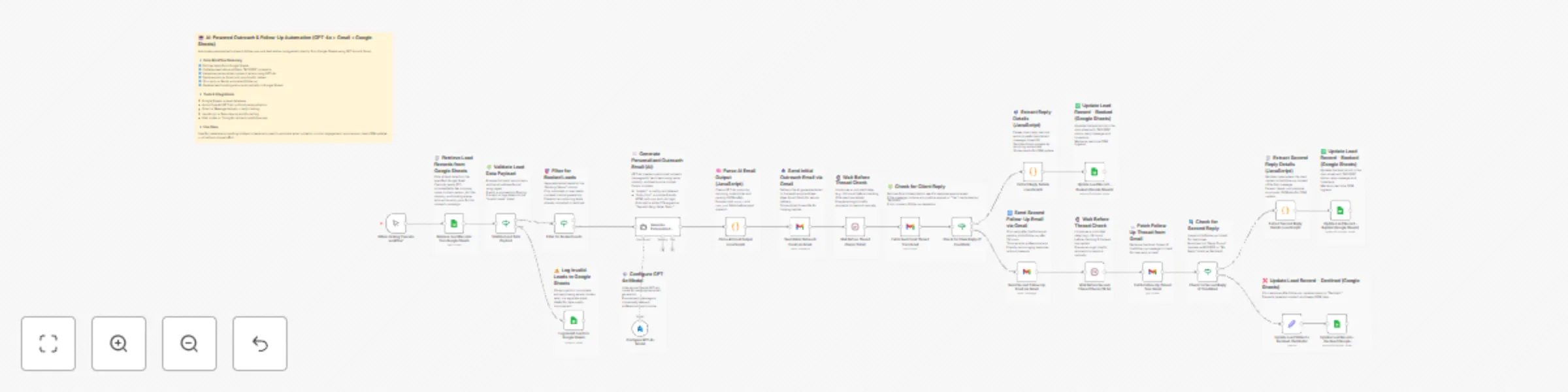
1️⃣ Starts manually when you click “Execute workflow.” 🕹️ 2️⃣ Fetches all leads from the Google Sheet (sample_leads_50). 📊 3️⃣ Validates email format and filters only active (unbooked) leads. 🔍 4️⃣ Uses Azure OpenAI GPT-4o to generate short, personalized outreach emails in HTML. ✉️ 5️⃣ Cleans and parses the AI output (subject + HTML body). 🧠 6️⃣ Sends the first outreach email via Gmail and stores its thread ID. 📤 7️⃣ Waits 24 hours, then checks for a client reply in the Gmail thread. ⏱️ 8️⃣ If a positive reply is found → marks lead as BOOKED and updates in Sheets. ✅ 9️⃣ If no reply → triggers a polite follow-up email, waits again 24 hours, and checks the thread a second time. 🔁 🔟 If a second reply is found → marks BOOKED and logs the client message.
1️⃣1️⃣ If still no response → updates status to Declined in Google Sheets. ❌
1️⃣2️⃣ Logs invalid or incomplete leads to a separate sheet for data cleanup. 🧾
Key Benefits
✅ Eliminates manual outreach and follow-up effort. ✅ Produces personalized, context-aware AI emails for every lead. ✅ Auto-tracks replies and updates CRM status with zero input. ✅ Prevents duplicate or repeated contact with booked clients. ✅ Keeps lead database synchronized and audit-ready.
Features
- Google Sheets integration for dynamic lead retrieval and updates.
- Regex-based email validation for clean data pipelines.
- Azure OpenAI GPT-4o for contextual email writing.
- Two-stage Gmail automation (initial + follow-up).
- JavaScript parsing for AI output and Gmail thread analysis.
- Automated 24-hour wait and recheck logic.
- Conditional branches for Booked / Declined / Invalid outcomes.
- End-to-end CRM synchronization without manual review.
Requirements
- Google Sheets OAuth2 credentials with read/write access.
- Azure OpenAI API key for GPT-4o model access.
- Gmail OAuth2 credentials with send, read, modify permissions.
Environment Variables
- GOOGLE_SHEET_LEADS_ID
- GOOGLE_SHEET_OUTREACH_TAB_ID
- AZURE_OPENAI_API_KEY
- GMAIL_OAUTH_CLIENT_ID
- GMAIL_OAUTH_SECRET
Target Audience
💼 Sales and Business Development teams automating outreach. 📈 Marketing and Growth teams running re-engagement campaigns. 🤖 Automation and RevOps teams integrating AI lead workflows. 💬 Freelancers and agencies managing large prospect lists. 📊 Operations teams maintaining CRM cleanliness and tracking.
Step-by-Step Setup Instructions
1️⃣ Connect your Google Sheets, Azure OpenAI, and Gmail credentials. 2️⃣ Set your Google Sheet ID and tab name (outreach automation). 3️⃣ Update the GPT-4o system prompt to match your tone and signature. 4️⃣ Verify column headers (Company Name, Email, Booking Status, etc.). 5️⃣ Test the email validation branch with sample data. 6️⃣ Run once manually to confirm Gmail thread creation and reply detection. 7️⃣ Confirm successful CRM updates in Google Sheets. 8️⃣ Activate for continuous lead outreach and follow-up automation. ✅