Rahul Joshi
Workflows by Rahul Joshi
Identify buying-intent leads on Twitter and Instagram with Slack and Notion CRM
## 📘 Description This workflow enables on-demand social lead discovery using a chat-based interface. When a user submits a lead discovery query, the workflow searches Twitter and Instagram for posts where people are actively asking for tools, recommendations, or help solving real problems. An AI agent filters out spam and promotions, extracts only genuine buying-intent posts, and classifies each lead as Low, Medium, or High intent. Qualified leads are converted into two outputs: a human-readable Slack summary for quick review and a structured, CRM-ready Notion record for tracking and follow-ups. Short-term conversation memory is maintained to improve relevance across follow-up queries. Built-in error handling ensures failures are reported immediately. ⚠️ Deployment Disclaimer This template can only be used on self-hosted n8n installations. It relies on external MCP tools and custom AI orchestration not supported on n8n Cloud. ## ⚙️ What This Workflow Does (Step-by-Step) 💬 Receive User Lead Discovery Query (Chat Trigger) Accepts a natural-language lead discovery request from a user. 🧠 Maintain Short-Term Conversation Context Keeps recent query context to improve follow-up accuracy. 🔎 Discover Buying-Intent Leads from Social Platforms (AI) Searches Twitter and Instagram for posts indicating real buying or problem-solving intent and extracts structured lead data. 🌐 External Social Search & Enrichment (MCP Tool) Fetches relevant social posts from external platforms. 🧠 AI Lead Qualification Classifies intent (Low / Medium / High), summarizes the problem, and filters noise. 🧩 Generate Slack & Notion Lead Insight Summary (AI) Creates a concise Slack summary and a clean, structured Notion record. 📣 Send Lead Discovery Summary to Slack Delivers a skimmable summary for immediate team visibility. 🗂 Store Lead Discovery Insight in Notion CRM Logs search query, themes, and overall intent for tracking. 🚨 Error Handler → Email Alert Sends an alert if the workflow fails at any step. ## 🧩 Prerequisites • Self-hosted n8n instance • Azure OpenAI API credentials • MCP bearer authentication for social search • Slack API credentials • Notion API credentials 🛠 Setup Instructions Deploy the workflow on a self-hosted n8n instance Connect Azure OpenAI, MCP, Slack, and Notion credentials Enable the chat trigger Test with a sample lead discovery query 🛠 Customization Tips • Adjust intent classification rules in the AI prompt • Modify output fields to match your CRM schema • Extend discovery to additional platforms via MCP tools ## 💡 Key Benefits ✔ On-demand social lead discovery via chat ✔ Filters only real buying-intent signals ✔ Produces Slack-ready summaries and CRM-ready records ✔ Maintains context across follow-up queries ✔ Eliminates manual social media scanning ## 👥 Perfect For - Sales teams - Growth teams - Founders - Agencies sourcing leads from social platforms
Analyze market demand using GPT-4o, XPOZ MCP, Notion and email reports
## 📘 Description This workflow performs automated market demand research for a defined niche on a scheduled basis and converts raw public discussions into actionable business insights. It continuously scans search engines and social platforms to identify real customer pain points, unmet needs, buying or switching intent, and dissatisfaction with existing tools or solutions. An AI market research agent analyzes public conversations to filter out noise and extract only high-signal demand indicators. These insights are then transformed into two outputs: a concise Notion-ready research summary for internal knowledge tracking and a professional, customer-ready email that communicates key findings in clear, business-friendly language. Built-in validation and error handling ensure reliability and traceability. This workflow replaces repetitive manual market research with a consistent, insight-driven intelligence pipeline that supports founders, marketers, and growth teams. ⚠️ Deployment Disclaimer This template is intended for self-hosted n8n instances only. It relies on external MCP-based social intelligence tools and advanced AI agents not supported on n8n Cloud. ## ⚙️ What This Workflow Does (Step-by-Step) ⏰ Scheduled Market Research Trigger Runs automatically on a defined schedule. 🧾 Inject Niche, Query, and Research Context Sets the niche, keywords, and analyst notes to guide research focus. 🔎 Analyze Public Discussions for Market Demand (AI) Scans public search and social platforms to identify real demand signals, pain points, and buying intent. 📡 Public Search & Social Intelligence (MCP Tool) Fetches relevant public discussions for analysis. 🧠 Convert Market Signals into Structured Insights (AI) Transforms raw findings into a Notion-ready summary and a customer-friendly email. 🧹 Parse & Validate AI Output Ensures structured JSON output for safe downstream use. 📘 Save Market Research Insight to Notion Stores summarized insights for long-term research and tracking. 📧 Send Market Insight Email to Stakeholder Delivers a concise, value-focused email highlighting key findings. 🚨 Workflow Error Handler → Email Alert Sends detailed error notifications if any step fails. ## 🧩 Prerequisites • Self-hosted n8n instance • OpenAI API credentials • MCP (Xpoz) public search & social intelligence credentials • Notion API access • Gmail OAuth credentials ## 💡 Key Benefits ✔ Automates recurring market research ✔ Identifies real demand and buying intent signals ✔ Produces clean Notion documentation automatically ✔ Generates customer-ready insight emails ✔ Eliminates manual scanning of forums and social media ✔ Built-in error alerts for reliability ## 👥 Perfect For - Startup founders validating ideas - Growth and marketing teams - Product strategy teams - Market research and competitive intelligence teams
Generate intraday AAPL trade signals using live data, OpenAI, Telegram and Notion
## 📘 Description This workflow automates short-interval market signal evaluation for intraday trading using live technical indicators and deterministic decision logic. It is designed for traders, analysts, and automation teams who want fast, auditable trade signals without manual chart monitoring or subjective interpretation. On a fixed 5-minute schedule, the workflow fetches live price, volume, RSI, and EMA data for AAPL and combines them into a unified market snapshot. A deterministic computation layer derives clear trend and momentum signals, ensuring indicator logic remains transparent and non-AI. These signals are then evaluated by a strict, rule-based AI decision engine that returns a structured verdict—APPROVE, WAIT, or REJECT—along with confidence and a concise reason. Trade decisions are routed instantly to Telegram for real-time visibility and logged to Notion for historical analysis and auditability. Built-in error handling ensures any workflow failure is reported immediately. ## ⚠️ Deployment Disclaimer This workflow is intended for self-hosted n8n instances only. It relies on frequent polling, external market data APIs, and advanced AI agent orchestration not suitable for n8n Cloud. ⚙️ What This Workflow Does (Step-by-Step) ⏰ Scheduled Market Data Polling Runs automatically every 5 minutes to capture fresh market data. 📡 Fetch Live Market Indicators Pulls AAPL price, volume, RSI, and EMA from the market data provider. 🔗 Merge Indicator Streams Combines all indicators into a synchronized market snapshot. 🧮 Compute Trend & Momentum (Deterministic) Derives bullish, bearish, or neutral signals using fixed logic—no AI. 🧠 Evaluate Trade Decision (AI) Applies strict rule-based logic to return verdict, confidence, and reason. 🔀 Route Trade by Verdict Separates approved vs non-approved signals automatically. 📣 Send Telegram Trade Alerts Delivers real-time trade decisions directly to Telegram. 🗂 Log Decisions to Notion Stores every verdict for tracking, analysis, and audit. 🚨 Workflow Error Handler → Email Alert Sends immediate notifications if any step fails. ## 🧩 Prerequisites • Self-hosted n8n instance • Market data API (e.g., Twelve Data) • OpenAI API credentials • Telegram Bot API • Notion API access ## 💡 Key Benefits ✔ Fully automated intraday signal monitoring ✔ Transparent, auditable indicator calculations ✔ Strict, deterministic AI decision logic ✔ Real-time Telegram alerts without opening n8n ✔ Centralized trade history in Notion ✔ Reliable error detection and reporting ## 👥 Perfect For Active traders and market analysts Quant and rule-based trading teams Automation engineers building trading assistants Founders prototyping decision-support trading systems
Create a founder digest and leads from Hacker News with GPT-4o and Gmail
 ## 📊 Description Automate daily founder intelligence from Hacker News without manual monitoring. This workflow scans Hacker News discussions (Show HN, launches, AI, startups, SaaS), filters out noise and non-discussion pages, and extracts only high-signal threads. AI then converts these discussions into a concise, founder-ready daily digest highlighting key trends, why they matter, and practical actions. The digest is delivered via email, while structured insights are logged to Google Sheets for long-term tracking and analysis. ## ⚠️ Deployment Disclaimer This template is designed for self-hosted n8n installations only. It relies on external MCP tools and custom AI orchestration that are not supported on n8n Cloud. ## 🔄 What This Template Does 1️⃣ Runs automatically on a daily schedule ⏰ 2️⃣ Searches Hacker News discussions via Google using SerpAPI 🔍 3️⃣ Extracts titles, summaries, links, and metadata from results 📄 4️⃣ Filters out guidelines, index pages, and non-discussion links 🚫 5️⃣ Aggregates valid discussion threads into a single dataset 📦 6️⃣ Uses AI to identify key trends, problems, and founder-relevant signals 🧠 7️⃣ Generates a concise daily founder digest (trend, why it matters, actions) ✍️ 8️⃣ Sends the digest automatically via email 📧 9️⃣ Cleans and normalizes insights for storage 🧹 🔟 Appends structured founder intelligence to Google Sheets for tracking 📊 ## ✅ Key Benefits ✅ Eliminates manual Hacker News scanning ✅ Surfaces only high-signal, founder-relevant discussions ✅ Converts raw discussions into clear, actionable insights ✅ Delivers a daily, skimmable founder digest automatically ✅ Builds a historical intelligence log in Google Sheets ✅ Creates a repeatable founder research workflow ## ⚙️ Features - Daily scheduled execution - Hacker News discovery via Google Search (SerpAPI) - Noise filtering with custom JavaScript logic - AI-powered trend and insight extraction - Founder-focused digest generation - Email delivery via Gmail - Insight archiving in Google Sheets ## 🔑 Requirements - SerpAPI account - Azure OpenAI credentials - Gmail account connected to n8n - Google Sheets account - Self-hosted n8n instance ## 🎯 Target Audience - Startup founders tracking early signals - Product and growth leaders monitoring trends - VCs and analysts scouting emerging tools - Teams needing automated market and founder intelligence
Analyze stock sentiment with GPT-4o and create Asana tasks with Slack alerts
 ## 📘 Description This workflow analyzes real-time stock market sentiment and intent from public social media discussions and converts those signals into operations-ready actions. It exposes a webhook endpoint where a stock-market–related query can be submitted (for example, a stock, sector, index, or market event). The workflow then scans Twitter/X and Instagram for recent public discussions that indicate buying interest, selling pressure, fear, uncertainty, or emerging opportunities. An AI agent classifies each signal by intent type, sentiment, urgency, and strength. These insights are transformed into a prioritized Asana task for market or research teams and a concise Slack alert for leadership visibility. Built-in validation and error handling ensure reliable execution and fast debugging. This automation removes the need for manual social monitoring while keeping teams informed of emerging market risks and opportunities. ## ⚠️ Deployment Disclaimer This template is designed for self-hosted n8n installations only. It relies on external MCP tools and custom AI orchestration that are not supported on n8n Cloud. ## ⚙️ What This Workflow Does (Step-by-Step) - 🌐 Receive Stock Market Query (Webhook Trigger) Accepts an external POST request containing a stock market query. - 🧾 Extract Stock Market Query from Payload Normalizes and prepares the query for analysis. - 🔎 Analyze Social Media for Stock Market Intent (AI) Scans public Twitter/X and Instagram posts to detect actionable market intent signals. - 📡 Social Intelligence Data Fetch (MCP Tool) Retrieves relevant social data from external intelligence sources. - 🧠 Transform Market Intent Signals into Ops-Ready Actions (AI) Structures insights into priorities, summaries, and recommended actions. - 🧹 Parse Structured Ops Payload Validates and safely parses AI-generated JSON for downstream use. - 📋 Create Asana Task for Market Signal Review Creates a prioritized task with key signals, context, and recommendations. - 📣 Send Market Risk & Sentiment Alert to Slack Delivers an executive-friendly alert summarizing risks or opportunities. - 🚨 Error Handler → Slack Alert Posts detailed error information if any workflow step fails. ## 🧩 Prerequisites • Self-hosted n8n instance • OpenAI and Azure OpenAI API credentials • MCP (Xpoz) social intelligence credentials • Asana OAuth credentials • Slack API credentials ## 🛠 Setup Instructions - Deploy the workflow on a self-hosted n8n instance - Configure the webhook endpoint and test with a sample query - Connect OpenAI, Azure OpenAI, MCP, Asana, and Slack credentials - Set the correct Asana workspace and project ID - Select the Slack channel for alerts ## 🛠 Customization Tips • Adjust intent and sentiment classification rules in AI prompts • Modify task priority logic or due-date rules • Extend outputs to email reports or dashboards if required ## 💡 Key Benefits ✔ Real-time market sentiment detection from social media ✔ Converts unstructured signals into actionable tasks ✔ Provides leadership-ready Slack alerts ✔ Eliminates manual market monitoring ✔ Built-in validation and error visibility ## 👥 Perfect For - Market research teams - Investment and strategy teams - Operations and risk teams - Founders and analysts tracking market sentiment
Generate pain-driven content ideas from market signals with GPT-4o, Xpoz MCP, Google Sheets, ClickUp, and Slack
 ## 📘 Description This workflow automates market-driven content ideation by continuously discovering real user pain points from public discussions and converting them into execution-ready content ideas. It is designed for growth and content teams who want ideas grounded in actual customer language, frustrations, and unmet needs—rather than assumptions or generic brainstorming. On a scheduled basis, the workflow scans public search and social platforms for conversations related to a defined niche and keyword set. An AI discovery agent extracts recurring pain points, common complaints, and the exact phrasing users use when describing their problems. These raw market signals are then transformed by a second AI agent into pain-driven content ideas, each mapped to a platform, format, hook, core pain point, resonance logic, and CTA. All generated ideas are normalized, stored in a central Google Sheets content database, converted into execution tasks in ClickUp, and summarized in Slack for immediate team visibility. Built-in error handling ensures failures are reported instantly. ## ⚠️ Deployment Disclaimer This workflow is intended for self-hosted n8n instances only. It relies on MCP-based social intelligence tools and advanced AI agent orchestration not supported on n8n Cloud. ## ⚙️ What This Workflow Does (Step-by-Step) - ⏰ Scheduled Market Discovery Trigger Runs automatically on a defined schedule. - 🧾 Inject Niche and Keyword Parameters Defines the research scope for discovery. - 🔎 Extract Raw User Pain Points (AI) Scans public discussions to capture real frustrations, questions, and language—no solutions, no opinions. - 📡 Public Search & Social Intelligence (MCP) Fetches relevant public conversations for analysis. - 🧠 Generate Pain-Driven Content Ideas (AI) Converts raw pain points into platform-ready content ideas with hooks, formats, and CTAs. - 🧹 Normalize & Parse AI Output Cleans and standardizes content ideas for downstream systems. - 📊 Store Content Ideas in Google Sheets Appends ideas to a centralized content database. - 🗂 Create Content Tasks in ClickUp Automatically creates execution-ready tasks for the content team. - 📣 Aggregate & Summarize Ideas Generates a concise Slack summary highlighting volume, platforms, and strongest hooks. - 🚨 Workflow Error Handler → Email Alert Sends immediate error notifications if any step fails. ## 🧩 Prerequisites • Self-hosted n8n instance • OpenAI API credentials • MCP (Xpoz) public search & social intelligence credentials • Google Sheets API access • ClickUp API credentials • Slack API access ## 💡 Key Benefits ✔ Content ideas grounded in real user pain ✔ Eliminates manual research and brainstorming ✔ Produces creator-ready, platform-specific ideas ✔ Centralized storage and task creation ✔ Clear Slack visibility for growth teams ✔ Reliable error monitoring ## 👥 Perfect For Content strategists Growth marketers B2B SaaS teams Automation and n8n-focused creators Marketing operations teams
Generate daily stock buy/sell signals using technical indicators and Google Sheets
## 📊 Description This automation calculates commonly used technical indicators for selected stocks and presents the results in a simple, structured dashboard. It removes the need for manual chart analysis by automatically fetching price data, calculating indicators, and generating clear Buy, Sell, or Neutral signals. The workflow is designed to run daily and provides a consistent technical snapshot for each tracked stock. It is suitable for traders and analysts who want a repeatable and transparent way to monitor technical conditions without relying on manual tools. ## ⚙️ What This Template Does - Runs automatically on a daily schedule - Processes a predefined list of stock symbols - Fetches recent daily price data from a market data API - Calculates RSI, Moving Averages, and MACD - Applies rule-based logic to generate Buy, Sell, or Neutral signals - Stores indicator values and signals in Google Sheets ## ✅ Key Benefits - Eliminates manual technical analysis - Uses standard, widely accepted indicators - Produces clear and easy-to-interpret signals - Keeps all results in a single dashboard - Easy to customize and extend ## 🧩 Features - Daily scheduled execution - Historical price data integration - RSI (14-period) calculation - Moving Averages (SMA 20 and SMA 50) - MACD (12, 26, 9) calculation - Rule-based Buy / Sell / Neutral classification - Google Sheets dashboard output - Built-in data validation checks ## 🔐 Requirements - To use this workflow, you will need: - A market data API key (Alpha Vantage or similar) - A Google Sheets account for storing results - Google Sheets credentials configured in n8n - An active n8n instance (cloud or self-hosted) ## 🎯 Target Audience - Stock traders and investors - Technical analysts - Finance and research teams - Automation builders working with market data ## 🛠 Customization Options - Update the stock list to track different symbols - Adjust indicator periods or thresholds - Modify Buy / Sell signal rules - Change the schedule frequency - Extend the dashboard with additional indicators
Qualify webhook leads with GPT-4o-mini and create Asana tasks automatically
## 📊 Description Automate your inbound lead qualification pipeline by enriching raw lead data, scoring it with AI, and instantly creating follow-up tasks for your sales team. 🎯🤖 This workflow receives new leads via webhook, enriches them using RocketReach to fetch verified emails and contact details, applies confidence-based filtering, and uses GPT-4o-mini to score each lead based on seniority, company fit, and data quality. High-quality leads automatically generate Asana tasks and Slack notifications, while low-quality leads are safely filtered out — ensuring your team focuses only on the best opportunities. 🚀📋 ## 🔁 What This Template Does 1️⃣ Receives inbound lead data via webhook (name, company, job title, LinkedIn URL). 🌐 2️⃣ Normalizes incoming data into a clean, structured format. 🧾 3️⃣ Enriches lead profiles using RocketReach to fetch emails and phone numbers. 📇 4️⃣ Calculates email confidence scores based on quality grades (A–D). 📊 5️⃣ Filters out low-confidence leads automatically. 🚫 6️⃣ Uses AI (GPT-4o-mini) to score qualified leads from 1–10. 🤖 7️⃣ Assigns priority levels (High / Medium / Low) with reasoning. 🧠 8️⃣ Creates an Asana task for leads scoring above the threshold. ✅ 9️⃣ Sends Slack notifications for both qualified and disqualified leads. 💬 🔟 Returns a structured webhook response with scoring results. 🔁 1️⃣1️⃣ Sends Gmail alerts automatically if any workflow error occurs. 🚨 ## ⭐ Key Benefits ✅ Eliminates manual lead enrichment and qualification ✅ Uses verified contact data from RocketReach ✅ AI scoring ensures consistent, unbiased lead evaluation ✅ Automatically routes high-quality leads to sales via Asana ✅ Keeps teams informed with real-time Slack notifications ✅ Prevents sales effort from being wasted on low-quality leads ## 🧩 Features - Webhook-based inbound lead intake - RocketReach profile enrichment - Email confidence scoring logic - AI lead scoring with strict JSON output - Configurable quality and score thresholds - Automatic Asana task creation - Slack alerts for qualified and disqualified leads - Gmail-based error handling Frontend-ready webhook responses ## 🔐 Requirements - RocketReach API key - OpenAI API key (GPT-4o-mini recommended) - Asana OAuth2 credentials - Slack API credentials - Gmail OAuth2 credentials (for error alerts) - Webhook client sending lead details (first_name, last_name, company, job_title, linkedin_url) ## 🎯 Target Audience - B2B sales teams handling inbound leads - Revenue operations (RevOps) teams - SaaS companies optimizing lead qualification - Lead generation agencies - Automation teams building AI-driven sales pipelines
Create client onboarding projects, contracts and Slack channels from form data
## 📊 Description Streamline and standardize your entire client onboarding process with a single end-to-end automation. 🚀📋 This workflow captures detailed client intake data via webhook, automatically creates a fully structured Asana onboarding project, generates a personalized service contract from a Google Docs template, emails the agreement to the client, and logs all information in Google Sheets. It also creates a dedicated Slack channel for internal collaboration, ensuring every new client is onboarded consistently, professionally, and without manual effort. Perfect for service businesses scaling operations while maintaining quality and clarity. ✨📄🤝 ## 🔁 What This Template Does 1️⃣ Receives detailed client intake form data via webhook. 📥 2️⃣ Parses and normalizes 70+ client, business, and technical fields. 🧾 3️⃣ Creates a new client-specific onboarding project in Asana. 📋 4️⃣ Copies sections and tasks from a predefined Asana template project. 🔄 5️⃣ Assigns all tasks into the new project with proper structure. ✅ 6️⃣ Retrieves a Google Docs contract template. 📄 7️⃣ Replaces placeholders with client-specific details (name, fees, dates). ✍️ 8️⃣ Downloads the personalized contract as a PDF. 📑 9️⃣ Sends a welcome email to the client with the contract attached. 📧 🔟 Resets the contract template for the next onboarding. 🔁 1️⃣1️⃣ Logs all client data into Google Sheets for tracking and reporting. 📊 1️⃣2️⃣ Creates a dedicated Slack channel for internal client communication. 💬 ## ⭐ Key Benefits ✅ Eliminates manual onboarding setup and repetitive admin work ✅ Ensures consistent project structure for every client ✅ Generates error-free, personalized contracts automatically ✅ Improves client experience with instant, professional communication ✅ Centralizes client data for operations and reporting ✅ Scales onboarding without adding operational overhead ## 🧩 Features - Webhook-based client intake form processing - Advanced data parsing for large intake payloads - Asana project creation with template-based sections and tasks - Google Docs dynamic contract generation - Automated PDF download and email delivery - Google Sheets client tracking with append/update logic - Automatic Slack channel creation for internal teams - Clean reset logic for reusable document templates ## 🔐 Requirements - Asana OAuth2 credentials - Google Docs OAuth2 credentials - Google Drive OAuth2 credentials - Google Sheets OAuth2 credentials - Gmail OAuth2 credentials - Slack API credentials - Asana template project ID - Google Docs contract template ID - Google Sheets tracking document ID ## 🎯 Target Audience - Service-based businesses onboarding new clients - Agencies managing multi-step client engagements - Operations and delivery teams - SaaS or healthcare service providers with complex intake forms - Automation teams building scalable onboarding systems
Automate client onboarding with Asana, Google Docs, Gmail, Slack and Sheets
## 📊 Description Automate short-term trading research by generating high-quality trade ideas using MCP (Market Context Protocol) signals and AI-powered analysis. 📈🤖 This workflow evaluates market context, catalysts, momentum, and risk factors to produce structured trade ideas with clear reasoning, confidence scores, and execution notes. Designed for fast-moving markets, it helps traders and analysts spot actionable opportunities consistently—without manual screening or emotional bias. Perfect for systematic traders, research teams, and AI-driven trading desks. ⚡📊 ## 🔁 What This Template Does 1️⃣ Ingests market context and asset data from MCP inputs. 📥 2️⃣ Normalizes symbols, sectors, and time horizons for analysis. 🧾 3️⃣ Evaluates short-term momentum and catalyst strength. 🚀 4️⃣ Analyzes risk, volatility, and downside exposure. ⚠️ 5️⃣ Uses AI to generate a structured trade thesis. 🤖 6️⃣ Assigns a confidence score and risk level to each idea. 📊 7️⃣ Produces clear entry logic, rationale, and trade direction. 🧠 8️⃣ Filters out low-quality or low-conviction setups. 🚫 9️⃣ Outputs clean JSON-ready trade ideas for downstream systems. 🔁 ## ⭐ Key Benefits ✅ Automates short-term trade idea generation ✅ Reduces emotional bias with AI-based scoring ✅ Combines market context, catalysts, and momentum ✅ Produces structured, repeatable trade logic ✅ Saves hours of manual chart and news analysis ✅ Ideal for fast-paced trading environments ## 🧩 Features - MCP (Market Context Protocol) data ingestion - AI-powered trade thesis generation - Confidence and risk scoring logic - Short-term momentum and catalyst analysis - Strict structured output for automation reliability - Easy integration into dashboards or execution systems ## 🔐 Requirements - MCP-compatible market data source - OpenAI API credentials (GPT-4o or GPT-4o-mini recommended) - n8n instance with AI nodes enabled - Defined schema for trade idea output ## 🎯 Target Audience - Short-term and swing traders - Quant and discretionary trading teams - Market research analysts - Fintech platforms generating trade signals - Automation engineers building trading workflows
Schedule and track interviews using Calendly, Zoom, Asana, and Gmail
## 📊 Description This workflow automates interview scheduling by orchestrating Calendly, Zoom, Asana, and Gmail into a single, reliable hiring pipeline. When a candidate books an interview, the automation ensures the interview is properly scheduled, tracked, assigned, and communicated — without any manual follow-ups. The workflow listens for new Calendly bookings, normalizes scheduling data, creates a Zoom meeting, assigns a structured interview task in Asana, and notifies the appropriate interviewer via email. Conditional routing ensures the right stakeholders are involved while keeping candidate communications separate. Designed for real-world hiring operations, this automation provides consistency, accountability, and scalability as interview volume grows. ## 🔁 What this template does - Receives interview booking events from Calendly via webhook. - Normalizes and structures scheduling details such as time, timezone, and invitee information. - Creates a Zoom meeting automatically for the scheduled interview. - Routes the interview based on type (for example, HR or Technical). - Creates a structured Asana task assigned to the appropriate interviewer. - Stores interview context and Zoom meeting links directly in the Asana task. - Sends automated email notifications to interviewers with complete interview details. - Ensures interviewer-side visibility without exposing candidate-facing communications. - Executes fully automatically with no manual intervention. ## ⭐ Key benefits - Eliminates manual interview coordination and follow-ups - Ensures every interview has a correctly configured Zoom meeting - Keeps interviewers aligned through structured Asana task tracking - Provides reliable, role-based notifications - Reduces scheduling errors and missed interviews - Production-ready automation for growing hiring teams ## 🧩 Features - Calendly webhook-based trigger - Normalized interview data handling - Automated Zoom meeting creation - Interview-type routing and interviewer assignment - Interview-focused Asana task management - Automated Gmail notifications - Clean, interviewer-only communication flow - Scalable interview orchestration design ## 🔐 Requirements - Calendly account with webhook access enabled - Zoom API credentials - Asana OAuth2 credentials - Gmail OAuth2 credentials - n8n (cloud or self-hosted) ## 🎯 Target audience - Hiring managers - Technical interviewers - HR and recruitment teams - Startups and SaaS companies - Automation engineers building internal hiring pipelines
Monitor daily HR risks and standup summaries with Monday.com and GPT-4o-mini
## 📊 Description This workflow automates the daily HR standup by continuously monitoring active hiring and HR tasks, identifying risks and blockers, and generating an intelligent, action-oriented summary using AI. Every morning, HR and leadership teams receive a clear overview of priorities, overdue items, and potential risks — without any manual preparation. By combining structured task data with AI-driven analysis, the workflow ensures teams start the day aligned, informed, and ready to act. The automation is designed for real-world HR operations, scaling seamlessly as task volume grows while maintaining concise and consistent reporting. ## 🔁 What this automation does - Automatically triggers every morning using a scheduled Cron trigger. - Retrieves all HR and hiring-related tasks from a Monday.com board. - Filters out completed items to focus only on active and relevant work. - Aggregates all remaining tasks into a single structured dataset. - Analyzes task status, ownership, and due dates to identify blockers and risks. - Uses AI (GPT-4o-mini) to generate a concise, structured daily standup report. - Delivers the final standup update to HR via email for immediate visibility. ## 🧠 Key design decisions - Uses a scheduled trigger to ensure consistent, hands-free execution - Applies task filtering via a Code node to overcome API limitations - Aggregates all tasks to produce a single, consolidated standup report - Leverages AI for insight generation, not raw data repetition - Excludes completed tasks to reduce noise and improve signal quality - Prioritizes concise, actionable output suitable for leadership review ## ⭐ Key benefits - Eliminates manual standup preparation - Ensures overdue tasks and blockers are surfaced early - Improves visibility and accountability across HR operations - Saves daily operational time for HR and managers - Produces consistent, professional summaries every day - Scales efficiently as teams and task volume increase - 🛠️ Tools & services used - n8n – Workflow orchestration and automation - Monday.com – HR and hiring task management - OpenAI (GPT-4o-mini) – Intelligent analysis and summarization - Gmail – Delivery of daily standup reports - Cron – Scheduled execution ## 🔐 Requirements - Monday.com OAuth credentials - OpenAI API key - Gmail OAuth credentials - n8n (cloud or self-hosted) - HR board with status and due date columns ## 🎯 Target audience - HR and Talent Acquisition teams - Hiring managers - Operations and RevOps teams - Startups and scaling organizations - Automation teams building internal HR tooling
Screen DPDP consent manager registrations with GPT-4o, Google Sheets and Gmail
## 📘 Description This workflow automates the complete DPDP-aligned Consent Manager Registration screening pipeline — from intake to eligibility evaluation and final compliance routing. Every incoming registration request is normalized, validated, logged, evaluated by an AI compliance engine (GPT-4o), and then routed into either approval or rejection flows. It intelligently handles missing documentation (treated as a minor issue), evaluates financial/technical/operational capacity, generates structured eligibility JSON, updates registration records in Google Sheets, and sends outcome-specific emails to applicants and compliance teams. The workflow creates a full audit trail while reducing manual screening workload and ensuring consistent eligibility decisions. ## ⚙️ What This Workflow Does (Step-by-Step) ▶️ Receive Consent Registration Event (Webhook) Collects incoming Consent Manager registration applications and triggers the processing pipeline. 🧹 Extract & Normalize Registration Payload (Code Node) Cleans the body payload and extracts key fields: action, organizationName, applicationType, contactEmail, netWorth, technicalCapacity, operationalCapacity, documentAttached, submittedAt. 🔍 Validate Registration Payload Structure (IF Node) Checks the presence of mandatory fields. Valid → continue to eligibility evaluation Invalid → log in the audit sheet. 📄 Log Invalid Registration Requests to Sheet (Google Sheets) Stores malformed or incomplete submissions for audit, follow-up, and retry handling. 📝 Write Initial Registration Entry to Sheet (Google Sheets) Creates the initial intake row in the master registration sheet before applying eligibility logic. 🧠 Configure GPT-4o — Eligibility Evaluation Model (Azure OpenAI) Prepares the AI model used to determine whether the applicant meets DPDP’s eligibility criteria. 🤖 AI Eligibility Evaluator (DPDP Compliance) Analyzes applicant data and evaluates their eligibility based on: financial capacity, technical capability, operational readiness, and documentation status. Missing documents → NOT a rejection condition. Returns strictly formatted JSON with: eligible, riskLevel, decisionReason, missingItems, recommendedNextSteps. 🧼 Parse AI Eligibility JSON Output (Code Node) Converts AI output into valid JSON by removing markdown artifacts and ensuring safe parsing. 🔎 Validate Eligibility Status (IF Node) Routes the outcome: Eligible → approval workflow Ineligible → rejection email. 📧 Send Rejection Email to Applicant (Gmail) Sends a structured rejection email listing issues and re-submission instructions. 🔗 Merge Registration + Eligibility Summary (Code Node) Combines raw registration data with AI eligibility results into one unified JSON package. 📬 Send Approval Email to Compliance Team (Gmail) Notifies compliance officers that an applicant passed eligibility and is ready for verification. 🧩 Prepare Status Update Fields (Set Node) Constructs the final status value (e.g., “passed”) for updating the database. 📘 Update Registration Status in Sheet (Google Sheets) Updates the applicant’s record using contactEmail as the key, marking the final eligibility status. ## 🧩 Prerequisites Azure OpenAI (GPT-4o) credentials Gmail OAuth connection Google Sheets OAuth connection Valid webhook endpoint for intake ## 💡 Key Benefits ✔ Fully automates DPDP Consent Manager registration screening ✔ AI-driven eligibility evaluation with standardized JSON output ✔ Smart handling of missing documents without unnecessary rejections ✔ Automatic routing to approval or rejection flows ✔ Complete audit logs for all submissions ✔ Reduces manual review time and improves consistency ## 👥 Perfect For - DPDP compliance teams - Regulatory operations units - SaaS platforms handling consent manager onboarding - Organizations managing structured eligibility workflows
Onboard new employees with Monday.com, Asana, Zoom, and Gmail
## 📝 Description Automate your new employee onboarding process by instantly creating structured onboarding tasks, scheduling an intro meeting, updating HR records, and notifying stakeholders — all triggered by a single status change in Monday.com. 🚀 This automation ensures every new joiner receives a consistent onboarding experience, while HR teams gain full visibility and control without manual coordination. 🎯 ## ⚠️ Disclaimer This template uses community-supported nodes (Zoom & AI-related nodes, if extended). While stable, these nodes are not officially maintained by n8n and should be reviewed before use in production environments. ## 🔁 What This Automation Does 1️⃣ Triggers automatically when an employee’s status changes to “Joined” in Monday.com. 2️⃣ Creates a structured onboarding checklist task in Asana. 📋 3️⃣ Schedules a Zoom intro / welcome meeting automatically. 🎥 4️⃣ Updates the employee record in Monday.com with the Zoom join link. 🔗 5️⃣ Sends a welcome or notification email via Gmail. 📧 ## 🧠 Key Design Decisions ✅ Monday.com is the source of truth for employee data ✅ Asana is used only for task tracking, not employee records ✅ Zoom links are stored centrally in Monday.com ✅ Uses participant-safe join_url (never host URLs) ✅ Avoids data duplication across tools ✅ Workflow runs once per employee lifecycle event ## ⭐ Key Benefits ✅ Zero manual onboarding coordination ✅ Consistent onboarding for every employee ✅ Clear ownership and task tracking ✅ Centralized HR records ✅ Faster first-day readiness ✅ Easily scalable for growing teams ## 🛠️ Tools & Services Used - n8n – Workflow orchestration - Monday.com – Employee & HR lifecycle management - Asana – Onboarding task tracking - Zoom – Intro / welcome meeting scheduling - Gmail – Welcome and notification emails ## 🔐 Requirements - Monday.com OAuth credentials - Asana OAuth credentials - Zoom OAuth credentials - Gmail OAuth credentials - n8n (self-hosted or cloud) - HR board with: - Status column (Joined) - Email column - Zoom Link column for Zoom meeting ## 🎯 Target Audience - HR & People Operations teams - Talent Acquisition teams - Startup & scale-up organizations - Operations & internal automation teams
Discover buying-intent leads on Twitter and Instagram with GPT-4o-mini and send summaries to Slack and Notion
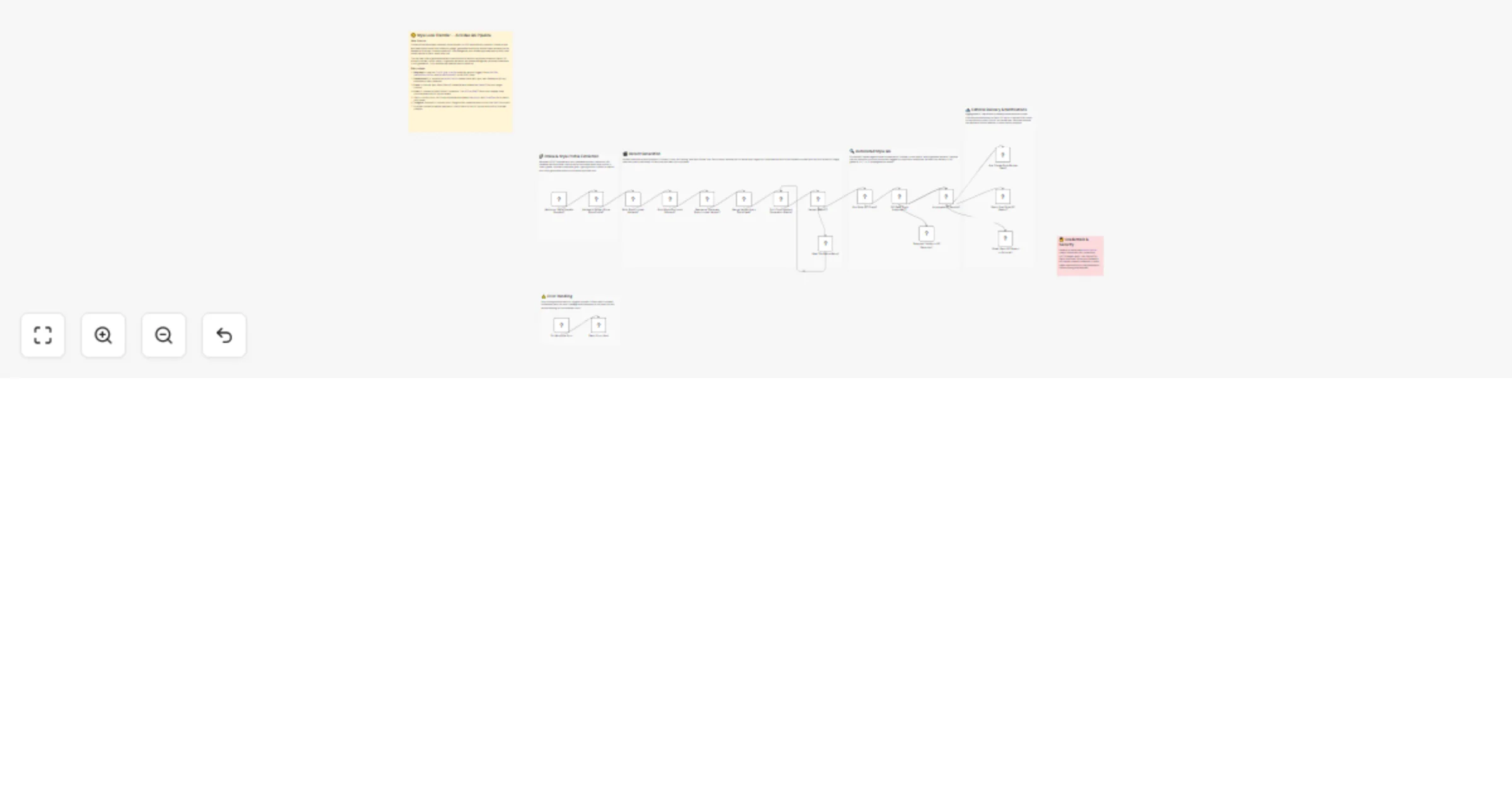
## 📊 Description Automate B2B lead discovery by identifying high-intent prospects directly from Reddit discussions using AI-powered intent analysis. 🎯🤖 This workflow scans Reddit for conversations related to CRM and marketing automation tools, analyzes snippets to detect buying intent, identifies relevant decision-makers on LinkedIn, enriches contact details via RocketReach, and logs qualified leads into Google Sheets. Running every three hours, it ensures your sales team never misses fresh outbound opportunities without manual research. 🚀📊 ## 🔁 What This Template Does 1️⃣ Runs automatically every 3 hours to search Reddit for tool-related discussions. ⏰ 2️⃣ Extracts Reddit snippets, links, and highlighted keywords from search results. 🔍 3️⃣ Uses AI to classify buying intent as High, Medium, or Low. 🤖 4️⃣ Identifies the core problem and suggests a safe, non-salesy outreach angle. 💬 5️⃣ Filters only High and Medium intent opportunities. 🚦 6️⃣ Searches LinkedIn for matching decision-makers based on role and seniority. 👥 7️⃣ Enriches lead profiles with emails and company data using RocketReach. 📇 8️⃣ Saves qualified leads into Google Sheets with deduplication logic. 📊 9️⃣ Sends Slack alerts when enrichment fails or API limits are hit. 🚨 🔟 Sends Gmail alerts if any workflow error occurs. ✉️ ## ⭐ Key Benefits ✅ Discovers real buying intent directly from public Reddit discussions ✅ Eliminates manual lead research and qualification ✅ Uses AI for consistent, conservative intent classification ✅ Enriches leads with verified contact data automatically ✅ Builds a clean, ready-to-use outbound lead list in Google Sheets ✅ Runs continuously to capture fresh opportunities ## 🧩 Features Scheduled Reddit monitoring via SerpAPI AI-based intent detection using GPT-4o-mini Conservative intent scoring to avoid false positives LinkedIn decision-maker discovery RocketReach contact enrichment Google Sheets lead storage with update logic Slack alerts for API and enrichment issues Gmail-based error notifications Scalable batch processing ## 🔐 Requirements OpenAI API key (GPT-4o-mini) SerpAPI API key RocketReach API key Google Sheets OAuth2 credentials Slack API credentials Gmail OAuth2 credentials ## 🎯 Target Audience B2B sales and outbound teams Growth and demand-generation teams Lead generation agencies SaaS founders targeting niche audiences RevOps teams automating prospect research
Automate launch intelligence with Hacker News, Asana, GPT & Slack/Email digests
## 📘 Description This workflow automatically detects new product launches posted on Hacker News under “Show HN,” evaluates their launch strength, converts each launch into a tracked Asana task, and generates a clean daily founder digest delivered via Slack and email. The system runs on a daily schedule, fetches recent Show HN posts directly from Hacker News, filters for real launch signals, extracts structured launch metadata, and scores each launch based on engagement indicators such as points, comments, and context. Every detected launch is immediately logged as an actionable Asana task with full context for follow-up. All launches are then aggregated and analyzed by an AI engine that produces two outputs: a compact, skimmable Slack digest and a structured, email-ready launch briefing grouped by signal strength. Any workflow failure triggers a real-time Slack alert with diagnostic details. This workflow replaces manual Hacker News monitoring, launch tracking, task creation, and digest writing with a fully automated launch intelligence and execution pipeline. ## ⚙️ What This Workflow Does (Step-by-Step) ⏰ Trigger Daily Show HN Launch Scan Runs automatically on a daily schedule. 📰 Fetch Recent Show HN Posts from Hacker News Pulls the latest “Show HN” posts using native Hacker News data. 🔍 Filter Likely Product Launch Announcements Scans titles and descriptions for launch indicators such as: • Launch • Beta • v1 • API • Platform • Tool 🧠 Normalize Launch Metadata and Score Signal Strength Extracts and structures: • Product name • Description • Product URL • Hacker News discussion link • Author and publish date • Points and comments Assigns launch strength (High / Medium / Low). 📋 Create Asana Task for Detected Product Launch Creates a follow-up task with: • Full launch context • Engagement metrics • Signal strength • Direct links • Auto-assigned due date 📦 Aggregate Launch Items for Digest Generation Combines all detected launches into a single dataset for analysis. 🧠 Generate Daily Founder Launch Digest (AI) Creates: • A Slack-ready daily launch summary • A clean, structured, email-ready digest • Grouped by launch signal strength 🧠 LLM Reasoning Engine for Launch Digest Ensures clarity, structure, and readability across outputs. 🔄 Parse Digest Output into Slack and Email Payloads Separates AI output into delivery-ready formats. 📣 Send Daily Founder Launch Digest to Slack Posts the daily launch summary to Slack. 📧 Send Daily Founder Launch Digest via Email Delivers an inbox-optimized version of the launch digest. 🚨 Error Handler Trigger → Slack Alert Any workflow failure sends a detailed Slack alert with node name, error message, and timestamp. 🧩 Prerequisites • Hacker News API access (n8n HN node) • Asana OAuth credentials • Azure OpenAI API credentials • Slack API credentials • Gmail OAuth credentials • n8n schedule trigger enabled ## 💡 Key Benefits ✔ Detects real product launches automatically ✔ Scores launch strength using engagement signals ✔ Converts launches into actionable Asana tasks ✔ Produces clean Slack and email digests daily ✔ Eliminates manual Hacker News monitoring ✔ Maintains consistent launch intelligence flow ✔ Provides instant error visibility via Slack ## 👥 Perfect For - Startup founders - Product scouts and VC analysts - Growth and partnerships teams - Innovation and market research teams - Anyone tracking early-stage product launches without manual effort
Monitor brand reputation with SerpAPI, Azure OpenAI & Asana crisis alerts
## 📊 Description Automate proactive brand reputation monitoring across public platforms using AI-driven risk analysis 🤖. This workflow continuously scans Reddit, Glassdoor, and review sites via SerpAPI to detect negative sentiment, public complaints, and early crisis signals 🔍. Each mention is analyzed with AI to assess risk level and urgency, ensuring no critical issue goes unnoticed. High-risk threats automatically trigger real-time Google Chat alerts and create priority Asana tasks 🚨, enabling fast, coordinated response without manual monitoring. ## 🔍 What This Template Does - Runs on an hourly schedule ⏰ to continuously track brand mentions online. - Searches public platforms like Reddit and review sites using SerpAPI 🔍. - Parses and structures insights from AI-powered search results 📄. - Analyzes sentiment and crisis risk using Azure OpenAI 🤖. - Filters high-risk reputation threats automatically ⚠️. - Sends instant Google Chat alerts for urgent issues 💬. - Creates priority Asana tasks to ensure fast team action ✅. ## ✅ Key Benefits ✅ Detect brand crises before they escalate publicly ✅ Eliminate manual reputation monitoring across platforms ✅ Get real-time alerts only for high-risk issues ✅ Centralize crisis response with automatic task creation ✅ Improve brand trust and response time ✅ AI-powered, scalable, and always-on monitoring ## ⚙️ Features - Hourly automated monitoring trigger - SerpAPI Google AI Mode search integration - AI-based sentiment and crisis risk classification - Structured JSON output for reliability - Google Chat alerts for instant visibility - Asana task creation for crisis management - Fail-safe handling for malformed AI responses ## 🔑 Requirements - SerpAPI account (Google AI Mode search) - Azure OpenAI credentials - Google Chat OAuth2 credentials - Asana OAuth2 credentials - Brand name or keywords for monitoring ## 🎯 Target Audience - SaaS founders and startup teams - Brand, PR, and reputation managers - Digital agencies managing multiple clients - Customer support and crisis response teams
Convert blog posts to podcast episodes with GPT-4o, ElevenLabs & Google Drive
## 📊 Description Automate your entire content-to-audio workflow by converting new blog articles into fully produced podcast episodes using AI scriptwriting and ElevenLabs narration. 🎙🤖 This automation monitors an RSS feed for new posts, rewrites each article into a human-sounding podcast script, generates natural-sounding audio, uploads the MP3 file to Google Drive, builds an RSS-compatible episode entry, and notifies your team on Slack when the episode is ready. Perfect for brands, creators, and teams looking to scale multi-format content distribution without manual recording or editing. ⚡🎧 ## 🔁 What This Template Does 1️⃣ Runs daily (10 AM) to check your RSS feed for new blog posts. ⏰ 2️⃣ Fetches newly published articles and loops through each one. 🌐 3️⃣ Sends the article text to an AI agent to rewrite it into a natural, conversational podcast script. 📝🤖 4️⃣ Ensures clean AI output using a structured JSON schema. 📐 5️⃣ Converts the rewritten script into high-quality MP3 audio using ElevenLabs. 🎙🎧 6️⃣ Uploads the MP3 file into a Google Drive folder. ☁️ 7️⃣ Generates RSS XML markup for a new podcast episode entry. 📰 8️⃣ Extracts title, MP3 link, and metadata for feed publishing. 🔗 9️⃣ Sends a Slack notification that the new episode is ready. 💬 🔟 Outputs episode URL and metadata for further automations. 🔁 ## ⭐ Key Benefits ✅ Automatically turns written blog content into high-quality audio episodes ✅ Produces natural, human-like narration using ElevenLabs ✅ Maintains consistent podcast formatting with automated script structuring ✅ Uploads finished episodes directly to Google Drive for distribution ✅ Generates ready-to-publish RSS entries for podcast hosting ✅ Notifies your team instantly when new episodes go live ✅ Saves time for marketing, content, and podcast production teams ## 🧩 Features - RSS feed triggering and content ingestion - Azure OpenAI GPT-4o script rewriting - Structured JSON output parser for stable results - ElevenLabs text-to-speech generation - Google Drive MP3 upload - Automated RSS feed item builder - Slack notifications for episode release - Batch processing for multiple new posts - Consistent schedule-based automation ## 🔐 Requirements - Azure OpenAI API credentials (GPT-4o) - ElevenLabs API key - Google Drive OAuth2 credentials - Slack API token - Public or private RSS feed URL - Configured Google Drive folder for MP3 storage ## 🎯 Target Audience - Content teams repurposing blog posts into audio - Podcasters wanting automated episode creation - Marketing and media companies scaling content - Creators expanding into multi-format distribution - Teams using blogs as primary input for podcasts
Translate English scripts to multilingual audio with GPT-4 and ElevenLabs
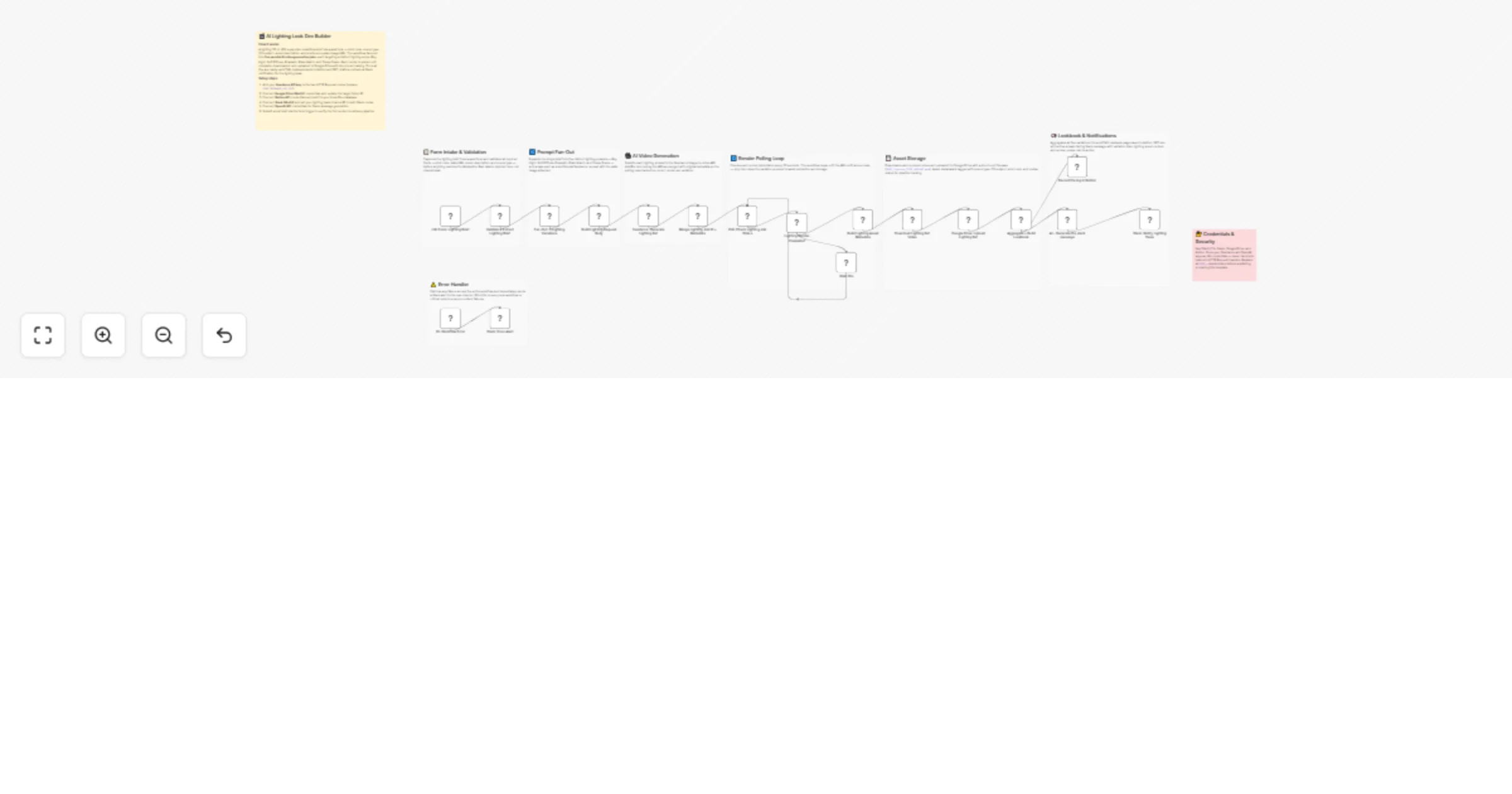
## 📊 Description Automate multilingual voice content creation by translating an English script into multiple languages and generating natural-sounding audio files using AI. 🌍🎙️ This workflow receives a script via webhook, translates it into selected target languages using GPT-4, converts each translation into high-quality speech with ElevenLabs, and uploads the resulting MP3 files to Google Drive. It’s ideal for teams producing localized videos, podcasts, courses, or educational content at scale — without manual translation or recording. 🚀✨ ## 🔁 What This Template Does 1️⃣ Receives an English script and target languages via webhook. 🌐 2️⃣ Extracts and normalizes request parameters for processing. 📝 3️⃣ Uses GPT-4 with a strict JSON schema to translate the script into multiple languages. 🤖🌍 4️⃣ Splits each translated language into individual processing items. 🔀 5️⃣ Converts each translation into natural-sounding speech using ElevenLabs. 🎙️ 6️⃣ Processes translations sequentially to avoid API limits. ⏳ 7️⃣ Uploads language-specific MP3 files to Google Drive with clean naming. ☁️ 8️⃣ Returns generated audio as a webhook response for frontend usage. 🔁 9️⃣ Triggers Slack alerts if any workflow error occurs. 🚨 ## ⭐ Key Benefits ✅ Instantly localizes audio content into multiple languages ✅ Produces human-quality voiceovers without recording studios ✅ Ensures consistent tone and meaning across all translations ✅ Fully automated from script input to audio delivery ✅ Scales easily for videos, podcasts, training, and education ✅ Clean Google Drive storage for easy access and reuse ## 🧩 Features - Webhook-based script ingestion - GPT-4 multilingual translation with structured JSON output - AI memory for consistent translation behavior - ElevenLabs multilingual text-to-speech generation - Batch processing for multiple languages - Google Drive MP3 upload with language-based filenames - Webhook audio response for frontend apps - Slack-based error handling and alerts ## 🔐 Requirements - OpenAI API key (GPT-4 / GPT-4.1-mini) - ElevenLabs API key (multilingual voice model) - Google Drive OAuth2 credentials - Slack API credentials (for error alerts) - Webhook client sending Script, first_language, and second_language ## 🎯 Target Audience - Content teams creating localized videos or podcasts - EdTech platforms producing multilingual learning material - Marketing teams localizing campaigns across regions - Creators building AI-driven voice pipelines - Automation teams integrating audio localization into products
Generate AI avatar videos from scripts using ElevenLabs and HeyGen
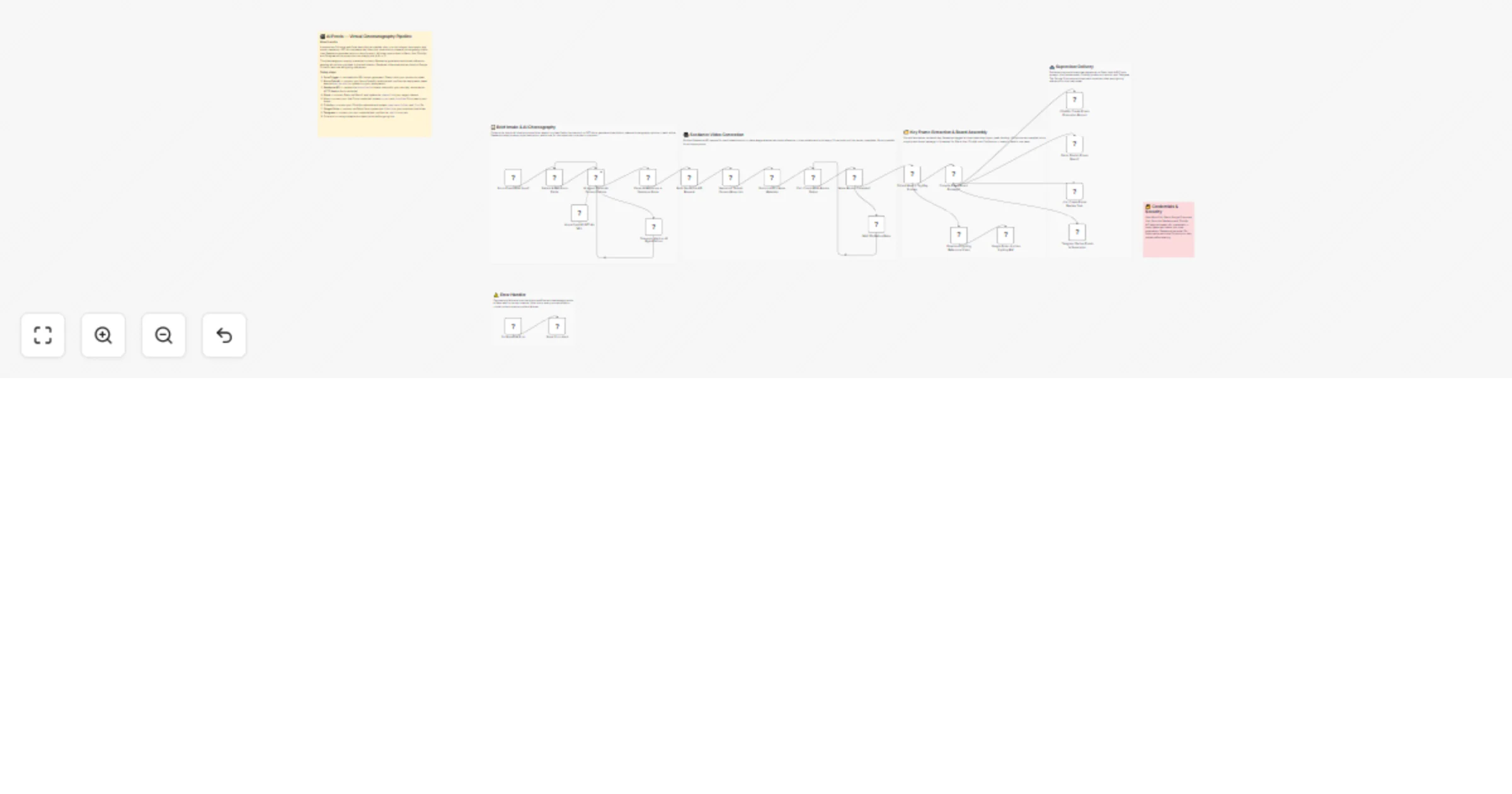
## 📊 Description Automate end-to-end AI video creation by transforming text scripts into professional avatar videos with natural voiceovers. 🎬🤖 This workflow receives a script via webhook, generates realistic audio using ElevenLabs, creates an AI avatar video through HeyGen, continuously polls for completion, and uploads the final MP4 file to Google Drive. The completed video is also returned directly via webhook for frontend or app usage. Perfect for product demos, onboarding videos, explainers, and content platforms that need scalable video generation without manual editing. 🚀📹 ## 🔁 What This Template Does 1️⃣ Receives a POST request containing script, avatar ID, voice ID, and style via webhook. 🌐 2️⃣ Extracts and validates request parameters for processing. 🧾 3️⃣ Generates natural-sounding voiceover audio using ElevenLabs. 🎙️ 4️⃣ Uploads the generated audio file to HeyGen as a video asset. ⬆️ 5️⃣ Creates an AI avatar video using the selected HeyGen avatar and audio track. 🤖🎥 6️⃣ Polls HeyGen every few seconds until video generation is complete. ⏳ 7️⃣ Retrieves video URLs, captions, thumbnails, and metadata. 📊 8️⃣ Downloads the finished MP4 video file. ⬇️ 9️⃣ Uploads the final video to Google Drive with structured naming. ☁️ 🔟 Returns the video file via webhook response for frontend display or download. 🔁 1️⃣1️⃣ Sends Slack alerts automatically if any workflow error occurs. 🚨 ## ⭐ Key Benefits ✅ Converts plain text into studio-quality avatar videos automatically ✅ Uses human-like AI voiceovers from ElevenLabs ✅ Eliminates manual video recording, editing, and rendering ✅ End-to-end automation from script → video → Drive ✅ Frontend-ready with webhook video response ✅ Ideal for scalable video content production ## 🧩 Features - Webhook-based video generation trigger - ElevenLabs multilingual text-to-speech integration - HeyGen AI avatar video creation - Dynamic avatar, voice, and style selection - Polling loop to handle async video rendering - Google Drive video upload - Binary video return via webhook - Slack-based error handling and alerts ## 🔐 Requirements - ElevenLabs API key (voice generation) - HeyGen API key (avatar video creation) - Google Drive OAuth2 credentials - Slack API credentials (optional, for error alerts) - Webhook client sending script, avatar_id, voice_id, and video_style ## 🎯 Target Audience - SaaS teams creating onboarding or explainer videos - Content creators producing AI talking-head videos - EdTech platforms generating video lessons - Marketing teams scaling video production - Automation teams building AI video pipelines
Automate SEO research & content gap analysis with GPT-4o, SerpAPI, and Gmail
📘 Description This workflow automates keyword-level SEO research and content opportunity discovery using live Google SERP data and AI-driven analysis. It takes a single keyword request, pulls real-time search results for the India market, converts raw SERP data into a structured SEO dataset, analyzes search intent and competition, identifies content gaps and high-impact opportunities, and delivers client-ready insights via email while logging results for tracking and audits. Instead of manual keyword research, competitive scanning, and reporting, the system derives actionable SEO strategy directly from live search behavior. Outputs are structured for UI consumption, professional email delivery, and historical storage in Google Sheets. Any workflow failure triggers an automated Slack alert with diagnostic details. This workflow replaces manual SEO research, gap analysis, reporting, and documentation with a repeatable, automated SEO intelligence pipeline. ## ⚙️ What This Workflow Does (Step-by-Step) 🟢 Receive SEO Keyword Analysis Request via Webhook Accepts a POST request containing the target keyword for SEO analysis. 🧹 Extract Keyword from Request Payload Cleans and isolates the keyword field for SERP processing. 🌐 Run Google SERP Search for Keyword (India) Executes a live Google search via SerpAPI with India as the target region. Fetches: • Organic search results • Related searches • Video SERP features • Result count metadata 🧩 Normalize SERP Results into SEO Dataset Transforms raw SERP output into a structured dataset containing: • Rankings, titles, snippets, and sources • Video presence and platforms • Related search intent signals 🧠 Analyze Keyword SEO Opportunities Using AI Uses GPT-4o to determine: • Search intent • Competition level • Content gaps • High-impact content opportunities • Recommended content formats Returns strictly structured JSON output. 🧪 Parse Market Analysis Output JSON Validates and enforces the predefined SEO analysis schema. 🔄 Flatten AI Output for Downstream Use Removes nested AI structures to simplify reporting and UI usage. 🧭 Map SEO Fields for UI & Reporting Aligns SEO insights to UI-friendly keys, including confidence scoring and reporting fields. 📧 Generate Client-Ready SEO Insights Email Using AI Converts SEO analysis into a professional HTML email containing: • Keyword & country context • Search intent explanation • Competition level • Content gaps • Top content opportunities with difficulty • Recommended formats • Overall confidence score 📤 Send SEO Opportunity Report via Email Delivers the formatted SEO opportunity report to the configured recipient via Gmail. 📊 Log SEO Analysis Result to Google Sheets Stores keyword, intent, competition, confidence, gaps, and opportunities for: • Tracking • Audits • Historical SEO analysis 🚨 Error Handler Trigger → Slack Alert Any workflow failure sends an automated Slack alert with node name, error message, and timestamp. 🧩 Prerequisites • SerpAPI account • OpenAI API key • Gmail OAuth credentials • Google Sheets OAuth access • Slack API credentials • Valid webhook endpoint for keyword submission 💡 Key Benefits ✔ Automates keyword-level SEO research using live SERP data ✔ Identifies content gaps and opportunities based on real search behavior ✔ Produces client-ready SEO insight reports automatically ✔ Eliminates manual competitor analysis and documentation ✔ Logs SEO intelligence for long-term tracking and audits ✔ Provides immediate error visibility through Slack alerts 👥 Perfect For - SEO agencies delivering keyword opportunity reports - Content teams planning data-driven content calendars - Founders validating SEO demand before investing in content - Marketing teams prioritizing high-impact keywords - Operators needing repeatable SEO research workflows
Auto-upload Instagram videos to YouTube with GPT-4o and Google Sheets tracking
## 📊 Description Automate your cross-platform publishing workflow by automatically uploading Instagram videos to YouTube with AI-optimized titles and tags. 🚀🎬 This workflow runs every six hours, fetches newly posted Instagram videos, checks Google Sheets to avoid duplicate uploads, generates SEO-ready YouTube metadata using GPT-4o, downloads the video in high quality, uploads it to YouTube, and logs the full upload details for tracking. Perfect for creators, agencies, and businesses managing multi-platform content distribution at scale. 📈✨ ## 🔁 What This Template Does 1️⃣ Runs every 6 hours to fetch recent Instagram media via Graph API. ⏰ 2️⃣ Splits the media list and filters for today’s video posts only. 🎥 3️⃣ Checks Google Sheets to see if the video was already uploaded. 🔎 4️⃣ Sends Instagram caption to AI to generate: — a YouTube-optimized title (max 60 chars) — SEO-friendly tags extracted from text + hashtags 5️⃣ Downloads the Instagram video binary file. ⬇️ 6️⃣ Waits 3 seconds to avoid YouTube rate limits. ⏳ 7️⃣ Uploads the video to YouTube with: — title — tags — caption as description 8️⃣ Logs the upload details into Google Sheets (ID, title, link, date, status). 📊 9️⃣ Prevents future duplicate uploads using a spreadsheet lookup. ✔️ ## ⭐ Key Benefits ✅ Fully automates Instagram → YouTube video publishing ✅ AI-generated metadata increases YouTube visibility & search ranking ✅ Duplicate upload prevention ensures clean channel management ✅ Tracks upload history in a Google Sheet for transparency ✅ Requires zero manual downloading, editing, or re-uploading ✅ Ideal for creators, brands, community managers & agencies ## 🧩 Features - Instagram Business API media fetch - Filter for today’s videos using timestamps - Google Sheets duplicate checker - GPT-4o caption analysis for metadata generation - Structured JSON output for reliable AI parsing - YouTube video upload with custom metadata - Spreadsheet logging with append/update - Automatic scheduling with cron trigger - Full workflow batching & safe retry logic ## 🔐 Requirements - Facebook Graph API credentials (Instagram Business Account) - YouTube OAuth2 credentials - OpenAI API key (GPT-4o) - Google Sheets OAuth2 credentials - A Google Spreadsheet for tracking uploaded videos - Instagram Business Account ID + Access Token ## 🎯 Target Audience - Social media creators & influencers - Digital marketing agencies - YouTube automation teams - Brands repurposing Instagram content for YouTube - Content managers handling multiple accounts - Community managers needing hands-free cross-posting
Create script-to-video avatar videos with GPT-4.1-mini, HeyGen, Google Drive, Gmail and Slack
## 📘 Description This workflow automates the entire process of taking a raw user-submitted script, rewriting it into a polished HeyGen-ready narration, generating a full avatar video, handling all processing checks, retrieving the final MP4, uploading it to Google Drive, and notifying the user through email and Slack. It turns an unstructured script into a complete, ready-to-share video package without any manual intervention. The system rewrites scripts into structured sections (intro → narration sections → closing), ensures the final narration fits HeyGen’s free-tier limits, submits the script to HeyGen’s video API, initiates a polling loop until the video is fully rendered, downloads the finished file, uploads it to Drive with metadata, and generates clean notification messages containing the file links. Errors at any point trigger automated Slack alerts for debugging. This workflow replaces manual rewriting, video rendering, download/upload, and team communication—providing a fully-managed script-to-video pipeline. ## ⚙️ What This Workflow Does (Step-by-Step) 🟢 Receive Script Request via Webhook Captures the raw script payload submitted by the user. 🧹 Parse Incoming Script Payload Converts stringified JSON body into structured data for processing. ✍️ Rewrite & Structure Video Script Using AI Transforms the raw script into: • Video title • Intro • Multiple sections (title + narration) • Closing • Combined full_script optimized for HeyGen’s ~300–350 word limit Ensures natural, human narration with smooth transitions. 🧠 Script Writing Memory + LLM Engine Maintains writing consistency and uses GPT-4.1-mini to generate polished narration. 🧪 Validate Structured Script Output Enforces strict JSON schema for titles, sections, closing, and full_script. 🎞️ Submit Video Generation Request to HeyGen Sends structured script to HeyGen API with avatar, voice, and background settings for 1280×720 export. ⏳ Wait Before Polling Loop Initial delay before the first status check. 📡 Check HeyGen Video Status Queries the HeyGen API to check progress of the video generation. ⏳ Wait Before Rechecking Adds timed spacing between repeated polls. 🔍 Evaluate Video Completion If status = completed → proceed If still processing → loop back to polling sequence 📥 Download Generated HeyGen Video Retrieves the completed MP4 using the returned video_url. ☁️ Upload Video to Google Drive Uploads the MP4 to a specific Google Drive folder, returning: • File name • View link • Download link • Timestamp • Size metadata 📣 Generate Completion Notifications Using AI Creates two outputs: • A friendly short email summary • A concise Slack message Both containing the Google Drive file link. 🧠 Notification Memory + LLM Engine Maintains tone and ensures consistent messaging across channels. 🧪 Validate Notification Output JSON Ensures email_subject, email_body, and slack_message follow schema. 💬 Send Video Ready Slack Notification Posts the final Slack message containing file details and Drive link. 📧 Send Video Ready Email Notification Emails the summary and file link to the designated recipient. 🚨 Error Handler Trigger → Slack Alert Any workflow failure sends a detailed diagnostic alert with node name, message, and timestamp. ## 🧩 Prerequisites • HeyGen API key • Google Drive OAuth connection • Slack API credentials • Gmail OAuth connection • Valid webhook endpoint to receive scripts ## 💡 Key Benefits ✔ Converts raw script → structured HeyGen-ready narration automatically ✔ Produces full HD avatar video with zero manual steps ✔ Polls HeyGen until the video is fully rendered ✔ Securely uploads final MP4 to Google Drive ✔ Auto-generates polished email + Slack notifications ✔ Ensures narrative consistency using memory context ✔ Provides real-time error alerts via Slack ## 👥 Perfect For HR teams automating onboarding videos Marketing teams producing quick avatar explainers Training content creators Founders creating rapid how-to or announcement videos Anyone needing instant script-to-video automation
Generate multi-channel release notes from ClickUp tasks with GPT-4o, Notion & Slack
This workflow converts raw ClickUp task updates—received directly through a webhook—into fully automated release documentation. It validates incoming payloads, fetches and cleans task details, enriches them with AI-generated metadata, produces structured release notes using GPT-4o, publishes them to Notion, notifies stakeholders on Slack, emails a formatted summary, and logs the release into Google Sheets. The system handles malformed events gracefully by logging invalid payloads and continues only when a valid task_id is present. It extracts structured fields (title, description, links, priority, assignee), then augments them with AI-driven classifications such as risk level, change type, module, and impact score. GPT-4o generates polished release notes following a strict template. Finally, the workflow distributes the release across multiple channels while maintaining an auditable, centralized history. ## ⚙️ What This Workflow Does (Step-by-Step) 🟢 Webhook — Receive ClickUp Task Update Captures incoming events from ClickUp via POST and forwards the raw body for parsing. 🧹 Code in JavaScript — Extract task_id Parses the raw webhook body and safely extracts task_id. Invalid JSON → forwarded to error logging. 🔍 Validate Incoming ClickUp Task Event Checks if task_id exists. Valid → continue workflow Invalid → log error to Google Sheets 📄 Fetch Full Task Details from ClickUp Retrieves full task metadata: title, description, status, priority, links, assignee details, and due date. 🧩 Extract Clean Task Fields from ClickUp Data Normalizes and structures the task fields into a clean, usable JSON object. 🧠 Provide GPT-4o Model for Metadata Extraction Loads the language model for metadata generation. 🔍 Generate Release Metadata via AI AI generates structured metadata including: • risk_level • change_type • module • impact_score • requires_testing 🧹 Parse AI Metadata JSON Output Parses stringified JSON from the AI node into valid structured JSON. Malformed metadata → returned as an error object. 🔀 Merge Task Details with Metadata Combines clean task fields with AI-generated metadata into a complete release-ready object. 🧠 Provide GPT-4o Model for Release Notes Supplies the language model needed to generate formal release notes. ✍️ Generate Structured Release Notes via AI Produces uniform release notes containing: • Summary • Improvements & Features • Bug Fixes • Impact Analysis • Known Issues 📝 Extract Release Notes Title & Final Output Extracts title from markdown and prepares final content for publishing. 📘 Create Release Notes Page in Notion Saves the release notes as a new page in the Notion Release Notes database. 💬 Post Release Announcement to Slack Sends formatted release notes + Notion link to the specified Slack user/channel. 📧 Send Release Summary Email Sends a structured HTML email with the release summary, full notes, and Notion link. 📊 Append Release Log Entry to Google Sheet Writes a complete release log entry including: • task ID • title • priority • module • risk level • Notion URL • Slack message URL • release date 🛑 Log Invalid ClickUp Events to Google Sheet Stores any invalid or incomplete webhook payload for debugging and auditing. ## 🧩 Prerequisites • ClickUp API token • Public webhook endpoint in n8n • Azure OpenAI GPT-4o credentials • Notion API integration • Slack API token • Google Sheets OAuth • Gmail OAuth ## 💡 Key Benefits ✔ Converts ClickUp updates directly into finished release documentation ✔ AI-powered metadata ensures consistent classification ✔ Instant multi-channel dissemination: Slack + Email + Notion ✔ Automatic logging for audit, QA, and release governance ✔ Eliminates manual writing, formatting, and cross-platform updates ## 👥 Perfect For - Product teams running constant sprints - Engineering teams needing reliable release documentation - Teams using ClickUp as their primary task manager - Organizations with multi-channel release communication needs