Verify Linkedin company page by domain with Airtop
Workflow preview

$20/month : Unlimited workflows
2500 executions/month

THE #1 IN WEB SCRAPING
Scrape any website without limits
HOSTINGER  Early Deal
DISCOUNT 20% Try free
Early DealDISCOUNT 20%
Self-hosted n8n
Unlimited workflows - from $4.99/mo

#1 hub for scraping, AI & automation
6000+ actors - $5 credits/mo
Important notice
This workflow is provided as-is. Please review and test before using in production.
Overview
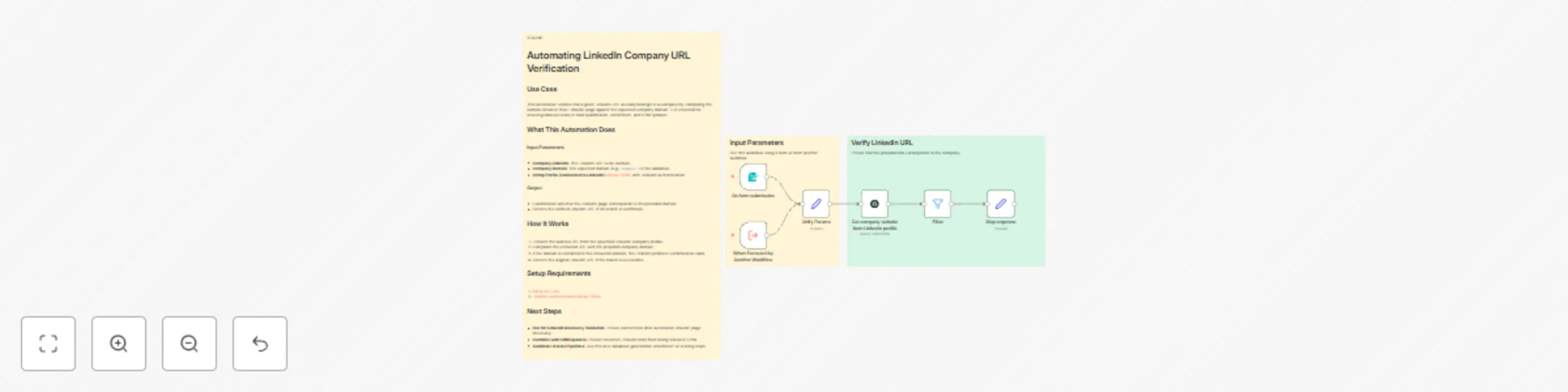
Automating LinkedIn Company URL Verification
Use Case
This automation verifies that a given LinkedIn URL actually belongs to a company by comparing the website listed on their LinkedIn page against the expected company domain. It is essential for ensuring data accuracy in lead qualification, enrichment, and CRM updates.
What This Automation Does
Input Parameters
- Company LinkedIn: The LinkedIn URL to be verified.
- Company Domain: The expected domain (e.g.,
example.com) for validation. - Airtop Profile (connected to LinkedIn): Airtop Profile with LinkedIn authentication.
Output
- Confirmation whether the LinkedIn page corresponds to the provided domain.
- Returns the verified LinkedIn URL if the match is confirmed.
How It Works
- Extracts the website URL from the specified LinkedIn company profile.
- Compares the extracted URL with the provided company domain.
- If the domain is contained in the extracted website, the LinkedIn profile is confirmed as valid.
- Returns the original LinkedIn URL if the match is successful.
Setup Requirements
Next Steps
- Use for LinkedIn Discovery Validation: Ensure correctness after automated LinkedIn page discovery.
- Combine with CRM Updates: Prevent incorrect LinkedIn links from being stored in CRM.
- Automate in Data Pipelines: Use this as a validation gate before enrichment or scoring steps.