Send weekly hiring manager reports with BreezyHR data to email
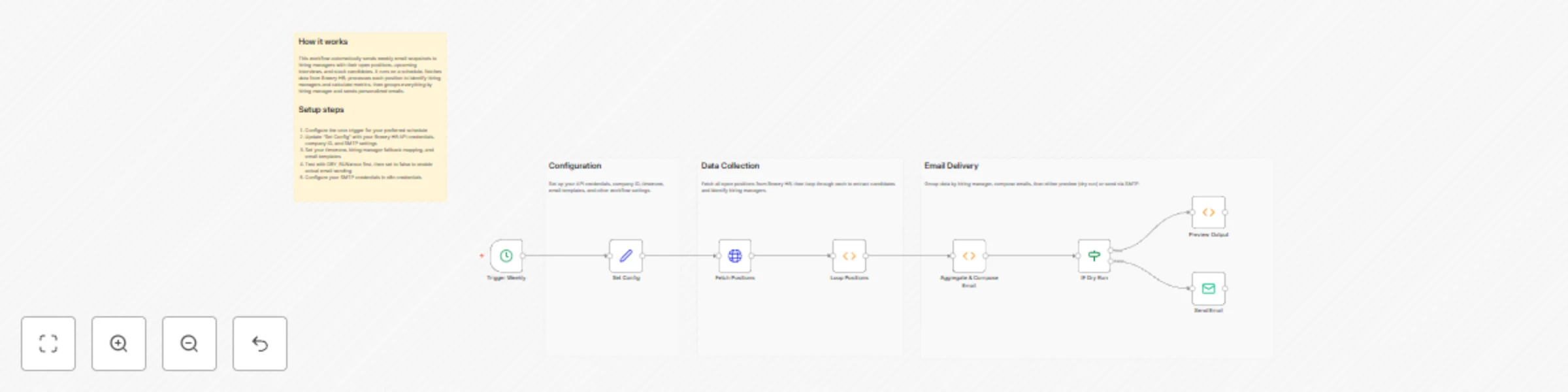
Workflow preview


 Early Deal
DISCOUNT 20%

Important notice
This workflow is provided as-is. Please review and test before using in production.
Overview
Weekly hiring‑manager snapshot from Breezy HR to email (pipeline, next‑week interviews, stuck)
This workflow sends each hiring manager a single weekly email with an overview of their open roles: pipeline totals, a per‑position summary, interviews scheduled next week and stuck candidates (no movement ≥ 7 days). It queries Breezy HR using your API token, detects the HM via each position’s team (falling back to a simple map when unavailable), aggregates results and emails one digest per HM. The job runs Mondays at 07:30 Asia/Kolkata, includes a DRY_RUN preview and rate‑limits sends.
Who’s it for
- Hiring managers who want a once‑a‑week snapshot instead of many separate updates.
- Talent/recruiting teams using Breezy HR who need pipeline hygiene and next‑week readiness at a glance.
- Ops partners who prefer a standardized email with HTML tables and a text fallback.
How it works
- Cron (Mon 07:30 IST) triggers weekly.
- Breezy → Positions: Fetch open positions (configurable).
- Find HM: For each position, read the position team and look for a member with a “hiring manager” role; if none, use the fallback map.
- Candidates per position: Fetch candidates, compute stage counts and mark stuck where last activity ≥
STUCK_AFTER_DAYS. - Events per position: Fetch events and keep those that look like interviews scheduled next calendar week.
- Aggregate per position → Group by hiring manager → Build one HTML digest per HM.
- DRY_RUN? If true, output a preview only; otherwise send emails with a small delay between each.
How to set up
- Credentials in n8n
- HTTP Header Auth for Breezy HR: set
Authorization: Bearer <YOUR_TOKEN>in a credential (don’t hardcode in the node). - SMTP (Gmail) to send digests.
- HTTP Header Auth for Breezy HR: set
- Open “Set: Config” (single place to edit)
BREEZY_API_BASE=https://api.breezy.hr/v3COMPANY_ID= your Breezy company IDTIMEZONE=Asia/KolkataINCLUDE_ONLY_OPEN=true(useSTATE_FILTER=open)USE_BREEZY_HM_DETECTION=trueHM_FALLBACK_MAP_JSON= e.g.,{ "Default": "[email protected]", "Java TL": "[email protected]" }STUCK_AFTER_DAYS=7INTERVIEW_EVENT_KEYWORDS_CSV=interviewSMTP_FROM= sender addressSUBJECT_TEMPLATE=Weekly HM snapshot {{range}} — {{positions_count}} roles, {{candidates_count}} candidatesINTRO_TEMPLATE/OUTRO_TEMPLATEDRY_RUN=false(settrueto preview)RATE_LIMIT_EMAIL_SECONDS=5
- Activate the workflow.
Requirements
- Breezy HR API token with access to positions, teams, candidates and events.
- SMTP (Gmail) account to send emails.
- n8n (cloud or self‑hosted) with HTTP Header Auth and SMTP credentials.
How to customize
- Schedule: Change Cron to your preferred day/time.
- Scope: Set
INCLUDE_ONLY_OPEN=falseto include other position states. - Interview detection: Edit
INTERVIEW_EVENT_KEYWORDS_CSVto match your account’s event labels. - Stuck threshold: Adjust
STUCK_AFTER_DAYS(e.g., 10 or 14). - Templates: Update
SUBJECT_TEMPLATE,INTRO_TEMPLATE,OUTRO_TEMPLATE. - Fallback mapping: Expand
HM_FALLBACK_MAP_JSONfor positions lacking team data.
Add‑ons
- Slack delivery: Post a weekly summary to a channel or DM the HM alongside the email.
- CSV attachments: Attach per‑HM CSV of positions/candidates for offline work.
- Manager CC: CC a recruiting lead or HRBP for visibility on key roles.
- Writeback: Log weekly metrics to Google Sheets for dashboards.
- Custom windows: Use a different future window (e.g., interviews in the next 2 weeks).
Use Case Examples
- Busy HMs who want one email showing where to focus for the coming week.
- Recruiting Ops keeping tabs on pipeline health and stalled candidates.
- Leadership reviews where weekly snapshots feed into Monday stand‑ups.
Common troubleshooting
| Issue | Possible Cause | Solution |
|---|---|---|
| No emails sent | DRY_RUN=true |
Set DRY_RUN=false to send. |
| Missing HM recipients | Team endpoint returned no “hiring manager” and fallback map not configured | Add position→email in HM_FALLBACK_MAP_JSON (or set a better default). |
| Interviews list is empty | Different event label in your Breezy account | Add your labels to INTERVIEW_EVENT_KEYWORDS_CSV (comma‑separated). |
| Stuck candidates not flagged | Threshold too high or activity timestamps missing | Lower STUCK_AFTER_DAYS or verify candidate activity data. |
| API errors | Bad token or insufficient scopes | Recreate the Breezy credential with a valid Bearer token. |
| Emails fail to send | SMTP auth/quota issues | Check SMTP credentials/from‑address permissions and provider limits. |
Need Help?
If you’d like help tuning the interview filters, changing the grouping logic, or adding Slack/CSV writebacks, feel free to reach out our n8n experts at WeblineIndia. We'll be happy to help you tailor this to your stack.