Send AI-personalized deal follow-ups from Zoho CRM via email, Slack and WhatsApp with Gemini
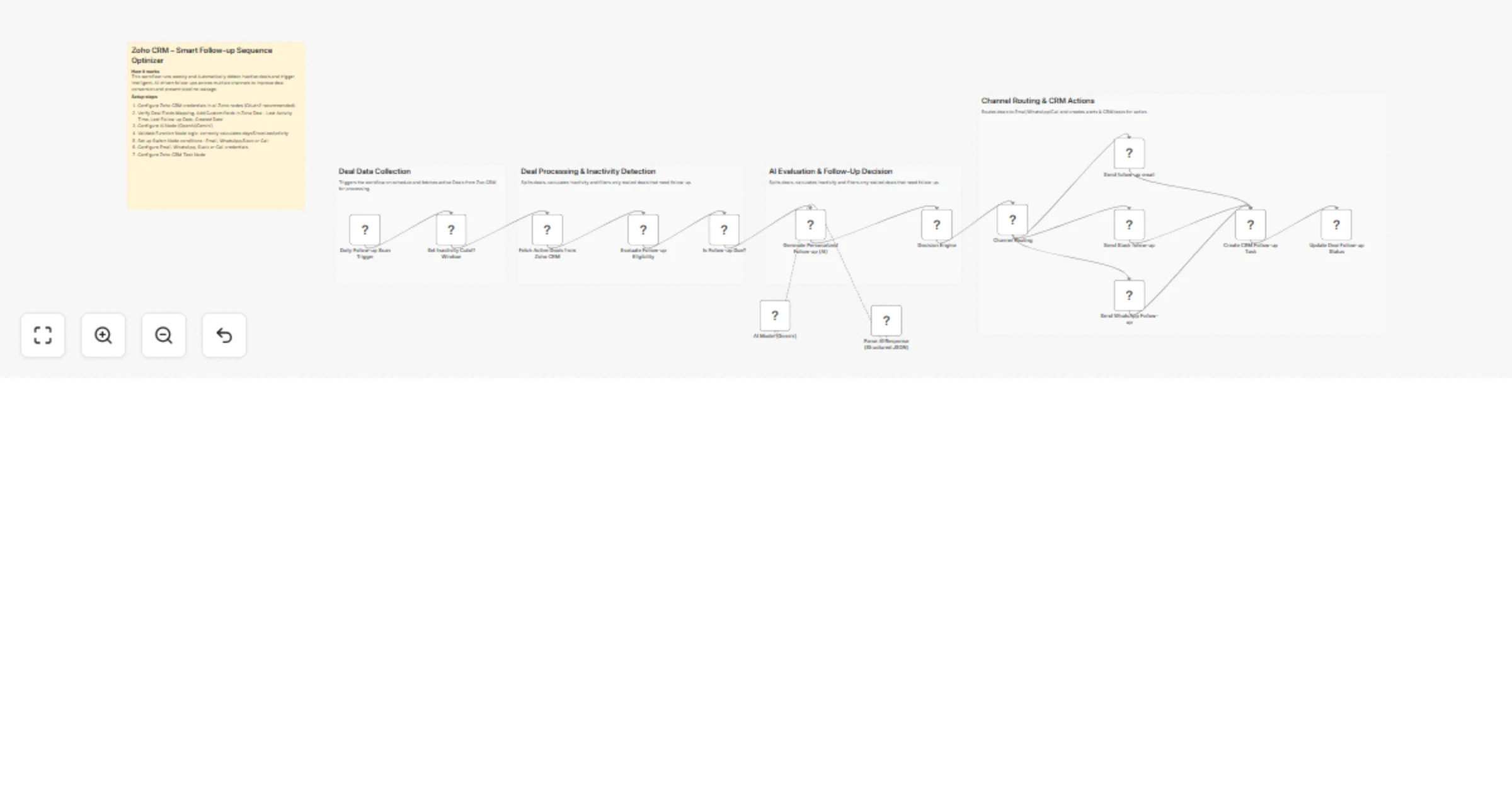
Workflow preview


 Early Deal
DISCOUNT 20%

Overview
Intelligent Deal Follow-Up Automation (n8n + Zoho CRM + AI)
This workflow automatically detects inactive deals in Zoho CRM and triggers AI-driven follow-ups across multiple channels. It analyzes deal activity, determines the optimal follow-up method, generates personalized communication using AI, routes execution through Email/WhatsApp/Call and updates CRM records to maintain a continuous engagement cycle.
Quick Implementation Steps
- Configure Zoho CRM, Gmail/SMTP and AI API credentials.
- Import the workflow into n8n.
- Ensure deals contain activity tracking fields (Last Activity Time, Follow-up fields).
- Activate the workflow.
- Workflow runs on schedule and processes inactive deals automatically.
- Follow-ups are triggered and CRM records are updated.
What It Does
This workflow eliminates manual follow-up tracking by continuously monitoring deal activity within Zoho CRM. It identifies inactive deals based on configurable inactivity thresholds and processes them through an AI-powered decision pipeline.
The system evaluates deal inactivity, determines urgency and selects the most appropriate follow-up channel using a hybrid approach of rule-based logic and AI recommendations. It then generates personalized follow-up content tailored to the deal context.
Once generated, the workflow routes execution through the appropriate communication channel, sends notifications, creates CRM tasks when necessary and updates deal records to maintain a consistent engagement history.
Who’s It For
- Sales teams managing large deal pipelines
- SDR/BDR teams handling outbound follow-ups
- CRM administrators automating engagement workflows
- Founders monitoring deal progression
- Agencies building automation systems for CRM clients
Requirements
- n8n instance
- Zoho CRM OAuth2 credentials
- Email provider (Gmail / SMTP / API-based service)
- AI model API key (Gemini / OpenAI / Claude)
- Deals with activity tracking fields configured
How It Works & Setup
Step 1 - Cron Trigger
Runs on a scheduled basis to initiate deal evaluation.
Step 2 - Fetch Deals
Retrieves active deals from Zoho CRM.
Step 3 - Process Deal Data
Splits and normalizes deal records for individual processing.
Step 4 - Inactivity Detection
Calculates days since last activity and filters stalled deals.
Step 5 - AI Content Generation
Sends deal context to AI and generates structured follow-up content.
Step 6 - Follow-Up Decision Logic
Combines AI recommendations with inactivity rules to determine channel and priority.
Step 7 - Channel Routing
Routes deals via Switch node into Email, WhatsApp or Call workflows.
Step 8 - Execute Follow-Up
Sends communication or creates follow-up tasks.
Step 9 - Update CRM Records
Updates deal fields including follow-up status, timestamp and channel.
How to Customize Nodes
Change Follow-Up Logic
Modify inactivity thresholds and decision rules in the Function node.
Change AI Output
Adjust AI prompt to include:
- Sentiment scoring
- Objection handling
- Deal risk classification
- Multi-step follow-up sequences
Change Communication Channels
Replace or extend nodes for:
- WhatsApp API
- Slack / Teams
- SMS providers
Modify CRM Updates
Update Zoho node to store data in:
- Custom fields
- Notes
- Activities
- Tags
Add-Ons (Optional Enhancements)
- Multi-touch follow-up sequences (Touch-1, Touch-2, Touch-3)
- Business-hours-based scheduling
- Response tracking and engagement scoring
- AI-driven deal risk prediction
- Weekly summary reports for sales teams
- Integration with dashboards (Notion, Airtable, Google Sheets)
Use Case Examples
- Automatic follow-up for deals with no activity for 7+ days
- Prioritized engagement for high-value or high-risk deals
- AI-generated personalized outreach messages
- CRM enrichment with follow-up history
- Consistent and scalable sales engagement automation
Troubleshooting Guide
| Issue | Possible Cause | Solution |
|---|---|---|
| No follow-up triggered | Inactivity condition not met | Adjust threshold logic |
| Missing AI output | API error or invalid prompt | Validate AI configuration |
| Wrong channel selection | Rule override logic issue | Verify decision logic |
| CRM update failed | OAuth or field mismatch | Reconnect and validate fields |
| Email not sent | Email credentials expired | Re-authenticate provider |
| Duplicate follow-ups | Status not updated | Ensure update node runs after execution |
Need Help?
Our n8n automation developers at WeblineIndia are happy to assist if you need any assistance with workflow optimization, AI prompt engineering or CRM automation scaling:
- AI workflow design.
- n8n automation development.
- Zoho CRM integration.
- Multi-channel communication systems.
- Sales automation strategy.
Contact WeblineIndia Services: Process automation, n8n, AI automation, RevOps engineering, Business workflow automation, Zoho CRM automation