Send AI-parsed restaurant orders and status updates via Telegram and Google Sheets
Workflow preview


 Early Deal
DISCOUNT 20%

Overview
🍕 AI-Powered Restaurant Order & Notification System
A Complete n8n Workflow for Automated Ordering and Customer Updates
This professional n8n workflow provides an end-to-end solution for small restaurants. It includes a Telegram Customer Bot for placing orders and an Automated Notification System that updates customers via Google Sheets.
📖 Description
This system eliminates the need for manual order taking and status updates. It features:
- AI Order Bot: Customers chat with a Telegram bot to view the menu and place orders. An AI agent (Claude Haiku) parses natural language (e.g., "2 pizza + 1 coke") into structured data.
- Order Management: Orders are saved automatically to Google Sheets for staff to manage.
- Real-Time Notifications: As staff change the status in the sheet (e.g., to Preparing or Ready), n8n instantly notifies the customer via Telegram.
Key Bot Commands
| Command | Description |
|---|---|
/start |
Welcome message and instructions |
/menu |
View today's food and drink offerings |
/help |
See all available commands |
STATUS [Queue #] |
Check the live status of an order |
CANCEL [Queue #] |
Cancel an order (only if Pending) |
/myorders |
View your last 5 orders |
🛠 Setup Requirements
1. Google Sheets Configuration
Your spreadsheet acts as your Admin Dashboard. Ensure Row 1 has these exact headers in order:
| Column | Header Name | Description |
|---|---|---|
| A | Queue Number |
Auto-generated by the bot (e.g., #4582) |
| B | Chat ID |
Customer's Telegram ID — captured automatically |
| C | Name |
Customer's first name |
| D | Order |
Items ordered — parsed and cleaned by AI |
| E | Status |
Dropdown: Pending, Preparing, Ready, Completed, Cancelled |
| F | Order Time |
Timestamp of when the order was placed |
| G | Order Date |
Date of the order |
| H | Last Status Sent |
Internal: Tracks last notification sent to prevent duplicates |
> ⚠️ Important: Set up a Data Validation dropdown on column E with the values: Pending, Preparing, Ready, Completed, Cancelled. This is how staff update order status.
> ⚠️ Important: In the Read All Rows node, go to Options → Output Row Number and ensure it is enabled. The workflow uses row_number to write back to the correct cell.
2. n8n Credential Configuration
You need 3 credentials set up in n8n before activating:
| Credential Type | Where Used | Notes |
|---|---|---|
| Anthropic API | Claude Haiku node | Required for AI order parsing |
| Google Sheets OAuth2 API | All Google Sheets nodes | Connect your Google account |
| Telegram Bot API | All Telegram nodes | Use your bot token from @BotFather |
Steps:
- Go to n8n → Settings → Credentials → Add Credential
- Add each credential type above
- After importing the workflow, open each node and select the correct credential
3. Workflow Import Steps
- Copy the workflow JSON
- In n8n, click + → Import from JSON → Paste and confirm
- Connect all credentials in each node
- Ensure Output Row Number is enabled in
Read All Rowsnode options - Pre-fill column H (
Last Status Sent) with the current Status for all existing rows to prevent old rows from firing notifications on first run - Turn the workflow Active
🏗 How It Works
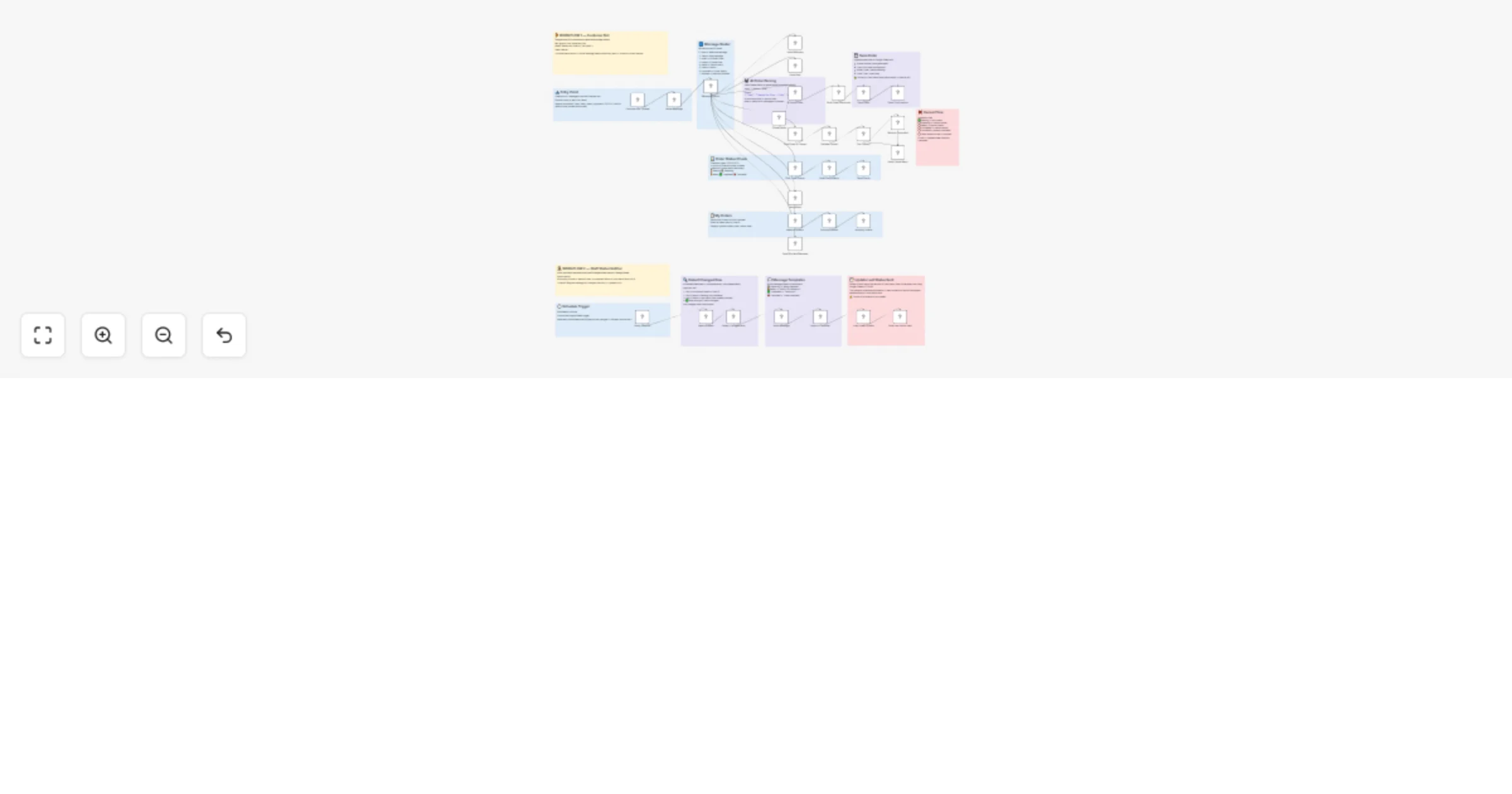
Phase 1: The Customer Bot (Workflow 1)
Customer texts bot
 ↓
Route Message — detects command type
 ↓
┌─────────────────────────────────────┐
│ /start → Welcome message │
│ /help → Help guide │
│ /menu → Today's menu │
│ /myorders → Last 5 orders │
│ STATUS → Live order status │
│ CANCEL → Cancel if Pending only │
│ [order] → AI parses → saves │
└─────────────────────────────────────┘
 ↓
Order saved to Google Sheet (Status = Pending)
Customer receives queue number + wait time
Phase 2: The Staff Notification System (Workflow 2)
Every 1 minute — Schedule Trigger fires
 ↓
Read ALL rows from Google Sheet
 ↓
For EACH row independently (runOnceForEachItem):
 - Skip if no Queue Number or Chat ID
 - Skip if Status = Pending
 - Skip if Status = Last Status Sent (already notified)
 - ✅ Send notification if Status changed
 ↓
Send Telegram message to that customer only
 ↓
Write new Status into column H (Last Status Sent)
→ Prevents duplicate notification next minute
Status Flow & Customer Messages
| Staff sets Status to | Customer receives |
|---|---|
Preparing |
👨🍳 "Your order is being Prepared! We'll notify you when it's ready." |
Ready |
🍕 "Your order is READY for collection! Please collect from the counter." |
Completed |
✅ "Order marked as Completed. Thank you for dining with us!" |
Cancelled |
❌ "Your order has been Cancelled. We apologise for the inconvenience." |
🔒 Order Cancellation Rules
Customers can only cancel orders in Pending status. All other states are protected:
| Current Status | Customer tries CANCEL | Response |
|---|---|---|
| Pending | CANCEL 1234 |
✅ Cancelled successfully |
| Preparing | CANCEL 1234 |
⚠️ Cannot cancel — being prepared |
| Ready | CANCEL 1234 |
⚠️ Already ready — please collect |
| Completed | CANCEL 1234 |
⚠️ Already completed |
| Cancelled | CANCEL 1234 |
⚠️ Already cancelled |
| Someone else's order | CANCEL 1234 |
❌ You can only cancel your own orders |
📦 Required Credentials Summary
| Credential | Provider | Free Tier |
|---|---|---|
| Anthropic API | anthropic.com | Paid — ~$5 minimum deposit |
| Google Sheets OAuth2 API | Google Cloud Console | Free |
| Google Sheets Trigger OAuth2 API | Google Cloud Console | Free |
| Telegram Bot API | @BotFather on Telegram | Free forever |
🧪 Test Scenarios
Run these in order to verify the full system:
/start→ Should receive welcome message/menu→ Should see the menu with prices- Type
2 pizza + 1 coke→ Should get queue number STATUS [queue]→ Should show ⏳ Pending- In sheet: change Status to
Preparing→ Within 1 min, customer gets 👨🍳 message - In sheet: change Status to
Ready→ Customer gets 🍕 message STATUS [queue]→ Should now show 🍕 ReadyCANCEL [queue]→ Should say "already ready, please collect"- In sheet: change Status to
Completed→ Customer gets ✅ message /myorders→ Should show order history with final status
⚠️ Known Limitations
- Notification delay: Up to 1 minute between staff updating the sheet and customer receiving the message (due to polling interval)
- Column H required: The
Last Status Sentcolumn must exist in your sheet. Without it, every row will fire a notification on every poll - Anthropic API cost: Claude Haiku is not free — very low cost (~$0.25 per million tokens) but requires a funded account
- Google Sheets trigger limitation: The Google Sheets Trigger cannot detect which specific row changed, which is why a Schedule Trigger with row comparison is used instead
🗂 File Structure
restaurant_WITH_STICKIES.json — Complete workflow (W1 + W2) with sticky notes
restaurant_workflow_docs.md — This documentation file
Built with n8n • Claude Haiku AI • Google Sheets • Telegram Bot API