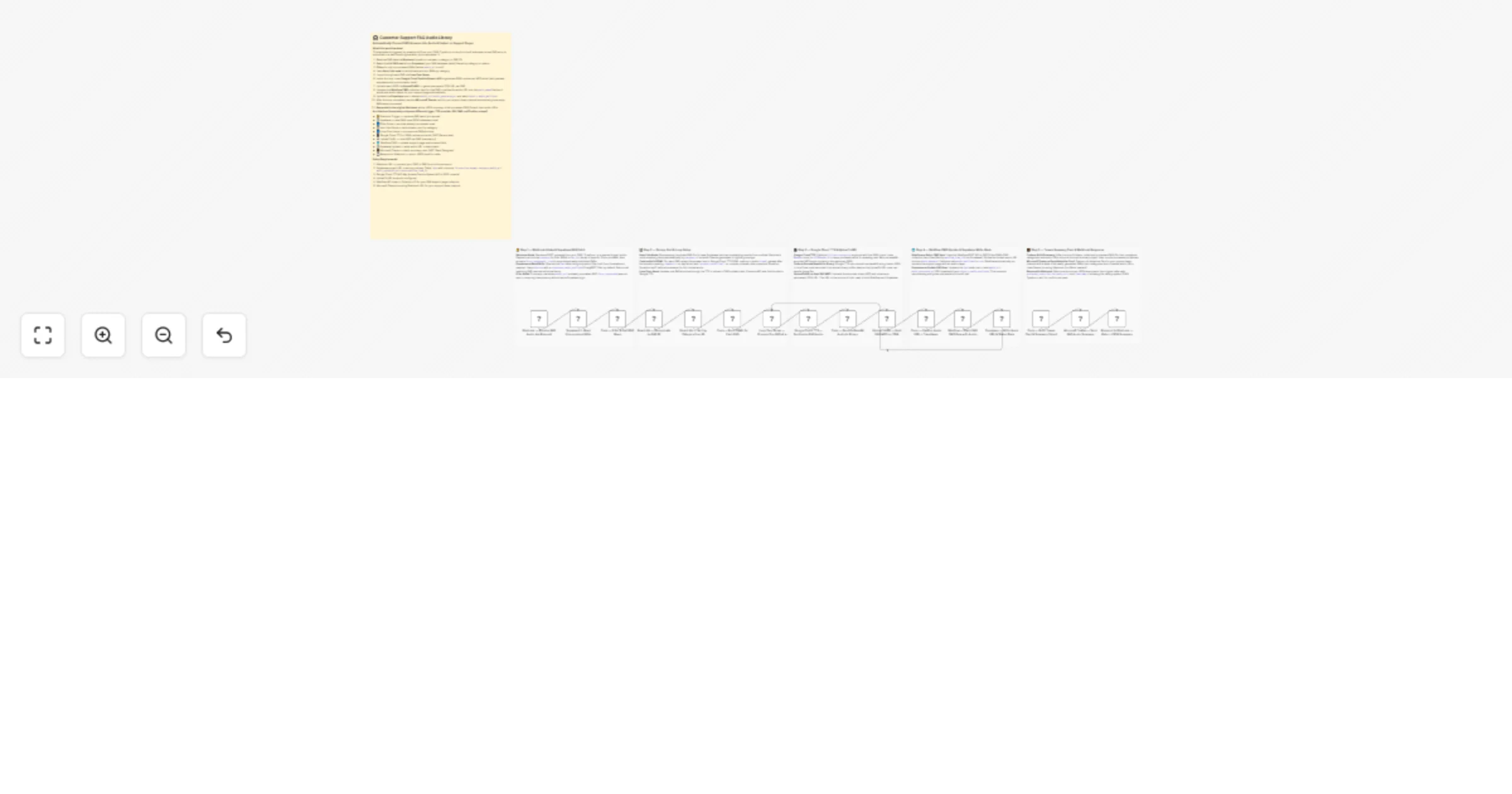
Convert Supabase support FAQs to audio with Google Cloud TTS and Webflow

Workflow preview

Workflow preview
100%
Convert Supabase support FAQs to audio with Google Cloud TTS and Webflow preview
Open on n8n.io

1. Workflow Overview

Enhance your support documentation with an audio first experience. This workflow converts Supabase FAQ entries into high quality audio using Google Cloud TTS, hosts them via a CDN, and embeds them ...

Best for

  • Support Chatbot automation workflows
  • Multimodal AI automation workflows
  • advanced n8n builders looking for reusable templates

Tools used

n8n-nodes-base.stickynote, n8n-nodes-base.webhook, n8n-nodes-base.httprequest, n8n-nodes-base.code, n8n-nodes-base.itemlists, n8n-nodes-base.splitinbatches, n8n-nodes-base.respondtowebhook

Source and attribution

This workflow is cataloged by N8N Workflows and links back to its original n8n.io source page by Jitesh Dugar.

Original n8n.io source

1.1 Workflow description

Title
Convert Supabase support FAQs to audio with Google Cloud TTS and Webflow
Workflow name
Convert Supabase support FAQs to audio with Google Cloud TTS and Webflow

Enhance your support documentation with an audio-first experience. This workflow converts Supabase FAQ entries into high-quality audio using Google Cloud TTS, hosts them via a CDN, and embeds them into your Webflow support pages.


🎯 What This Workflow Does

This template transforms static FAQ content into a professional audio library through a multi-stage process.


πŸ”” Step 1 β€” Webhook Intake & Intelligent Fetch

  • Webhook Trigger: Processes specific FAQ IDs or categories on demand
  • Supabase Query: Fetches unprocessed or requested FAQ records

πŸ“‹ Step 2 β€” Data Enrichment & SSML Preparation

  • Deduplication: Ensures each FAQ is processed only once
  • SSML Formatting: Adds pauses and emphasis for natural speech delivery

πŸ—£οΈ Step 3 β€” Google Cloud TTS & Hosting

  • Audio Generation: Converts text to MP3 using Google Cloud TTS (WaveNet)
  • CDN Hosting: Uploads audio via UploadToURL to generate a public URL

🌐 Step 4 β€” CMS Update & Database Write-Back

  • Webflow Update: Inserts audio URL into FAQ pages for playback
  • Supabase Update: Marks records as published with timestamps

πŸ’Ό Step 5 β€” Reporting & Confirmations

  • Microsoft Teams Alert: Sends summary with audio links
  • Webhook Response: Returns JSON confirmation to trigger source

✨ Key Features

  • Accessibility First: Enables audio-based support consumption
  • SSML Intelligence: Improves clarity with structured speech formatting
  • Rate-Limit Safe: Processes items sequentially to avoid API limits
  • Reliable Hosting: UploadToURL ensures stable public audio URLs

πŸ”§ Setup Requirements

Required Integrations

  • Supabase: FAQ table
  • Google Cloud TTS: API enabled
  • Webflow: CMS API access
  • UploadToURL: CDN hosting
  • Microsoft Teams: Webhook URL

Upgrade your support experience. Import this template to turn your FAQ library into a voice-enabled support center.

1.2 Logical Blocks

This catalog entry is organized from the workflow JSON. The node-level section below shows the executable blocks available for review before importing the template.

2. Block-by-Block Analysis

Block 1 - πŸ“‹ MAIN β€” Workflow Overview

Type / Role
n8n-nodes-base.stickyNote - stickyNote
Config choices
Version 1

Block 2 - πŸ“ Note β€” Webhook, Supabase Fetch & Filter

Type / Role
n8n-nodes-base.stickyNote - stickyNote
Config choices
Version 1

Block 3 - πŸ“ Note β€” Item Lists, SSML Build & Loop

Type / Role
n8n-nodes-base.stickyNote - stickyNote
Config choices
Version 1

Block 4 - πŸ“ Note β€” Google TTS, Base64 Decode & Upload

Type / Role
n8n-nodes-base.stickyNote - stickyNote
Config choices
Version 1

Block 5 - πŸ“ Note β€” Webflow CMS Patch & Supabase Write-Back

Type / Role
n8n-nodes-base.stickyNote - stickyNote
Config choices
Version 1

Block 6 - πŸ“ Note β€” Teams Card & Webhook Response

Type / Role
n8n-nodes-base.stickyNote - stickyNote
Config choices
Version 1

Block 7 - Webhook β€” Receive FAQ Audio Job Request

Type / Role
n8n-nodes-base.webhook - webhook
Config choices
Version 2

Block 8 - Supabase β€” Read Unprocessed FAQs

Type / Role
n8n-nodes-base.httpRequest - httpRequest
Config choices
Version 4.2

Block 9 - Code β€” Filter & Split FAQ Rows

Type / Role
n8n-nodes-base.code - code
Config choices
Version 2

Block 10 - Item Lists β€” Deduplicate by FAQ ID

Type / Role
n8n-nodes-base.itemLists - itemLists
Config choices
Version 3.1

Block 11 - Item Lists β€” Sort by Category then ID

Type / Role
n8n-nodes-base.itemLists - itemLists
Config choices
Version 3.1

Block 12 - Code β€” Build SSML for Each FAQ

Type / Role
n8n-nodes-base.code - code
Config choices
Version 2

Block 13 - Loop Over Items β€” Process One FAQ at a Time

Type / Role
n8n-nodes-base.splitInBatches - splitInBatches
Config choices
Version 3

Block 14 - Google Cloud TTS β€” Synthesize FAQ Audio

Type / Role
n8n-nodes-base.httpRequest - httpRequest
Config choices
Version 4.2

Block 15 - Code β€” Decode Base64 Audio to Binary

Type / Role
n8n-nodes-base.code - code
Config choices
Version 2

Block 16 - UploadToURL β€” Host FAQ MP3 on CDN

Type / Role
n8n-nodes-base.httpRequest - httpRequest
Config choices
Version 4.2

Block 17 - Code β€” Capture Audio URL + Timestamp

Type / Role
n8n-nodes-base.code - code
Config choices
Version 2

Block 18 - Webflow β€” Patch FAQ CMS Item with Audio URL

Type / Role
n8n-nodes-base.httpRequest - httpRequest
Config choices
Version 4.2

Block 19 - Supabase β€” Write Audio URL & Status Back

Type / Role
n8n-nodes-base.httpRequest - httpRequest
Config choices
Version 4.2

Block 20 - Code β€” Build Teams Card & Summary Object

Type / Role
n8n-nodes-base.code - code
Config choices
Version 2

Block 21 - Microsoft Teams β€” Send FAQ Audio Summary Card

Type / Role
n8n-nodes-base.httpRequest - httpRequest
Config choices
Version 4.2

Block 22 - Respond to Webhook β€” Return JSON Summary

Type / Role
n8n-nodes-base.respondToWebhook - respondToWebhook
Config choices
Version 1.1

3. Summary Table

Workflow Convert Supabase support FAQs to audio with Google Cloud TTS and Webflow
Complexity advanced
Nodes 22
Categories Support Chatbot, Multimodal AI
Author Jitesh Dugar
Published 10 Apr 2026

4. Reproducing the Workflow from Scratch

  1. 1. Download the workflow JSON

    Use the JSON export at /data/workflows/14975/14975.json as the source template for this automation.

  2. 2. Import the template into n8n

    Open n8n, import the downloaded JSON, and review each node before activating the workflow.

  3. 3. Configure credentials and variables

    Replace placeholder credentials, API keys, webhook URLs, account IDs, and environment-specific values with your own settings.

  4. 4. Test with sample data

    Run the workflow manually or in a staging workspace, inspect node output, and confirm downstream systems receive the expected data.

  5. 5. Activate and monitor

    Enable the workflow only after testing, then monitor executions, errors, and rate limits during the first production runs.

5. General Notes & Resources

Review imported nodes carefully before activation. This catalog entry is intended to help you inspect the workflow structure, understand required services, and find related templates faster.

Node names, credentials, schedules, webhook paths, and external service limits may need adjustment for your workspace.

Frequently asked questions

What does Convert Supabase support FAQs to audio with Google Cloud TTS and Webflow do?

Enhance your support documentation with an audio first experience. This workflow converts Supabase FAQ entries into high quality audio using Google Cloud TTS, hosts them via a CDN, and embeds them ...

What do I need before importing this workflow?

Review the workflow JSON, configure any required credentials in n8n, and test the automation in a safe workspace before using it in production.

Can I customize this workflow?

Yes. Use the block-by-block analysis and the downloadable JSON to inspect each node, then adjust credentials, prompts, schedules, filters, or destinations for your Support Chatbot, Multimodal AI use case.