Qualify real estate leads from Typeform to Airtable with Gemini and smart email routing
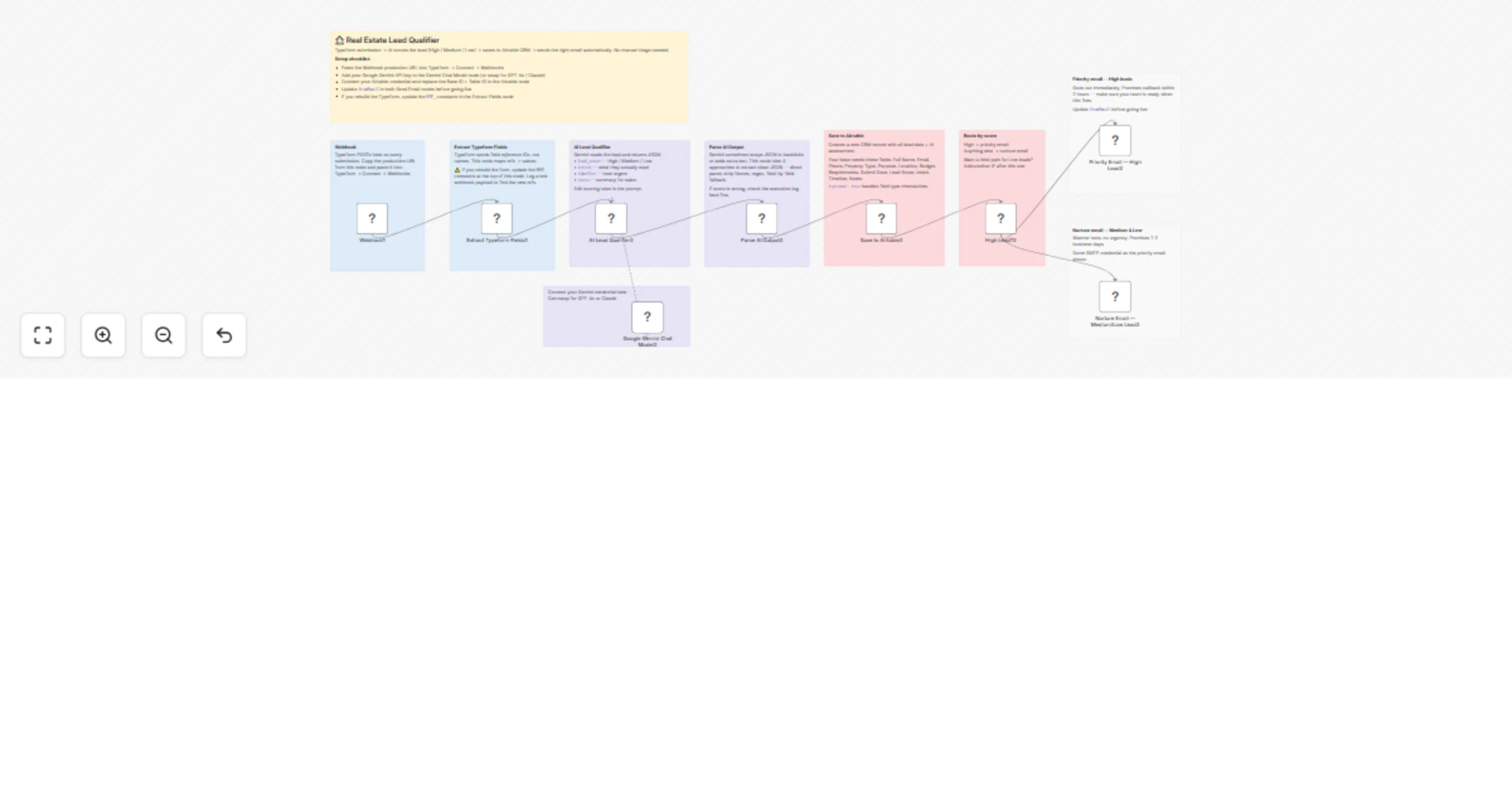
Workflow preview


 Early Deal
DISCOUNT 20%

Overview
🏠 AI Real Estate Lead Qualifier — Typeform to Airtable with Smart Email Routing
Automatically qualify property leads, score them with AI, save to Airtable, and send personalised emails — all in seconds.
📖 Description
Every time a prospect submits your Typeform property inquiry, this workflow kicks in automatically. It extracts their details, runs them through an AI lead scoring engine, saves the record to Airtable, and sends a personalised email — a priority response for hot leads, a nurture email for everyone else.
No manual review. No missed leads. No delayed follow-ups.
This is built for real estate agencies, leasing companies, and property managers who receive inquiries through Typeform and want instant, intelligent responses without hiring extra staff.
✨ Key Features
- Instant lead capture — triggers the moment Typeform receives a submission
- AI lead scoring — Google Gemini classifies every lead as High, Medium, or Low automatically
- Smart email routing — High leads get a priority response, others get a nurture sequence
- Airtable CRM sync — every lead saved with full details + AI assessment
- Robust AI parsing — 4-layer fallback system ensures AI output is always usable
- Personalised emails — name, property type, location, budget pulled into every email automatically
- No-code maintenance — update scoring rules in the prompt, email copy in the nodes
🔄 How It Works
Prospect submits Typeform inquiry
 ↓
Webhook receives the form payload
 ↓
Extract Typeform Fields
 → name, email, phone, property type
 → purpose, location, budget, requirements
 ↓
AI Lead Qualifier (Google Gemini)
 → lead_score: High / Medium / Low
 → intent, timeline, notes
 ↓
Parse AI Output (4-layer fallback)
 ↓
Save to Airtable CRM
 ↓
High Lead? (IF check)
 ✅ YES → Priority Email (contact within 2 hours)
 ❌ NO → Nurture Email (contact within 1-2 days)
🤖 AI Lead Scoring Rules
The AI automatically classifies leads based on these criteria:
| Score | Criteria |
|---|---|
| 🔴 High | Has budget + specific location + clear purpose (investment or near-term buying) |
| 🟡 Medium | Partial information — needs follow-up to qualify further |
| 🟢 Low | Vague inquiry, missing budget or location, early exploration |
The AI also extracts:
- Intent — what the lead is trying to achieve
- Timeline — how urgently they need a property
- Notes — assessment summary for your sales team
📧 Email Templates
High Lead Email
- Subject:
🏠 [Name], we have properties matching your needs! - Dark blue header — premium feel
- Full inquiry summary (property, purpose, location, budget, timeline)
- AI assessment notes included
- Promise: senior agent contacts within 2 hours
Nurture Email (Medium / Low)
- Subject:
Thanks for reaching out, [Name]! - Grey header — warm and professional
- Inquiry summary (property, location, budget)
- Preparation tips while they wait
- Promise: contact within 1-2 business days
🛠 Setup Requirements
1. Typeform Setup
Create a Typeform with these fields and note their field ref IDs from the Typeform API:
| Field | Type | Required |
|---|---|---|
| Full Name | Short text | ✅ |
| Phone Number | Phone | ✅ |
| Email Address | ✅ | |
| Property Type | Multiple choice | ✅ |
| Purpose | Multiple choice | ✅ |
| Preferred Location | Short text | ✅ |
| Budget Range | Multiple choice | ✅ |
| Requirements | Long text | ✅ |
| Consent | Yes/No | Optional |
Connect Typeform webhook:
- Typeform Dashboard → Connect → Webhooks
- URL: your n8n webhook URL (Production URL from the Webhook node)
- Method: POST
2. Update Field Refs
In the Extract Typeform Fields Code node, update the REF_* constants to match your actual Typeform field reference IDs:
const REF_NAME = 'your-field-ref-here';
const REF_EMAIL = 'your-field-ref-here';
const REF_PHONE = 'your-field-ref-here';
// ... etc
Find your field refs from the Typeform API or by logging a test webhook payload.
3. Airtable Setup
Create an Airtable base with a table containing these fields:
| Field Name | Field Type |
|---|---|
| Full Name | Single line text |
| Email Address | |
| Mobile Phone Number | Phone |
| Property Type | Single line text |
| Purpose | Single line text |
| Preferred Location | Single line text |
| Budget Range | Single line text |
| Requirements | Long text |
| Submit Date | Single line text |
| Lead Score | Single line text |
| Intent | Single line text |
| Timeline | Single line text |
| Notes | Long text |
Update the Save to Airtable node with your Base ID and Table ID.
4. Credentials Required
| Credential | Used for | Free? |
|---|---|---|
| Google Gemini (PaLM) API | AI lead scoring | Free tier available |
| Airtable Personal Access Token | CRM save | Free |
| SMTP | Sending emails | Depends on provider |
5. Email Configuration
In both email nodes, update:
fromEmail— your sending address- SMTP credential — your email provider details
Recommended SMTP providers for testing: Mailtrap (sandbox), Gmail, SendGrid
⚙️ Workflow Nodes
| Node | Type | Purpose |
|---|---|---|
| Webhook | Webhook | Receives Typeform POST payload |
| Extract Typeform Fields | Code | Parses answers by field ref ID |
| AI Lead Qualifier | AI Agent | Scores lead using Gemini |
| Google Gemini Chat Model | LLM | AI model for scoring |
| Parse AI Output | Code | Extracts JSON with 4-layer fallback |
| Save to Airtable | Airtable | Creates CRM record |
| High Lead? | IF | Routes by lead score |
| Priority Email | Email Send | Sends to High leads |
| Nurture Email | Email Send | Sends to Medium/Low leads |
🔧 Customisation
Change scoring criteria: Edit the prompt in the AI Lead Qualifier node. Add your own rules — e.g. score higher if budget exceeds a threshold, or if the purpose is investment.
Add more email tiers: Add a third IF branch for Low leads with a different nurture sequence, or add a Slack/WhatsApp alert for High leads.
Use a different form:
The Extract Typeform Fields node uses Typeform's field.ref system. Replace it with a Google Forms or Jotform parser by adjusting how you read the incoming webhook body.
Change the AI model: Replace the Google Gemini node with Claude, OpenAI, or any other LLM Chat Model node — no other changes needed.
Add lead deduplication: Before saving to Airtable, add a search step to check if the email already exists and skip or update instead of creating a duplicate.
🛡 Robustness Features
The Parse AI Output node uses a 4-layer fallback to ensure the workflow never breaks due to AI formatting issues:
- Direct JSON parse — if Gemini returns clean JSON
- Strip markdown fences — if Gemini wraps in ```json blocks
- Regex JSON extraction — if there's extra text around the JSON
- Field-by-field regex — if JSON is malformed, extracts each field individually
- Default fallback — if all else fails, sets
lead_score: Medium
This means the workflow continues and saves the record even if the AI returns unexpected output.
📊 Sample Airtable Record
Full Name: Sarah Johnson
Email Address: [email protected]
Mobile Phone: +91 9876543210
Property Type: 2BHK Apartment
Purpose: Investment
Preferred Location: Bandra, Mumbai
Budget Range: ₹80L - ₹1.2Cr
Requirements: Parking, gym, sea view
Submit Date: 2026-03-18T10:30:00Z
Lead Score: High
Intent: Serious buyer looking for investment property with strong rental yield
Timeline: Within 3 months
Notes: High-intent lead with clear budget and location. Has specific amenity requirements. Recommend immediate callback.
📦 Requirements Summary
- n8n (cloud or self-hosted)
- Typeform account (any paid plan for webhooks)
- Airtable account (free tier works)
- Google AI Studio account for Gemini API key (free tier available)
- SMTP email account
💡 Enhancement Ideas
- WhatsApp alert — send instant WhatsApp to sales team for every High lead via Twilio
- Calendar booking link — include a Calendly link in the High lead email
- Lead follow-up reminder — add a Wait node + reminder email if no reply in 48 hours
- Slack notification — ping your team channel instantly for High leads
- Lead scoring dashboard — connect Airtable to a dashboard tool for weekly reports
Built with n8n · Google Gemini AI · Typeform · Airtable · SMTP