Onboard employees automatically with Google Workspace, Slack, Notion and Gmail
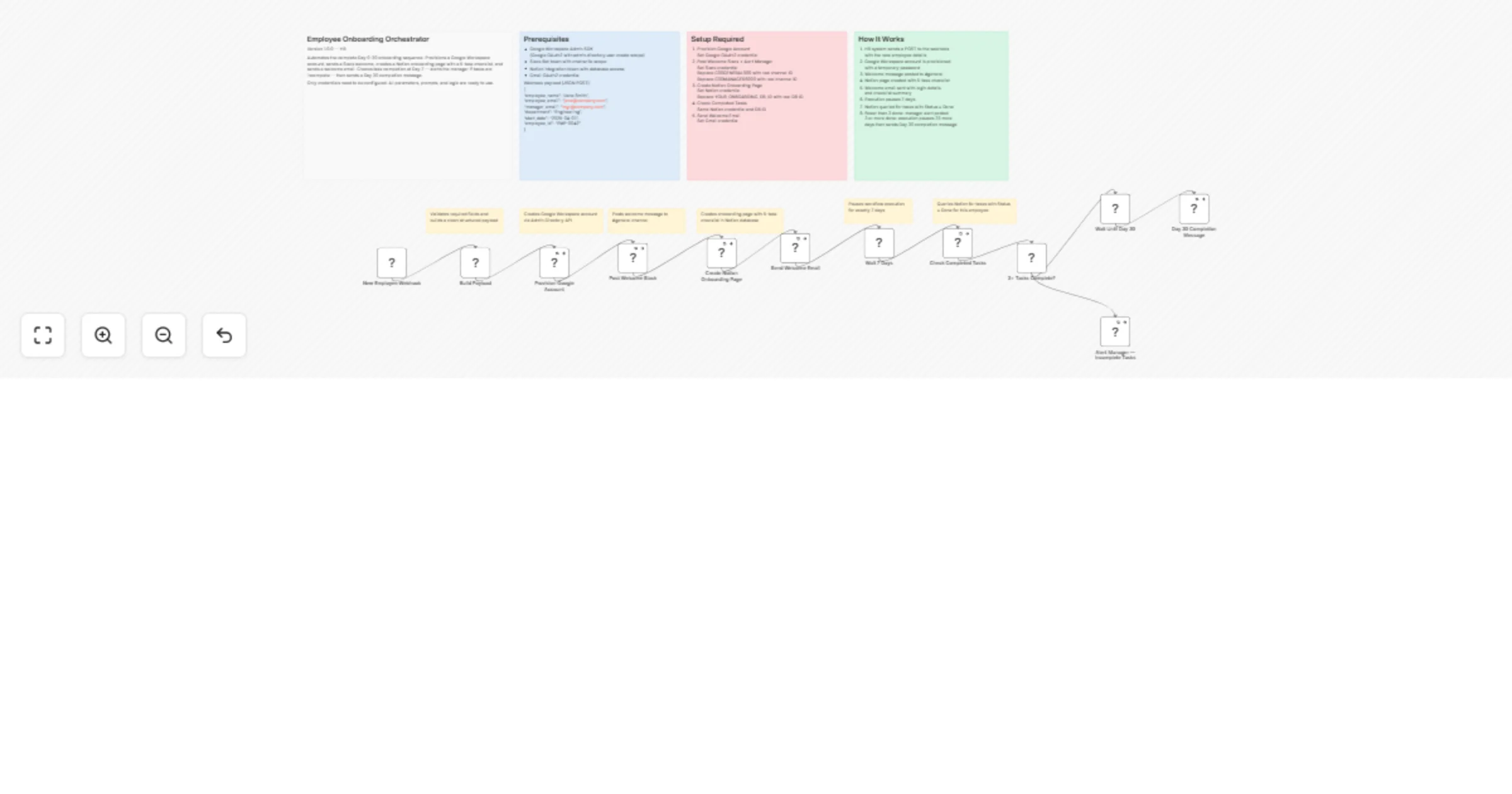
Workflow preview

$20/month : Unlimited workflows
2500 executions/month

THE #1 IN WEB SCRAPING
Scrape any website without limits
HOSTINGER  Early Deal
DISCOUNT 20% Try free
Early DealDISCOUNT 20%
Self-hosted n8n
Unlimited workflows - from $4.99/mo

#1 hub for scraping, AI & automation
6000+ actors - $5 credits/mo
Overview
🚀 How it works
Fully automates your Day 0–30 employee onboarding sequence the moment HR submits a webhook. No manual steps, no missed tasks.
- 🔐 Provisions Google Workspace account via Admin API
- 💬 Posts a personalised welcome message to Slack
- 📝 Creates a Notion onboarding page pre-filled with the employee's details
- 📧 Sends a welcome email via Gmail with first-day instructions
- ⏱️ Waits 7 days, then checks task completion — alerts the manager if anything is overdue
- ✅ Waits 30 days, runs a final completion check and closes the onboarding loop
🛠️ Set up steps
Estimated setup time: ~20 minutes
- Webhook — copy the webhook URL and send it from your HR system (BambooHR, HiBob, Workday, or a simple form)
- Google Workspace — connect a Service Account with Domain-Wide Delegation; grant
admin.directory.userscope - Slack — connect Slack OAuth2; set the welcome channel in the node (e.g.
#general) - Notion — connect Notion OAuth2; set your Onboarding database ID in the Create Page node
- Gmail — connect Gmail OAuth2; customise the welcome email template in the Send Email node
- Follow the sticky notes inside the workflow — each key node has a one-liner guide
📋 Prerequisites
- Google Workspace (Business Starter or higher)
- Slack workspace with a bot or OAuth2 app
- Notion workspace with an onboarding database
- Gmail account for sending welcome emails
Custom Workflow Request with Personal Dashboard
https://www.smartflowcraft.com/contact