Notify on menu orders via ntfy and Home Assistant TTS with daily BAC tracking
Workflow preview


 Early Deal
DISCOUNT 20%

Overview
Notify on menu orders via ntfy and Home Assistant TTS with daily BAC tracking
Receive instant push notifications on your phone and voice announcements on your Google Home every time someone orders from your intranet menu — with cumulative BAC tracking per person.
> Full documentation & step-by-step setup guides: > 📖 Notion Documentation > 💻 GitHub Repository
What This Workflow Does
Every time a customer submits an order from your intranet menu website, this workflow:
- Receives the order via Webhook
- Logs it to an n8n DataTable and reads all orders for that person today
- Calculates the cumulative BAC (Blood Alcohol Content) using the Widmark formula
- Sends a push notification via ntfy (with order history + BAC level)
- Triggers a Home Assistant script → voice announcement on Google Home
No cloud TTS fees. No external AI services. Fully self-hosted.
Flow
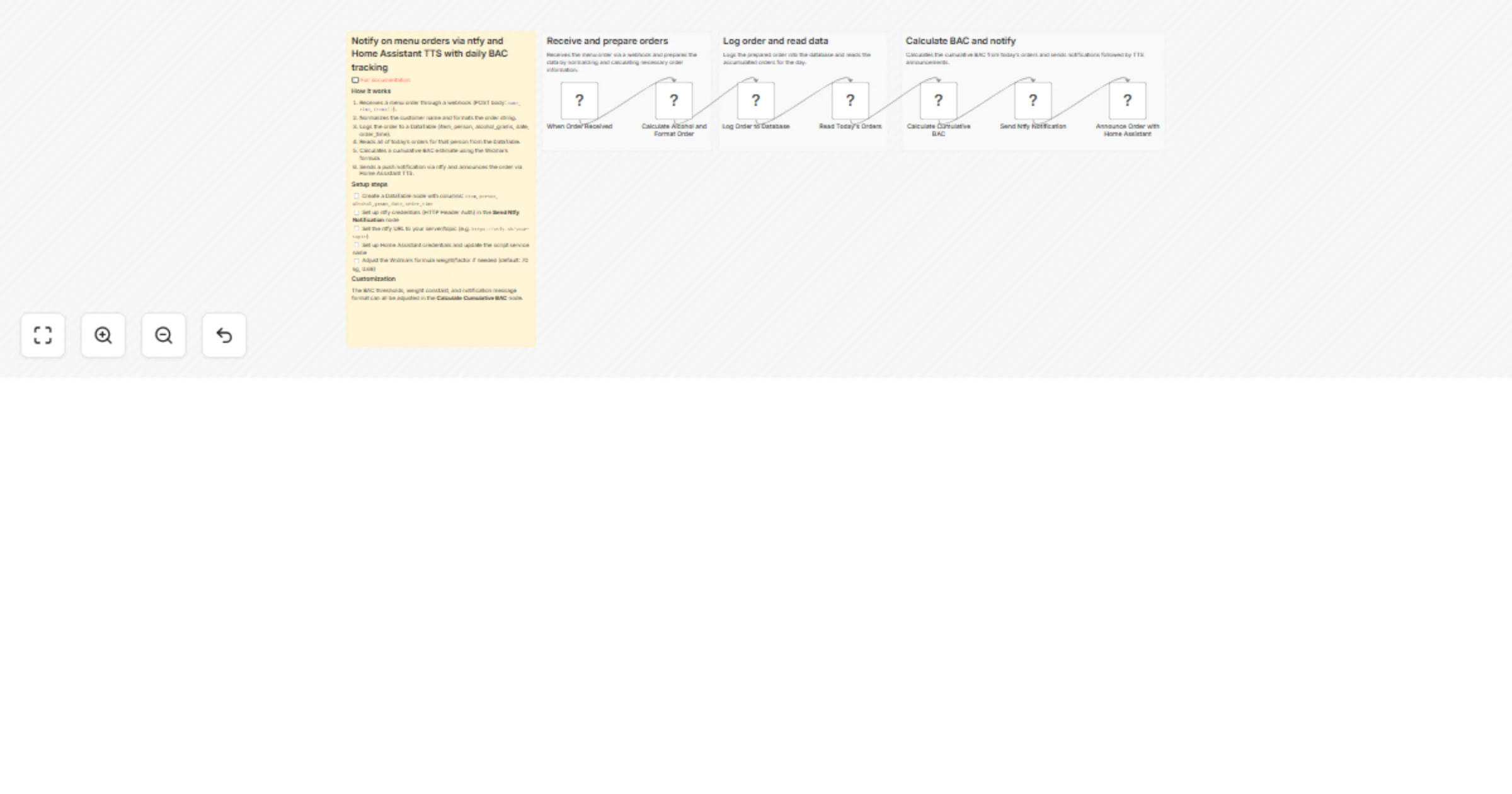
Webhook → Prepare Order → DataTable (INSERT) → Read Today's Orders → BAC Calculator → ntfy Push Notification → Home Assistant TTS
Example Output
Push notification (ntfy app):
🛎 Order from Mario

Mario: 1x Pizza, 2x Beer 33cl
🕐 12:30
📋 Ordered before:
 - 1x Prosecco 🕐 11:45
🍸 BAC ~0.54 g/L 🔴
Google Home voice announcement:
Mario has ordered Pizza
Prerequisites
Before importing this workflow, you need:
- A running n8n instance (self-hosted or cloud) reachable from the internet
- Home Assistant on your local network (e.g.
homeassistant.local:8123) - At least one Google Home (or Chromecast-capable) device added to HA via the Google Cast integration
- ntfy deployed via Docker (self-hosted push notification server)
- A public HTTPS URL for ntfy — recommended via Cloudflare Tunnel (no open ports needed)
- An Android or iOS device with the ntfy app installed
Credentials Required
| Credential | Used For |
|---|---|
| Home Assistant | Calling the annuncia_ordine TTS script |
Header Auth (Authorization: Bearer <ntfy_token>) |
Sending authenticated requests to ntfy |
n8n DataTable Schema
Create a DataTable in n8n → Data → Tables with these columns:
| Column | Type | Description |
|---|---|---|
item |
Text | Full order string (e.g. "2x Negroni, 1x Messina 33cl") |
person |
Text | Normalised person name |
alcol_grammi |
Number | Total grams of alcohol for this order |
data |
Text | ISO date (YYYY-MM-DD) |
orario |
Text | Time string from the order |
Copy the DataTable ID and paste it into the DataTable nodes inside the workflow.
Webhook Payload
Your menu website must POST this JSON to the Webhook Production URL:
{
 "name": "Mario",
 "time": "26/03/2026, 12:30:00",
 "order": [
 { "section": "Food", "name": "Pizza", "details": "", "quantity": 1 },
 { "section": "Drinks", "name": "Beer", "details": "33cl", "quantity": 2 }
 ],
 "total": 3
}
Setup Steps
1. Deploy ntfy (self-hosted push notifications)
Add ntfy to your docker-compose.yml:
ntfy:
 image: binwiederhier/ntfy
 command: serve
 volumes:
 - ./ntfy/config:/etc/ntfy
 - ./ntfy/data:/var/lib/ntfy
 ports:
 - "8095:80"
In server.yml, set auth-default-access: deny-all.
Then create an admin user and generate a token:
docker exec -e NTFY_PASSWORD="your_password" ntfy ntfy user add --role=admin admin
docker exec ntfy ntfy token add admin
2. Expose ntfy over HTTPS (Cloudflare Tunnel)
Add an ingress rule to your Cloudflare Tunnel config:
- hostname: ntfy.YOUR_DOMAIN.com
 service: http://localhost:8095
3. Configure Home Assistant TTS
In HA, go to Settings → Automations & Scenes → Scripts → Add script → Edit in YAML and paste:
alias: annuncia_ordine
sequence:
 - action: tts.speak
 target:
 entity_id: tts.google_translate_en_com
 data:
 media_player_entity_id: media_player.YOUR_GOOGLE_HOME_ENTITY
 message: "{{ message }}"
 language: it
mode: single
> Replace media_player.YOUR_GOOGLE_HOME_ENTITY with your actual entity ID.
Then go to your HA profile → Security → Long-lived access tokens → create and copy a token.
4. Import and configure the workflow
Import the workflow JSON into n8n
Create the DataTable (columns listed above) — copy its ID
Create the Header Auth credential for ntfy:
- Header Name:
Authorization - Header Value:
Bearer YOUR_NTFY_TOKEN
- Create the Home Assistant credential:
- Host:
http://homeassistant.local:8123 - Access Token: your HA long-lived token
In the
ntfy notificationnode, replaceYOUR_TOPICin the URLIn the
Home Assistant TTSnode, set themessageattribute expression:
={{ $('Webhook').item.json.body.nome }} has ordered {{ $('Webhook').item.json.body.ordine[0].nome }}
- Activate the workflow and copy the Webhook Production URL
5. Configure your menu website
Set the webhook URL in your menu site config:
// menu-data.js
"orderWebhook": "https://YOUR_N8N_DOMAIN/webhook/menu"
BAC Calculation (Widmark Formula)
BAC [g/L] = total_alcohol_grams_today / (70 × 0.68)
Assumes ~70 kg body weight. Italian legal driving limit: 0.5 g/L
| Emoji | Level | BAC |
|---|---|---|
| ⬜ | None | 0 g/L |
| 🟢 | Low | < 0.2 g/L |
| 🟡 | Warning | 0.2 – 0.5 g/L |
| 🔴 | Over limit | > 0.5 g/L |
BAC is cumulative per day per person and resets automatically the next day.
Customization
| What | How |
|---|---|
| Change the TTS message | Edit the message expression in the HA TTS node |
| Announce all ordered items | Use $json.body.ordine.map(i => i.quantita + ' ' + i.nome).join(', ') |
| Change TTS language | Edit language in the annuncia_ordine HA script |
| Announce on multiple Google Home devices | Add multiple media_player_entity_id entries to the HA script |
| Disable TTS (keep only push notification) | Remove or deactivate the Home Assistant TTS node |
Security
| Layer | Mechanism |
|---|---|
| Transport (ntfy) | HTTPS via Cloudflare Tunnel |
| ntfy access | auth-default-access: deny-all — no anonymous reads |
| n8n → ntfy | Dedicated Bearer token (revokable, no expiry) |
| n8n → Home Assistant | Long-lived access token |
| Mobile app | Username/password on the ntfy server |
Documentation & Source
| 📖 Full documentation | Notion — step-by-step setup guides |
| 💻 GitHub Repository | paoloronco/n8n-templates |