Block 1 - Sticky Note
- Type / Role
- n8n-nodes-base.stickyNote - stickyNote
- Config choices
- Version 1


 Early Deal
Notify on menu orders via ntfy and Home Assistant TTS with daily BAC tracking Receive instant push notifications on your phone and voice announcements on your Google Home every time someone orders ...
n8n-nodes-base.stickynote, n8n-nodes-base.webhook, n8n-nodes-base.code, n8n-nodes-base.datatable, n8n-nodes-base.httprequest, n8n-nodes-base.homeassistant
This workflow is cataloged by N8N Workflows and links back to its original n8n.io source page by Paolo Ronco.
Original n8n.io sourceReceive instant push notifications on your phone and voice announcements on your Google Home every time someone orders from your intranet menu — with cumulative BAC tracking per person.
> Full documentation & step-by-step setup guides: > 📖 Notion Documentation > 💻 GitHub Repository
Every time a customer submits an order from your intranet menu website, this workflow:
No cloud TTS fees. No external AI services. Fully self-hosted.
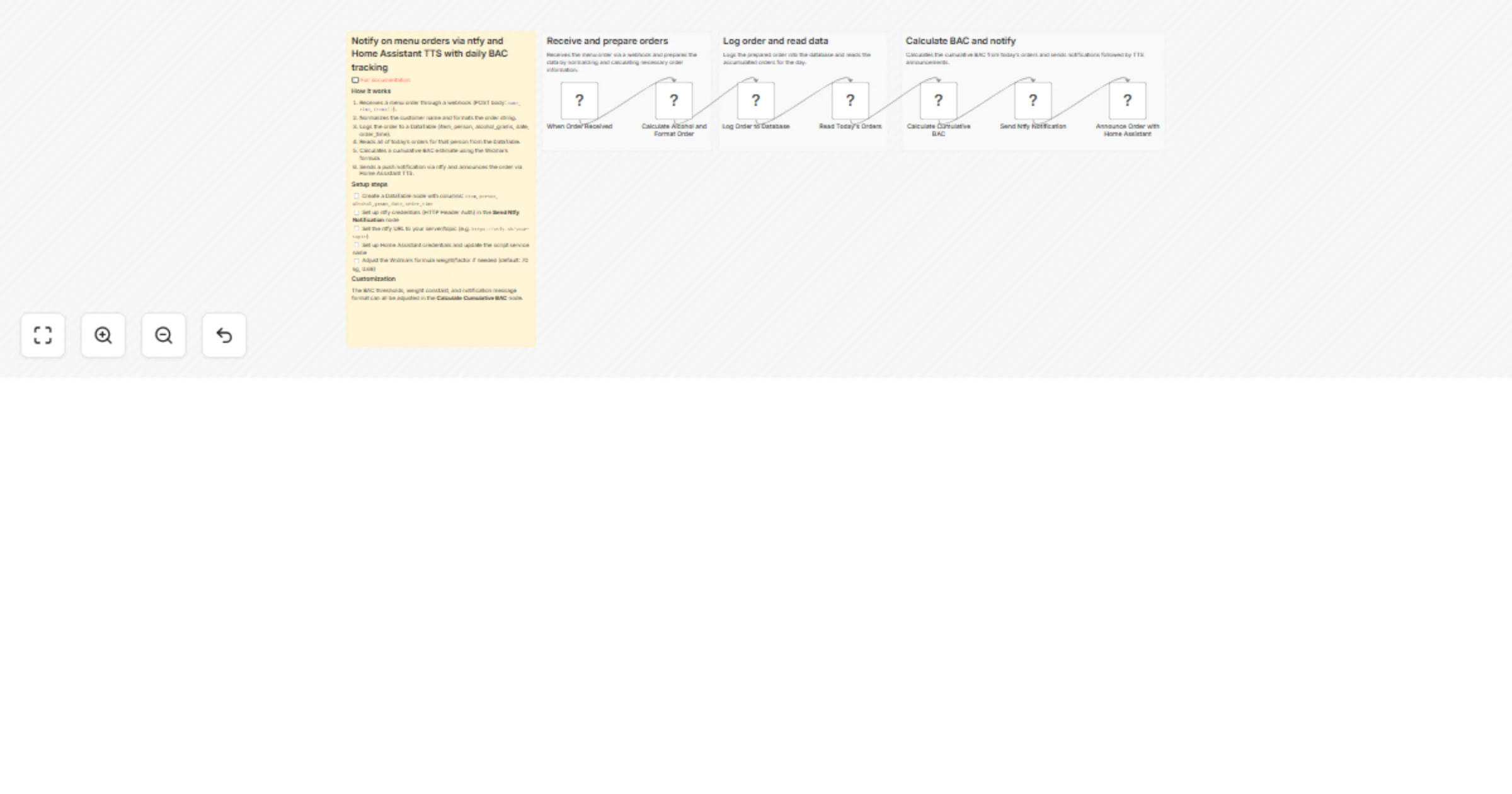
Webhook → Prepare Order → DataTable (INSERT) → Read Today's Orders → BAC Calculator → ntfy Push Notification → Home Assistant TTS
Push notification (ntfy app):
🛎 Order from Mario

Mario: 1x Pizza, 2x Beer 33cl
🕐 12:30
📋 Ordered before:
 - 1x Prosecco 🕐 11:45
🍸 BAC ~0.54 g/L 🔴
Google Home voice announcement:
Mario has ordered Pizza
Before importing this workflow, you need:
homeassistant.local:8123)| Credential | Used For |
|---|---|
| Home Assistant | Calling the annuncia_ordine TTS script |
Header Auth (Authorization: Bearer <ntfy_token>) |
Sending authenticated requests to ntfy |
Create a DataTable in n8n → Data → Tables with these columns:
| Column | Type | Description |
|---|---|---|
item |
Text | Full order string (e.g. "2x Negroni, 1x Messina 33cl") |
person |
Text | Normalised person name |
alcol_grammi |
Number | Total grams of alcohol for this order |
data |
Text | ISO date (YYYY-MM-DD) |
orario |
Text | Time string from the order |
Copy the DataTable ID and paste it into the DataTable nodes inside the workflow.
Your menu website must POST this JSON to the Webhook Production URL:
{
 "name": "Mario",
 "time": "26/03/2026, 12:30:00",
 "order": [
 { "section": "Food", "name": "Pizza", "details": "", "quantity": 1 },
 { "section": "Drinks", "name": "Beer", "details": "33cl", "quantity": 2 }
 ],
 "total": 3
}
Add ntfy to your docker-compose.yml:
ntfy:
 image: binwiederhier/ntfy
 command: serve
 volumes:
 - ./ntfy/config:/etc/ntfy
 - ./ntfy/data:/var/lib/ntfy
 ports:
 - "8095:80"
In server.yml, set auth-default-access: deny-all.
Then create an admin user and generate a token:
docker exec -e NTFY_PASSWORD="your_password" ntfy ntfy user add --role=admin admin
docker exec ntfy ntfy token add admin
Add an ingress rule to your Cloudflare Tunnel config:
- hostname: ntfy.YOUR_DOMAIN.com
 service: http://localhost:8095
In HA, go to Settings → Automations & Scenes → Scripts → Add script → Edit in YAML and paste:
alias: annuncia_ordine
sequence:
 - action: tts.speak
 target:
 entity_id: tts.google_translate_en_com
 data:
 media_player_entity_id: media_player.YOUR_GOOGLE_HOME_ENTITY
 message: "{{ message }}"
 language: it
mode: single
> Replace media_player.YOUR_GOOGLE_HOME_ENTITY with your actual entity ID.
Then go to your HA profile → Security → Long-lived access tokens → create and copy a token.
Import the workflow JSON into n8n
Create the DataTable (columns listed above) — copy its ID
Create the Header Auth credential for ntfy:
AuthorizationBearer YOUR_NTFY_TOKENhttp://homeassistant.local:8123In the ntfy notification node, replace YOUR_TOPIC in the URL
In the Home Assistant TTS node, set the message attribute expression:
={{ $('Webhook').item.json.body.nome }} has ordered {{ $('Webhook').item.json.body.ordine[0].nome }}
Set the webhook URL in your menu site config:
// menu-data.js
"orderWebhook": "https://YOUR_N8N_DOMAIN/webhook/menu"
BAC [g/L] = total_alcohol_grams_today / (70 × 0.68)
Assumes ~70 kg body weight. Italian legal driving limit: 0.5 g/L
| Emoji | Level | BAC |
|---|---|---|
| ⬜ | None | 0 g/L |
| 🟢 | Low | < 0.2 g/L |
| 🟡 | Warning | 0.2 – 0.5 g/L |
| 🔴 | Over limit | > 0.5 g/L |
BAC is cumulative per day per person and resets automatically the next day.
| What | How |
|---|---|
| Change the TTS message | Edit the message expression in the HA TTS node |
| Announce all ordered items | Use $json.body.ordine.map(i => i.quantita + ' ' + i.nome).join(', ') |
| Change TTS language | Edit language in the annuncia_ordine HA script |
| Announce on multiple Google Home devices | Add multiple media_player_entity_id entries to the HA script |
| Disable TTS (keep only push notification) | Remove or deactivate the Home Assistant TTS node |
| Layer | Mechanism |
|---|---|
| Transport (ntfy) | HTTPS via Cloudflare Tunnel |
| ntfy access | auth-default-access: deny-all — no anonymous reads |
| n8n → ntfy | Dedicated Bearer token (revokable, no expiry) |
| n8n → Home Assistant | Long-lived access token |
| Mobile app | Username/password on the ntfy server |
| 📖 Full documentation | Notion — step-by-step setup guides |
| 💻 GitHub Repository | paoloronco/n8n-templates |
This catalog entry is organized from the workflow JSON. The node-level section below shows the executable blocks available for review before importing the template.
| Workflow | Notify on menu orders via ntfy and Home Assistant TTS with daily BAC tracking |
|---|---|
| Complexity | intermediate |
| Nodes | 11 |
| Categories | Miscellaneous |
| Author | Paolo Ronco |
| Published | 30 Mar 2026 |
Use the JSON export at /data/workflows/14487/14487.json as the source template for this automation.
Open n8n, import the downloaded JSON, and review each node before activating the workflow.
Replace placeholder credentials, API keys, webhook URLs, account IDs, and environment-specific values with your own settings.
Run the workflow manually or in a staging workspace, inspect node output, and confirm downstream systems receive the expected data.
Enable the workflow only after testing, then monitor executions, errors, and rate limits during the first production runs.
Review imported nodes carefully before activation. This catalog entry is intended to help you inspect the workflow structure, understand required services, and find related templates faster.
Node names, credentials, schedules, webhook paths, and external service limits may need adjustment for your workspace.
Notify on menu orders via ntfy and Home Assistant TTS with daily BAC tracking Receive instant push notifications on your phone and voice announcements on your Google Home every time someone orders ...
Review the workflow JSON, configure any required credentials in n8n, and test the automation in a safe workspace before using it in production.
Yes. Use the block-by-block analysis and the downloadable JSON to inspect each node, then adjust credentials, prompts, schedules, filters, or destinations for your Miscellaneous use case.