Generate leads with Google Maps
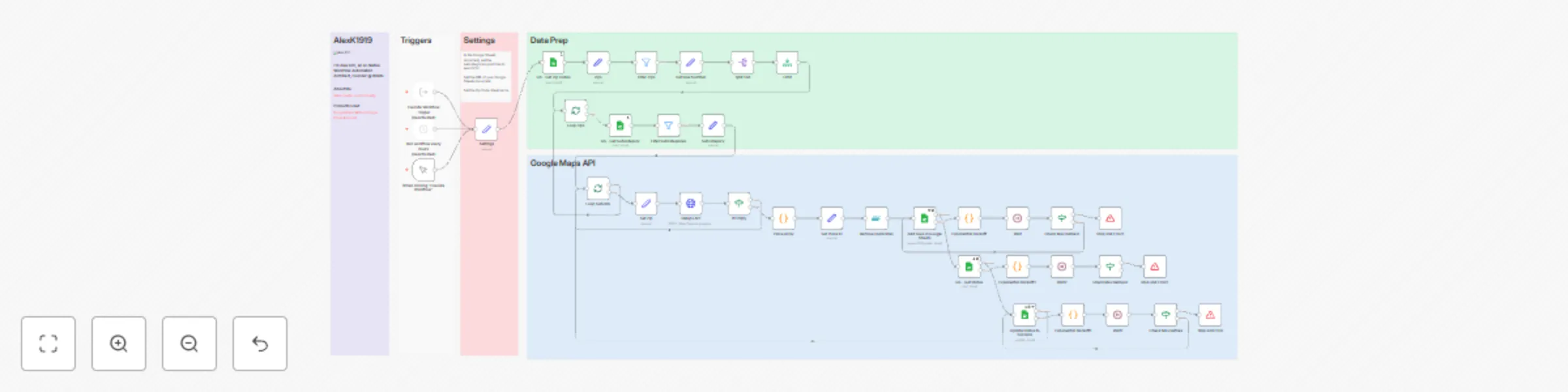
Workflow preview

$20/month : Unlimited workflows
2500 executions/month

THE #1 IN WEB SCRAPING
Scrape any website without limits
HOSTINGER  Early Deal
DISCOUNT 20% Try free
Early DealDISCOUNT 20%
Self-hosted n8n
Unlimited workflows - from $4.99/mo

#1 hub for scraping, AI & automation
6000+ actors - $5 credits/mo
Important notice
This workflow is provided as-is. Please review and test before using in production.
Overview
This workflow leverages n8n to perform automated Google Maps API queries and manage data efficiently in Google Sheets. It's designed to extract specific location data based on a given list of ZIP codes and categories.
Features
- Queries the Google Maps API for location data using predefined ZIP codes and subcategories.
- Filters, de-duplicates, and organizes data into structured rows in Google Sheets.
- Implements exponential backoff retries to handle API rate limits.
- Logs and updates statuses directly in Google Sheets for easy tracking.
Prerequisites
- Google OAuth Credentials: A configured Google Cloud project for Google Maps API and Sheets API access.
- Google Sheets: A sheet with ZIP codes and categories defined (e.g., "AZ Zips").
- n8n Setup: A running instance of n8n with credentials configured for Google OAuth.
Setup Instructions
1. Prepare Google Sheets
- Add the ZIP codes to the "AZ Zips" sheet.
- Define subcategories in another sheet (e.g., "Google Maps Categories").
- Provide the sheet's URL in the
Settingsnode of the workflow.
2. Configure API Access
- Set up Google OAuth credentials for Maps and Sheets APIs in n8n.
- Ensure your API key has access to the
places.searchTextendpoint.
3. Workflow Customization
- Modify
textQueryparameters in the GMaps API node to match your query needs. - Adjust trigger intervals as required (e.g., manual or scheduled execution).
4. Run the Workflow
- Execute the workflow manually or schedule periodic runs to keep your data updated.
Notes
- This workflow includes robust error handling to retry failed API calls with exponential backoff.
- All data is organized and logged directly in Google Sheets for easy reference and updates.
For more information or issues, feel free to reach out!