Generate and enrich Google Maps leads with Apify, Hunter and Google Sheets
Workflow preview


 Early Deal
DISCOUNT 20%

Overview
How it works
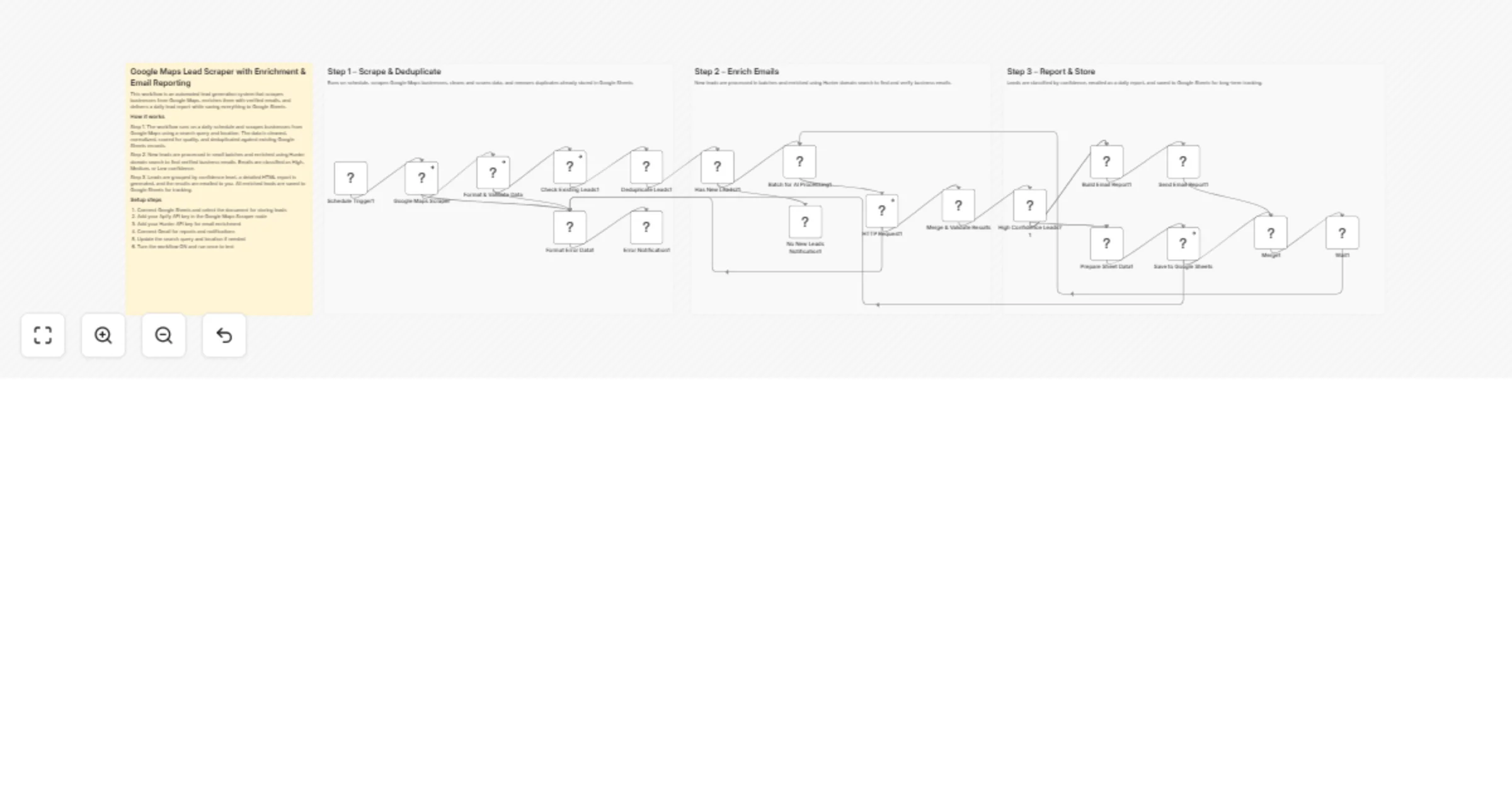
This workflow automatically scrapes business leads from Google Maps on a daily schedule and ensures only high-quality, unique leads are processed. New businesses are cleaned, validated, and deduplicated against an existing Google Sheets database before enrichment begins. Verified emails are enriched using domain-based lookup and classified by confidence. Finally, the workflow sends a detailed email report and stores all enriched leads in Google Sheets for ongoing tracking.
Step-by-step
Scrape & deduplicate leads
Schedule Trigger – Runs the workflow automatically at a fixed time each day.
Google Maps Scraper – Scrapes business listings based on search query and location.
Format & Validate Data – Cleans fields, normalizes data, and scores lead quality.
Check Existing Leads – Reads existing records from Google Sheets.
Deduplicate Leads – Removes businesses already stored in the database.
Format Error Data – Captures and structures scraper or processing errors.
Error Notification – Sends an email alert if the workflow fails.
Enrich emails
Has New Leads? – Checks whether any new unique leads remain after deduplication.
Batch for AI Processing – Splits leads into small batches to control API usage.
HTTP Request (Hunter) – Performs domain search to find professional emails.
Merge & Validate Results – Selects the best email and assigns confidence levels.
No New Leads Notification – Sends a message when no new leads are found.
Report & store results
High Confidence Leads? – Separates outreach-ready leads from lower-confidence ones.
Build Email Report – Generates a detailed HTML report with lead analytics.
Send Email Report – Emails the daily lead summary to stakeholders.
Prepare Sheet Data – Formats enriched leads for storage.
Save to Google Sheets – Appends or updates leads in the sheet.
Merge – Synchronizes parallel execution paths.
Wait – Controls workflow execution flow and batching cycles.
Why use this?
- Fully automates Google Maps lead generation and enrichment
- Prevents duplicate and low-quality leads from entering your database
- Enriches leads with verified emails and confidence scoring
- Delivers clear daily reports for faster outreach decisions
- Maintains a centralized, continuously updated lead system