Extract ICP-targeted LinkedIn leads from post comments using Apify
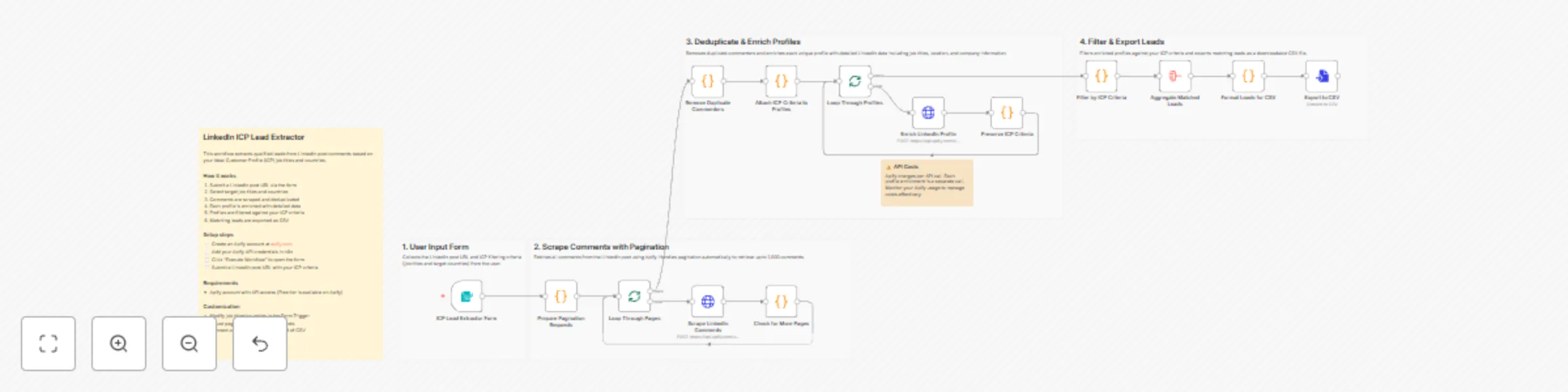
Workflow preview

$20/month : Unlimited workflows
2500 executions/month

THE #1 IN WEB SCRAPING
Scrape any website without limits
HOSTINGER  Early Deal
DISCOUNT 20% Try free
Early DealDISCOUNT 20%
Self-hosted n8n
Unlimited workflows - from $4.99/mo

#1 hub for scraping, AI & automation
6000+ actors - $5 credits/mo
Important notice
This workflow is provided as-is. Please review and test before using in production.
Overview
This workflow automates the process of extracting and qualifying leads from LinkedIn post comments based on your Ideal Customer Profile (ICP) criteria. It turns LinkedIn engagement into a structured, downloadable list of qualified leads—without manual review.
Who’s this for
- Sales and business development teams generating outbound lead lists
- Marketing teams running LinkedIn engagement campaigns
- Recruiters sourcing candidates with specific job titles
- Operators who want to convert LinkedIn comments into actionable data
What problem does this solve
Manually reviewing LinkedIn post comments to identify relevant prospects is slow, repetitive, and error-prone. This workflow automates the entire process—from scraping comments to enriching profiles and filtering by ICP—saving hours of manual work and ensuring consistent results.
What this workflow does
- Collects a LinkedIn post URL and ICP criteria via a form
- Scrapes post comments using Apify (supports up to 1,000 comments)
- Deduplicates commenters and enriches profiles with LinkedIn data
- Filters profiles by selected job titles and countries
- Exports matched leads as a downloadable CSV file
How to set up
- Create an Apify account and generate an API key
- Add your Apify credentials in n8n (Settings → Credentials → Apify API)
- Execute the workflow and submit a LinkedIn post URL and ICP criteria
Requirements
- Apify account with API access - Apify offers a free tier with $5 in monthly credits, which is enough to test this workflow on smaller LinkedIn posts
How to customize the workflow
- Update job titles and target countries in the Form Trigger
- Increase pagination limits to support larger posts
- Replace CSV export with a CRM, Google Sheets, or database integration