Check and deactivate broken job apply URLs with Postgres and Google Sheets
Workflow preview

$20/month : Unlimited workflows
2500 executions/month

THE #1 IN WEB SCRAPING
Scrape any website without limits
HOSTINGER  Early Deal
DISCOUNT 20% Try free
Early DealDISCOUNT 20%
Self-hosted n8n
Unlimited workflows - from $4.99/mo

#1 hub for scraping, AI & automation
6000+ actors - $5 credits/mo
Overview
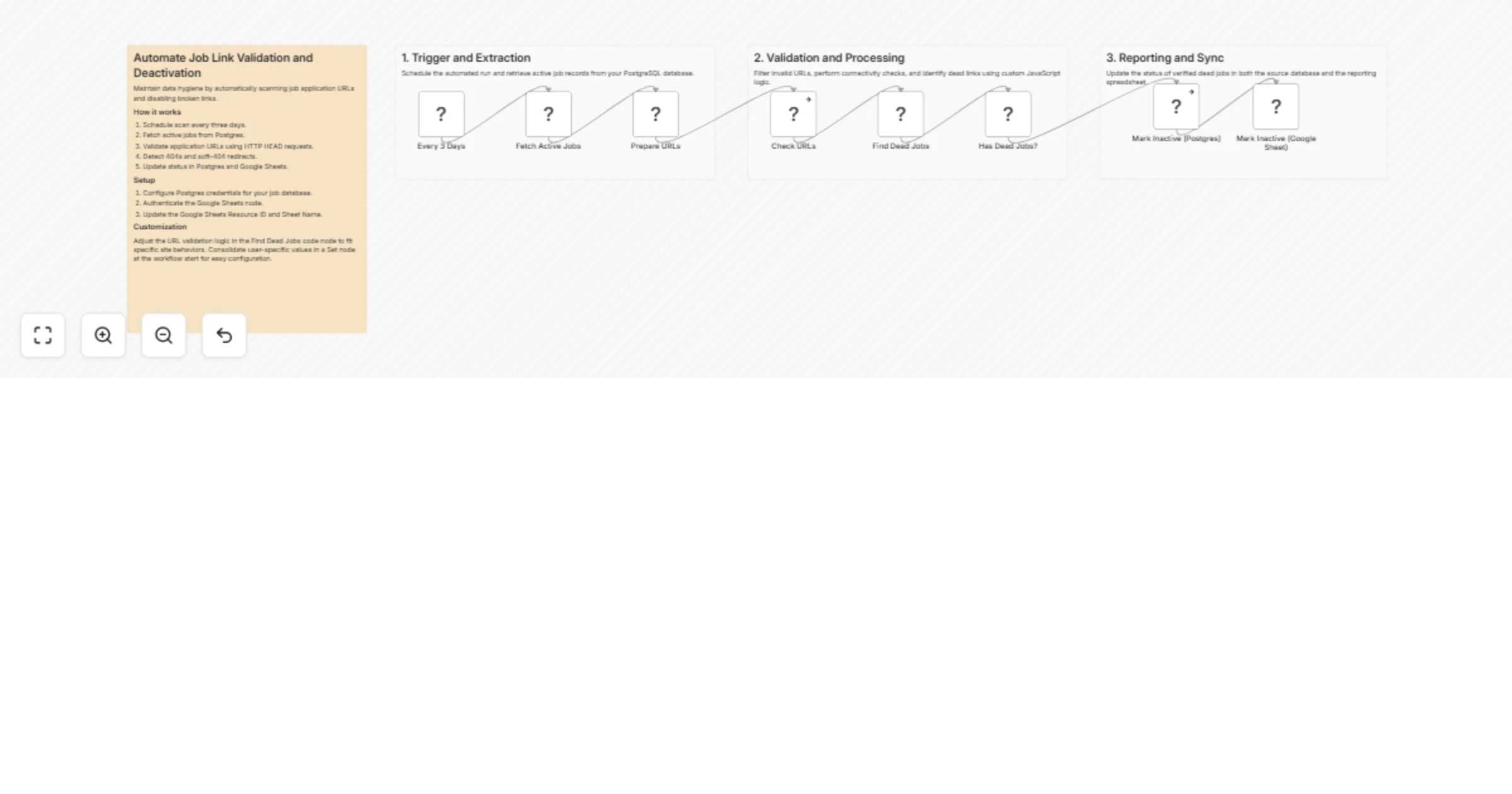
Keep your job listings database clean without manual checks. Every three days, this workflow fetches all active jobs from your Postgres database, runs each application URL through a validation check, identifies dead links via HTTP status codes and soft-404 redirect detection, then marks failed entries as inactive in both Supabase and Google Sheets simultaneously.
Who it's for
Teams running a job aggregator, career platform, or internal hiring tracker who store job listings in Postgres and want stale or broken apply links removed automatically — without waiting for user reports.
How it works
- A Schedule Trigger fires every 3 days
- All active jobs are fetched from your Postgres (Supabase) database via a SQL query
- A Prepare URLs node filters out any rows with missing, malformed, or non-HTTP URLs before they're checked
- An HTTP Request node sends a HEAD request to each
apply_url - A Find Dead Jobs code node analyzes each response and flags a job as dead if:
- Status code is
404or410 - DNS resolution fails (
ENOTFOUND) - Connection is refused (
ECONNREFUSED) - A
301/302/307redirect points to a different path — indicating the job was removed and the ATS is silently redirecting (soft-404 detection)
- If dead jobs are found, an IF node routes them to both update nodes in parallel:
- Supabase (Postgres) — status set to
inactivevia parameterized SQL - Google Sheets — row updated to reflect the new status
- If no dead jobs are detected, the workflow exits cleanly with no writes
Setup
- Connect your Postgres credentials and confirm the query in the Fetch Active Jobs node matches your table and column names (
apply_url,job_hash,job_title) - Connect your Google Sheets credentials and set the Resource ID and Sheet Name in the Mark Inactive node
- Confirm the
inactivestatus value in the Postgres update query matches what your app expects - (Optional) Adjust the soft-404 redirect detection logic in the Find Dead Jobs node if your ATS platforms use non-standard redirect patterns
Database columns expected
job_hash (unique identifier), apply_url, job_title, status
Requirements
- Self-hosted or cloud n8n instance
- Supabase (or any Postgres-compatible) database with an active jobs table
- Google Sheets with a matching jobs log