Capture website form submissions to Notion CRM database
Workflow preview

$20/month : Unlimited workflows
2500 executions/month

THE #1 IN WEB SCRAPING
Scrape any website without limits
HOSTINGER  Early Deal
DISCOUNT 20% Try free
Early DealDISCOUNT 20%
Self-hosted n8n
Unlimited workflows - from $4.99/mo

#1 hub for scraping, AI & automation
6000+ actors - $5 credits/mo
Important notice
This workflow is provided as-is. Please review and test before using in production.
Overview
⚡️ How It Works
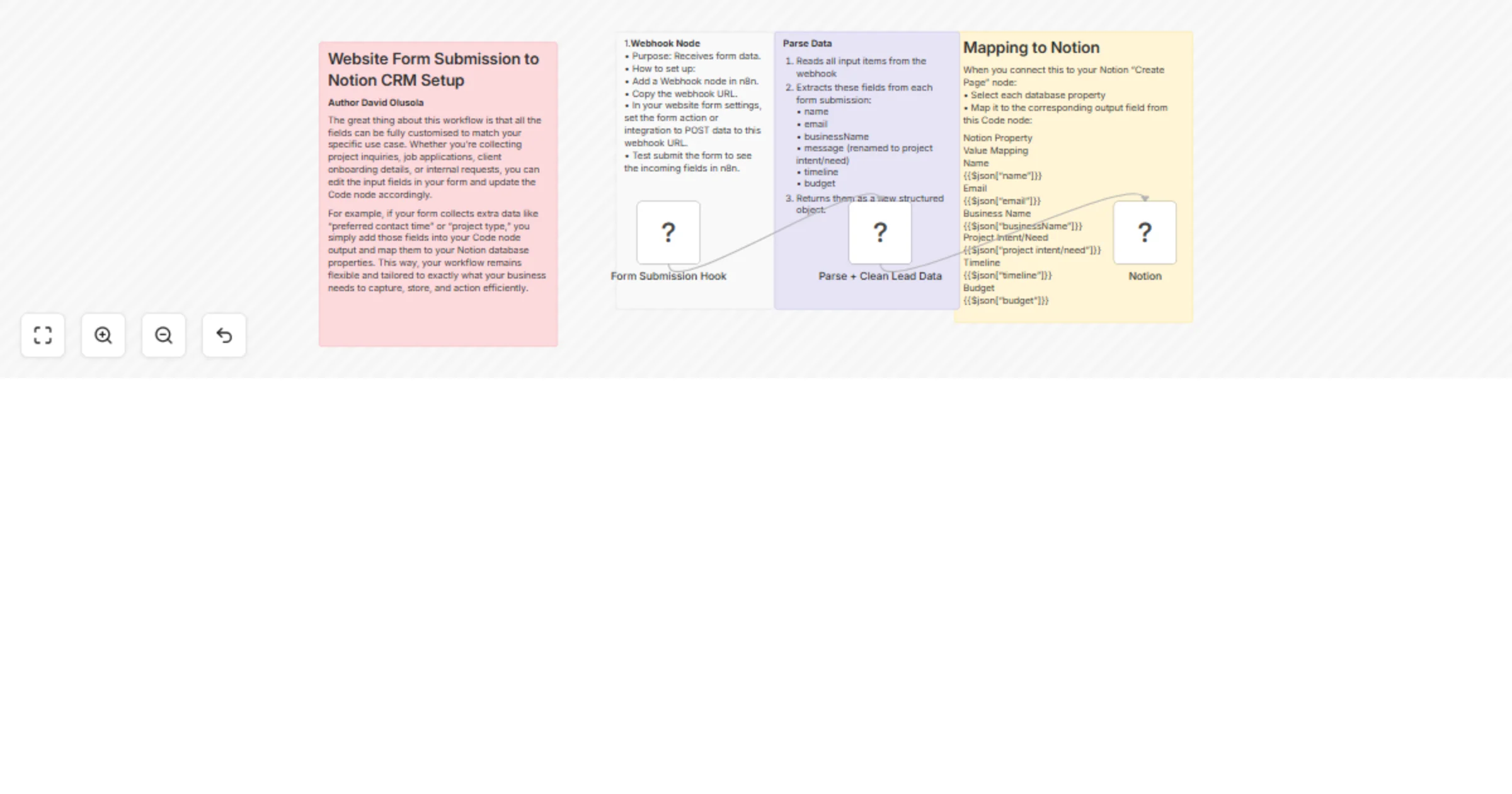
This workflow captures form submissions from your website, formats the data, and automatically creates a new entry in your Notion CRM database. It eliminates manual copy-pasting and keeps your leads or requests organised in one place.
🛠 Setup Steps
1.	Webhook Node
•	Create a webhook in n8n.
•	Connect your website form to POST submissions to this webhook URL.
2.	Code Node
•	Formats the incoming data to match your Notion database structure.
•	You can customise the fields in the code to suit your specific form inputs.
3.	Notion Node (Create Page)
•	Connect your Notion account.
•	Choose your target database.
•	Map each field from the Code node output to your Notion database properties.
4.	Test
•	Submit a test form entry.
•	Confirm the data appears correctly in Notion.
⸻
👥 Who It’s For
✅ Freelancers collecting project inquiries ✅ Agencies managing client onboarding forms ✅ Business owners wanting organised lead capture ✅ Teams that use Notion as their central CRM or task manager ✅ Anyone tired of manually transferring form data into Notion