Automate business lead scraping from Apify to Google Sheets with data cleaning
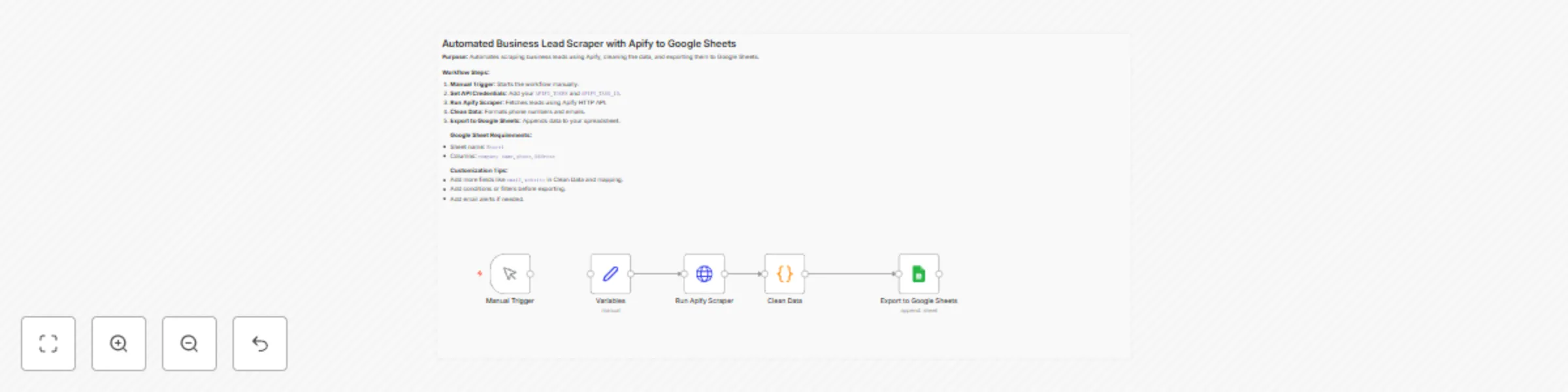
Workflow preview

$20/month : Unlimited workflows
2500 executions/month

THE #1 IN WEB SCRAPING
Scrape any website without limits
HOSTINGER  Early Deal
DISCOUNT 20% Try free
Early DealDISCOUNT 20%
Self-hosted n8n
Unlimited workflows - from $4.99/mo

#1 hub for scraping, AI & automation
6000+ actors - $5 credits/mo
Important notice
This workflow is provided as-is. Please review and test before using in production.
Overview
🚀 Automated Lead Scraper Workflow (Apify + n8n + Google Sheets)
🧠 What It Does
This n8n workflow automates the process of scraping leads using Apify, cleaning the extracted data, and exporting it to Google Sheets—ready for use in outreach, prospecting, or CRM pipelines.
🔄 Workflow Steps
✅ Start – Manually triggers the workflow.
🧩 Set Variables – Stores required Apify credentials:
APIFY_TOKEN: Your Apify token.APIFY_TASK_ID: The Apify task to run.
🕸️ Run Apify Scraper – Launches the scraper and fetches the dataset.
🧹 Clean Data – Processes scraped results to:
- ✂️ Strip non-numeric characters from phone numbers.
- ✉️ Format emails (lowercase + trimmed).
📊 Export to Google Sheets – Appends clean data to your spreadsheet:
- 🏢
company name→ fromtitle - 📞
phone→ cleaned number - 📍
address→ from scraped info
- 🏢
🛠️ Requirements
🕷️ Apify Account
- A valid
APIFY_TOKEN - An existing Apify task (
APIFY_TASK_ID)
- A valid
📗 Google Sheets Access
- OAuth2 credentials set up in n8n (e.g.,
"Google Sheets account 2")
- OAuth2 credentials set up in n8n (e.g.,
🚦 How to Use
- ⚙️ Open the Variables node and plug in your Apify credentials.
- 📄 Confirm the Google Sheets node points to your desired spreadsheet.
- ▶️ Run the workflow manually from the Start node.
📥 Output
A ready-to-use sheet of cleaned lead data containing:
- Company names
- Phone numbers
- Addresses
💼 Perfect For:
- Sales teams doing outbound prospecting
- Marketers building lead lists
- Agencies running data aggregation tasks