UX interview analysis with OpenAI: transcribe and export to Google Sheets
Workflow preview

$20/month : Unlimited workflows
2500 executions/month

THE #1 IN WEB SCRAPING
Scrape any website without limits
HOSTINGER  Early Deal
DISCOUNT 20% Try free
Early DealDISCOUNT 20%
Self-hosted n8n
Unlimited workflows - from $4.99/mo

#1 hub for scraping, AI & automation
6000+ actors - $5 credits/mo
Important notice
This workflow is provided as-is. Please review and test before using in production.
Overview
UX Interview Analysis with OpenAI: Transcipt, Summarize, and Export to Google Sheets!
About
Easily analyze and summarize UX interviews. Just upload your files to Google Drive and get the insights directly in Google Sheets.
How It Works
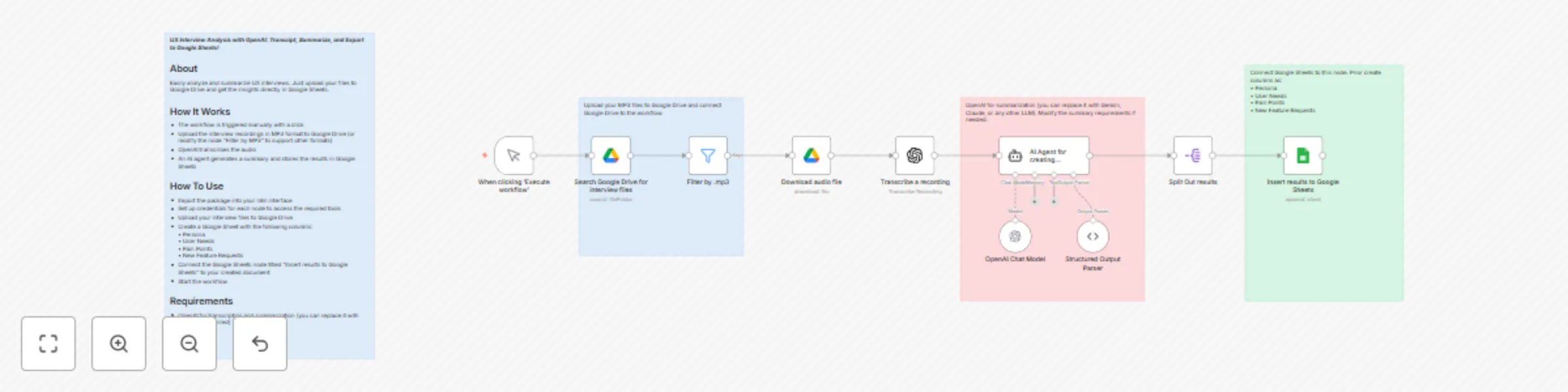
- The workflow is triggered manually
- Upload the interview recordings in MP3 format to Google Drive (or modify the node “Filter by MP3” to support other formats)
- OpenAI transcribes the audio
- An AI agent generates a summary
- Store the results in Google Sheets
How To Use
- Import the package into your n8n interface
- Set up credentials for each node to access the required tools
- Upload your interview files to Google Drive
- Create a Google Sheet with the following columns: • Persona • User Needs • Pain Points • New Feature Requests
- Connect the Google Sheets node titled “Insert results to Google Sheets” to your created document
- Start the workflow
Requirements
- OpenAI for transcription and summarization (you can replace it with Gemini if preferred)