G

Gulfiia

2
Workflows

Workflows by Gulfiia
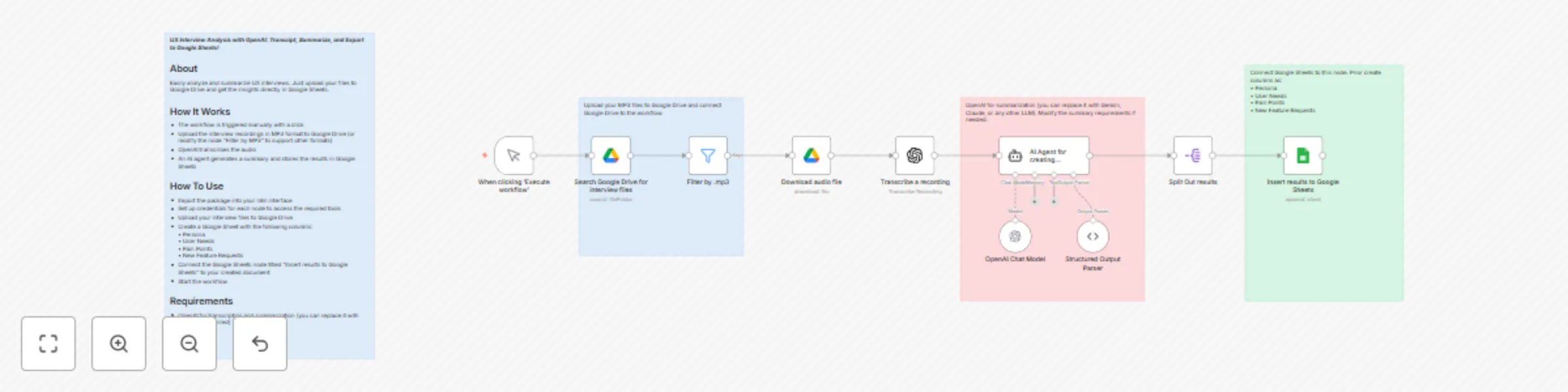
Workflow preview: UX interview analysis with OpenAI: transcribe and export to Google Sheets
Free intermediate

UX interview analysis with OpenAI: transcribe and export to Google Sheets

***UX Interview Analysis with OpenAI: Transcipt, Summarize, and Export to Google Sheets!*** ## About Easily analyze and summarize UX interviews. Just upload your files to Google Drive and get the insights directly in Google Sheets. ## How It Works - The workflow is triggered manually - Upload the interview recordings in MP3 format to Google Drive (or modify the node “Filter by MP3” to support other formats) - OpenAI transcribes the audio - An AI agent generates a summary - Store the results in Google Sheets ## How To Use - Import the package into your n8n interface - Set up credentials for each node to access the required tools - Upload your interview files to Google Drive - Create a Google Sheet with the following columns: • Persona • User Needs • Pain Points • New Feature Requests - Connect the Google Sheets node titled “Insert results to Google Sheets” to your created document - Start the workflow ## Requirements - OpenAI for transcription and summarization (you can replace it with Gemini if preferred)

G
Gulfiia
Market Research
7 Aug 2025
515
0
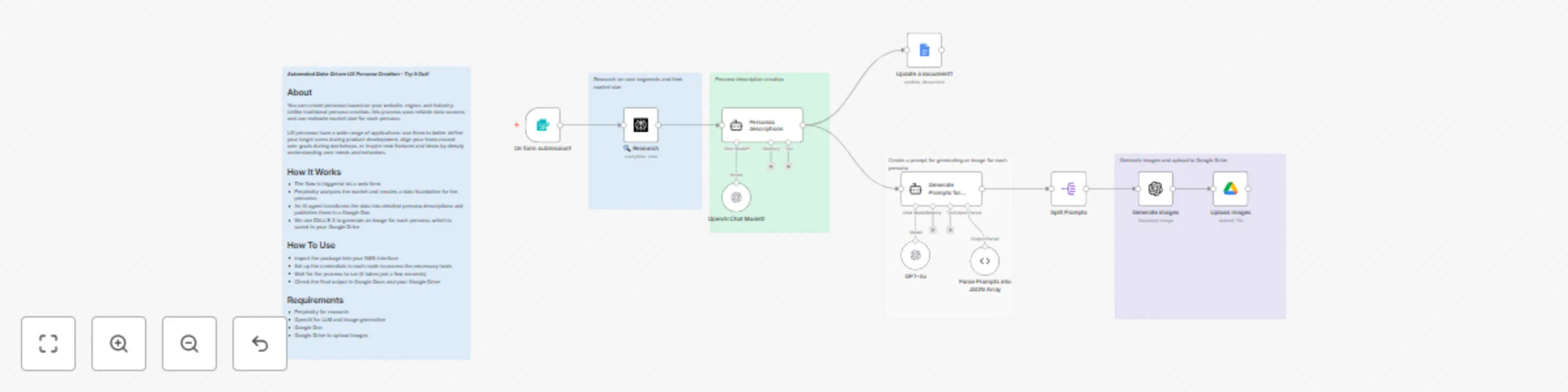
Workflow preview: Generate data-driven UX personas with Perplexity, DALL·E 3 & Google Doc
Free advanced

Generate data-driven UX personas with Perplexity, DALL·E 3 & Google Doc

*This workflow contains community nodes that are only compatible with the self-hosted version of n8n.* ***Automated Data-Driven UX Persona Creation – Try It Out!*** ## About You can create personas based on your website, region, and industry. Unlike traditional persona creation, this process uses reliable data sources and can estimate market size for each persona. UX personas have a wide range of applications: use them to better define your target users during product development, align your team around user goals during workshops, or inspire new features and ideas by deeply understanding user needs and behaviors. ## How It Works - The flow is triggered via a web form - Perplexity analyzes the market and creates a data foundation for the personas - An AI agent transforms the data into detailed persona descriptions and publishes them in a Google Doc - We use DALL·E 3 to generate an image for each persona, which is saved to your Google Drive ## How To Use - Import the package into your N8N interface - Set up the credentials in each node to access the necessary tools - Wait for the process to run (it takes just a few seconds) - Check the final output in Google Docs and your Google Drive ## Requirements - Perplexity for research - OpenAI for LLM and Image generation - Google Doc - Google Drive to upload images

G
Gulfiia
Market Research
22 Jul 2025
740
0