Track SDK documentation drift with GitHub, Notion, Google Sheets, and Slack
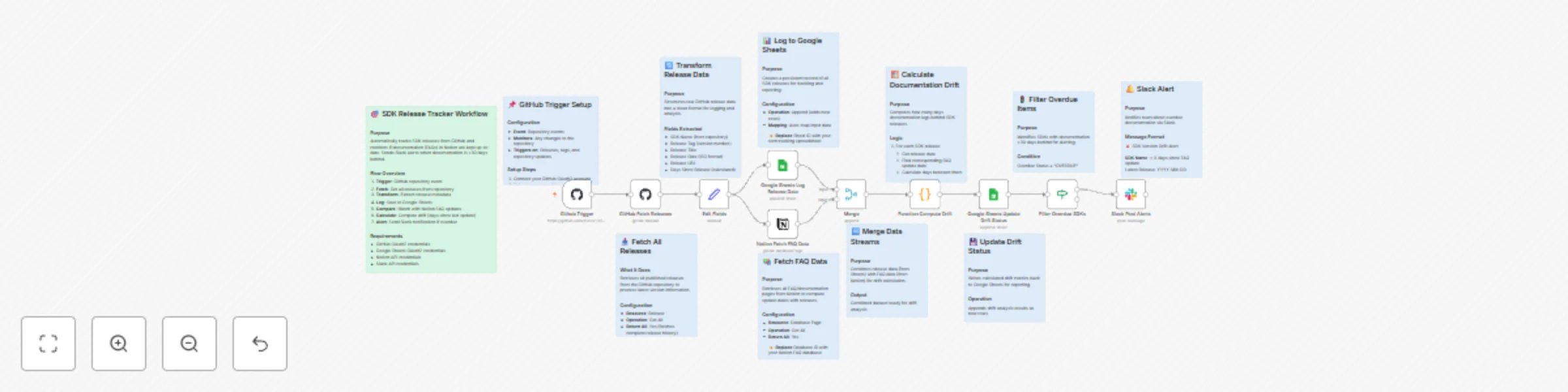
Workflow preview

$20/month : Unlimited workflows
2500 executions/month

THE #1 IN WEB SCRAPING
Scrape any website without limits
HOSTINGER  Early Deal
DISCOUNT 20% Try free
Early DealDISCOUNT 20%
Self-hosted n8n
Unlimited workflows - from $4.99/mo

#1 hub for scraping, AI & automation
6000+ actors - $5 credits/mo
Important notice
This workflow is provided as-is. Please review and test before using in production.
Overview
📊 Description
Automatically track SDK releases from GitHub, compare documentation freshness in Notion, and send Slack alerts when docs lag behind. This workflow ensures documentation stays in sync with releases, improves visibility, and reduces version drift across teams. 🚀📚💬
What This Template Does
- Step 1: Listens to GitHub repository events to detect new SDK releases. 🧩
- Step 2: Fetches release metadata including version, tag, and publish date. 📦
- Step 3: Logs release data into Google Sheets for record-keeping and analysis. 📊
- Step 4: Retrieves FAQ or documentation data from Notion. 📚
- Step 5: Merges GitHub and Notion data to calculate documentation drift. 🔍
- Step 6: Flags SDKs whose documentation is over 30 days out of date. ⚠️
- Step 7: Sends detailed Slack alerts to notify responsible teams. 🔔
Key Benefits
✅ Keeps SDK documentation aligned with product releases ✅ Prevents outdated information from reaching users ✅ Provides centralized release tracking in Google Sheets ✅ Sends real-time Slack alerts for overdue updates ✅ Strengthens DevRel and developer experience operations
Features
- GitHub release trigger for real-time monitoring
- Google Sheets logging for tracking and auditing
- Notion database integration for documentation comparison
- Automated drift calculation (days since last update)
- Slack notifications for overdue documentation
Requirements
- GitHub OAuth2 credentials
- Notion API credentials
- Google Sheets OAuth2 credentials
- Slack Bot token with chat:write permissions
- Target Audience
- Developer Relations (DevRel) and SDK engineering teams
- Product documentation and technical writing teams
- Project managers tracking SDK and doc release parity
Step-by-Step Setup Instructions
- Connect your GitHub account and select your SDK repository.
- Replace YOUR_GOOGLE_SHEET_ID and YOUR_SHEET_GID with your tracking spreadsheet.
- Add your Notion FAQ database ID.
- Configure your Slack channel ID for alerts.
- Run once manually to validate setup, then enable automation.