Send personalized cold email follow-ups from Google Sheets with ZeptoMail
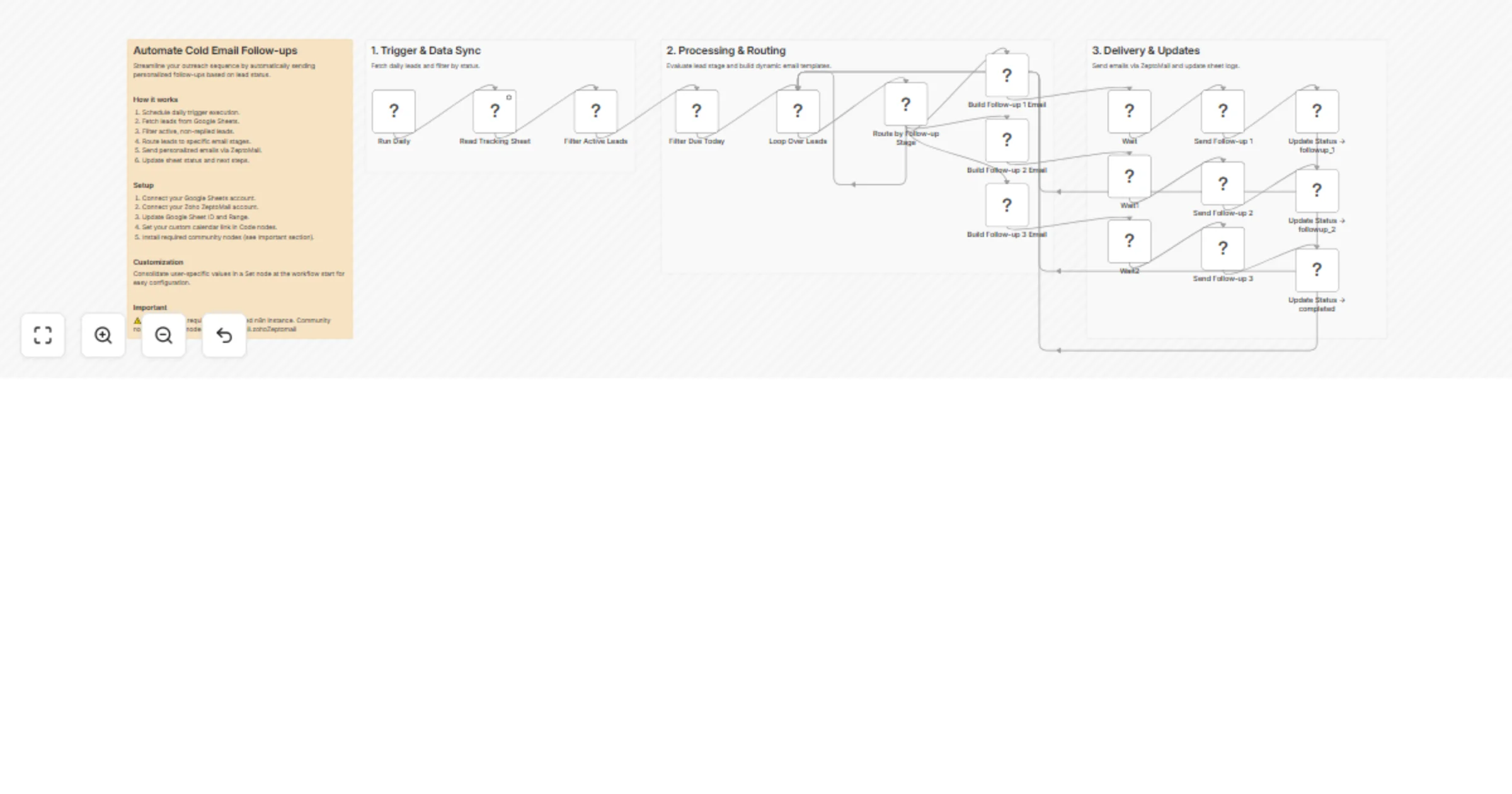
Workflow preview

$20/month : Unlimited workflows
2500 executions/month

THE #1 IN WEB SCRAPING
Scrape any website without limits
HOSTINGER  Early Deal
DISCOUNT 20% Try free
Early DealDISCOUNT 20%
Self-hosted n8n
Unlimited workflows - from $4.99/mo

#1 hub for scraping, AI & automation
6000+ actors - $5 credits/mo
Overview
Automated Cold Email Follow-up Sequence with Google Sheets & ZeptoMail
Stop losing leads to manual follow-up fatigue. This workflow runs daily, checks your Google Sheets lead tracker, and automatically sends the right follow-up email at the right time — personalized by partner type (College, Influencer, or Brand) — then updates the sheet status so nothing slips through the cracks.
Who is this for?
Founders, sales reps, and growth teams who manage outreach to multiple partner types and need a reliable, hands-off follow-up engine without a full CRM.
What this workflow does
- Triggers daily via Schedule node
- Reads your Google Sheet to fetch all leads
- Filters active leads — skips anyone marked
completed,replied, orunsubscribed - Checks follow-up date — only processes leads due today or earlier
- Routes each lead by their current stage (
sent→followup_1→followup_2→completed) - Builds a personalized HTML email based on partner type (College/University, Influencer, Brand, or generic)
- Sends via ZeptoMail with threading headers to keep replies in the same email thread
- Updates the Google Sheet with the new status and next follow-up date
Prerequisites
- A self-hosted n8n instance (community nodes required)
- A Google Sheets account with OAuth connected
- A Zoho ZeptoMail account with API access
- The community node installed:
n8n-nodes-zohozeptomail
Google Sheet structure
Your tracking sheet should have (at minimum) these columns:
| Column | Description |
|---|---|
Email |
Lead's email address |
name |
Lead's full name |
partner_type |
One of: college, influencer, brand |
status |
Current stage: sent, followup_1, followup_2, completed, replied, unsubscribed |
follow_up_date |
Date the next follow-up should be sent (YYYY-MM-DD) |
message_id |
(Optional) Original email Message-ID for threading |
Setup steps
- Install the community node
n8n-nodes-zohozeptomailin your n8n instance - Connect Google Sheets — add your OAuth credentials in n8n
- Connect ZeptoMail — add your API key credentials
- Update the Google Sheet ID and sheet name in the
Read Tracking Sheetnode - Replace placeholder values in the Code nodes:
[YOUR COMPANY],[YOUR NAME],[YOUR EMAIL]https://calendly.com/REPLACE_WITH_CALENDAR_LINK
- Set the workflow to Active — it will run automatically every day
Customization
- Add new partner types by extending the
getTemplate()function in the Build Email Code nodes - Adjust follow-up timing by changing the date written back to the sheet in the Update Status nodes
- Add more stages beyond
followup_2by extending the Switch node and duplicating the email builder pattern
⚠️ Important notes
- This workflow requires a self-hosted n8n instance — it will not run on n8n Cloud due to the community node dependency
- Leads are skipped (not deleted) if their status is
completed,replied, orunsubscribed— safe to keep all history in one sheet - ZeptoMail threading headers (
In-Reply-To,References) are set automatically ifmessage_idis present in the sheet