Scrape WooCommerce store leads with ScraperCity and sync verified contacts to Airtable
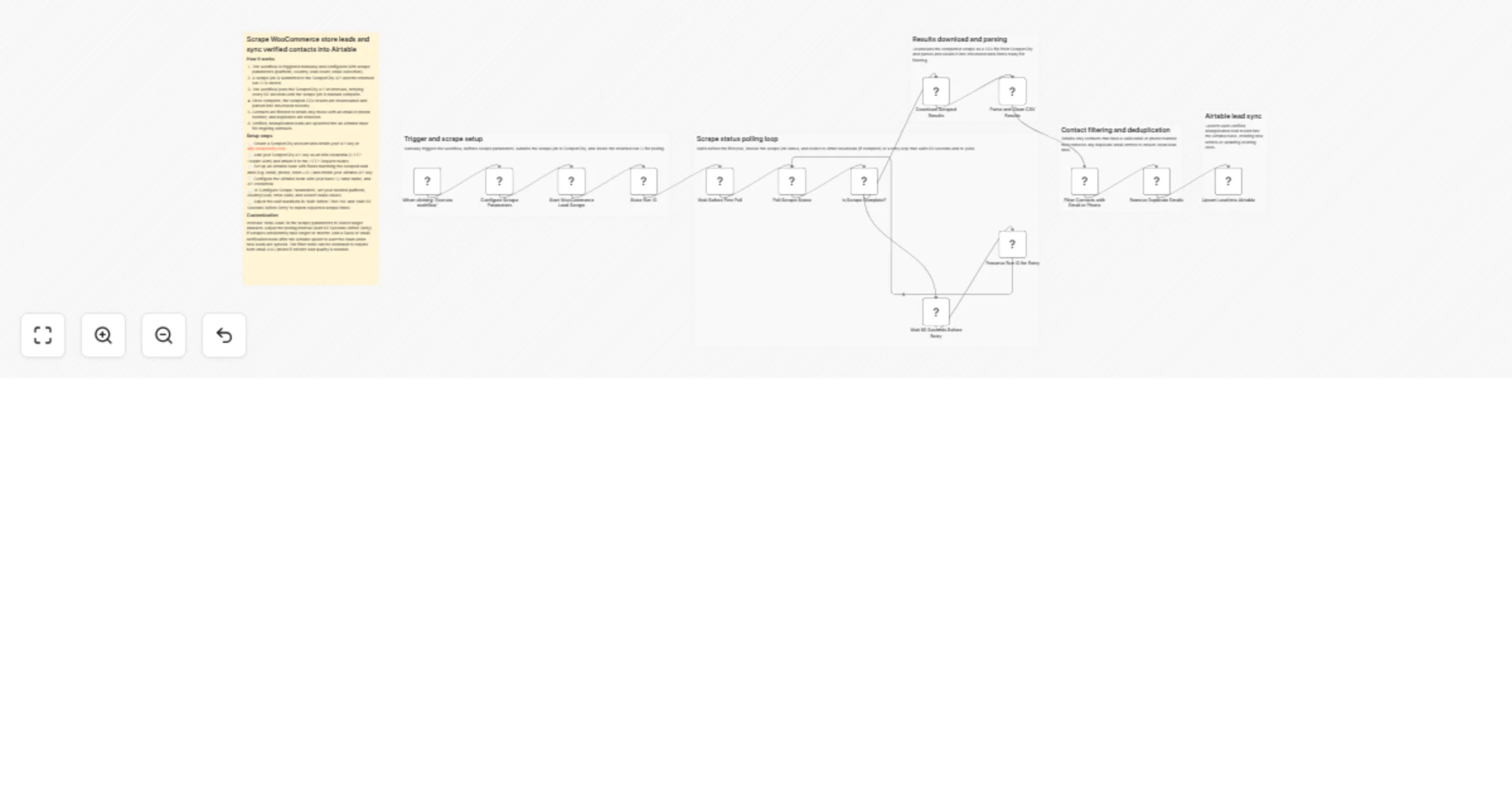
Workflow preview

$20/month : Unlimited workflows
2500 executions/month

THE #1 IN WEB SCRAPING
Scrape any website without limits
HOSTINGER  Early Deal
DISCOUNT 20% Try free
Early DealDISCOUNT 20%
Self-hosted n8n
Unlimited workflows - from $4.99/mo

#1 hub for scraping, AI & automation
6000+ actors - $5 credits/mo
Overview
Who is this for
This template is for sales teams, lead generation agencies, and growth marketers who want to build targeted lists of WooCommerce store owners -- complete with verified emails, phone numbers, and social profiles -- and have those contacts automatically land in Airtable for outreach or CRM workflows.
How it works
- A manual trigger starts the workflow and a configuration node lets you set your target country, lead volume, and which data points to collect (emails, phones).
- A POST request to the ScraperCity store-leads API kicks off an async scrape job targeting WooCommerce stores and returns a
runId. - The workflow enters a polling loop -- waiting 60 seconds between each status check -- until the ScraperCity job reports
SUCCEEDED. - Once complete, the results CSV is downloaded via the ScraperCity download endpoint.
- A Code node parses the CSV, cleans the data, and deduplicates records by email address.
- A filter removes rows missing both email and phone, keeping only actionable contacts.
- Each verified contact is upserted into an Airtable base, ready for outreach.
How to set up
- Create a ScraperCity account at scrapercity.com and copy your API key.
- In n8n, create an HTTP Header Auth credential named
ScraperCity API Keywith the headerAuthorization: Bearer YOUR_KEY. - Create an Airtable personal access token credential in n8n.
- Open the Configure Scrape Parameters node and set your country code, lead volume, and Airtable base/table IDs.
- Click Execute workflow to run.
Requirements
- ScraperCity account (store-leads product)
- Airtable account with a base containing columns: Name, Website, Email, Phone, Instagram, Facebook, Country
- n8n instance (cloud or self-hosted)
How to customize the workflow
- Change
platformin the config node fromwoocommercetoshopifyto target Shopify stores instead. - Adjust
totalLeadsto scrape more or fewer contacts per run. - Add a Filter node after the Code node to restrict results to stores with Instagram profiles only.
- Replace the Airtable output node with HubSpot, Google Sheets, or Notion to match your CRM stack.
- Attach a Schedule Trigger to run the scrape weekly for ongoing lead generation.