Scrape job listings and send alerts using Decodo, Google Gemini, Slack, and Gmail
Workflow preview

$20/month : Unlimited workflows
2500 executions/month

THE #1 IN WEB SCRAPING
Scrape any website without limits
HOSTINGER  Early Deal
DISCOUNT 20% Try free
Early DealDISCOUNT 20%
Self-hosted n8n
Unlimited workflows - from $4.99/mo

#1 hub for scraping, AI & automation
6000+ actors - $5 credits/mo
Overview
This n8n workflow automates job discovery by scanning company career pages, extracting open positions using AI, filtering them by department, and sending real-time alerts via Slack and email. It is ideal for monitoring targeted job roles (such as Engineering) across multiple companies without manual checking.
Use Cases Targeted Job Monitoring: Automatically track new job postings for a specific department or role. Faster Job Alerts: Receive instant Slack and email notifications when relevant positions are found. Multi-Company Career Tracking: Monitor multiple company career pages from a single Airtable base. Reduced Noise: Filter out irrelevant roles and avoid empty or misleading notifications.
Good to Know
- The workflow runs on a schedule and processes career pages stored in Airtable.
- Jobs are processed in batches with a delay node to avoid rate limits or scraping issues.
- Google Gemini is used for intelligent job extraction and filtering, which may incur API costs.
- If no relevant jobs are found, the workflow safely returns “No matching positions found” to prevent false alerts.
- Some Gemini models may be geo-restricted depending on your region.
How it Works
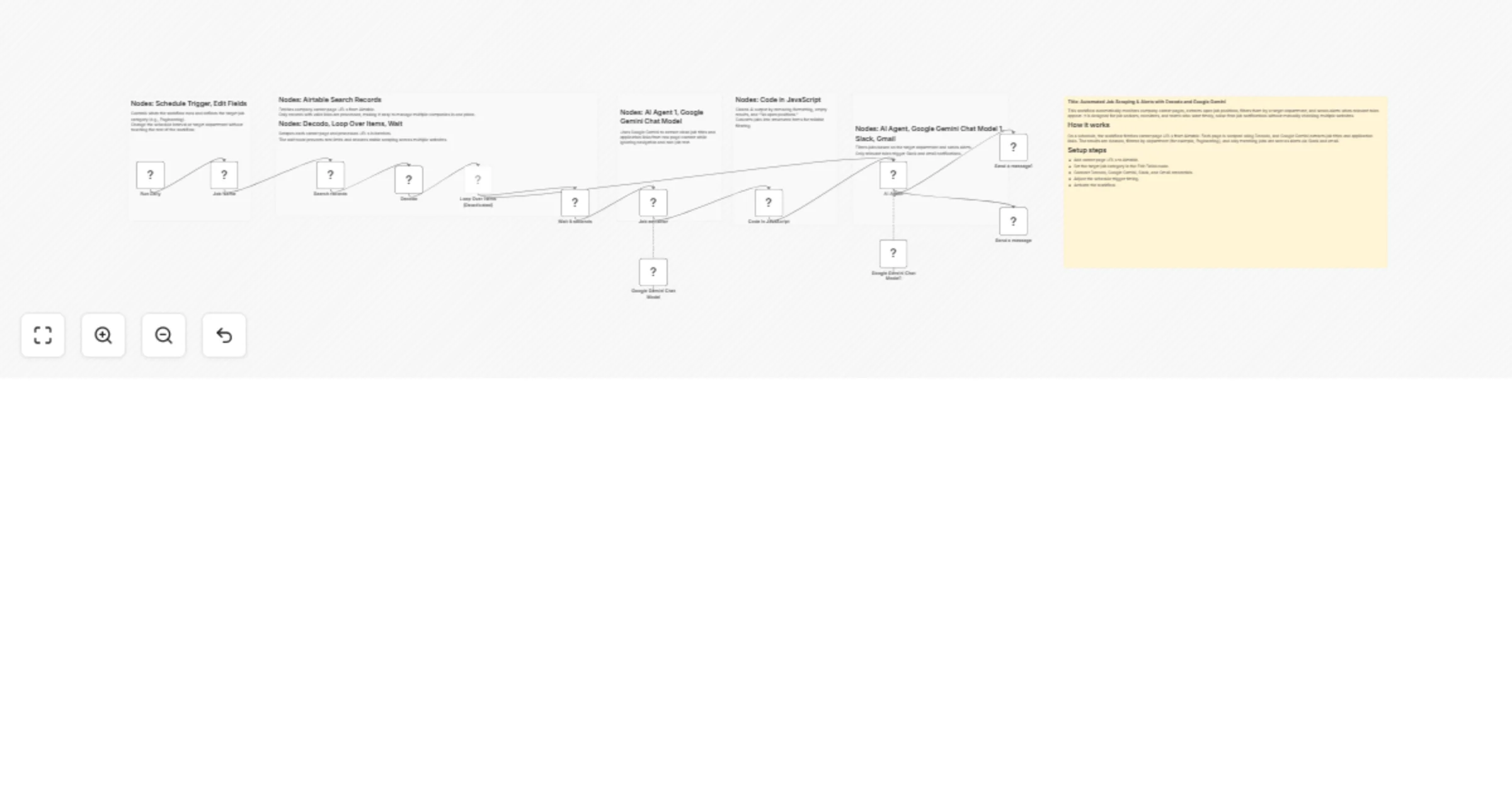
- Step 1: Job Source & Scheduling A Schedule Trigger starts the workflow and defines the job category to monitor (e.g., Engineering). Airtable is queried to fetch all company career page URLs.
- Step 2: Scraping & Extraction Each career page is scraped using Decodo. Google Gemini analyzes the raw page content and extracts job titles with application URLs while ignoring navigation and non-job content.
- Step 3: Data Cleaning & Structuring A JavaScript code node cleans the AI output, removes noise (e.g., “No open positions”), and converts results into structured job items.
- Step 4: AI-Based Filtering A second AI Agent compares extracted jobs against the target department and keeps only relevant roles.
- Step 5: Notifications Matching jobs are sent instantly to Slack and email.
How to Use
- Airtable Credentials: Connect Airtable and store career page URLs in the table.
- Google Gemini Credentials: Add your Gemini API key for AI extraction and filtering.
- Slack Credentials: Select a user or channel to receive job alerts.
- Gmail Credentials: Configure Gmail to receive job notification emails.
- Schedule Setup: Adjust the trigger interval based on how often you want job checks.
- Activate Workflow: Enable the workflow to start automated job monitoring.
Requirements
- n8n instance (self-hosted or cloud)
- Airtable base with company career page URLs
- Google Gemini API key
- Slack workspace
- Gmail account for email notifications