Receive transfer updates from Wise and add to Airtable
Workflow preview

$20/month : Unlimited workflows
2500 executions/month

THE #1 IN WEB SCRAPING
Scrape any website without limits
HOSTINGER  Early Deal
DISCOUNT 20% Try free
Early DealDISCOUNT 20%
Self-hosted n8n
Unlimited workflows - from $4.99/mo

#1 hub for scraping, AI & automation
6000+ actors - $5 credits/mo
Important notice
This workflow is provided as-is. Please review and test before using in production.
Overview
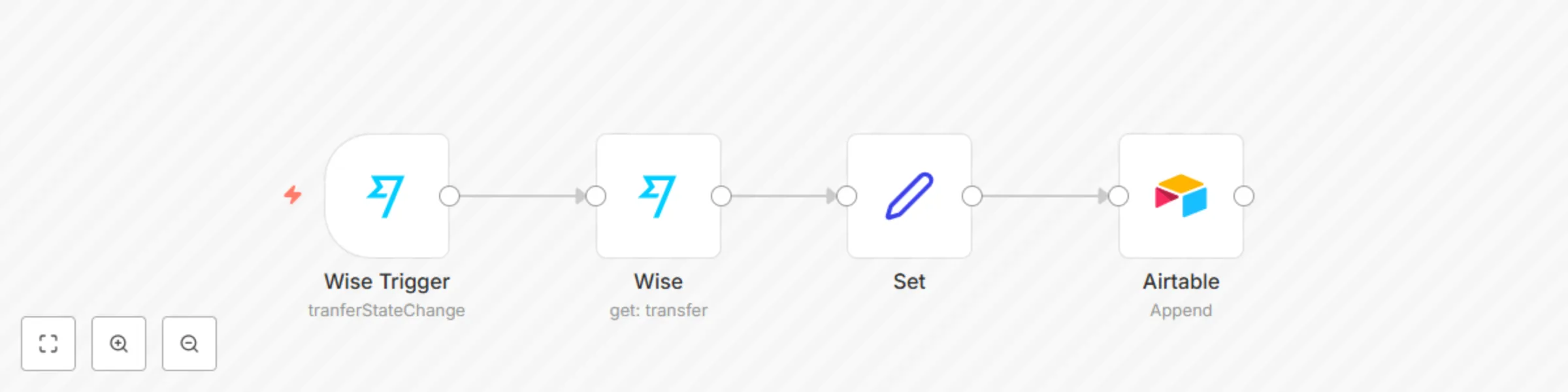
This workflow allows you to receive updates from Wise and add information of a transfer to a base in Airtable.
Wise Trigger node: This node will trigger the workflow when the status of your transfer changes.
Wise node: This node will get the information about the transfer.
Set node: We use the Set node to ensure that only the data that we set in this node gets passed on to the next nodes in the workflow. We set the value of Transfer ID, Date, Reference, and Amount in this node.
Airtable node: This node will append the data that we set in the previous node to a table.