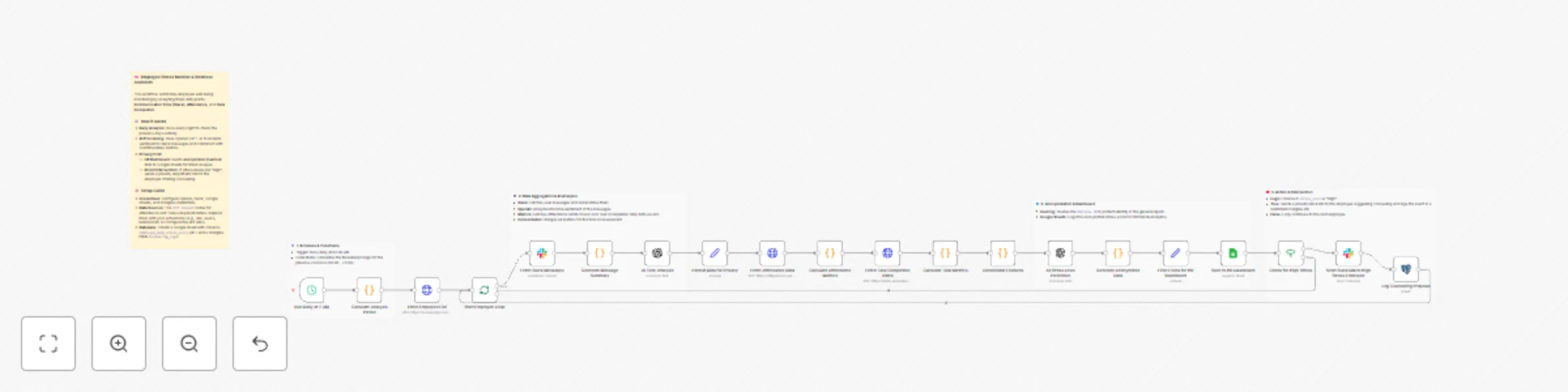
Prevent employee burnout with AI analysis of Slack and tasks data to Google Sheets

Workflow preview

Workflow preview
100%
Prevent employee burnout with AI analysis of Slack and tasks data to Google Sheets preview
Open on n8n.io

Important notice

This workflow is provided as-is. Please review and test before using in production.

1. Workflow Overview

Monitor employee stress levels from Slack and tasks to Google Sheets This workflow functions as an automated "Chief Wellness Officer," helping HR teams and managers prevent employee burnout before ...

Best for

  • HR automation workflows
  • AI Summarization automation workflows
  • advanced n8n builders looking for reusable templates

Tools used

n8n-nodes-base.stickynote, n8n-nodes-base.scheduletrigger, n8n-nodes-base.code, n8n-nodes-base.httprequest, n8n-nodes-base.splitinbatches, n8n-nodes-base.slack, n8n-nodes-base.openai, n8n-nodes-base.set

Source and attribution

This workflow is cataloged by N8N Workflows and links back to its original n8n.io source page by satoshi.

Original n8n.io source

1.1 Workflow description

Title
Prevent employee burnout with AI analysis of Slack and tasks data to Google Sheets
Workflow name
Prevent employee burnout with AI analysis of Slack and tasks data to Google Sheets

Monitor employee stress levels from Slack and tasks to Google Sheets

This workflow functions as an automated "Chief Wellness Officer," helping HR teams and managers prevent employee burnout before it happens. It aggregates data from communication channels and work tools to provide an AI-driven daily assessment of employee well-being, while prioritizing privacy through data anonymization.

Who is this for

  • HR & People Operations Teams wanting to track organizational health trends without invading personal privacy.
  • Remote-first Companies where physical cues of burnout are harder to spot.
  • Team Managers looking for data-backed insights to support their direct reports.

What it does

  1. Daily Trigger: Runs automatically every morning (default: 2 AM) to analyze the previous day's activity.
  2. Data Collection:
    • Fetches public Slack messages to analyze communication tone.
    • Retrieves attendance data (work hours, late arrivals) and task completion rates via API.
  3. AI Analysis: Uses OpenAI to process the data, predicting a "Stress Level" based on sentiment and workload metrics.
  4. Privacy-First Reporting: Hashes employee IDs to anonymize data, then logs stress scores to Google Sheets for trend analysis.
  5. Direct Intervention: If the AI detects "High" stress, it sends a private, empathetic DM to the employee on Slack offering support or counseling resources.

Requirements

  • n8n (Self-hosted or Cloud)
  • Slack Workspace (with a Bot User OAuth Token).
  • OpenAI API Key.
  • Google Sheets (for the dashboard).
  • Postgres (optional, for logging counseling actions).
  • HR/Task Management Tools (e.g., Jira, Asana, BambooHR) accessible via API.

How to set up

  1. Configure Credentials: Set up your credentials for Slack, OpenAI, Google Sheets, and Postgres in n8n.
  2. Prepare Google Sheet: Create a sheet with headers: employee_hash, department, stress_score, stress_level, and analysis_date.
  3. Connect Data Sources:
    • The workflow uses HTTP Request nodes as placeholders for Attendance and Task data. You must update these URLs to point to your specific HRIS or Project Management tool APIs (or replace them with native n8n nodes like Asana or Jira).
  4. Update Slack Settings: Ensure the Slack node has the correct permissions (channels:history, chat:write, users:read) and target channel/user mapping.

How to customize

  • Adjust Sensitivity: Modify the system prompt in the AI Stress Level Prediction node to change how "High" stress is defined.
  • Change Data Sources: Replace the generic HTTP Request nodes with specific n8n nodes for services like Harvest, Jira, or Trello depending on your stack.
  • Modify Action: Instead of a direct DM, you can change the final step to alert a manager or create a ticket in a sensitive HR service desk.

1.2 Logical Blocks

This catalog entry is organized from the workflow JSON. The node-level section below shows the executable blocks available for review before importing the template.

2. Block-by-Block Analysis

Block 1 - Workflow Overview

Type / Role
n8n-nodes-base.stickyNote - stickyNote
Config choices
Version 1

Block 2 - Run Daily at 2 AM

Type / Role
n8n-nodes-base.scheduleTrigger - scheduleTrigger
Config choices
Version 1.2

Block 3 - Note: Schedule

Type / Role
n8n-nodes-base.stickyNote - stickyNote
Config choices
Version 1

Block 4 - Calculate Analysis Period

Type / Role
n8n-nodes-base.code - code
Config choices
Version 2

Block 5 - Note: Period Calculation

Type / Role
n8n-nodes-base.stickyNote - stickyNote
Config choices
Version 1

Block 6 - Fetch Employee List

Type / Role
n8n-nodes-base.httpRequest - httpRequest
Config choices
Version 4.2

Block 7 - Note: Fetch Employees

Type / Role
n8n-nodes-base.stickyNote - stickyNote
Config choices
Version 1

Block 8 - Start Employee Loop

Type / Role
n8n-nodes-base.splitInBatches - splitInBatches
Config choices
Version 3

Block 9 - Fetch Slack Messages

Type / Role
n8n-nodes-base.slack - slack
Config choices
Version 2.1

Block 10 - Generate Message Summary

Type / Role
n8n-nodes-base.code - code
Config choices
Version 2

Block 11 - AI Tone Analysis

Type / Role
n8n-nodes-base.openAi - openAi
Config choices
Version 1

Block 12 - Format Data for Privacy

Type / Role
n8n-nodes-base.set - set
Config choices
Version 3.2

Block 13 - Fetch Attendance Data

Type / Role
n8n-nodes-base.httpRequest - httpRequest
Config choices
Version 4.2

Block 14 - Calculate Attendance Metrics

Type / Role
n8n-nodes-base.code - code
Config choices
Version 2

Block 15 - Fetch Task Completion Rates

Type / Role
n8n-nodes-base.httpRequest - httpRequest
Config choices
Version 4.2

Block 16 - Calculate Task Metrics

Type / Role
n8n-nodes-base.code - code
Config choices
Version 2

Block 17 - Consolidate Features

Type / Role
n8n-nodes-base.code - code
Config choices
Version 2

Block 18 - AI Stress Level Prediction

Type / Role
n8n-nodes-base.openAi - openAi
Config choices
Version 1

Block 19 - Note: Stress Prediction

Type / Role
n8n-nodes-base.stickyNote - stickyNote
Config choices
Version 1

Block 20 - Generate Anonymized Data

Type / Role
n8n-nodes-base.code - code
Config choices
Version 2

Block 21 - Filter Fields for HR Dashboard

Type / Role
n8n-nodes-base.set - set
Config choices
Version 3.2

Block 22 - Save to HR Dashboard

Type / Role
n8n-nodes-base.googleSheets - googleSheets
Config choices
Version 4.5

Block 23 - Check for High Stress

Type / Role
n8n-nodes-base.if - if
Config choices
Version 2

Block 24 - Send Slack DM to High Stress Employee

Type / Role
n8n-nodes-base.slack - slack
Config choices
Version 2.1

Showing the first 24 of 25 workflow blocks. Download the JSON for the full node graph.

3. Summary Table

Workflow Prevent employee burnout with AI analysis of Slack and tasks data to Google Sheets
Complexity advanced
Nodes 25
Categories HR, AI Summarization
Author satoshi
Published 22 Dec 2025

4. Reproducing the Workflow from Scratch

  1. 1. Download the workflow JSON

    Use the JSON export at /data/workflows/12017/12017.json as the source template for this automation.

  2. 2. Import the template into n8n

    Open n8n, import the downloaded JSON, and review each node before activating the workflow.

  3. 3. Configure credentials and variables

    Replace placeholder credentials, API keys, webhook URLs, account IDs, and environment-specific values with your own settings.

  4. 4. Test with sample data

    Run the workflow manually or in a staging workspace, inspect node output, and confirm downstream systems receive the expected data.

  5. 5. Activate and monitor

    Enable the workflow only after testing, then monitor executions, errors, and rate limits during the first production runs.

5. General Notes & Resources

Review imported nodes carefully before activation. This catalog entry is intended to help you inspect the workflow structure, understand required services, and find related templates faster.

Node names, credentials, schedules, webhook paths, and external service limits may need adjustment for your workspace.

Frequently asked questions

What does Prevent employee burnout with AI analysis of Slack and tasks data to Google Sheets do?

Monitor employee stress levels from Slack and tasks to Google Sheets This workflow functions as an automated "Chief Wellness Officer," helping HR teams and managers prevent employee burnout before ...

What do I need before importing this workflow?

Review the workflow JSON, configure any required credentials in n8n, and test the automation in a safe workspace before using it in production.

Can I customize this workflow?

Yes. Use the block-by-block analysis and the downloadable JSON to inspect each node, then adjust credentials, prompts, schedules, filters, or destinations for your HR, AI Summarization use case.