Monitor scheduled workflow health in n8n with automatic trigger checks
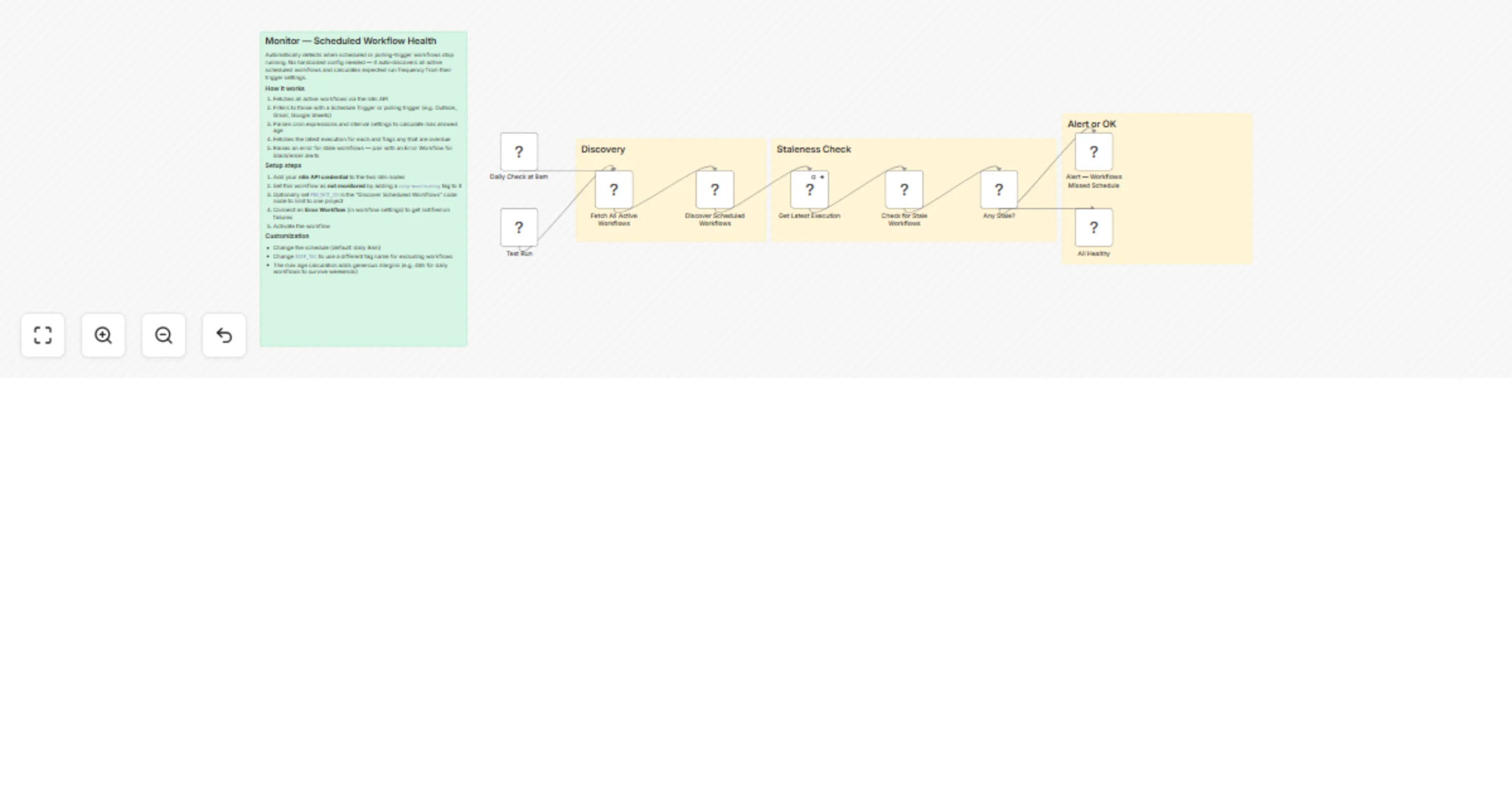
Workflow preview

$20/month : Unlimited workflows
2500 executions/month

THE #1 IN WEB SCRAPING
Scrape any website without limits
HOSTINGER  Early Deal
DISCOUNT 20% Try free
Early DealDISCOUNT 20%
Self-hosted n8n
Unlimited workflows - from $4.99/mo

#1 hub for scraping, AI & automation
6000+ actors - $5 credits/mo
Overview
Automatically detect when your scheduled or polling-trigger workflows stop running. Unlike error handlers that catch failures when workflows execute, this catches the silent killer: workflows that simply never trigger at all — broken schedules, accidental deactivation, or trigger node bugs.
No hardcoded workflow list needed. It auto-discovers every active scheduled workflow and infers the expected run frequency from their trigger configuration.
How it works
- Fetches all active workflows via the n8n API
- Filters to those with a Schedule Trigger or polling trigger (Outlook, Gmail, Google Sheets, IMAP, etc.)
- Parses cron expressions and interval settings to calculate the maximum allowed time since last execution
- Fetches the latest execution for each discovered workflow
- Raises an error listing any workflows that are overdue — pair with an Error Workflow for Slack, email, or other alerts
The max age calculation adds safety margins automatically: daily workflows get 48 hours (to survive weekends), weekly gets 8 days, monthly gets 35 days, and so on.
Setup
- Import the workflow and add your n8n API credential to the two n8n nodes ("Fetch All Active Workflows" and "Get Latest Execution")
- Tag this workflow with
skip-monitoringso it doesn't try to monitor itself - Optionally set
PROJECT_IDin the "Discover Scheduled Workflows" code node to limit monitoring to a specific n8n project - Set an Error Workflow in the workflow settings to receive alerts (e.g. a workflow that sends Slack messages or emails on error)
- Activate the workflow
Customization
- Schedule: Default is daily at 9am. Adjust the Schedule Trigger to your preference.
- Project scope: Set
PROJECT_IDto monitor only one project, or leave empty to monitor all. - Exclude workflows: Tag any workflow with
skip-monitoringto opt it out. - Sensitivity: The cron parser handles minutes, hours, days, weeks, months, weekday-only schedules, and every-N-day patterns. Adjust the
parseCronMaxAgefunction if you need different thresholds.