Match job descriptions with resumes using Google Gemini and log scores to Google Sheets
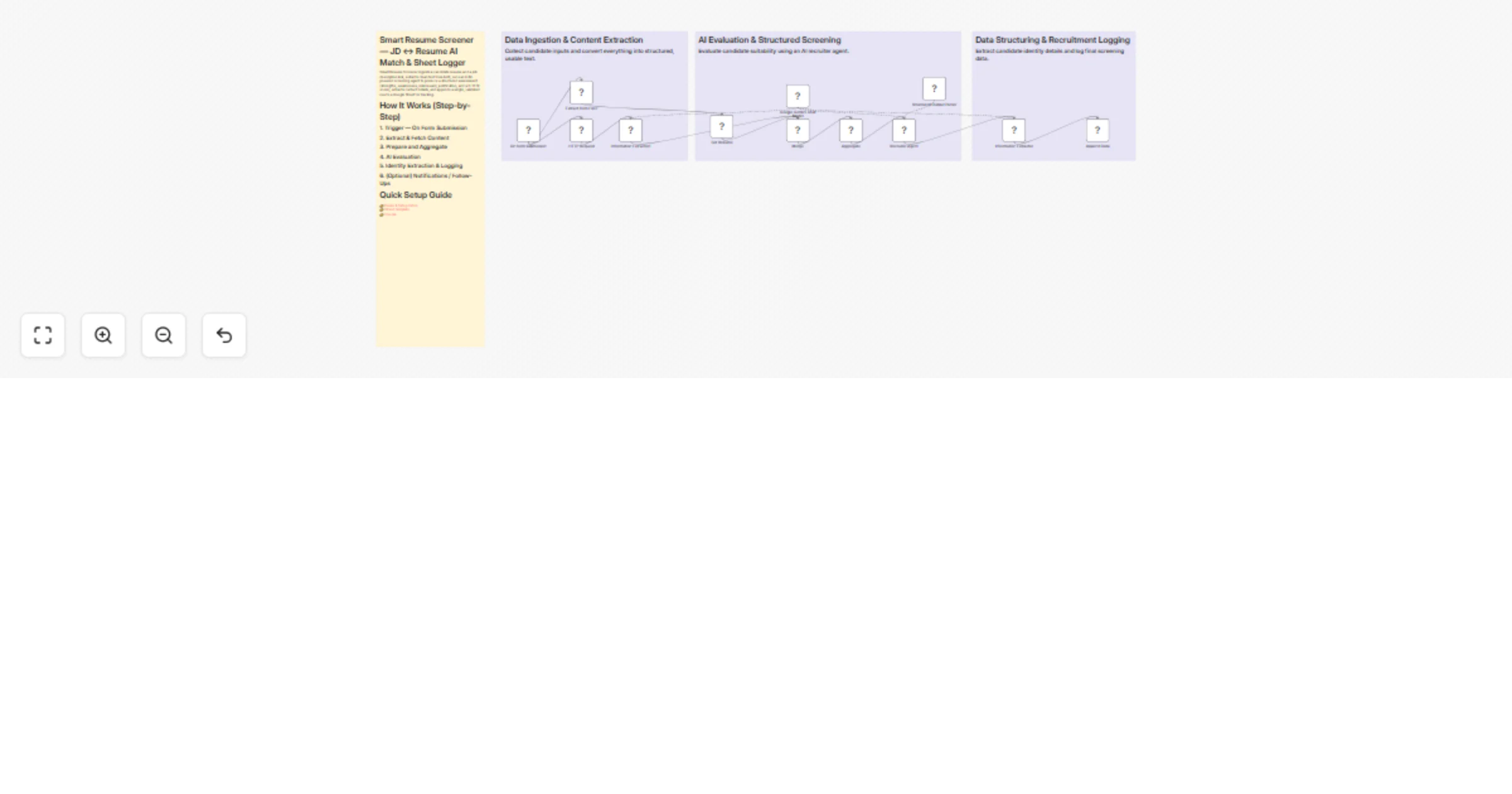
Workflow preview


 Early Deal
DISCOUNT 20%

Overview
Smart Resume Screener — JD ↔ Resume AI Match & Sheet Logger
Smart Resume Screener ingests a candidate resume and a job description link, extracts clean text from both, runs an LLM-powered screening agent to produce a structured assessment (strengths, weaknesses, risk/reward, justification, and a 0–10 fit score), extracts contact details, and appends a single, validated row to a Google Sheet for tracking.
How It Works (Step-by-Step)
1. Trigger — On Form Submission
Public form webhook sends:
- Binary resume file (PDF / DOCX)
- Job Description (JD) URL or text
2. Extract & Fetch Content
Resume Extraction node
Converts the uploaded binary resume into plain text (
data.resume).HTTP Request node
Fetches the JD HTML/text from the provided link.
Job Description Extractor (LLM-driven)
Parses the fetched content into structured JD fields:
Requirements
Responsibilities
Skills
Seniority
etc.
3. Prepare and Aggregate
Set Resume node
Normalizes the resume into a clean JSON object.
Merge/Aggregate node
Builds a single payload containing:
{ "resume": "...", "job_description": "...", "meta": "..." }
4. AI Evaluation
Recruiter Agent (LangChain node, powered by Google Gemini)
Receives aggregated payload
Returns a strict JSON-formatted screening report including:
candidate_strengthscandidate_weaknessesriskrewardoverall_fit_rating(0–10 numeric)justificationStructured Output Parser
Enforces JSON schema
Ensures predictable downstream data
5. Identity Extraction & Logging
Contact Info Extractor
Extracts:
Name
Email
Append to Google Sheets
Writes:
Date
Name
Email
Strengths
Weaknesses
Risk
Reward
Justification
Overall Fit Score
6. (Optional) Notifications / Follow-Ups
- Add Slack / Email / Webhook nodes
- Trigger alerts for high-fit candidates
Quick Setup Guide
👉 Demo & Setup Video 👉 Sheet Template 👉 Course
Nodes of Interest You Can Edit
Trigger — On Form Submission
- Change webhook URL
- Modify accepted form fields
- Add metadata capture (
job_id,source)
Resume Extraction (Extract from File)
- Enable OCR fallback
- Adjust encoding/charset handling
- Replace with third-party resume parser
HTTP Request (Fetch Job Description)
- Configure timeouts
- Add retry policy
- Set headers
- Restrict allowed domains
Job Description Extractor (Information Extractor1)
- Modify extractor prompt/schema
- Add fields like
must_haveandnice_to_have
Set Resume (Prepare Resume)
- Strip headers/footers
- Normalize dates
- Split resume sections
Merge / Aggregate
- Modify payload structure
- Add context fields (
job_id,recruiter_notes,source_platform)
Recruiter Agent (LangChain Agent)
- Edit system/user prompts
- Adjust model temperature
- Modify token limits
- Switch LLM provider
Structured Output Parser
- Update JSON schema
- Add fields like:
experience_yearscertificationsnotice_period
Contact Info Extractor
- Add:
- Phone
- Location
Append to Google Sheets
- Modify column mapping
- Add fields like:
workflow_run_idresume_link
What You’ll Need (Credentials)
- Google Sheets API credentials (OAuth or Service Account)
- Google Drive / Storage credentials (if resumes are stored there)
- LLM provider credentials (e.g., Google Gemini API key/service account)
- (Optional) OCR / Vision API credentials for scanned PDFs
- (Optional) Email / Slack / Teams webhook or SMTP credentials
- Access to public JD URLs (or credentials if behind authentication)
Recommended Settings & Best Practices
- LLM temperature: 0.0–0.3 for consistent output
- Max tokens: 800–1200 for justification (with enforced limits)
- Strict JSON schema: Fail fast on invalid structure
- Retries & timeouts:
- ~10s HTTP timeout
- 2 retries with exponential backoff
- Rate limiting: Protect LLM quotas
- Deduplication: Check existing email or resume hash
- Least privilege: Scope Google service account to target sheet only
- PII handling: Limit exposed fields; encrypt sensitive data if needed
- Schema versioning: Add
schema_versioncolumn - Error logging: Use Catch node with
workflow_run_id - Human review gate: Route borderline scores (6–7) for manual review
Customization Ideas
- Conditional alerts (
overall_fit_rating >= 8) - Multi-model scoring (Gemini + alternative model)
- Automated outreach emails
- ATS integration (Greenhouse, Lever, etc.)
- JD template library
- Multi-language resume routing
- Skill-level mapping (e.g.,
python: 4/5) - Candidate scoring dashboard
- Resume storage with secure links
Troubleshooting — Quick Tips
Resume Extraction Issues
- Validate binary input
- Enable OCR for scanned PDFs
- Check encoding and file type
JD Fetch Failure
- Validate URL reachability
- Add headers (User-Agent)
- Increase timeout
- Provide auth if needed
LLM JSON Errors
- Lower temperature (0–0.2)
- Enforce strict JSON prompt
- Add retry with "fix-json" prompt
- Inspect raw LLM output
Google Sheets Append Fails
- Check credential expiry
- Confirm sheet ID and gid
- Validate column mapping
- Monitor API quota
Duplicate Rows
- Add email-based dedupe logic
- Hash resume content
PII Exposure
- Audit sheet sharing settings
- Use restricted service accounts
Tags / Suggested Listing Fields
- recruiting
- resume-parser
- ai-screening
- langchain
- google-gemini
- google-sheets
- n8n
- ats-integration
- pii-sensitive
- automation