Match job descriptions with resumes using Google Gemini and log scores to Google Sheets

Workflow preview

Workflow preview
100%
Match job descriptions with resumes using Google Gemini and log scores to Google Sheets preview
Open on n8n.io

1. Workflow Overview

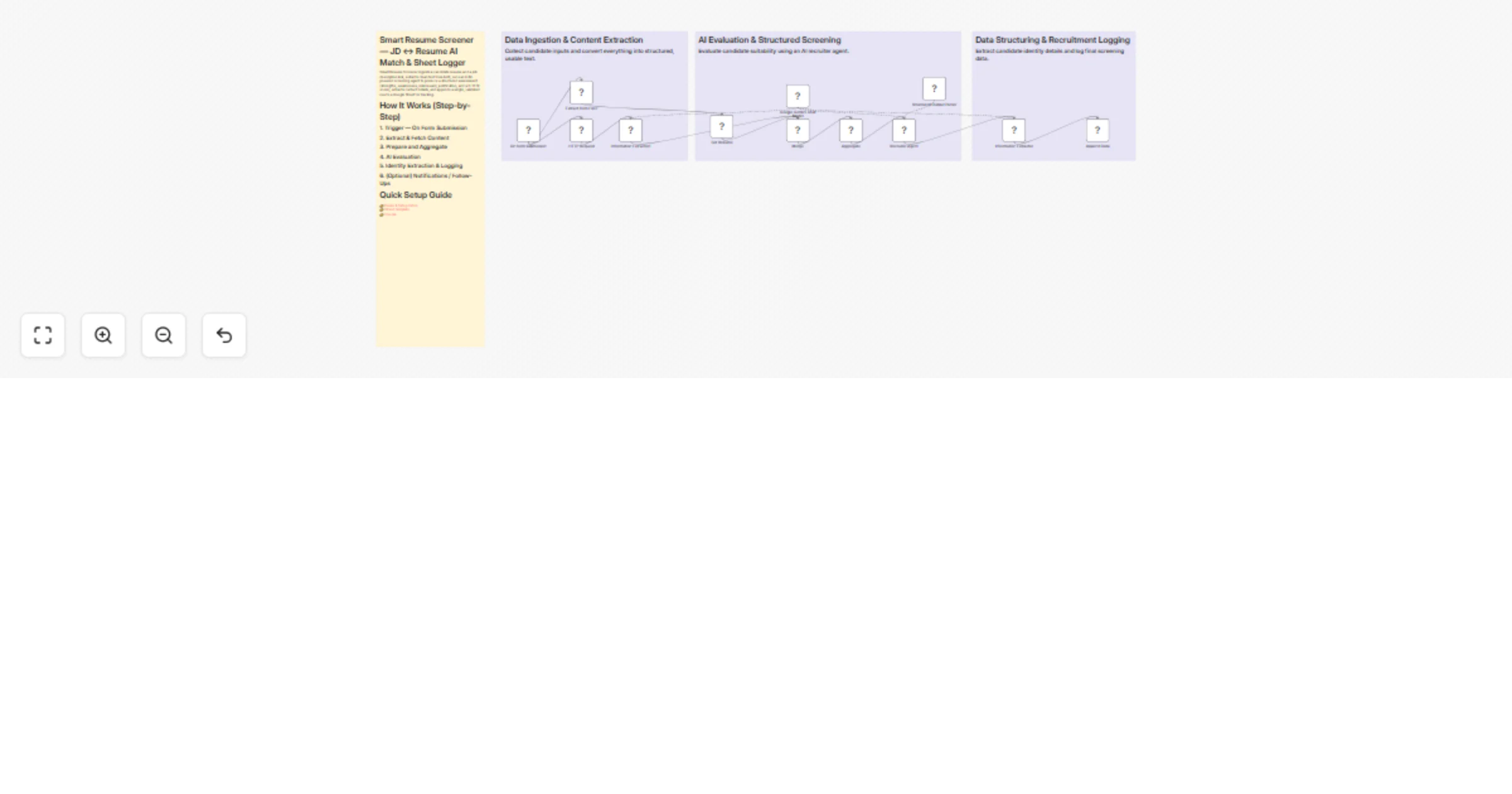
Smart Resume Screener — JD Resume AI Match & Sheet Logger Smart Resume Screener ingests a candidate resume and a job description link, extracts clean text from both, runs an LLM powered screening...

Best for

  • HR automation workflows
  • AI Summarization automation workflows
  • advanced n8n builders looking for reusable templates

Tools used

n8n-nodes-base.set, @n8n/n8n-nodes-langchain.agent, @n8n/n8n-nodes-langchain.outputparserstructured, @n8n/n8n-nodes-langchain.informationextractor, n8n-nodes-base.googlesheets, n8n-nodes-base.extractfromfile, n8n-nodes-base.formtrigger, n8n-nodes-base.httprequest

Source and attribution

This workflow is cataloged by N8N Workflows and links back to its original n8n.io source page by Pratyush Kumar Jha.

Original n8n.io source

1.1 Workflow description

Title
Match job descriptions with resumes using Google Gemini and log scores to Google Sheets
Workflow name
Match job descriptions with resumes using Google Gemini and log scores to Google Sheets

Smart Resume Screener — JD ↔ Resume AI Match & Sheet Logger

Smart Resume Screener ingests a candidate resume and a job description link, extracts clean text from both, runs an LLM-powered screening agent to produce a structured assessment (strengths, weaknesses, risk/reward, justification, and a 0–10 fit score), extracts contact details, and appends a single, validated row to a Google Sheet for tracking.


How It Works (Step-by-Step)

1. Trigger — On Form Submission

Public form webhook sends:

  • Binary resume file (PDF / DOCX)
  • Job Description (JD) URL or text

2. Extract & Fetch Content

  • Resume Extraction node

  • Converts the uploaded binary resume into plain text (data.resume).

  • HTTP Request node

  • Fetches the JD HTML/text from the provided link.

  • Job Description Extractor (LLM-driven)

  • Parses the fetched content into structured JD fields:

  • Requirements

  • Responsibilities

  • Skills

  • Seniority

  • etc.


3. Prepare and Aggregate

  • Set Resume node

  • Normalizes the resume into a clean JSON object.

  • Merge/Aggregate node

  • Builds a single payload containing:

{ "resume": "...", "job_description": "...", "meta": "..." }

4. AI Evaluation

  • Recruiter Agent (LangChain node, powered by Google Gemini)

  • Receives aggregated payload

  • Returns a strict JSON-formatted screening report including:

  • candidate_strengths

  • candidate_weaknesses

  • risk

  • reward

  • overall_fit_rating (0–10 numeric)

  • justification

  • Structured Output Parser

  • Enforces JSON schema

  • Ensures predictable downstream data


5. Identity Extraction & Logging

  • Contact Info Extractor

  • Extracts:

  • Name

  • Email

  • Append to Google Sheets

  • Writes:

  • Date

  • Name

  • Email

  • Strengths

  • Weaknesses

  • Risk

  • Reward

  • Justification

  • Overall Fit Score


6. (Optional) Notifications / Follow-Ups

  • Add Slack / Email / Webhook nodes
  • Trigger alerts for high-fit candidates

Quick Setup Guide

👉 Demo & Setup Video 👉 Sheet Template 👉 Course

Nodes of Interest You Can Edit

Trigger — On Form Submission

  • Change webhook URL
  • Modify accepted form fields
  • Add metadata capture (job_id, source)

Resume Extraction (Extract from File)

  • Enable OCR fallback
  • Adjust encoding/charset handling
  • Replace with third-party resume parser

HTTP Request (Fetch Job Description)

  • Configure timeouts
  • Add retry policy
  • Set headers
  • Restrict allowed domains

Job Description Extractor (Information Extractor1)

  • Modify extractor prompt/schema
  • Add fields like must_have and nice_to_have

Set Resume (Prepare Resume)

  • Strip headers/footers
  • Normalize dates
  • Split resume sections

Merge / Aggregate

  • Modify payload structure
  • Add context fields (job_id, recruiter_notes, source_platform)

Recruiter Agent (LangChain Agent)

  • Edit system/user prompts
  • Adjust model temperature
  • Modify token limits
  • Switch LLM provider

Structured Output Parser

  • Update JSON schema
  • Add fields like:
  • experience_years
  • certifications
  • notice_period

Contact Info Extractor

  • Add:
  • Phone
  • LinkedIn
  • Location

Append to Google Sheets

  • Modify column mapping
  • Add fields like:
  • workflow_run_id
  • resume_link

What You’ll Need (Credentials)

  • Google Sheets API credentials (OAuth or Service Account)
  • Google Drive / Storage credentials (if resumes are stored there)
  • LLM provider credentials (e.g., Google Gemini API key/service account)
  • (Optional) OCR / Vision API credentials for scanned PDFs
  • (Optional) Email / Slack / Teams webhook or SMTP credentials
  • Access to public JD URLs (or credentials if behind authentication)

Recommended Settings & Best Practices

  • LLM temperature: 0.0–0.3 for consistent output
  • Max tokens: 800–1200 for justification (with enforced limits)
  • Strict JSON schema: Fail fast on invalid structure
  • Retries & timeouts:
  • ~10s HTTP timeout
  • 2 retries with exponential backoff
  • Rate limiting: Protect LLM quotas
  • Deduplication: Check existing email or resume hash
  • Least privilege: Scope Google service account to target sheet only
  • PII handling: Limit exposed fields; encrypt sensitive data if needed
  • Schema versioning: Add schema_version column
  • Error logging: Use Catch node with workflow_run_id
  • Human review gate: Route borderline scores (6–7) for manual review

Customization Ideas

  • Conditional alerts (overall_fit_rating >= 8)
  • Multi-model scoring (Gemini + alternative model)
  • Automated outreach emails
  • ATS integration (Greenhouse, Lever, etc.)
  • JD template library
  • Multi-language resume routing
  • Skill-level mapping (e.g., python: 4/5)
  • Candidate scoring dashboard
  • Resume storage with secure links

Troubleshooting — Quick Tips

Resume Extraction Issues

  • Validate binary input
  • Enable OCR for scanned PDFs
  • Check encoding and file type

JD Fetch Failure

  • Validate URL reachability
  • Add headers (User-Agent)
  • Increase timeout
  • Provide auth if needed

LLM JSON Errors

  • Lower temperature (0–0.2)
  • Enforce strict JSON prompt
  • Add retry with "fix-json" prompt
  • Inspect raw LLM output

Google Sheets Append Fails

  • Check credential expiry
  • Confirm sheet ID and gid
  • Validate column mapping
  • Monitor API quota

Duplicate Rows

  • Add email-based dedupe logic
  • Hash resume content

PII Exposure

  • Audit sheet sharing settings
  • Use restricted service accounts

Tags / Suggested Listing Fields

  • recruiting
  • resume-parser
  • ai-screening
  • langchain
  • google-gemini
  • google-sheets
  • n8n
  • ats-integration
  • pii-sensitive
  • automation

1.2 Logical Blocks

This catalog entry is organized from the workflow JSON. The node-level section below shows the executable blocks available for review before importing the template.

2. Block-by-Block Analysis

Block 1 - Set Resume

Type / Role
n8n-nodes-base.set - set
Config choices
Version 3.4

Block 2 - Recruiter Agent

Type / Role
@n8n/n8n-nodes-langchain.agent - agent
Config choices
Version 2

Block 3 - Structured Output Parser

Type / Role
@n8n/n8n-nodes-langchain.outputParserStructured - outputParserStructured
Config choices
Version 1.3

Block 4 - Information Extractor

Type / Role
@n8n/n8n-nodes-langchain.informationExtractor - informationExtractor
Config choices
Version 1.2

Block 5 - Append Data

Type / Role
n8n-nodes-base.googleSheets - googleSheets
Config choices
Version 4.6

Block 6 - Extract from File2

Type / Role
n8n-nodes-base.extractFromFile - extractFromFile
Config choices
Version 1

Block 7 - On form submission

Type / Role
n8n-nodes-base.formTrigger - formTrigger
Config choices
Version 2.3

Block 8 - HTTP Request

Type / Role
n8n-nodes-base.httpRequest - httpRequest
Config choices
Version 4.2

Block 9 - Information Extractor1

Type / Role
@n8n/n8n-nodes-langchain.informationExtractor - informationExtractor
Config choices
Version 1.2

Block 10 - Merge

Type / Role
n8n-nodes-base.merge - merge
Config choices
Version 3.2

Block 11 - Aggregate

Type / Role
n8n-nodes-base.aggregate - aggregate
Config choices
Version 1

Block 12 - Sticky Note

Type / Role
n8n-nodes-base.stickyNote - stickyNote
Config choices
Version 1

Block 13 - Google Gemini Chat Model

Type / Role
@n8n/n8n-nodes-langchain.lmChatGoogleGemini - lmChatGoogleGemini
Config choices
Version 1

Block 14 - Sticky Note1

Type / Role
n8n-nodes-base.stickyNote - stickyNote
Config choices
Version 1

Block 15 - Sticky Note2

Type / Role
n8n-nodes-base.stickyNote - stickyNote
Config choices
Version 1

Block 16 - Sticky Note3

Type / Role
n8n-nodes-base.stickyNote - stickyNote
Config choices
Version 1

3. Summary Table

Workflow Match job descriptions with resumes using Google Gemini and log scores to Google Sheets
Complexity advanced
Nodes 16
Categories HR, AI Summarization
Author Pratyush Kumar Jha
Published 19 Feb 2026

4. Reproducing the Workflow from Scratch

  1. 1. Download the workflow JSON

    Use the JSON export at /data/workflows/13507/13507.json as the source template for this automation.

  2. 2. Import the template into n8n

    Open n8n, import the downloaded JSON, and review each node before activating the workflow.

  3. 3. Configure credentials and variables

    Replace placeholder credentials, API keys, webhook URLs, account IDs, and environment-specific values with your own settings.

  4. 4. Test with sample data

    Run the workflow manually or in a staging workspace, inspect node output, and confirm downstream systems receive the expected data.

  5. 5. Activate and monitor

    Enable the workflow only after testing, then monitor executions, errors, and rate limits during the first production runs.

5. General Notes & Resources

Review imported nodes carefully before activation. This catalog entry is intended to help you inspect the workflow structure, understand required services, and find related templates faster.

Node names, credentials, schedules, webhook paths, and external service limits may need adjustment for your workspace.

Frequently asked questions

What does Match job descriptions with resumes using Google Gemini and log scores to Google Sheets do?

Smart Resume Screener — JD Resume AI Match & Sheet Logger Smart Resume Screener ingests a candidate resume and a job description link, extracts clean text from both, runs an LLM powered screening...

What do I need before importing this workflow?

Review the workflow JSON, configure any required credentials in n8n, and test the automation in a safe workspace before using it in production.

Can I customize this workflow?

Yes. Use the block-by-block analysis and the downloadable JSON to inspect each node, then adjust credentials, prompts, schedules, filters, or destinations for your HR, AI Summarization use case.