Generate, retrieve and download a report using the SecurityScorecard
Workflow preview


 Early Deal
DISCOUNT 20%

Important notice
This workflow is provided as-is. Please review and test before using in production.
Overview
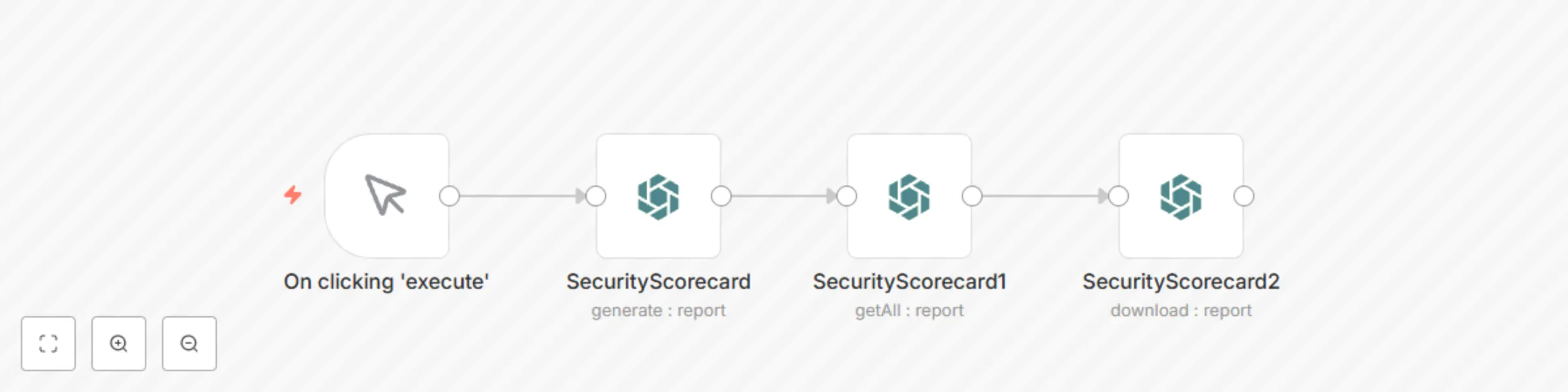
This workflow allows you to generate, retrieve and download a report using the SecurityScorecard node.
SecurityScorecard node: This node generates a full scorecard report. Based on your use-case, you can generate other type of report.
SecurityScorecard1 node: This node fetches the latest report from SecurirtScoredcard. Toggle Return All to true to return all the reports.
SecurityScorecard2 node: This node downloads the report that got fetched from the previous node.
Based on your use-case, you can either store this report in Dropbox, Google Drive etc. or email it using the Gmail node, Send Email node or the Microsoft Outlook node.
You can replace the Strat node with the Cron node to trigger the workflow on a regurlar interval.