Detect WooCommerce order fraud and send alerts to Slack

Workflow preview

Workflow preview
100%
Detect WooCommerce order fraud and send alerts to Slack preview
Open on n8n.io

1. Workflow Overview

WooCommerce Fraud Detection & Slack Alert Workflow This workflow automatically monitors WooCommerce orders, evaluates them for fraud using multiple checks (address mismatch, high value orders, susp...

Best for

  • SecOps automation workflows
  • AI Summarization automation workflows
  • advanced n8n builders looking for reusable templates

Tools used

n8n-nodes-base.scheduletrigger, n8n-nodes-base.woocommerce, n8n-nodes-base.set, n8n-nodes-base.if, n8n-nodes-base.merge, n8n-nodes-base.code, n8n-nodes-base.slack, n8n-nodes-base.stickynote

Source and attribution

This workflow is cataloged by N8N Workflows and links back to its original n8n.io source page by WeblineIndia.

Original n8n.io source

1.1 Workflow description

Title
Detect WooCommerce order fraud and send alerts to Slack
Workflow name
Detect WooCommerce order fraud and send alerts to Slack

WooCommerce Fraud Detection & Slack Alert Workflow

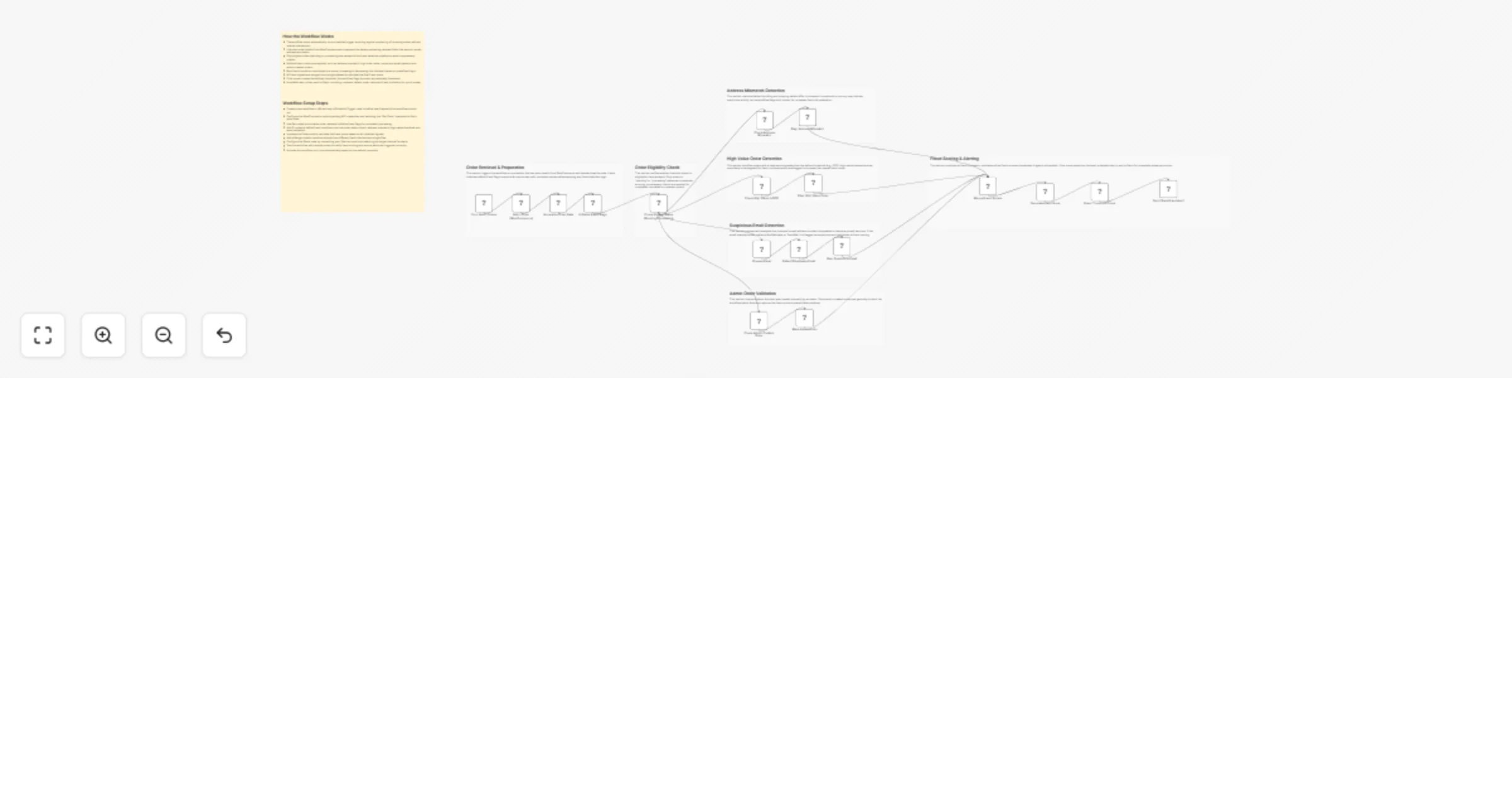
This workflow automatically monitors WooCommerce orders, evaluates them for fraud using multiple checks (address mismatch, high-value orders, suspicious emails, admin orders), calculates a fraud score and sends alerts to Slack when risk is detected.

Quick Implementation Steps

  1. Import the workflow JSON into n8n
  2. Configure WooCommerce API credentials
  3. Set up Slack API credentials and channel
  4. Adjust fraud rules (amount threshold, email regex, etc.)
  5. Test with sample order data
  6. Activate the workflow

What It Does

This workflow automates fraud detection for WooCommerce orders by applying multiple validation checks and assigning a fraud score. It starts with scheduled execution, fetches order data and prepares it for evaluation by extracting key details such as billing information, order value and customer email.

Once the data is prepared, the workflow applies a series of fraud detection rules. These include checking whether billing and shipping details mismatch, identifying high-value orders, detecting suspicious or disposable email addresses and verifying if the order was created by an admin. Each condition contributes to a fraud score based on predefined logic.

Finally, all signals are merged and a fraud score is calculated. If the score crosses the defined threshold, a detailed alert is sent to a Slack channel with complete order and risk information, enabling quick manual review and action.

Who’s It For

  • eCommerce store owners using WooCommerce
  • Fraud prevention and risk management teams
  • Operations teams handling order validation
  • Developers building automation workflows in n8n
  • Businesses wanting real-time fraud alerts in Slack

Requirements to Use This Workflow

  • n8n instance (self-hosted or cloud)
  • WooCommerce store with API access enabled
  • WooCommerce API credentials configured in n8n
  • Slack workspace with API credentials
  • Slack channel ID for sending alerts
  • Basic understanding of n8n nodes and workflows

How It Works & Set Up

Setup Instructions

  1. Import the workflow JSON into your n8n workspace
  2. Configure the Schedule Trigger node to define execution frequency
  3. Set up the WooCommerce node:
  • Add API credentials
  • Ensure correct store URL
  • Modify orderId if needed
  1. Configure Slack node:
  • Connect Slack API credentials
  • Select or update the target channel
  1. Review Set nodes:
  • Ensure fields like email, total and address are correctly mapped
  1. Validate IF conditions:
  • Status check (pending/processing)
  • Address mismatch logic
  • High-value threshold (default: 500)
  • Email regex for disposable domains
  1. Review Code node logic:
  • Fraud score calculation rules
  • Adjust scoring weights if needed
  1. Test the workflow:
  • Use sample order data
  • Verify Slack alert output
  1. Activate the workflow for automatic execution

How To Customize Nodes

  • Check High Value (>500) Modify the threshold value to match your business needs

  • Detect Disposable Email Update regex pattern to include more domains

  • Calculate Fraud Score (Code Node) Adjust scoring logic:

if ($json.high_value_order) score += 3;
  • Fraud Threshold Check Change minimum score required to trigger alerts

  • Slack Message Node Customize alert message format and included fields

Add-ons (Enhancements)

  • Store fraud results in a database (MySQL, MongoDB, etc.)
  • Automatically cancel or hold suspicious orders via WooCommerce API
  • Send email alerts in addition to Slack notifications
  • Add IP geolocation checks for advanced fraud detection
  • Integrate with third-party fraud detection APIs
  • Add risk categorization (Low / Medium / High)

Use Case Examples

  • Detect high-value fraudulent orders before fulfillment
  • Identify mismatched shipping addresses for manual review
  • Flag orders using disposable or temporary email addresses
  • Monitor admin-created orders to reduce internal misuse risk
  • Real-time fraud alerts for operations teams via Slack

> There can be many more use cases depending on how you extend and customize this workflow.

Troubleshooting Guide

Issue Possible Cause Solution
No orders fetched Incorrect WooCommerce credentials Verify API keys and store URL
Slack message not sent Wrong Slack credentials or channel ID Reconnect Slack and check channel
Fraud score always 0 Conditions not triggering Verify IF node logic and data mapping
Email detection not working Regex not matching Update regex pattern
Workflow not running Schedule trigger not configured Set interval correctly and activate workflow

Need Help?

If you need assistance setting up this workflow, customizing fraud rules or adding advanced features, our n8n workflow development team at WeblineIndia is here to help.

We can help you:

  • Customize this workflow for your business needs
  • Integrate with external systems and APIs
  • Build advanced fraud detection logic
  • Create fully automated eCommerce workflows

👉 Reach out to WeblineIndia for expert support and tailored automation solutions.

1.2 Logical Blocks

This catalog entry is organized from the workflow JSON. The node-level section below shows the executable blocks available for review before importing the template.

2. Block-by-Block Analysis

Block 1 - Cron: Fetch Orders

Type / Role
n8n-nodes-base.scheduleTrigger - scheduleTrigger
Config choices
Version 1.2

Block 2 - Fetch Order (WooCommerce)

Type / Role
n8n-nodes-base.wooCommerce - wooCommerce
Config choices
Version 1

Block 3 - Normalize Order Data

Type / Role
n8n-nodes-base.set - set
Config choices
Version 3.4

Block 4 - Initialize Fraud Flags

Type / Role
n8n-nodes-base.set - set
Config choices
Version 3.4

Block 5 - Check Eligible Status (Pending/Processing)

Type / Role
n8n-nodes-base.if - if
Config choices
Version 2.2

Block 6 - Check Address Mismatch

Type / Role
n8n-nodes-base.if - if
Config choices
Version 2.2

Block 7 - Flag: Address Mismatch

Type / Role
n8n-nodes-base.set - set
Config choices
Version 3.4

Block 8 - Check High Value (>500)

Type / Role
n8n-nodes-base.if - if
Config choices
Version 2.2

Block 9 - Flag: High Value Order

Type / Role
n8n-nodes-base.set - set
Config choices
Version 3.4

Block 10 - Prepare Email

Type / Role
n8n-nodes-base.set - set
Config choices
Version 3.4

Block 11 - Detect Disposable Email

Type / Role
n8n-nodes-base.if - if
Config choices
Version 2.2

Block 12 - Flag: Suspicious Email

Type / Role
n8n-nodes-base.set - set
Config choices
Version 3.4

Block 13 - Check Admin Created Order

Type / Role
n8n-nodes-base.if - if
Config choices
Version 2.2

Block 14 - Mark Admin Order

Type / Role
n8n-nodes-base.set - set
Config choices
Version 3.4

Block 15 - Merge Fraud Signals

Type / Role
n8n-nodes-base.merge - merge
Config choices
Version 3.2

Block 16 - Calculate Fraud Score

Type / Role
n8n-nodes-base.code - code
Config choices
Version 2

Block 17 - Fraud Threshold Check

Type / Role
n8n-nodes-base.if - if
Config choices
Version 2.2

Block 18 - Send Slack Fraud Alert

Type / Role
n8n-nodes-base.slack - slack
Config choices
Version 2.3

Block 19 - Sticky Note

Type / Role
n8n-nodes-base.stickyNote - stickyNote
Config choices
Version 1

Block 20 - Sticky Note1

Type / Role
n8n-nodes-base.stickyNote - stickyNote
Config choices
Version 1

Block 21 - Sticky Note2

Type / Role
n8n-nodes-base.stickyNote - stickyNote
Config choices
Version 1

Block 22 - Sticky Note3

Type / Role
n8n-nodes-base.stickyNote - stickyNote
Config choices
Version 1

Block 23 - Sticky Note4

Type / Role
n8n-nodes-base.stickyNote - stickyNote
Config choices
Version 1

Block 24 - Sticky Note5

Type / Role
n8n-nodes-base.stickyNote - stickyNote
Config choices
Version 1

Showing the first 24 of 26 workflow blocks. Download the JSON for the full node graph.

3. Summary Table

Workflow Detect WooCommerce order fraud and send alerts to Slack
Complexity advanced
Nodes 26
Categories SecOps, AI Summarization
Author WeblineIndia
Published 08 Apr 2026

4. Reproducing the Workflow from Scratch

  1. 1. Download the workflow JSON

    Use the JSON export at /data/workflows/14897/14897.json as the source template for this automation.

  2. 2. Import the template into n8n

    Open n8n, import the downloaded JSON, and review each node before activating the workflow.

  3. 3. Configure credentials and variables

    Replace placeholder credentials, API keys, webhook URLs, account IDs, and environment-specific values with your own settings.

  4. 4. Test with sample data

    Run the workflow manually or in a staging workspace, inspect node output, and confirm downstream systems receive the expected data.

  5. 5. Activate and monitor

    Enable the workflow only after testing, then monitor executions, errors, and rate limits during the first production runs.

5. General Notes & Resources

Review imported nodes carefully before activation. This catalog entry is intended to help you inspect the workflow structure, understand required services, and find related templates faster.

Node names, credentials, schedules, webhook paths, and external service limits may need adjustment for your workspace.

Frequently asked questions

What does Detect WooCommerce order fraud and send alerts to Slack do?

WooCommerce Fraud Detection & Slack Alert Workflow This workflow automatically monitors WooCommerce orders, evaluates them for fraud using multiple checks (address mismatch, high value orders, susp...

What do I need before importing this workflow?

Review the workflow JSON, configure any required credentials in n8n, and test the automation in a safe workspace before using it in production.

Can I customize this workflow?

Yes. Use the block-by-block analysis and the downloadable JSON to inspect each node, then adjust credentials, prompts, schedules, filters, or destinations for your SecOps, AI Summarization use case.