Block 1 - If1
- Type / Role
- n8n-nodes-base.if - if
- Config choices
- Version 2.3


 Early Deal
️ Disclaimer: I am not a cybersecurity expert . This workflow was built through research and with the assistance of an LLM (Claude Opus 4.6). While it implements well established security pat...
n8n-nodes-base.if, @n8n/n8n-nodes-langchain.agent, @n8n/n8n-nodes-langchain.lmchatopenai, n8n-nodes-base.respondtowebhook, n8n-nodes-base.code, n8n-nodes-base.crypto, n8n-nodes-base.stickynote, n8n-nodes-base.webhook
This workflow is cataloged by N8N Workflows and links back to its original n8n.io source page by Dataki.
Original n8n.io source> I am not a cybersecurity expert. This workflow was built through research and with the assistance of an LLM (Claude Opus 4.6). While it implements well-established security patterns (HMAC-SHA256, timing-safe comparison, replay protection, strict payload validation), please review the logic carefully and ensure it meets your own security requirements before deploying it in production.
This template is for anyone exposing an n8n workflow via webhook and wanting to ensure that only authenticated, untampered requests are processed.
Public webhooks are vulnerable by default. Without proper verification, anyone who discovers your URL can send forged requests, replay old ones, or inject unexpected parameters. While n8n's built-in Webhook authentication modes (Basic Auth, Header Auth, JWT) verify who is calling, they don't verify that the payload hasn't been altered, that the request is fresh, or that the data structure matches what you expect. This template adds those missing layers:
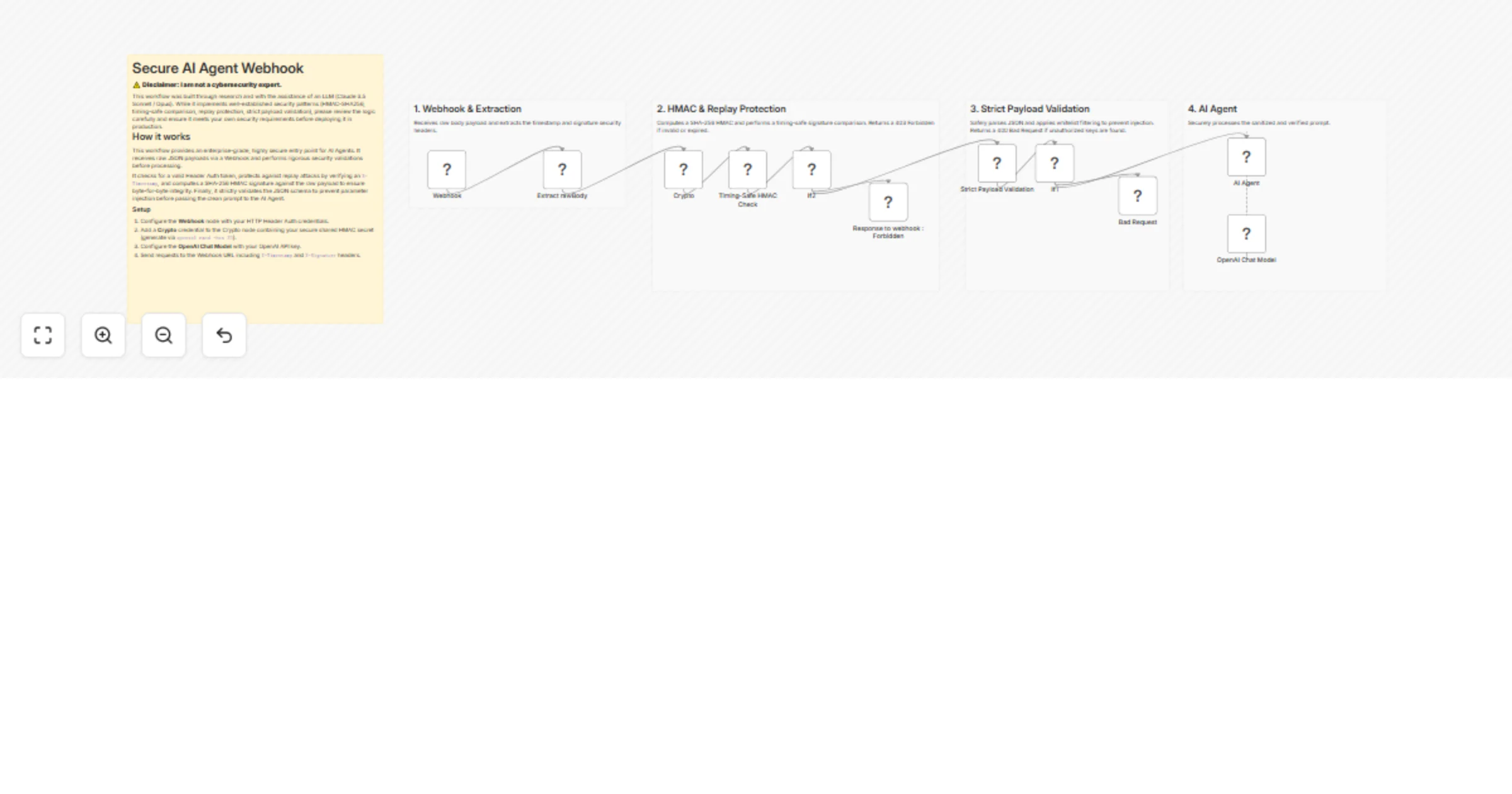
The workflow chains six security layers before any business logic runs:
{timestamp}.{rawBody} using your HMAC secretcrypto.timingSafeEqual()Invalid requests are immediately rejected with 403 Forbidden (signature/timestamp failure) or 400 Bad Request (payload validation failure), with no response body to avoid leaking internal logic.
The included example protects an AI Agent endpoint that expects a simple {"prompt": "..."} payload. But this is just a starting point — replace the AI Agent with any node and adapt the payload validation to your own schema.
Common adaptations:
This workflow is a solid starting point — it's more secure than a raw exposed webhook.
However, it focuses on application-level security (authentication, integrity, replay protection, payload sanitization).
For a production-grade setup, consider adding layers at the infrastructure level :
This catalog entry is organized from the workflow JSON. The node-level section below shows the executable blocks available for review before importing the template.
| Workflow | Secure AI agent webhook with HMAC, replay protection, and OpenAI GPT-5 |
|---|---|
| Complexity | advanced |
| Nodes | 16 |
| Categories | SecOps, AI Chatbot |
| Author | Dataki |
| Published | 30 Mar 2026 |
Use the JSON export at /data/workflows/14486/14486.json as the source template for this automation.
Open n8n, import the downloaded JSON, and review each node before activating the workflow.
Replace placeholder credentials, API keys, webhook URLs, account IDs, and environment-specific values with your own settings.
Run the workflow manually or in a staging workspace, inspect node output, and confirm downstream systems receive the expected data.
Enable the workflow only after testing, then monitor executions, errors, and rate limits during the first production runs.
Review imported nodes carefully before activation. This catalog entry is intended to help you inspect the workflow structure, understand required services, and find related templates faster.
Node names, credentials, schedules, webhook paths, and external service limits may need adjustment for your workspace.
️ Disclaimer: I am not a cybersecurity expert . This workflow was built through research and with the assistance of an LLM (Claude Opus 4.6). While it implements well established security pat...
Review the workflow JSON, configure any required credentials in n8n, and test the automation in a safe workspace before using it in production.
Yes. Use the block-by-block analysis and the downloadable JSON to inspect each node, then adjust credentials, prompts, schedules, filters, or destinations for your SecOps, AI Chatbot use case.