Generate business lists from Google Maps search to Sheets or Excel with Serper
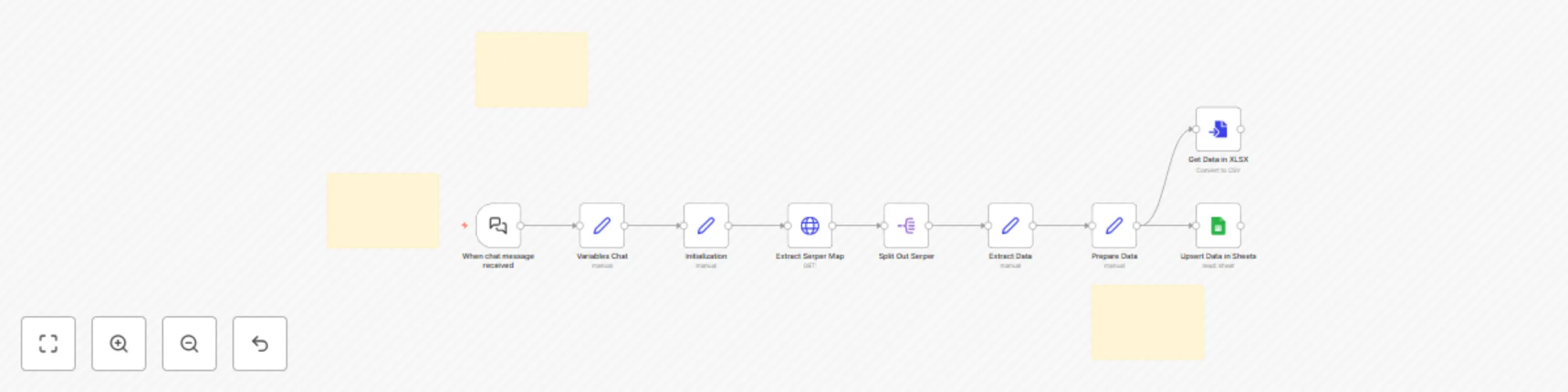
Workflow preview

$20/month : Unlimited workflows
2500 executions/month

THE #1 IN WEB SCRAPING
Scrape any website without limits
HOSTINGER  Early Deal
DISCOUNT 20% Try free
Early DealDISCOUNT 20%
Self-hosted n8n
Unlimited workflows - from $4.99/mo

#1 hub for scraping, AI & automation
6000+ actors - $5 credits/mo
Important notice
This workflow is provided as-is. Please review and test before using in production.
Overview
Who is this for
This workflow is ideal for lead generation agencies, researchers, and small business owners who need to quickly collect and analyze company data from search results and save them into Google Sheets for further use.
What problem is this workflow solving
Manually searching for companies, compiling them into a list, and formatting them into spreadsheets is time-consuming and error-prone. This workflow automates that process-taking a search request, finding relevant companies, and organizing the data into a ready-to-use format in Google Sheets or downloadable Excel.
What this workflow does
- Takes a user’s search query via chat
- Scrapes company data from Google Maps based on that query
- Returns the results in a downloadable Excel file
- Saves the same data to a connected Google Sheets document for easy access and sharing.
Setup
- Add your credentials:
- Gogle Sheets
- Serper
- Run the workflow and enter your search request in the chat interface
- Retrieve your results from either:
- The Get XLSX node as an Excel file
- The linked Google Sheets file (copy Column Names from XLSX File to Google Sheets)
- Test the bot by sending a search query (e.g., "coffee shops in Berlin") - the bot will return the results automatically.