Generate AI-Powered LinkedIn Posts with Google Gemini and Gen-Imager
Workflow preview


 Early Deal
DISCOUNT 20%

Important notice
This workflow is provided as-is. Please review and test before using in production.
Overview
🚀 AI-Powered LinkedIn Post Automation
🧩 How It Works
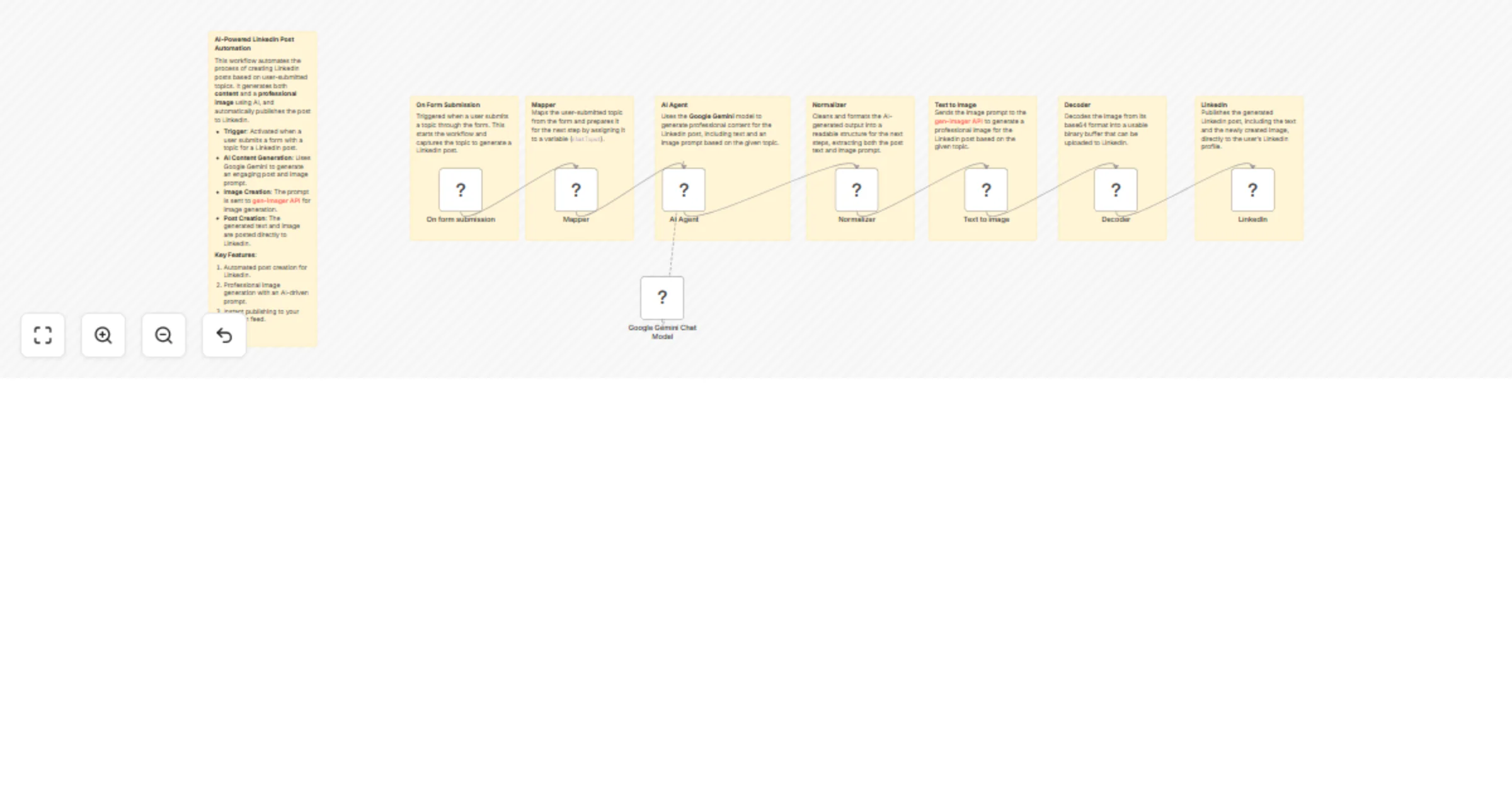
This workflow automatically generates LinkedIn posts based on a user-submitted topic, including both content creation and image generation, then publishes the post to LinkedIn. Ideal for marketers, content creators, or businesses looking to streamline their social media activity, without the need for manual post creation.
High-Level Workflow:
- Trigger: The workflow is triggered when a user submits a form with a topic for the LinkedIn post.
- Data Mapping: The topic is mapped and prepared for the AI model.
- AI Content Generation: Calls the Google Gemini AI model to generate engaging post content and a visual image prompt.
- Image Creation: Sends the image prompt to the external API, gen-imager, to generate a professional image matching the topic.
- Post Creation: Publishes the text and image to LinkedIn, automatically updating the user's feed.
⚙️ Set Up Steps (Quick Overview)
🕐 Estimated Setup Time: ~10–20 minutes
- Connect Google Gemini: Set up your Google Gemini API credentials to interact with the AI model for content creation.
- Set Up External Image API: Configure the external image generation API (gen-imager API) for visual creation based on the post prompt.
- Connect LinkedIn: Set up OAuth2 credentials to authenticate your LinkedIn account and allow publishing posts.
- Form Submission Setup: Create a simple web form for users to submit the topic for LinkedIn posts.
- Activate the Workflow: Once everything is connected, activate the workflow. It will trigger automatically upon receiving form submissions.
💡 Important Notes:
- The flow uses Google Gemini (PaLM) for generating content based on the user's topic.
- Text to Image: The image generation process involves creating a professional, LinkedIn-appropriate image based on the post’s topic using the gen-imager API.
- You can customize the visual elements of the posts and adjust the tone of the generated content based on preferences.
🛠 Detailed Node Breakdown:
On Form Submission
- Trigger: Captures the user-submitted topic and initializes the workflow.
- Action: Start the process by gathering the topic information.
Mapper (Field Mapping)
- Action: Maps the captured topic to a variable that is passed along for content generation.
AI Agent (Content Generation)
- Action: Calls Google Gemini to generate professional LinkedIn post content and an image prompt based on the submitted topic.
- Key: Outputs content in a structured form — post text and image prompt.
Google Gemini Chat Model
- Action: AI model that generates actionable insights, engaging copy, and an image prompt for LinkedIn post.
Normalizer (Data Cleanup)
- Action: Cleans the output from the AI model to ensure the content and image prompt are correctly formatted for use in the next steps.
Text to Image (Image Generation)
- Action: Sends the image prompt to the gen-imager API, which returns a custom image based on the post's topic.
Decoder (Base64 Decoding)
- Action: Decodes the image from base64 format for easier uploading to LinkedIn.
LinkedIn (Post Creation)
- Action: Publishes the generated text and image to LinkedIn, automatically creating a polished post for the user’s feed.
⏱ Execution Time Breakdown:
- Total Estimated Execution Time: ~15–40 seconds per workflow run.
- On Form Submission: Instant (Trigger)
- Mapper (Field Mapping): ~1–2 seconds
- AI Content Generation: ~5–10 seconds (depending on server load)
- Text to Image: ~5–15 seconds (depends on external API)
- LinkedIn Post Creation: ~2–5 seconds
🚀 Ready to Get Started?
Let’s get you started with automating your LinkedIn posts!
Create your free n8n account and set up the workflow using this link.
📝 Notes & Customizations
- Form Fields: Customize the form to gather more specific information for the LinkedIn posts (like audience targeting, post category, etc.).
- Image API Customization: Adjust the image generation prompt to fit your brand’s style, or change the color palette as needed.
- Content Tone: The tone can be adjusted by modifying the system message sent to Google Gemini for content generation.