Promote calendar events with OpenAI graphics to LinkedIn, X, and Facebook

Workflow preview

Workflow preview
100%
Promote calendar events with OpenAI graphics to LinkedIn, X, and Facebook preview
Open on n8n.io

1. Workflow Overview

Never let an event go unpromoted. This workflow monitors your Google Calendar, generates branded promotional graphics, and schedules a staggered social media countdown across LinkedIn, Twitter/X, a...

Best for

  • Social Media automation workflows
  • Multimodal AI automation workflows
  • advanced n8n builders looking for reusable templates

Tools used

n8n-nodes-base.stickynote, n8n-nodes-base.googlecalendartrigger, n8n-nodes-base.code, n8n-nodes-base.if, n8n-nodes-base.httprequest, n8n-nodes-base.editimage, n8n-nodes-base.datetime, n8n-nodes-base.splitinbatches

Source and attribution

This workflow is cataloged by N8N Workflows and links back to its original n8n.io source page by Jitesh Dugar.

Original n8n.io source

1.1 Workflow description

Title
Promote calendar events with OpenAI graphics to LinkedIn, X, and Facebook
Workflow name
Promote calendar events with OpenAI graphics to LinkedIn, X, and Facebook

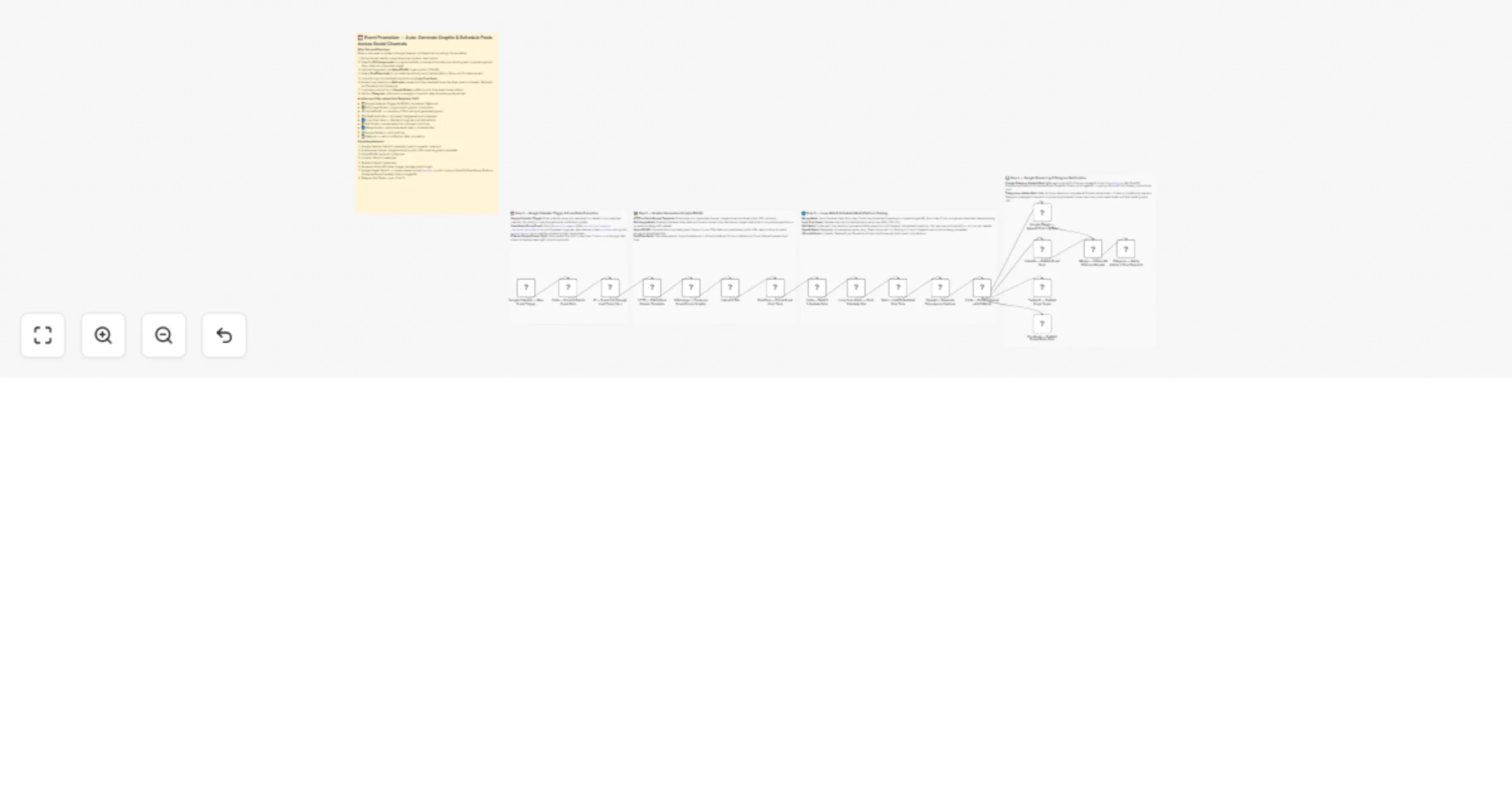
Never let an event go unpromoted. This workflow monitors your Google Calendar, generates branded promotional graphics, and schedules a staggered social media countdown across LinkedIn, Twitter/X, and Facebook.


๐ŸŽฏ What This Workflow Does

This template automates the full lifecycle of event promotionโ€”from creation to multi-platform publishing.


๐Ÿ“… Step 1 โ€” Calendar Trigger & Intelligence

  • Instant Trigger: Fires when a new event is created in Google Calendar
  • Data Enrichment: Extracts title, location, and formatted date/time
  • Safety Gate: Skips events starting in less than 2 hours

๐Ÿ–ผ๏ธ Step 2 โ€” Programmatic Design & CDN Hosting

  • Dynamic Graphic Creation: Uses Edit Image node to overlay event details on a banner
  • CDN Hosting: Uploads the image via UploadToURL to generate a public URL
  • Schedule Calculation: Sets post timings at 48h, 24h, and 1h before the event

๐Ÿ” Step 3 โ€” Staggered Countdown & AI Copy

  • Loop Execution: Iterates through each scheduled post time
  • Smart Wait: Delays execution until the exact posting time
  • AI Captions: Generates time-based captions using OpenAI

๐Ÿ“Š Step 4 โ€” Audit Logging & Admin Alerts

  • Google Sheets Log: Stores platform status and image URLs for each post
  • Telegram Alerts: Sends a final campaign summary to the admin

โœจ Key Features

  • Automated Graphic Design: Creates visuals for every event
  • Persistent Wait Logic: Handles long delays within a single workflow
  • Multi-Platform Posting: Publishes to LinkedIn, Twitter/X, and Facebook
  • CDN Media Bridge: UploadToURL ensures valid public image URLs

๐Ÿ”ง Setup Requirements

Required Integrations

  • Google Calendar: OAuth2 credentials
  • Social Platforms: LinkedIn, Twitter/X, Facebook Page credentials
  • OpenAI: API key for captions
  • Google Sheets: Sheet for logging
  • UploadToURL: API key
  • Telegram: Bot token and chat ID

Required Assets

  • Public URL of your base banner template image

Automate your event marketing. Import this template and connect your Google Calendar to start promoting events effortlessly!

1.2 Logical Blocks

This catalog entry is organized from the workflow JSON. The node-level section below shows the executable blocks available for review before importing the template.

2. Block-by-Block Analysis

Block 1 - ๐Ÿ“‹ MAIN โ€” Workflow Overview

Type / Role
n8n-nodes-base.stickyNote - stickyNote
Config choices
Version 1

Block 2 - ๐Ÿ“ Note โ€” Calendar Trigger & Event Parse

Type / Role
n8n-nodes-base.stickyNote - stickyNote
Config choices
Version 1

Block 3 - ๐Ÿ“ Note โ€” Edit Image, Upload & Schedule Calc

Type / Role
n8n-nodes-base.stickyNote - stickyNote
Config choices
Version 1

Block 4 - ๐Ÿ“ Note โ€” Merge, Loop, Wait & Post

Type / Role
n8n-nodes-base.stickyNote - stickyNote
Config choices
Version 1

Block 5 - ๐Ÿ“ Note โ€” Sheets Log & Telegram Notify

Type / Role
n8n-nodes-base.stickyNote - stickyNote
Config choices
Version 1

Block 6 - Google Calendar โ€” New Event Trigger

Type / Role
n8n-nodes-base.googleCalendarTrigger - googleCalendarTrigger
Config choices
Version 1

Block 7 - Code โ€” Parse & Enrich Event Data

Type / Role
n8n-nodes-base.code - code
Config choices
Version 2

Block 8 - IF โ€” Event Has Enough Lead Time (2h+)

Type / Role
n8n-nodes-base.if - if
Config choices
Version 2

Block 9 - HTTP โ€” Fetch Base Banner Template

Type / Role
n8n-nodes-base.httpRequest - httpRequest
Config choices
Version 4.2

Block 10 - Edit Image โ€” Compose Event Promo Graphic

Type / Role
n8n-nodes-base.editImage - editImage
Config choices
Version 1

Block 11 - DateTime โ€” Parse Event Start Time

Type / Role
n8n-nodes-base.dateTime - dateTime
Config choices
Version 2

Block 12 - Code โ€” Build 3 Schedule Slots

Type / Role
n8n-nodes-base.code - code
Config choices
Version 2

Block 13 - Loop Over Items โ€” Each Schedule Slot

Type / Role
n8n-nodes-base.splitInBatches - splitInBatches
Config choices
Version 3

Block 14 - Wait โ€” Until Scheduled Post Time

Type / Role
n8n-nodes-base.wait - wait
Config choices
Version 1.1

Block 15 - OpenAI โ€” Generate Time-Aware Captions

Type / Role
@n8n/n8n-nodes-langchain.openAi - openAi
Config choices
Version 1.4

Block 16 - Code โ€” Parse Captions with Fallback

Type / Role
n8n-nodes-base.code - code
Config choices
Version 2

Block 17 - Google Sheets โ€” Append Post Log Row

Type / Role
n8n-nodes-base.googleSheets - googleSheets
Config choices
Version 4.5

Block 18 - LinkedIn โ€” Publish Event Post

Type / Role
n8n-nodes-base.linkedIn - linkedIn
Config choices
Version 1

Block 19 - Twitter/X โ€” Publish Event Tweet

Type / Role
n8n-nodes-base.twitter - twitter
Config choices
Version 1

Block 20 - Facebook โ€” Publish Event Photo Post

Type / Role
n8n-nodes-base.httpRequest - httpRequest
Config choices
Version 4.2

Block 21 - Merge โ€” Collect All Platform Results

Type / Role
n8n-nodes-base.merge - merge
Config choices
Version 3

Block 22 - Telegram โ€” Notify Admin of Post Dispatch

Type / Role
n8n-nodes-base.telegram - telegram
Config choices
Version 1.2

Block 23 - Upload a File

Type / Role
n8n-nodes-uploadtourl.uploadToUrl - uploadToUrl
Config choices
Version 1

3. Summary Table

Workflow Promote calendar events with OpenAI graphics to LinkedIn, X, and Facebook
Complexity advanced
Nodes 23
Categories Social Media, Multimodal AI
Author Jitesh Dugar
Published 10 Apr 2026

4. Reproducing the Workflow from Scratch

  1. 1. Download the workflow JSON

    Use the JSON export at /data/workflows/14971/14971.json as the source template for this automation.

  2. 2. Import the template into n8n

    Open n8n, import the downloaded JSON, and review each node before activating the workflow.

  3. 3. Configure credentials and variables

    Replace placeholder credentials, API keys, webhook URLs, account IDs, and environment-specific values with your own settings.

  4. 4. Test with sample data

    Run the workflow manually or in a staging workspace, inspect node output, and confirm downstream systems receive the expected data.

  5. 5. Activate and monitor

    Enable the workflow only after testing, then monitor executions, errors, and rate limits during the first production runs.

5. General Notes & Resources

Review imported nodes carefully before activation. This catalog entry is intended to help you inspect the workflow structure, understand required services, and find related templates faster.

Node names, credentials, schedules, webhook paths, and external service limits may need adjustment for your workspace.

Frequently asked questions

What does Promote calendar events with OpenAI graphics to LinkedIn, X, and Facebook do?

Never let an event go unpromoted. This workflow monitors your Google Calendar, generates branded promotional graphics, and schedules a staggered social media countdown across LinkedIn, Twitter/X, a...

What do I need before importing this workflow?

Review the workflow JSON, configure any required credentials in n8n, and test the automation in a safe workspace before using it in production.

Can I customize this workflow?

Yes. Use the block-by-block analysis and the downloadable JSON to inspect each node, then adjust credentials, prompts, schedules, filters, or destinations for your Social Media, Multimodal AI use case.