Generate AI-powered interview briefs from resumes using Google Sheets & GPT-4o

Workflow preview

Workflow preview
100%
Generate AI-powered interview briefs from resumes using Google Sheets & GPT-4o preview
Open on n8n.io

Important notice

This workflow is provided as-is. Please review and test before using in production.

1. Workflow Overview

Description This workflow automates the creation of comprehensive interviewer brief packs by extracting candidate resume data and generating professional HTML interview preparation materials. It sa...

Best for

  • HR automation workflows
  • AI Summarization automation workflows
  • advanced n8n builders looking for reusable templates

Tools used

n8n-nodes-base.gmail, n8n-nodes-base.googlesheets, @n8n/n8n-nodes-langchain.chainllm, @n8n/n8n-nodes-langchain.lmchatazureopenai, n8n-nodes-base.manualtrigger, n8n-nodes-base.googledrive, n8n-nodes-base.extractfromfile, n8n-nodes-base.code

Source and attribution

This workflow is cataloged by N8N Workflows and links back to its original n8n.io source page by Rahul Joshi.

Original n8n.io source

1.1 Workflow description

Title
Generate AI-powered interview briefs from resumes using Google Sheets & GPT-4o
Workflow name
Generate AI-powered interview briefs from resumes using Google Sheets & GPT-4o

Description

This workflow automates the creation of comprehensive interviewer brief packs by extracting candidate resume data and generating professional HTML interview preparation materials. It saves recruiters time by consolidating candidate information, analyzing resumes, and producing clean, styled reports that are instantly delivered via email.

What This Template Does

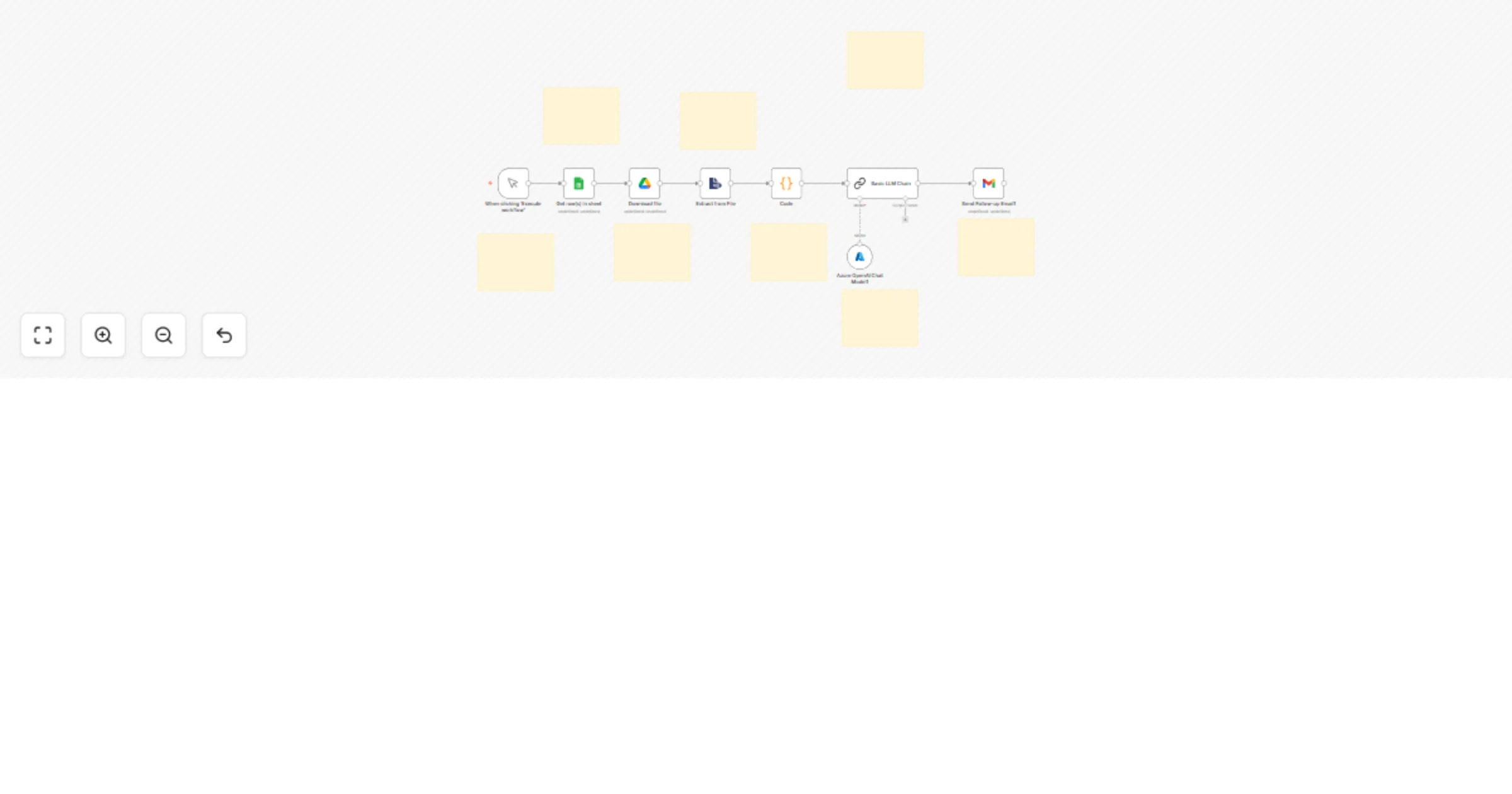
1️⃣ Manual Trigger – Starts the workflow manually when needed 2️⃣ Google Sheets – Retrieves candidate details (name, email, resume link) 3️⃣ Google Drive – Downloads candidate resume (PDF) from the provided link 4️⃣ PDF Extraction – Converts resume PDF into text for AI analysis 5️⃣ Code Node – Merges resume text with candidate metadata from the sheet 6️⃣ AI Brief Generation – GPT-4o-mini creates an HTML interviewer brief including:

  • Candidate summary and background
  • Job fit analysis with visual indicators
  • Risk areas and concerns
  • Targeted 5–7 interview questions
  • Clean corporate HTML formatting

7️⃣ Azure OpenAI – Provides GPT-4o-mini model backend for AI analysis 8️⃣ Gmail – Sends the generated brief pack to the recruitment team

Prerequisites

  • Google Sheets with candidate data & resume links
  • Google Drive API credentials (for resume downloads)
  • n8n instance (self-hosted or cloud)
  • Azure OpenAI API (GPT-4o-mini) for brief generation
  • Gmail API credentials for distribution

Step-by-Step Setup

  • Connect Google Sheets node to fetch candidate info.
  • Use Google Drive Download node to pull resume PDFs.
  • Extract text with PDF Text Extraction node.
  • Merge extracted resume text + metadata with a Code node.
  • Pass merged data to LangChain LLM node for AI brief creation.
  • Style output with clean HTML + embedded CSS.
  • Deliver final interviewer brief pack via Gmail node.

Customization Ideas

  • Store completed briefs in Notion or ClickUp for recruiter access.
  • Add Slack/Teams notifications when briefs are ready.
  • Extend AI analysis to include competency scoring.
  • Enable bulk processing for multiple candidates at once.

Key Benefits

✅ Standardized interviewer prep materials ✅ Saves hours of manual resume analysis ✅ AI-generated targeted interview questions ✅ Clean, responsive, print-friendly HTML format ✅ Automatic email distribution to hiring teams

Perfect For

  • Recruitment teams needing consistent interviewer packs
  • Hiring managers preparing for candidate discussions
  • Agencies managing multiple candidate pipelines
  • HR leaders standardizing interview quality

1.2 Logical Blocks

This catalog entry is organized from the workflow JSON. The node-level section below shows the executable blocks available for review before importing the template.

2. Block-by-Block Analysis

Block 1 - Send Follow-up Email1

Type / Role
n8n-nodes-base.gmail - gmail
Config choices
Version 2.1

Block 2 - Get row(s) in sheet

Type / Role
n8n-nodes-base.googleSheets - googleSheets
Config choices
Version 4

Block 3 - Basic LLM Chain

Type / Role
@n8n/n8n-nodes-langchain.chainLlm - chainLlm
Config choices
Version 1.7

Block 4 - Azure OpenAI Chat Model1

Type / Role
@n8n/n8n-nodes-langchain.lmChatAzureOpenAi - lmChatAzureOpenAi
Config choices
Version 1

Block 5 - When clicking ‘Execute workflow’

Type / Role
n8n-nodes-base.manualTrigger - manualTrigger
Config choices
Version 1

Block 6 - Download file

Type / Role
n8n-nodes-base.googleDrive - googleDrive
Config choices
Version 3

Block 7 - Extract from File

Type / Role
n8n-nodes-base.extractFromFile - extractFromFile
Config choices
Version 1

Block 8 - Code

Type / Role
n8n-nodes-base.code - code
Config choices
Version 2

Block 9 - Sticky Note

Type / Role
n8n-nodes-base.stickyNote - stickyNote
Config choices
Version 1

Block 10 - Sticky Note1

Type / Role
n8n-nodes-base.stickyNote - stickyNote
Config choices
Version 1

Block 11 - Sticky Note2

Type / Role
n8n-nodes-base.stickyNote - stickyNote
Config choices
Version 1

Block 12 - Sticky Note3

Type / Role
n8n-nodes-base.stickyNote - stickyNote
Config choices
Version 1

Block 13 - Sticky Note4

Type / Role
n8n-nodes-base.stickyNote - stickyNote
Config choices
Version 1

Block 14 - Sticky Note5

Type / Role
n8n-nodes-base.stickyNote - stickyNote
Config choices
Version 1

Block 15 - Sticky Note6

Type / Role
n8n-nodes-base.stickyNote - stickyNote
Config choices
Version 1

Block 16 - Sticky Note7

Type / Role
n8n-nodes-base.stickyNote - stickyNote
Config choices
Version 1

3. Summary Table

Workflow Generate AI-powered interview briefs from resumes using Google Sheets & GPT-4o
Complexity advanced
Nodes 16
Categories HR, AI Summarization
Author Rahul Joshi
Published 12 Sept 2025

4. Reproducing the Workflow from Scratch

  1. 1. Download the workflow JSON

    Use the JSON export at /data/workflows/8514/8514.json as the source template for this automation.

  2. 2. Import the template into n8n

    Open n8n, import the downloaded JSON, and review each node before activating the workflow.

  3. 3. Configure credentials and variables

    Replace placeholder credentials, API keys, webhook URLs, account IDs, and environment-specific values with your own settings.

  4. 4. Test with sample data

    Run the workflow manually or in a staging workspace, inspect node output, and confirm downstream systems receive the expected data.

  5. 5. Activate and monitor

    Enable the workflow only after testing, then monitor executions, errors, and rate limits during the first production runs.

5. General Notes & Resources

Review imported nodes carefully before activation. This catalog entry is intended to help you inspect the workflow structure, understand required services, and find related templates faster.

Node names, credentials, schedules, webhook paths, and external service limits may need adjustment for your workspace.

Frequently asked questions

What does Generate AI-powered interview briefs from resumes using Google Sheets & GPT-4o do?

Description This workflow automates the creation of comprehensive interviewer brief packs by extracting candidate resume data and generating professional HTML interview preparation materials. It sa...

What do I need before importing this workflow?

Review the workflow JSON, configure any required credentials in n8n, and test the automation in a safe workspace before using it in production.

Can I customize this workflow?

Yes. Use the block-by-block analysis and the downloadable JSON to inspect each node, then adjust credentials, prompts, schedules, filters, or destinations for your HR, AI Summarization use case.