Find business emails from contact names and domains using ScraperCity
Workflow preview

$20/month : Unlimited workflows
2500 executions/month

THE #1 IN WEB SCRAPING
Scrape any website without limits
HOSTINGER  Early Deal
DISCOUNT 20% Try free
Early DealDISCOUNT 20%
Self-hosted n8n
Unlimited workflows - from $4.99/mo

#1 hub for scraping, AI & automation
6000+ actors - $5 credits/mo
Overview
Who is this for
Sales development reps, growth marketers, and recruiters who need to find verified business email addresses at scale from a list of contacts -- without manual lookups or guesswork.
How it works
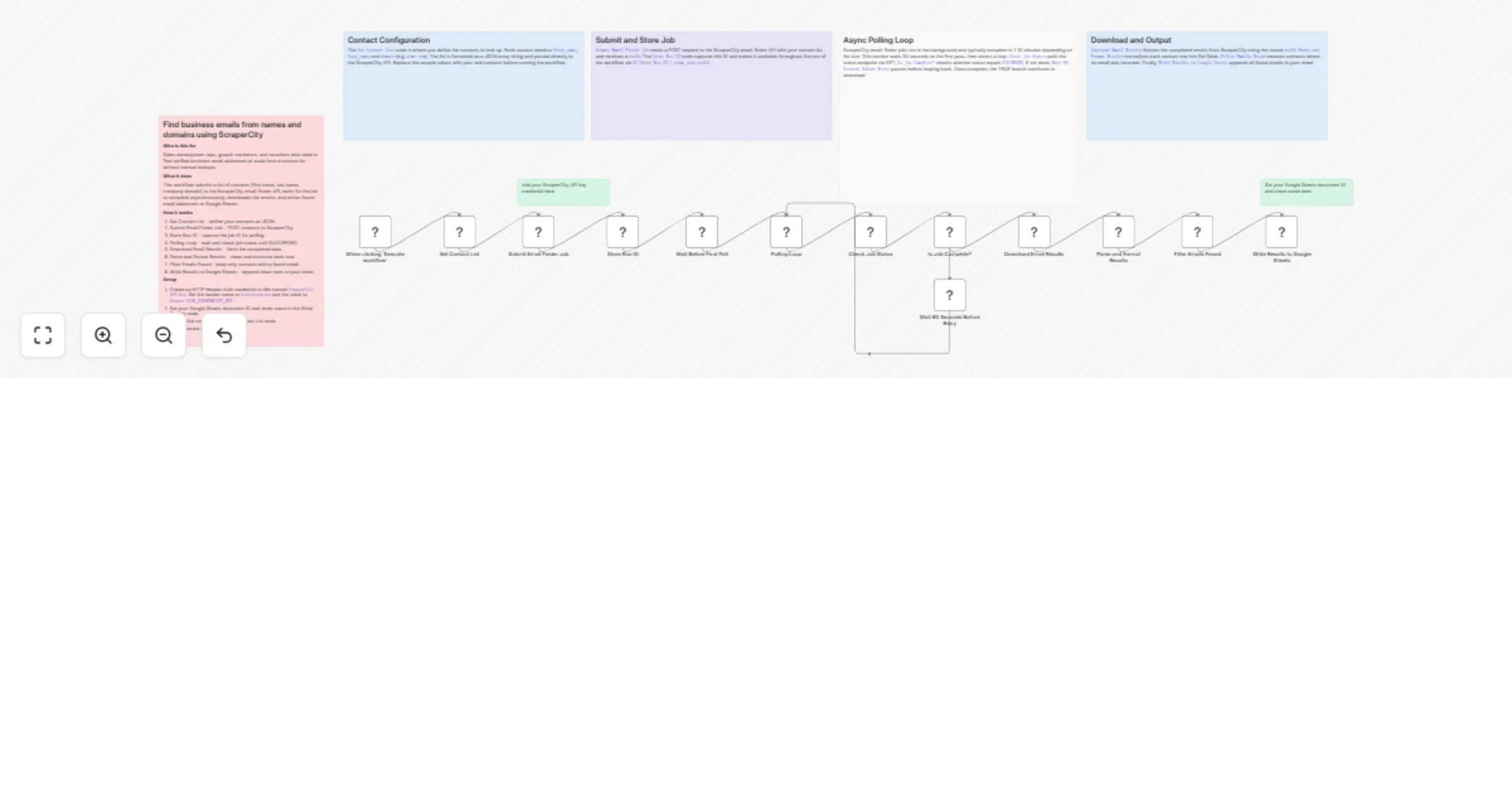
- A Set node holds your list of contacts (first name, last name, and company domain).
- An HTTP Request node POSTs the contacts to the ScraperCity email-finder API, which returns a
runId. - A second Set node stores the
runIdfor use in subsequent requests. - The workflow waits 30 seconds, then polls the ScraperCity status endpoint in a loop until the job status is
SUCCEEDED. - Once complete, the results are downloaded via the ScraperCity download endpoint.
- A Code node parses the response and formats each contact row.
- Results are written to Google Sheets, giving you a clean, ready-to-use email list.
How to set up
- Create a ScraperCity account at scrapercity.com and copy your API key.
- In n8n, create an HTTP Header Auth credential named
ScraperCity API Keywith headerAuthorizationand valueBearer YOUR_KEY. - Set your Google Sheets document ID and sheet name in the Google Sheets node.
- Update the contacts list in the
Set Contact Listnode with your real contacts.
Requirements
- ScraperCity account with email-finder credits
- Google Sheets OAuth2 credential configured in n8n
How to customize the workflow
- Replace the manual contact list with a Google Sheets
Get Rowsnode to process a dynamic list. - Add a Slack or email notification node after the results are written to alert your team.
- Add a Filter node to keep only contacts where an email was successfully found.