Dynamic AI model router for query optimization with OpenRouter
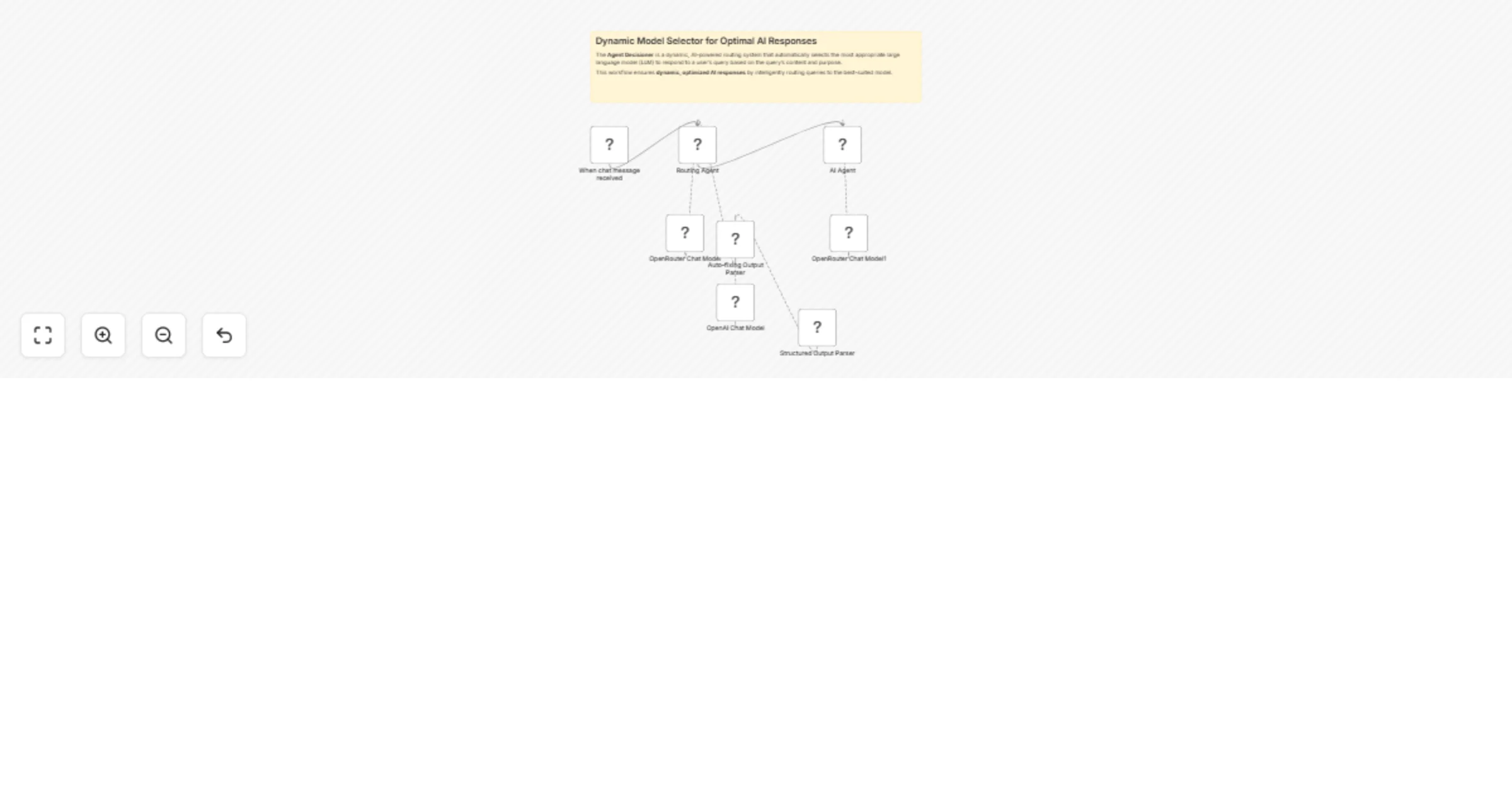
Workflow preview


 Early Deal
DISCOUNT 20%

Important notice
This workflow is provided as-is. Please review and test before using in production.
Overview
The Agent Decisioner is a dynamic, AI-powered routing system that automatically selects the most appropriate large language model (LLM) to respond to a user's query based on the query’s content and purpose.
This workflow ensures dynamic, optimized AI responses by intelligently routing queries to the best-suited model.
Advantages
🔁 Automatic Model Routing: Automatically selects the best model for the job, improving efficiency and relevance of responses.
🎯 Optimized Use of Resources: Avoids overuse of expensive models like GPT-4 by routing simpler queries to lightweight models.
📚 Model-Aware Reasoning: Uses detailed metadata about model capabilities (e.g., reasoning, coding, web search) for intelligent selection.
📥 Modular and Extendable: Easy to integrate with other tools or expand by adding more models or custom decision logic.
👨💻 Ideal for RAG and Multi-Agent Systems: Can serve as the brain behind more complex agent frameworks or Retrieval-Augmented Generation pipelines.
How It Works
- Chat Trigger: The workflow starts when a user sends a message, triggering the Routing Agent.
- Model Selection: The AI Agent analyzes the query and selects the best-suited model from the available options (e.g., Claude 3.7 Sonnet for coding, Perplexity/Sonar for web searches, GPT-4o Mini for reasoning).
- Structured Output: The agent returns a JSON response with the user’s prompt and the chosen model.
- Execution: The selected model processes the query and generates a response, ensuring optimal performance for the task.
Set Up Steps
Configure Nodes:
- Chat Trigger: Set up the webhook to receive user messages.
- Routing Agent (AI Agent): Define the system message with model strengths and JSON output rules.
- OpenRouter Chat Model: Connect to OpenRouter for model access.
- Structured Output Parser: Ensure it validates the JSON response format (
prompt+model). - Execution Agent (AI Agent1): Configure it to forward the prompt to the selected model.
Connect Nodes:
- Link the Chat Trigger to the Routing Agent.
- Connect the OpenRouter Chat Model and Output Parser to the Routing Agent.
- Route the parsed JSON to the Execution Agent, which uses the chosen model via OpenRouter Chat Model1.
Credentials:
- Ensure OpenRouter API credentials are correctly set for both chat model nodes.
Test & Deploy:
- Activate the workflow and test with sample queries to verify model selection logic.
- Adjust the routing rules if needed for better accuracy.
Need help customizing?
Contact me for consulting and support or add me on Linkedin.