Detect competitor tech adoption and notify AEs with PredictLeads, Sheets and Gmail
Workflow preview

$20/month : Unlimited workflows
2500 executions/month

THE #1 IN WEB SCRAPING
Scrape any website without limits
HOSTINGER  Early Deal
DISCOUNT 20% Try free
Early DealDISCOUNT 20%
Self-hosted n8n
Unlimited workflows - from $4.99/mo

#1 hub for scraping, AI & automation
6000+ actors - $5 credits/mo
Overview
Detect when target accounts adopt competitor technology by enriching company watchlists with PredictLeads tech detection data and emailing the assigned AE.
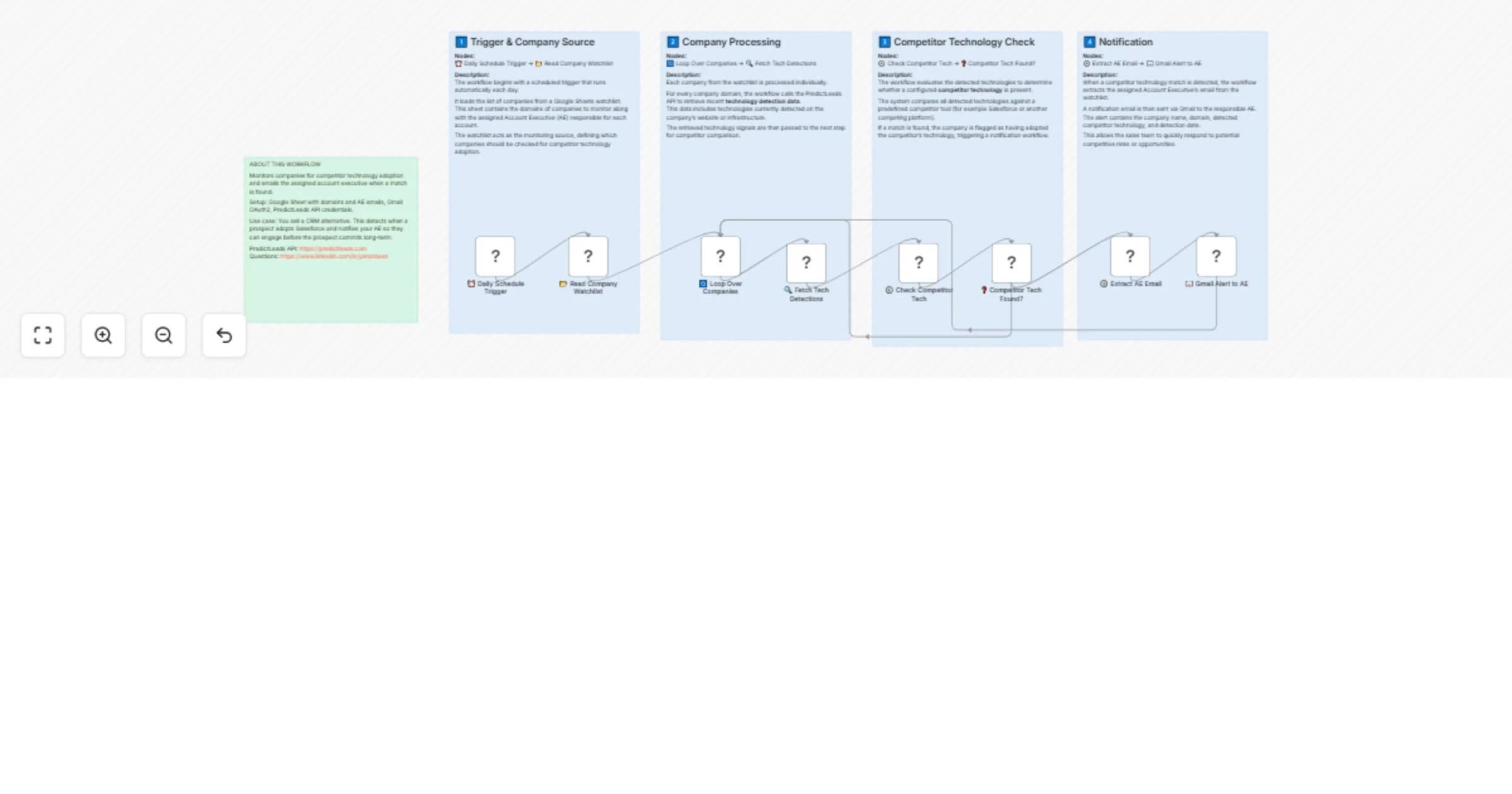
This workflow monitors a Google Sheets watchlist of company domains for competitor technology adoption. It checks each company against the PredictLeads Technology Detections API, and when a match is found (e.g., a prospect starts using Salesforce), it sends an alert email to the account executive responsible for that account.
How it works:
- Schedule trigger runs the workflow daily at 8 AM.
- Reads the company watchlist from Google Sheets (domain, company name, AE email).
- Loops through each company and fetches technology detections from PredictLeads.
- Checks if any detected technology matches the configured competitor tool.
- If a match is found, extracts the assigned AE's email address.
- Sends a Gmail alert to the AE with company name, domain, detected tech, and date.
- If no match, moves to the next company in the loop.
Setup:
- Create a Google Sheet with a "CompetitorWatchlist" tab containing columns: domain, company_name, ae_email.
- Set the competitor technology name in the Check Competitor Tech code node (default: "Salesforce").
- Connect your Gmail account (OAuth2) for sending alert emails.
- Add your PredictLeads API credentials (X-Api-Key and X-Api-Token headers).
Requirements:
- Google Sheets OAuth2 credentials.
- Gmail OAuth2 credentials.
- PredictLeads API account (https://docs.predictleads.com).
Notes:
- Change the COMPETITOR_TECH variable in the code node to match your specific competitor (e.g., "HubSpot", "Marketo", "Zendesk").
- Each row in the watchlist should have a valid AE email -- rows without one are skipped.
- PredictLeads Technology Detections API docs: https://docs.predictleads.com