Create a WhatsApp chatbot with GPT-4o, Whisper transcription and Redis buffer
Workflow preview


 Early Deal
DISCOUNT 20%

Important notice
This workflow is provided as-is. Please review and test before using in production.
Overview
👥 Who's it for This workflow is perfect for businesses or individuals who want to automate WhatsApp conversations 💬 with an intelligent AI chatbot that can handle text, voice notes 🎵, and images 🖼️. No advanced coding required! 🤖 What it does It automatically receives WhatsApp messages through WasenderAPI, intelligently buffers consecutive messages to avoid fragmented responses, processes multimedia content (transcribing audio and analyzing images with AI), and responds naturally using GPT-4o mini with conversation memory. All while protecting your WhatsApp account from being banned. ⚙️ How it works
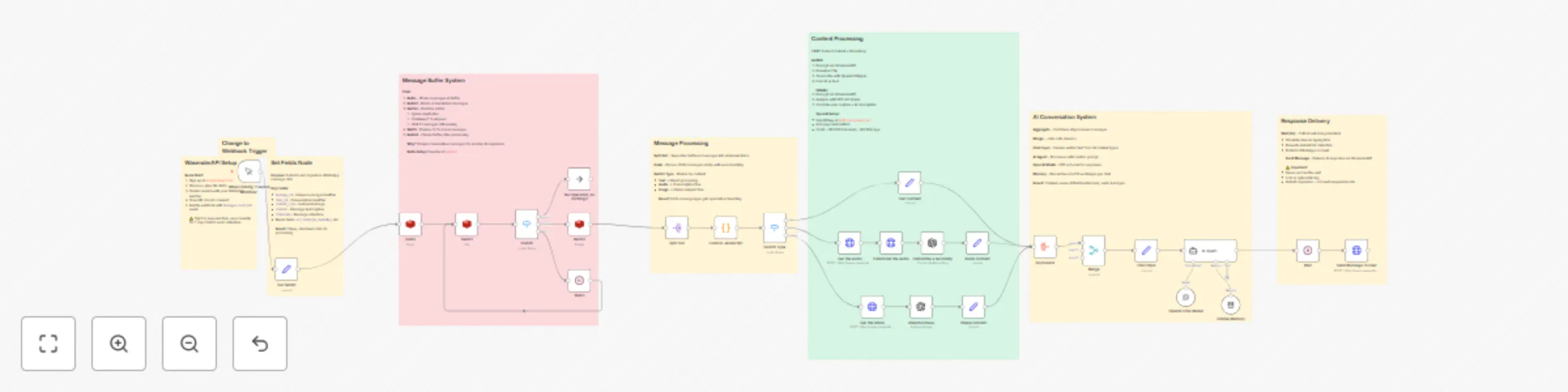
📱 Webhook Trigger – Receives new messages from WasenderAPI 🗃️ Redis Buffer System – Groups consecutive messages intelligently (7-second window) 🔀 Content Classifier – Routes messages by type (text, audio, or image) 🎵 Audio Processing – Decrypts and transcribes voice notes using OpenAI Whisper 🖼️ Image Analysis – Decrypts and analyzes images with GPT-4O Vision 🧠 AI Agent (GPT-4o mini) – Generates intelligent responses with 10-message memory ⏱️ Anti-Ban Wait – 6-second delay to simulate human typing 📤 Message Sender – Delivers response back to WhatsApp user
📋 Requirements
WasenderAPI account with connected WhatsApp number : https://wasenderapi.com/
Redis database (free tier works fine) OpenAI API key with access to GPT-4o mini and Whisper n8n's AI Agent, LangChain, and Redis nodes
🛠️ How to set up
Create your WasenderAPI account and connect a WhatsApp number Set up a free Redis database and get connection credentials Configure OpenAI API key in n8n credentials Replace the WasenderAPI Bearer token in "Get the audio", "Get the photo", and "Send Message to User" nodes Change the Manual Trigger to a Webhook and configure it in WasenderAPI Customize the AI Agent prompt to match your business needs Adjust wait times if needed (default: 6 seconds for responses, 7 seconds for buffer) Save and activate the workflow ✅
🎨 How to customize
Modify the AI Agent prompt to change bot personality and instructions Adjust buffer wait time (7 seconds) for faster/slower message grouping Change response delay (6 seconds) based on your use case , its recomendable 30 seconds. Add more content types (documents, videos) by extending the Switch Type node Configure conversation memory window (default: 10 messages)