Chat with your PDF documents using PageIndex vectorless RAG via Telegram
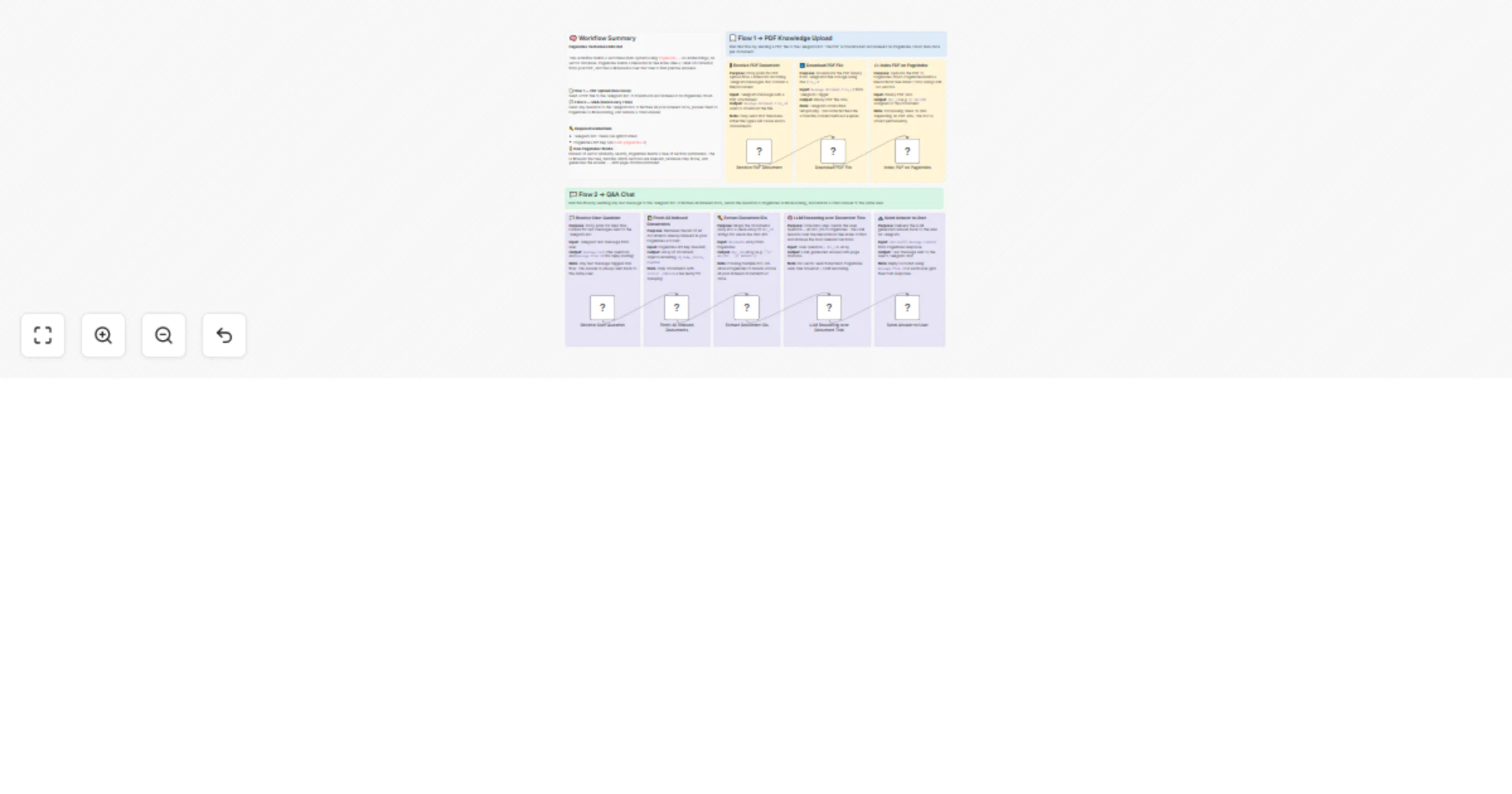
Workflow preview


 Early Deal
DISCOUNT 20%

Overview
Build a Vectorless PDF Knowledge Bot on Telegram Using PageIndex RAG
👤 Who Is This For?
This template is built for developers, researchers, and automation builders who want to create a document Q&A system — without the complexity of vector databases, embeddings, or chunking pipelines.
It's perfect for:
- Developers exploring next-generation RAG architectures
- Teams building internal knowledge bots over PDFs (reports, manuals, contracts)
- Anyone who wants to query documents through Telegram with a clean, no-infrastructure setup
❓ What Problem Does This Solve?
Traditional RAG systems require converting text into vectors, storing them in a vector database, and relying on semantic similarity to retrieve relevant chunks. This approach has known weaknesses:
- Similarity ≠ Relevance - queries express intent, not exact content
- Chunking breaks context - arbitrary splits destroy meaning across sections
- In-document references are missed - e.g. "see Appendix B" has no semantic match
PageIndex solves this differently. Instead of vectors, it builds a hierarchical tree index (like a Table of Contents) from your PDF using an LLM. At query time, the LLM reasons over that tree — identifies the most relevant sections, retrieves only those, and generates a precise, cited answer.
No embeddings. No vector DB. No chunking.
⚡ What This Workflow Does
This n8n template delivers a fully working Telegram-based RAG bot with two independent flows in a single workflow:
📄 Flow 1 → PDF Knowledge Upload (Run Once per Document) Send a PDF file to your Telegram bot. The workflow downloads it and uploads it to PageIndex cloud, where the tree index is built automatically.
💬 Flow 2 → Q&A Chat (Runs Every Time) Send any question as a text message to the same Telegram bot. The workflow fetches all your indexed documents, sends the question to PageIndex's LLM reasoning engine, and delivers a cited answer back to your Telegram chat.
🔄 How It Works
Flow 1 - PDF Upload
- Receive PDF Document - Telegram Trigger listens for messages containing a file. Send any PDF to the bot to start indexing.
- Download PDF File - The bot downloads the binary PDF from Telegram's file storage using the
file_id. - Index PDF on PageIndex - The PDF is uploaded to PageIndex cloud via
POST /doc/. PageIndex builds a hierarchical tree index (TOC with LLM-generated summaries per section). Returns adoc_id. No vectors are created.
Flow 2 - Q&A
- Receive User Question - Telegram Trigger listens for text messages. Any message triggers the Q&A flow.
- Fetch All Indexed Documents - Calls
GET /docson PageIndex to retrieve all previously uploaded documents. - Extract Document IDs - Maps the documents list into a clean array of
doc_idstrings. - LLM Reasoning over Document Tree - Sends the user's question + all
doc_idsto PageIndexPOST /chat/completions. PageIndex's LLM traverses the tree, identifies the relevant nodes, retrieves the raw text, and generates an answer with page citations. - Send Answer to User The answer is delivered back to the exact Telegram user who asked, using their
chat_id.
🛠️ Setup Instructions
Step 1 - Create a Telegram Bot
- Open Telegram and message @BotFather
- Send
/newbotand follow the prompts - Copy the Bot Token provided
- In n8n, add a new Telegram credential and paste the token
Step 2 - Get Your PageIndex API Key
- Visit dash.pageindex.ai and create a free account
- Go to API Keys and generate a new key
- In the workflow, replace
YOUR_PAGEINDEX_API_KEYin these three nodes:
☁️ Index PDF on PageIndex📚 Fetch All Indexed Documents🧠 LLM Reasoning over Document Tree
Step 3 - Connect Telegram Credentials
Both Telegram Trigger nodes and the Telegram send node use the same credential. Set your Telegram API credentials once and n8n will apply them across all nodes automatically.
Step 4 - Activate the Workflow
- Click Activate in n8n
- Send a PDF file to your Telegram bot → it gets indexed
- Send any text question → get an LLM-reasoned answer back
📋 Required Credentials
| Service | Where to Get | Used In |
|---|---|---|
| Telegram Bot Token | @BotFather on Telegram | All Telegram nodes |
| PageIndex API Key | API Key From Dashboard | Upload + Chat nodes |
💡 How to Customize
- Query multiple documents at once - Upload multiple PDFs (each creates a separate
doc_id). The Q&A flow automatically fetches all of them and reasons across all documents simultaneously. - Change temperature - In the
LLM Reasoning over Document Treenode, adjust"temperature": 0.5for more creative (higher) or more precise (lower) answers. - Enable/disable citations - Toggle
"enable_citations": true/falsein the chat node body to control whether page references appear in answers. - Filter by specific document - Modify the
Extract Document IDsnode to filter only documents withstatus: completedor by name to limit which docs are queried. - Replace Telegram with another interface - Swap the Telegram Trigger nodes for a Webhook or Form Trigger if you want to build a web-based version instead.
📦 About PageIndex
PageIndex is an open-source vectorless RAG framework by VectifyAI. It powers the Mafin 2.5 financial assistant which achieved 98.7% accuracy on FinanceBench - significantly outperforming GPT-4o (~31%) on document-intensive tasks.
🔧 Technical Notes
- PDFs sent via Telegram must be under 20MB (Telegram Bot API limit)
- PageIndex document processing typically takes 10-60 seconds depending on PDF size - the first question after upload may take slightly longer if the doc is still being indexed
- All indexed documents persist permanently in your PageIndex account and can be reused across sessions without re-uploading
🤝 Need Help?
Feel free to reach out via the n8n Community Forum or check out more automation templates on AppStoneLab Technologies.