Block 1 - AI Agent
- Type / Role
- @n8n/n8n-nodes-langchain.agent - agent
- Config choices
- Version 3.1


 Early Deal
Describe any automation in plain English. This AI agent builds, validates, and deploys a working n8n workflow into your instance in seconds — no node dragging, no JSON editing, no guesswork. Ful...
@n8n/n8n-nodes-langchain.agent, @n8n/n8n-nodes-langchain.mcpclienttool, @n8n/n8n-nodes-langchain.lmchatopenrouter, @n8n/n8n-nodes-langchain.memorypostgreschat, @n8n/n8n-nodes-langchain.chattrigger, n8n-nodes-base.stickynote, @n8n/n8n-nodes-langchain.chat
This workflow is cataloged by N8N Workflows and links back to its original n8n.io source page by Salman Mehboob.
Original n8n.io sourceDescribe any automation in plain English. This AI agent builds, validates, and deploys a working n8n workflow into your instance in seconds — no node dragging, no JSON editing, no guesswork.
📺 Full setup guide: [https://youtu.be/HMXBInLaUB8?si=Q21gt48omSyzsTGl]
━━━━━━━━━━━━━━━━━━━━━━━━━━━━━━━━━━━━━━━━ 🎯 WHO IS THIS FOR? ━━━━━━━━━━━━━━━━━━━━━━━━━━━━━━━━━━━━━━━━
→ n8n builders who want to generate workflows by chatting instead of configuring every node manually → Agencies building automations for clients at speed → Developers who want an AI co-pilot with real n8n knowledge → Non-technical teams who need to create workflows by describing them in plain language
━━━━━━━━━━━━━━━━━━━━━━━━━━━━━━━━━━━━━━━━ ⚡ WHAT MAKES THIS DIFFERENT ━━━━━━━━━━━━━━━━━━━━━━━━━━━━━━━━━━━━━━━━
Most AI workflow generators hallucinate node names, guess parameters, and produce broken JSON. This one doesn't.
It uses the official n8n MCP Client Tool node — natively built into n8n, no community packages required — to connect to a self-hosted n8n-mcp server (czlonkowski/n8n-mcp, 16k+ GitHub stars). That server holds the complete, structured documentation of 1,396 n8n nodes in a SQLite database with 12ms response time and zero rate limits.
The agent never guesses. It looks everything up first.
━━━━━━━━━━━━━━━━━━━━━━━━━━━━━━━━━━━━━━━━ ✅ WHAT IT DOES ━━━━━━━━━━━━━━━━━━━━━━━━━━━━━━━━━━━━━━━━
→ Accepts plain English prompts via n8n's built-in chat UI → Looks up exact node type strings — never assumes from training data → Validates every node config before building anything → Runs 3 separate post-build checks: structure, connections, and expression syntax → Deploys directly to your n8n instance via the REST API → Returns only the workflow URL + credential checklist → Remembers conversation history for follow-up edits → Modifies existing workflows with diff updates, not rebuilds
━━━━━━━━━━━━━━━━━━━━━━━━━━━━━━━━━━━━━━━━ ⚙️ HOW IT WORKS — STEP BY STEP ━━━━━━━━━━━━━━━━━━━━━━━━━━━━━━━━━━━━━━━━
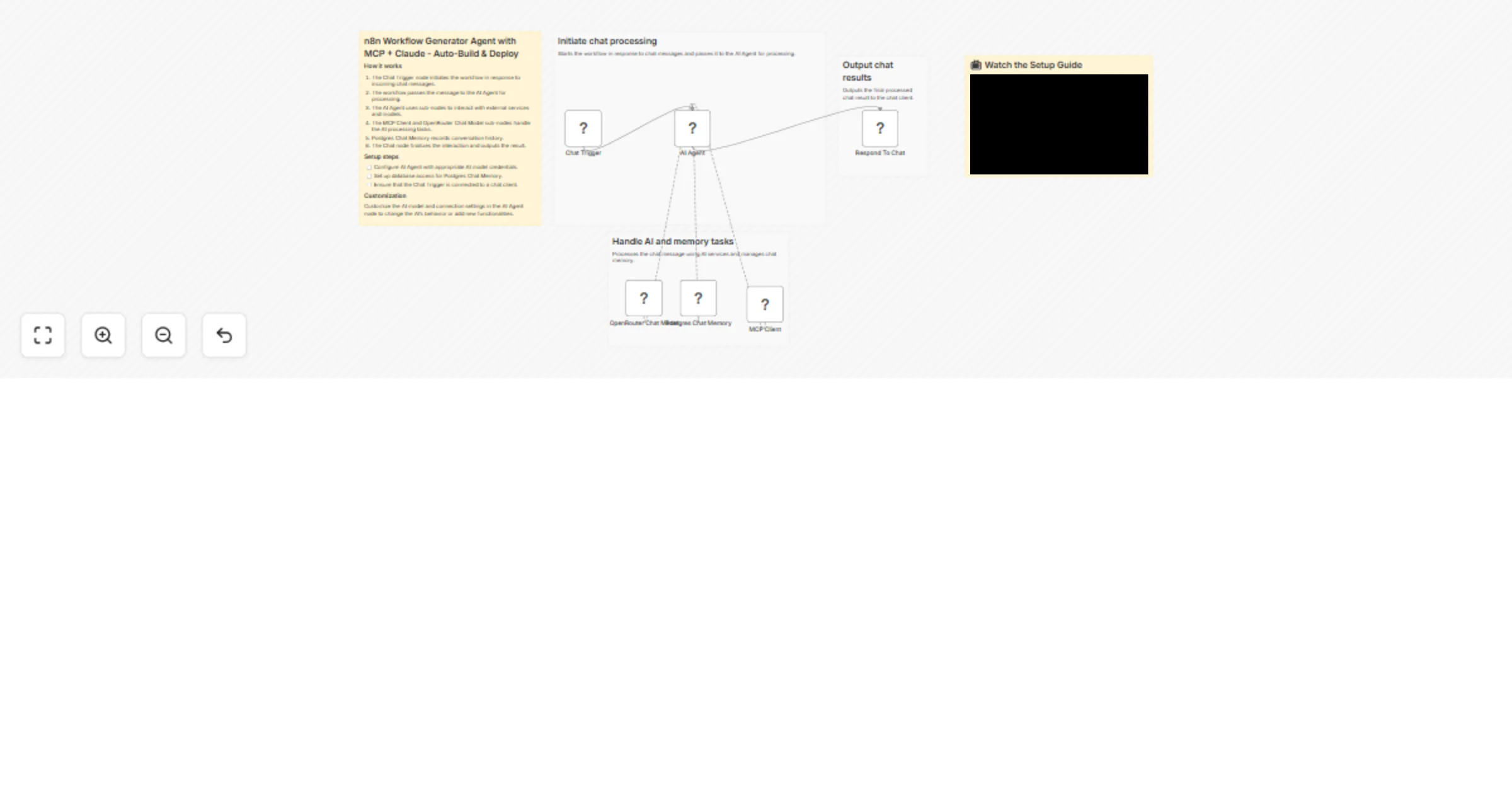
Chat Trigger receives your message and assigns a session ID
Postgres Chat Memory stores conversation history so follow-ups like "change the trigger to a webhook" work naturally without losing context
AI Agent (Claude Sonnet 4.5) reads the system prompt and begins calling MCP tools in strict order:
— tools_documentation() to load current best practices — search_nodes() for exact node type strings — get_node_essentials() for the 10-20 params that matter — search_templates() to find proven real-world patterns from 2,646 templates — validate_node_minimal() + validate_node_operation() to pre-validate before building — validate_workflow() + validate_workflow_connections()
MCP Client Tool (official n8n node, no community packages) connects to the n8n-mcp Docker container on the same Docker network — all 42 tools exposed, bearer auth secured
Respond To Chat sends only the workflow URL and a credential checklist — never raw JSON
━━━━━━━━━━━━━━━━━━━━━━━━━━━━━━━━━━━━━━━━ 🔧 WHAT YOU NEED ━━━━━━━━━━━━━━━━━━━━━━━━━━━━━━━━━━━━━━━━
→ Self-hosted n8n (Docker) → n8n-mcp container on the same Docker network (full docker-compose in sticky notes) → OpenRouter API key (or native Anthropic node) → Postgres for chat memory → n8n API key with workflow create permissions → Bearer token credential for n8n-mcp
No community nodes required. MCP Client Tool is an official built-in node in n8n.
━━━━━━━━━━━━━━━━━━━━━━━━━━━━━━━━━━━━━━━━ 🛠️ NODES IN THIS WORKFLOW ━━━━━━━━━━━━━━━━━━━━━━━━━━━━━━━━━━━━━━━━
→ Chat Trigger — public chat UI, auto session management → AI Agent (Tools Agent, v3.1) — 25 iterations, full prompt → MCP Client Tool (official) — all 42 tools, bearer auth → OpenRouter Chat Model — Claude Sonnet 4.5 → Postgres Chat Memory — 10-message window per session → Respond To Chat — formatted reply with error fallback
━━━━━━━━━━━━━━━━━━━━━━━━━━━━━━━━━━━━━━━━ 🔁 CUSTOMISATION ━━━━━━━━━━━━━━━━━━━━━━━━━━━━━━━━━━━━━━━━
→ Swap to any LLM via OpenRouter or native Anthropic node → Adjust Postgres memory window (default: 10 messages) → Restrict the system prompt to specific workflow categories → Add a human approval step before deployment → Deploy n8n-mcp on Railway or any VPS for remote access
━━━━━━━━━━━━━━━━━━━━━━━━━━━━━━━━━━━━━━━━ ⚠️ SELF-HOSTED ONLY ━━━━━━━━━━━━━━━━━━━━━━━━━━━━━━━━━━━━━━━━
Requires self-hosted n8n. The n8n-mcp container must be reachable from n8n over HTTP on the same Docker network. Not compatible with n8n Cloud without exposing the MCP server publicly.
Docker Compose.yml and .env files https://docs.google.com/document/d/1qvkJnybhjeS3T2ySKsJ0MZF1rPZYcC1nbxBJjxC6Pqk/edit?usp=sharing
━━━━━━━━━━━━━━━━━━━━━━━━━━━━━━━━━━━━━━━━ 📬 SUPPORT ━━━━━━━━━━━━━━━━━━━━━━━━━━━━━━━━━━━━━━━━
Email: [email protected] LinkedIn: https://www.linkedin.com/in/salman-mehboob-pro/
This catalog entry is organized from the workflow JSON. The node-level section below shows the executable blocks available for review before importing the template.
| Workflow | Generate n8n workflows from chat using MCP tools, Claude and Postgres |
|---|---|
| Complexity | intermediate |
| Nodes | 11 |
| Categories | Internal Wiki, AI Chatbot |
| Author | Salman Mehboob |
| Published | 11 Apr 2026 |
Use the JSON export at /data/workflows/14990/14990.json as the source template for this automation.
Open n8n, import the downloaded JSON, and review each node before activating the workflow.
Replace placeholder credentials, API keys, webhook URLs, account IDs, and environment-specific values with your own settings.
Run the workflow manually or in a staging workspace, inspect node output, and confirm downstream systems receive the expected data.
Enable the workflow only after testing, then monitor executions, errors, and rate limits during the first production runs.
Review imported nodes carefully before activation. This catalog entry is intended to help you inspect the workflow structure, understand required services, and find related templates faster.
Node names, credentials, schedules, webhook paths, and external service limits may need adjustment for your workspace.
Describe any automation in plain English. This AI agent builds, validates, and deploys a working n8n workflow into your instance in seconds — no node dragging, no JSON editing, no guesswork. Ful...
Review the workflow JSON, configure any required credentials in n8n, and test the automation in a safe workspace before using it in production.
Yes. Use the block-by-block analysis and the downloadable JSON to inspect each node, then adjust credentials, prompts, schedules, filters, or destinations for your Internal Wiki, AI Chatbot use case.