Chat with your PDF documents using PageIndex vectorless RAG via Telegram

Workflow preview

Workflow preview
100%
Chat with your PDF documents using PageIndex vectorless RAG via Telegram preview
Open on n8n.io

1. Workflow Overview

Build a Vectorless PDF Knowledge Bot on Telegram Using PageIndex RAG Who Is This For? This template is built for developers, researchers, and automation builders who want to create a document Q&...

Best for

  • Internal Wiki automation workflows
  • AI RAG automation workflows
  • advanced n8n builders looking for reusable templates

Tools used

n8n-nodes-base.stickynote, n8n-nodes-base.telegramtrigger, n8n-nodes-base.telegram, n8n-nodes-base.httprequest, n8n-nodes-base.set

Source and attribution

This workflow is cataloged by N8N Workflows and links back to its original n8n.io source page by AppStoneLab Technologies LLP.

Original n8n.io source

1.1 Workflow description

Title
Chat with your PDF documents using PageIndex vectorless RAG via Telegram
Workflow name
Chat with your PDF documents using PageIndex vectorless RAG via Telegram

Build a Vectorless PDF Knowledge Bot on Telegram Using PageIndex RAG

👤 Who Is This For?

This template is built for developers, researchers, and automation builders who want to create a document Q&A system — without the complexity of vector databases, embeddings, or chunking pipelines.

It's perfect for:

  • Developers exploring next-generation RAG architectures
  • Teams building internal knowledge bots over PDFs (reports, manuals, contracts)
  • Anyone who wants to query documents through Telegram with a clean, no-infrastructure setup

❓ What Problem Does This Solve?

Traditional RAG systems require converting text into vectors, storing them in a vector database, and relying on semantic similarity to retrieve relevant chunks. This approach has known weaknesses:

  • Similarity ≠ Relevance - queries express intent, not exact content
  • Chunking breaks context - arbitrary splits destroy meaning across sections
  • In-document references are missed - e.g. "see Appendix B" has no semantic match

PageIndex solves this differently. Instead of vectors, it builds a hierarchical tree index (like a Table of Contents) from your PDF using an LLM. At query time, the LLM reasons over that tree — identifies the most relevant sections, retrieves only those, and generates a precise, cited answer.

No embeddings. No vector DB. No chunking.

⚡ What This Workflow Does

This n8n template delivers a fully working Telegram-based RAG bot with two independent flows in a single workflow:

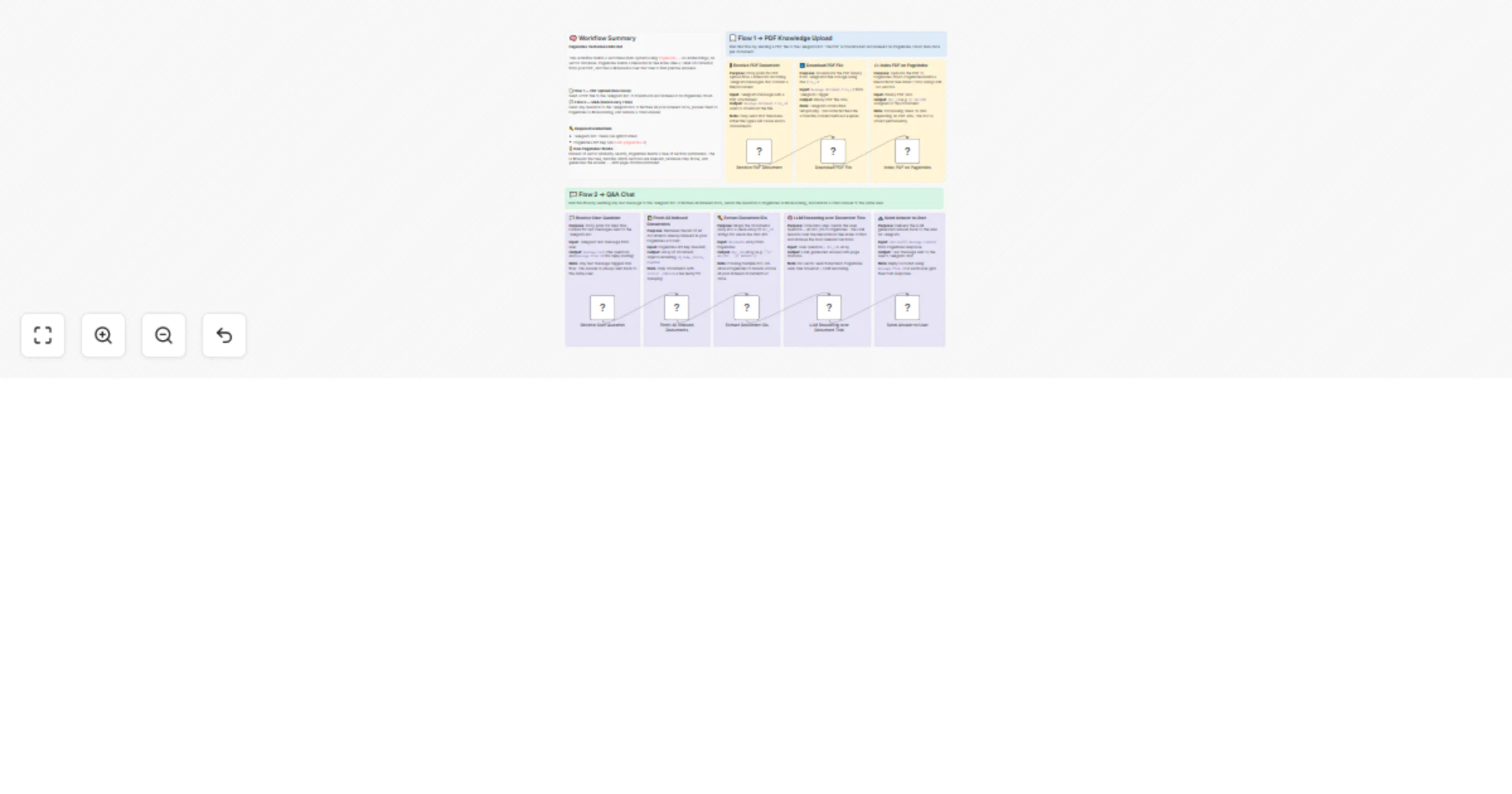
📄 Flow 1 → PDF Knowledge Upload (Run Once per Document) Send a PDF file to your Telegram bot. The workflow downloads it and uploads it to PageIndex cloud, where the tree index is built automatically.

💬 Flow 2 → Q&A Chat (Runs Every Time) Send any question as a text message to the same Telegram bot. The workflow fetches all your indexed documents, sends the question to PageIndex's LLM reasoning engine, and delivers a cited answer back to your Telegram chat.

🔄 How It Works

Flow 1 - PDF Upload

  1. Receive PDF Document - Telegram Trigger listens for messages containing a file. Send any PDF to the bot to start indexing.
  2. Download PDF File - The bot downloads the binary PDF from Telegram's file storage using the file_id.
  3. Index PDF on PageIndex - The PDF is uploaded to PageIndex cloud via POST /doc/. PageIndex builds a hierarchical tree index (TOC with LLM-generated summaries per section). Returns a doc_id. No vectors are created.

Flow 2 - Q&A

  1. Receive User Question - Telegram Trigger listens for text messages. Any message triggers the Q&A flow.
  2. Fetch All Indexed Documents - Calls GET /docs on PageIndex to retrieve all previously uploaded documents.
  3. Extract Document IDs - Maps the documents list into a clean array of doc_id strings.
  4. LLM Reasoning over Document Tree - Sends the user's question + all doc_ids to PageIndex POST /chat/completions. PageIndex's LLM traverses the tree, identifies the relevant nodes, retrieves the raw text, and generates an answer with page citations.
  5. Send Answer to User The answer is delivered back to the exact Telegram user who asked, using their chat_id.

🛠️ Setup Instructions

Step 1 - Create a Telegram Bot

  1. Open Telegram and message @BotFather
  2. Send /newbot and follow the prompts
  3. Copy the Bot Token provided
  4. In n8n, add a new Telegram credential and paste the token

Step 2 - Get Your PageIndex API Key

  1. Visit dash.pageindex.ai and create a free account
  2. Go to API Keys and generate a new key
  3. In the workflow, replace YOUR_PAGEINDEX_API_KEY in these three nodes:
  • ☁️ Index PDF on PageIndex
  • 📚 Fetch All Indexed Documents
  • 🧠 LLM Reasoning over Document Tree

Step 3 - Connect Telegram Credentials

Both Telegram Trigger nodes and the Telegram send node use the same credential. Set your Telegram API credentials once and n8n will apply them across all nodes automatically.

Step 4 - Activate the Workflow

  1. Click Activate in n8n
  2. Send a PDF file to your Telegram bot → it gets indexed
  3. Send any text question → get an LLM-reasoned answer back

📋 Required Credentials

Service Where to Get Used In
Telegram Bot Token @BotFather on Telegram All Telegram nodes
PageIndex API Key API Key From Dashboard Upload + Chat nodes

💡 How to Customize

  • Query multiple documents at once - Upload multiple PDFs (each creates a separate doc_id). The Q&A flow automatically fetches all of them and reasons across all documents simultaneously.
  • Change temperature - In the LLM Reasoning over Document Tree node, adjust "temperature": 0.5 for more creative (higher) or more precise (lower) answers.
  • Enable/disable citations - Toggle "enable_citations": true/false in the chat node body to control whether page references appear in answers.
  • Filter by specific document - Modify the Extract Document IDs node to filter only documents with status: completed or by name to limit which docs are queried.
  • Replace Telegram with another interface - Swap the Telegram Trigger nodes for a Webhook or Form Trigger if you want to build a web-based version instead.

📦 About PageIndex

PageIndex is an open-source vectorless RAG framework by VectifyAI. It powers the Mafin 2.5 financial assistant which achieved 98.7% accuracy on FinanceBench - significantly outperforming GPT-4o (~31%) on document-intensive tasks.

🔧 Technical Notes

  • PDFs sent via Telegram must be under 20MB (Telegram Bot API limit)
  • PageIndex document processing typically takes 10-60 seconds depending on PDF size - the first question after upload may take slightly longer if the doc is still being indexed
  • All indexed documents persist permanently in your PageIndex account and can be reused across sessions without re-uploading

🤝 Need Help?

Feel free to reach out via the n8n Community Forum or check out more automation templates on AppStoneLab Technologies.

1.2 Logical Blocks

This catalog entry is organized from the workflow JSON. The node-level section below shows the executable blocks available for review before importing the template.

2. Block-by-Block Analysis

Block 1 - Sticky Note - Summary

Type / Role
n8n-nodes-base.stickyNote - stickyNote
Config choices
Version 1

Block 2 - Sticky Note - Flow 1 Header

Type / Role
n8n-nodes-base.stickyNote - stickyNote
Config choices
Version 1

Block 3 - Sticky Note - Receive PDF

Type / Role
n8n-nodes-base.stickyNote - stickyNote
Config choices
Version 1

Block 4 - Sticky Note - Download PDF

Type / Role
n8n-nodes-base.stickyNote - stickyNote
Config choices
Version 1

Block 5 - Sticky Note - Index PDF

Type / Role
n8n-nodes-base.stickyNote - stickyNote
Config choices
Version 1

Block 6 - Receive PDF Document

Type / Role
n8n-nodes-base.telegramTrigger - telegramTrigger
Config choices
Version 1.2

Block 7 - Download PDF File

Type / Role
n8n-nodes-base.telegram - telegram
Config choices
Version 1.2

Block 8 - Index PDF on PageIndex

Type / Role
n8n-nodes-base.httpRequest - httpRequest
Config choices
Version 4.2

Block 9 - Sticky Note - Flow 2 Header

Type / Role
n8n-nodes-base.stickyNote - stickyNote
Config choices
Version 1

Block 10 - Sticky Note - Receive Question

Type / Role
n8n-nodes-base.stickyNote - stickyNote
Config choices
Version 1

Block 11 - Sticky Note - Fetch Docs

Type / Role
n8n-nodes-base.stickyNote - stickyNote
Config choices
Version 1

Block 12 - Sticky Note - Extract IDs

Type / Role
n8n-nodes-base.stickyNote - stickyNote
Config choices
Version 1

Block 13 - Sticky Note - LLM Reasoning

Type / Role
n8n-nodes-base.stickyNote - stickyNote
Config choices
Version 1

Block 14 - Sticky Note - Send Answer

Type / Role
n8n-nodes-base.stickyNote - stickyNote
Config choices
Version 1

Block 15 - Receive User Question

Type / Role
n8n-nodes-base.telegramTrigger - telegramTrigger
Config choices
Version 1.2

Block 16 - Fetch All Indexed Documents

Type / Role
n8n-nodes-base.httpRequest - httpRequest
Config choices
Version 4.4

Block 17 - Extract Document IDs

Type / Role
n8n-nodes-base.set - set
Config choices
Version 3.4

Block 18 - LLM Reasoning over Document Tree

Type / Role
n8n-nodes-base.httpRequest - httpRequest
Config choices
Version 4.2

Block 19 - Send Answer to User

Type / Role
n8n-nodes-base.telegram - telegram
Config choices
Version 1.2

3. Summary Table

Workflow Chat with your PDF documents using PageIndex vectorless RAG via Telegram
Complexity advanced
Nodes 19
Categories Internal Wiki, AI RAG
Author AppStoneLab Technologies LLP
Published 10 Mar 2026

4. Reproducing the Workflow from Scratch

  1. 1. Download the workflow JSON

    Use the JSON export at /data/workflows/13977/13977.json as the source template for this automation.

  2. 2. Import the template into n8n

    Open n8n, import the downloaded JSON, and review each node before activating the workflow.

  3. 3. Configure credentials and variables

    Replace placeholder credentials, API keys, webhook URLs, account IDs, and environment-specific values with your own settings.

  4. 4. Test with sample data

    Run the workflow manually or in a staging workspace, inspect node output, and confirm downstream systems receive the expected data.

  5. 5. Activate and monitor

    Enable the workflow only after testing, then monitor executions, errors, and rate limits during the first production runs.

5. General Notes & Resources

Review imported nodes carefully before activation. This catalog entry is intended to help you inspect the workflow structure, understand required services, and find related templates faster.

Node names, credentials, schedules, webhook paths, and external service limits may need adjustment for your workspace.

Frequently asked questions

What does Chat with your PDF documents using PageIndex vectorless RAG via Telegram do?

Build a Vectorless PDF Knowledge Bot on Telegram Using PageIndex RAG Who Is This For? This template is built for developers, researchers, and automation builders who want to create a document Q&...

What do I need before importing this workflow?

Review the workflow JSON, configure any required credentials in n8n, and test the automation in a safe workspace before using it in production.

Can I customize this workflow?

Yes. Use the block-by-block analysis and the downloadable JSON to inspect each node, then adjust credentials, prompts, schedules, filters, or destinations for your Internal Wiki, AI RAG use case.