Automatically add travel time blockers to calendar using Google Directions API
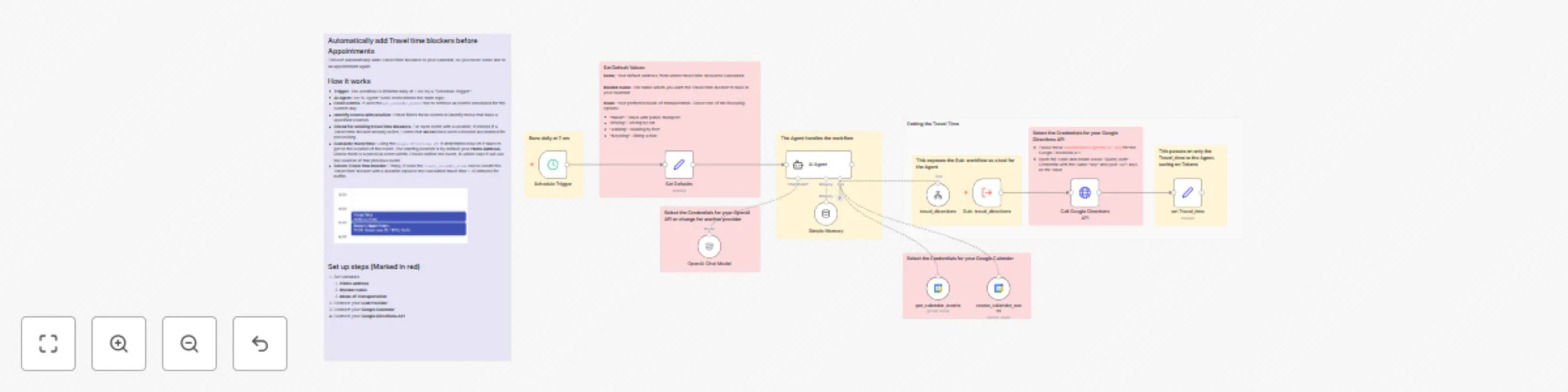
Workflow preview

$20/month : Unlimited workflows
2500 executions/month

THE #1 IN WEB SCRAPING
Scrape any website without limits
HOSTINGER  Early Deal
DISCOUNT 20% Try free
Early DealDISCOUNT 20%
Self-hosted n8n
Unlimited workflows - from $4.99/mo

#1 hub for scraping, AI & automation
6000+ actors - $5 credits/mo
Important notice
This workflow is provided as-is. Please review and test before using in production.
Overview
Automatically add Travel time blockers before Appointments
This bot automatically adds Travel time blockers to your calendar, so you never come late to an appointment again.
How it works
- Trigger: The workflow is initiated daily at 7 AM by a "Schedule Trigger".
- AI Agent: An "AI Agent" node orchestrates the main logic.
- Fetch events: It uses the
get_calendar_eventstool to retrieve all events scheduled for the current day. - Identify events with location: It then filters these events to identify those that have a specified location.
- Check for existing travel time Blockers: For each event with a location, it checks if a Travel time blocker already exists. Events that do not have such a blocker are marked for processing.
- Calculate travel time: Using the
Google Directions APIit determines how lot it takes to get to the location of the event. The starting location is by default your Home Address, unless there is a previous event within 2 hours before the event, in which case it will use the location of that previous event. - Create Travel time blocker: Finally, it uses the
create_calendar_eventtool to create the Travel time blocker with a duration equal to the calculated travel time + 10 minutes for buffer.
Set up steps
- Set Variables
- Home address
- Blocker name
- Mode of Transportation
- Connect your LLM Provider
- Connect your Google Calendar
- Connect your Google Directions API